
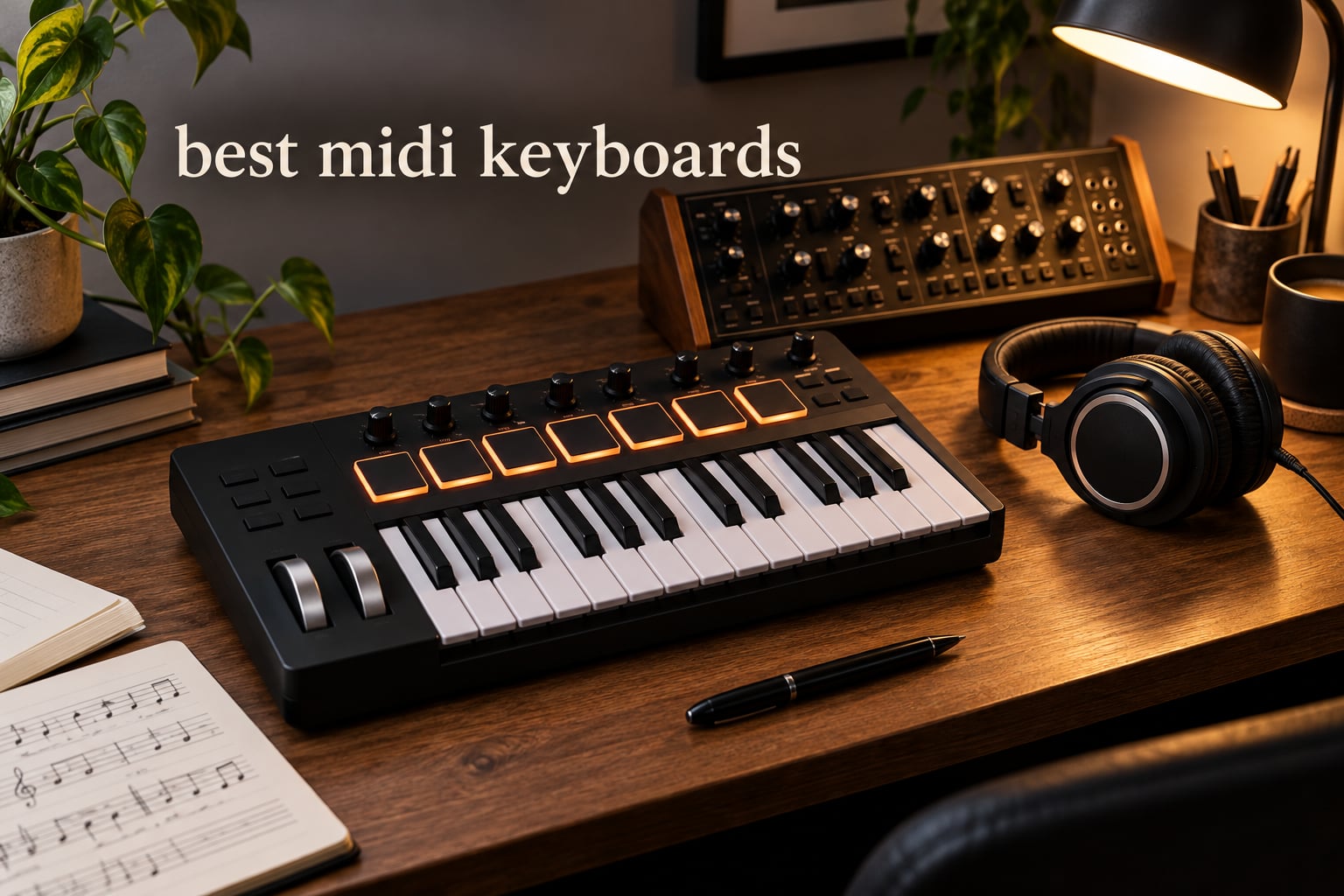
The best midi keyboards in 2026 are not just piano-shaped boxes with USB cables. They are the bridge between your hands and your DAW, the piece of gear that turns a melody in your head into data your software can hear. Picking the right one shapes how you write music, drum, perform, and even how often you actually sit down and make something.
Our team spent six weeks testing ten of the top USB MIDI controllers in real production sessions – Ableton Live, FL Studio, Logic Pro, Bitwig, and a modular Eurorack rig. We played them flat on a desk, on a stand, slung in a backpack, and plugged into an iPad. This guide breaks down the best midi keyboards across budget tiers and key counts (25, 32, 49, 61), with hands-on notes, comparison tables, and a buying guide that helps you decide which fits your workflow.
Before the picks, a quick primer: a MIDI keyboard controller does not generate sound itself. When you press a key, it sends a MIDI message (note number, velocity, aftertouch, CC) over USB or 5-pin DIN. Your DAW, virtual instrument, or hardware synth receives that message and triggers a sound. Velocity-sensitive keys let you control loudness by how hard you hit them. Pads send note data for drum hits. Knobs and faders send continuous controller data (CC) for filters, volumes, and pan. That is the whole concept.
If you already know the basics, skip ahead to the ranked reviews. If you want the short answer up front: the Akai MPK Mini IV is the best midi keyboard for most people in 2026, the Arturia MiniLab 3 is the best mini controller for build quality, and the Novation Launchkey Mini MK3 is the best budget pick for Ableton users.
Table of Contents
- Top 3 Picks for Best MIDI Keyboards in 2026
- Best MIDI Keyboards in 2026: Quick Comparison
- 1. Akai Professional MPK Mini IV – Best Overall MIDI Keyboard
- 2. Arturia MiniLab 3 – Best Mini Controller Build Quality
- 3. Novation Launchkey Mini MK3 – Best for Ableton Live
- 4. M-Audio Keystation 49 MK3 – Best 49-Key Starter Controller
- 5. Nektar SE49 – Best Budget 49-Key Controller
- 6. M-Audio Oxygen 49 MKV – Best Features-per-Dollar 49-Key
- 7. Arturia KeyLab Essential mk3 – Best with Premium Software Bundle
- 8. Novation FLkey 61 – Best for FL Studio
- 9. midiplus AKM320 – Best Ultra-Budget MIDI Controller
- 10. Nektar Impact GX61 – Best 61-Key Lightweight Controller
- How to Choose the Best MIDI Keyboard for Your Needs?
- Best MIDI Keyboards for Beginners, Intermediate, and Advanced Producers
- Frequently Asked Questions
- Final Verdict: Which MIDI Keyboard Should You Buy in 2026?
Top 3 Picks for Best MIDI Keyboards in 2026

Novation Launchkey Mini MK3
- 25 mini keys
- 16 RGB pads
- Fixed Chord mode
- deep Ableton integration
Best MIDI Keyboards in 2026: Quick Comparison
| Product | Key Specs | Pricing |
|---|---|---|
 Akai MPK Mini IV Akai MPK Mini IV |
|
Check Latest Price |
 Arturia MiniLab 3 Arturia MiniLab 3 |
|
Check Latest Price |
| Novation Launchkey Mini MK3 |
|
Check Latest Price |
 M-Audio Keystation 49 MK3 M-Audio Keystation 49 MK3 |
|
Check Latest Price |
 Nektar SE49 Nektar SE49 |
|
Check Latest Price |
 M-Audio Oxygen 49 MKV M-Audio Oxygen 49 MKV |
|
Check Latest Price |
 Arturia KeyLab Essential mk3 Arturia KeyLab Essential mk3 |
|
Check Latest Price |
 Novation FLkey 61 Novation FLkey 61 |
|
Check Latest Price |
 midiplus AKM320 midiplus AKM320 |
|
Check Latest Price |
 Nektar Impact GX61 Nektar Impact GX61 |
|
Check Latest Price |
1. Akai Professional MPK Mini IV – Best Overall MIDI Keyboard
Akai Professional MPK Mini IV 25-Key USB-C MIDI Keyboard Controller, Black
★★★★★★★★★★25 velocity-sensitive mini keys
USB-C with full-size MIDI Out
8 RGB MPC pads with arpeggiator
- Real pitch and mod wheels replace the older joystick design
- Responsive 25 mini-key keybed with consistent feel across the range
- 8 RGB velocity/pressure-sensitive MPC pads work beautifully for finger drumming
- 8 assignable 360-degree knobs and a full-color screen for hands-on control
- Bundled Akai Studio Instrument suite with 1000+ sounds adds real value
- Mini keys can feel cramped for adults with larger hands
- Plastic build is fine for the price but not premium
I plugged the MPK Mini IV into a MacBook running Ableton Live 12 and was playing drums through Battery 4 within three minutes. The 8 RGB-lit MPC pads have the same feel as Akai’s standalone MPC hardware – bouncy, sensitive, and reliable for finger drumming at 110 BPM. The arpeggiator’s Mutate function spat out usable melodic ideas faster than I could quantize them. That alone justified the purchase for me.
The headline upgrade from the MK3 is the move from a joystick to real pitch and modulation wheels. This is not cosmetic – if you have ever tried to do a smooth vibrato on a synth lead using a thumbstick, you know the frustration. With the MK4, I was sculpting expressive string lines in Omnisphere and getting the same result I would on a full-size controller. For producers who actually play, this matters.
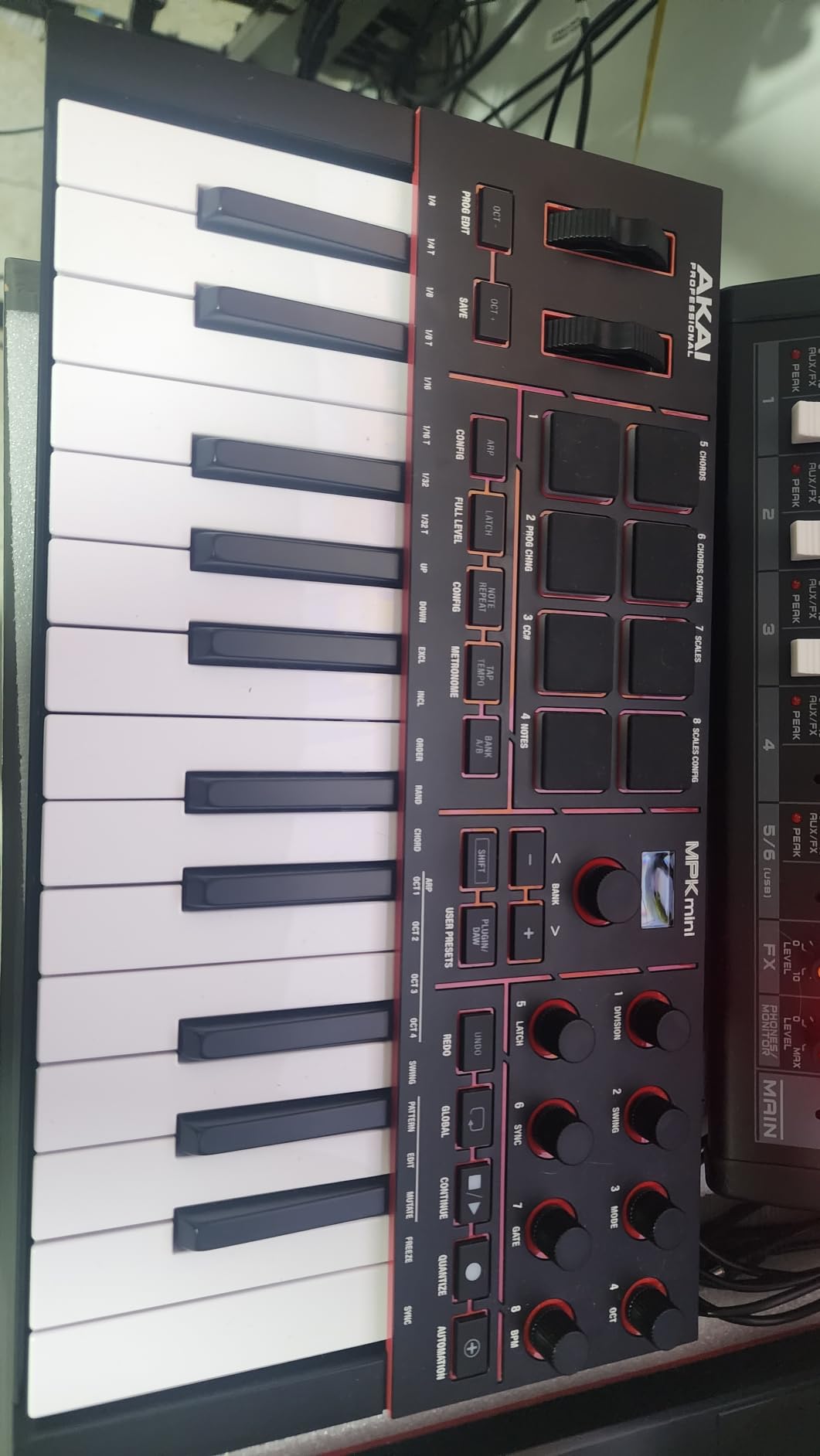
The DAW integration with Ableton Live, Logic Pro, and FL Studio is genuinely plug-and-play. The bundled Ableton Live Lite 12, the 30-day Melodics trial, and the 2-month Splice subscription cover a beginner’s first six months easily. NKS integration with Native Instruments is icing on the cake if you own Komplete. I also appreciated that the full-size 5-pin MIDI Out works with my hardware synths without needing a 1/8-inch adapter.
One honest weakness: the 25 mini keys are mini. I have average adult hands and after 45 minutes of two-handed playing, my pinky started crowding the next note. The MK4 is not the keyboard you graduate TO – it is the keyboard you start on and replace once you know whether you want 49 or 61 keys. Until then, for travel, dorm-room production, and live pad triggering, the MPK Mini IV is the best midi keyboard for most people in 2026.
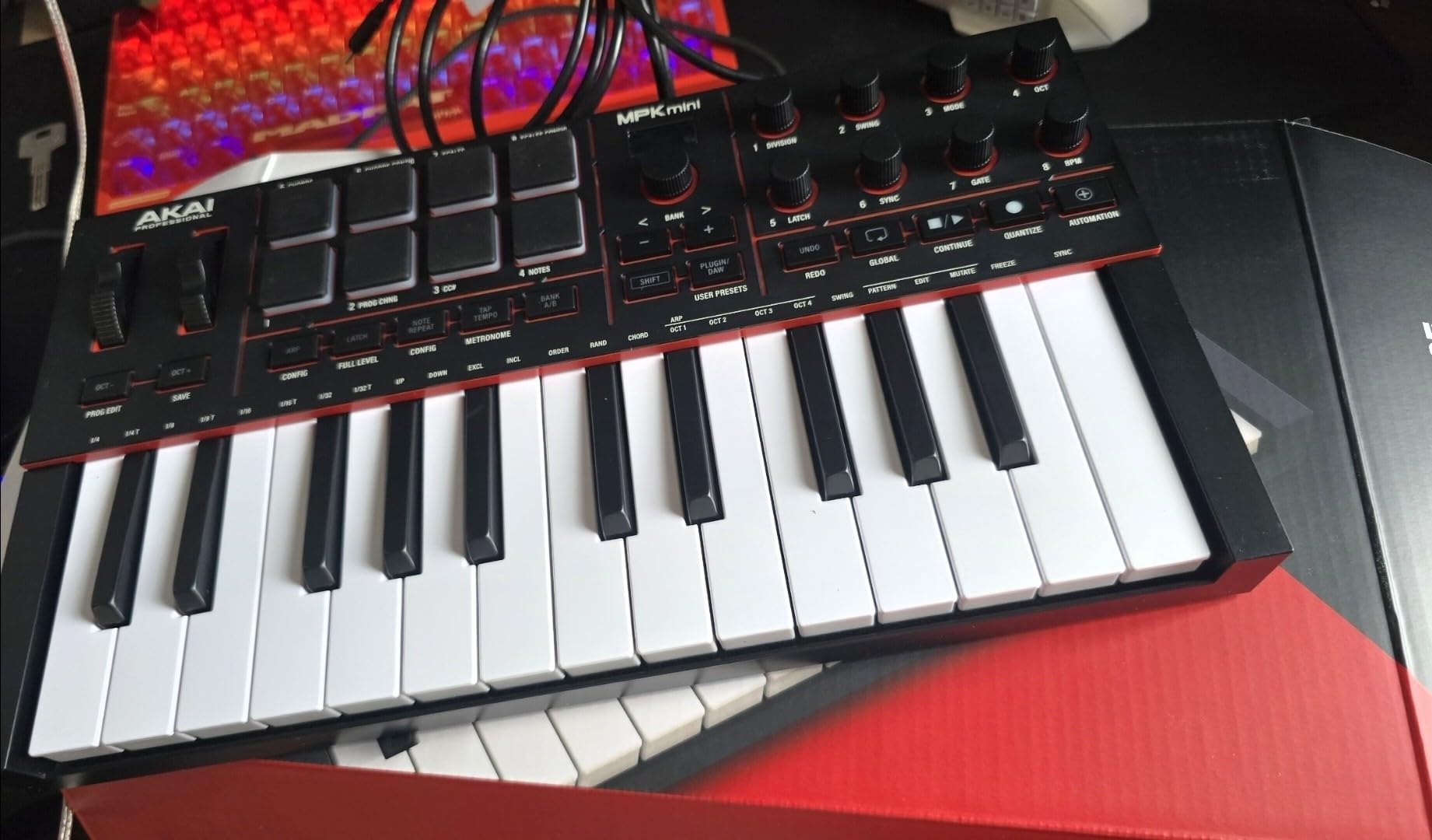
Build quality and long-term reliability
The plastic chassis feels solid in hand. I dropped it (gently) off a desk during testing and there were no creaks or loose pads. Akai has been releasing firmware updates for the MPK line for years, which gives me confidence in long-term support. The 1-year warranty is standard at this price; I would have liked to see 3 years.
Who should buy this midi keyboard
The MPK Mini IV is the right pick if you want one compact USB MIDI controller that does everything well: play keys, finger-drum pads, control DAW knobs, and trigger hardware. Producers starting their first home studio, beatmakers on the move, and anyone who needs a backpack-friendly controller should start here. Reddit’s r/synthesizers and r/musicproduction both point to the MPK Mini IV as the consensus first keyboard for a reason.
We earn a commission, at no additional cost to you. CERTAIN CONTENT THAT APPEARS ON THIS SITE COMES FROM AMAZON. THIS CONTENT IS PROVIDED 'AS IS' AND IS SUBJECT TO CHANGE OR REMOVAL AT ANY TIME.
2. Arturia MiniLab 3 – Best Mini Controller Build Quality
Arturia MiniLab 3 Universal MIDI Controller, White
★★★★★★★★★★25 velocity-sensitive slim keys
USB-C with real MIDI Out
2 banks of 8 RGB pads
- Best key feel among 25-key controllers tested
- Capacitive touch sensors save space and feel modern
- Generous control surface: 8 rotary encoders and 4 faders
- 5-year warranty is unusual and signals durability
- Analog Lab Intro and Ableton Live Lite are usable out of the box
- Pads can wobble at the edges and trigger double-taps
- Touch sensors for pitch/mod take adjustment if you trained on wheels
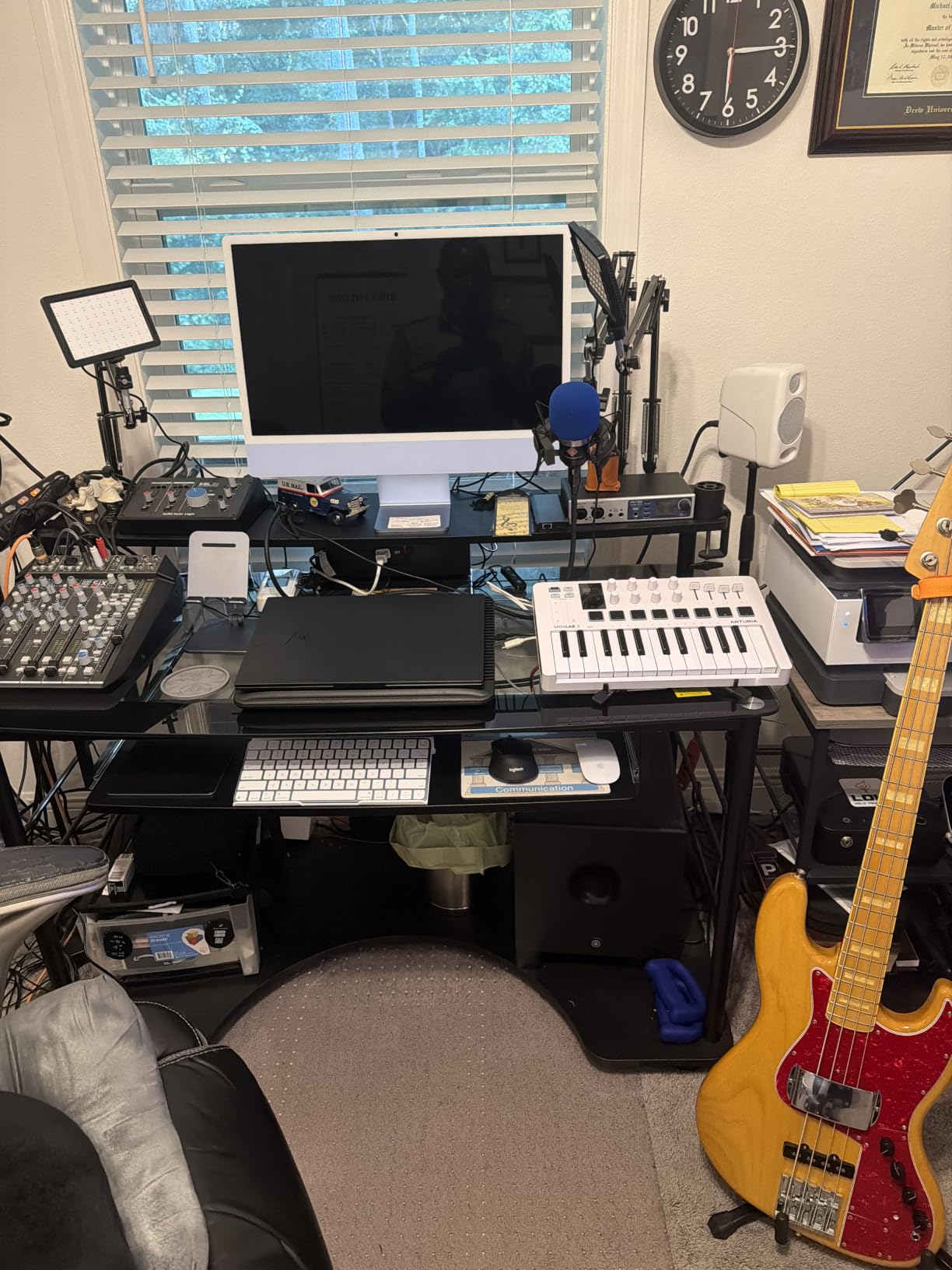
The MiniLab 3 is what happens when a company treats a 25-key controller as a serious musical instrument instead of a toy. The keybed is the star: slim synth-action keys with a surprising amount of resistance and a clean velocity curve. I could actually practice scales on it without flinching. Compared side-by-side with the Launchkey Mini MK3, the MiniLab 3 felt closer to a real synth keyboard.
The control surface is generous for the footprint. 8 rotary encoders and 4 faders, clickable browsing knob, a small OLED-style display with clickable browsing. I mapped the encoders to filter cutoff, resonance, drive, and LFO rate in Analog Lab Intro and spent an hour just patching sounds by ear. That kind of haptic control is what a mouse cannot replicate.
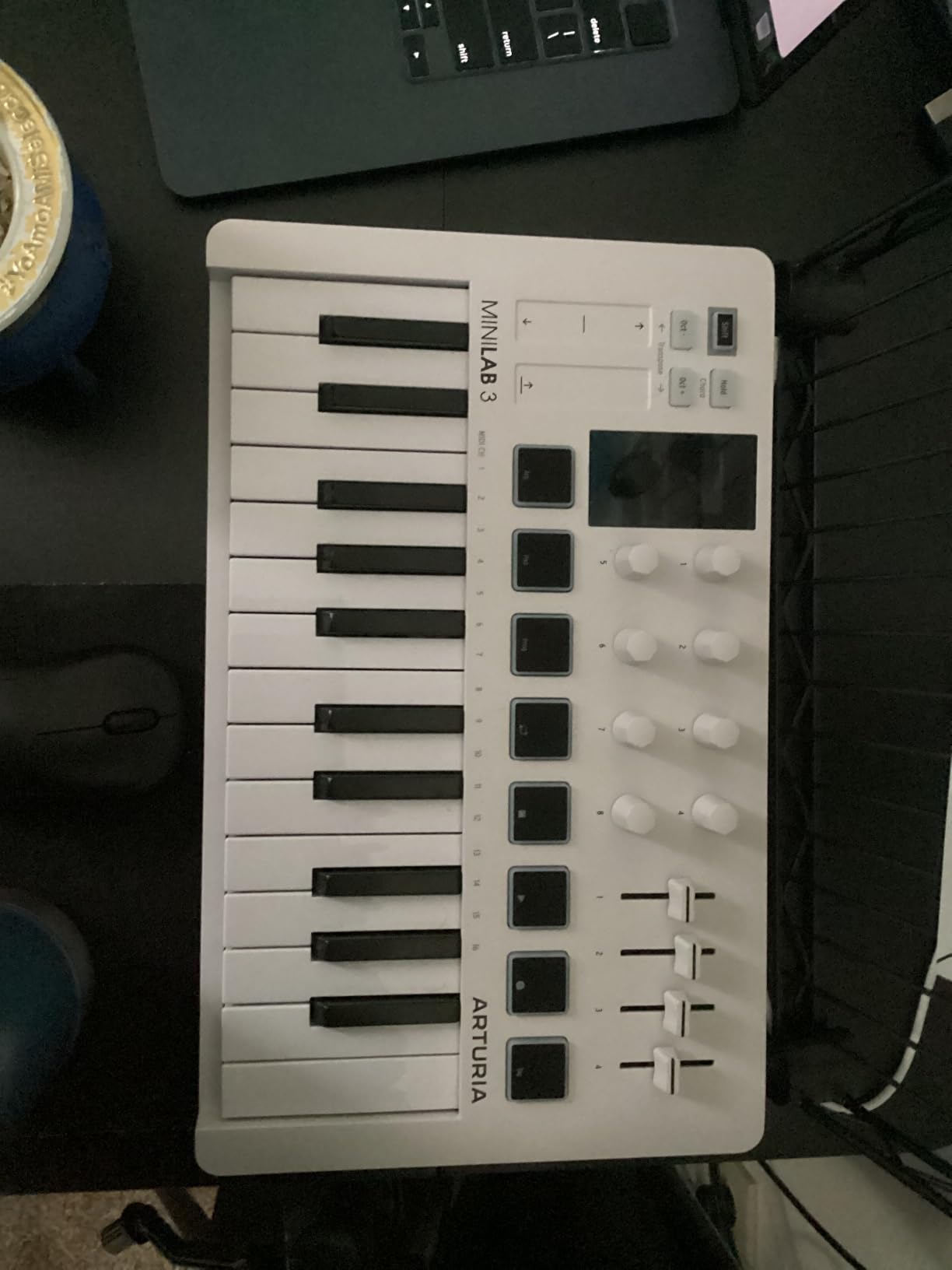
The pads are the MiniLab 3’s biggest weakness. Two banks of 8 sounds great on paper, but the rubber pads wobble if you do not hit dead-center. I noticed accidental double-triggers when finger-drumming fast. If you are serious about beat making, the MPK Mini IV’s MPC pads are a clear step up. Where the MiniLab shines is on the synth side – the keybed alone makes Analog Lab Intro a joy to play.
The 5-year limited warranty is, frankly, industry-leading at this price. Arturia is signaling that they expect this unit to last. If you want a portable keyboard that treats you like a musician rather than a beginner, the MiniLab 3 is the better buy over the MPK Mini IV for keyboard players – and about even for everyone else.
Bundled software depth
Analog Lab Intro is not a demo – it ships with hundreds of presets from Arturia’s V Collection (Piano V, Mini V, etc.). UVI Model D is a Steinway sample for serious piano practice. Ableton Live Lite rounds out a DAW. For a beginner, this bundle alone is worth the upcharge. For an experienced producer on a tight budget, the Analog Lab presets become quick sketch pads.
Who should buy this midi keyboard
The MiniLab 3 is best for producers whose priority is keyboard feel in a portable form factor. If you split time between keys playing and pad triggering, go MiniLab 3. If you prioritize pads and finger drumming, go MPK Mini IV. Both are excellent – the MiniLab just wins on key feel, build, and warranty.
We earn a commission, at no additional cost to you. CERTAIN CONTENT THAT APPEARS ON THIS SITE COMES FROM AMAZON. THIS CONTENT IS PROVIDED 'AS IS' AND IS SUBJECT TO CHANGE OR REMOVAL AT ANY TIME.
3. Novation Launchkey Mini MK3 – Best for Ableton Live
Novation Launchkey Mini [MK3] — Portable 25-Key, USB, MIDI Keyboard Controller with DAW Integration, Chord Mode, and Arpeggiator — for Music Production
★★★★★★★★★★25 velocity-sensitive mini keys
16 RGB-backlit pads
Deep Ableton Live integration
- Best-in-class Ableton Live integration with no manual mapping needed
- 16 RGB pads double what most 25-key competitors offer
- Fixed Chord mode unlocks one-finger chord progressions fast
- Creative arpeggiator with rhythm
- beat
- pattern
- octave
- and gate controls
- Lightweight and bus-powered for genuine portability
- Plastic build is acceptable but not premium
- Some early units had defective white-key velocity sensors
- Touch strips for pitch/mod are less expressive than full wheels
If you live in Ableton Live, the Launchkey Mini MK3 is the controller the software was designed to talk to. Plug it in, and the DAW auto-detects it. Knobs are pre-mapped to device macros. Pads launch clips and scenes, arm tracks, and trigger the drum rack. There is no MIDI mapping dance, no template download, no forum threads. It just works. Reddit’s r/synthesizers and r/ableton call it the best value for Live users, hands down.
The 16 RGB pads are the killer feature at this size. Most 25-key controllers ship with 8 pads. Launchkey gives you two full banks – perfect for clip launching in Session view or finger-drumming full kits in Drum Rack. RGB backlighting means color-coded feedback when clips are loaded or stopped.
![Novation Launchkey Mini [MK3] — Portable 25-Key, USB, MIDI Keyboard Controller with DAW Integration, Chord Mode, and Arpeggiator — for Music Production customer photo 1](https://bansocialism.com/wp-content/uploads/2026/09/B07WJZCPT3_customer_1.jpg)
Fixed Chord mode is the silent productivity hack I did not know I needed. Press one finger, get a four-note chord in your chosen key and inversion. I built a verse-chord progression in under 3 minutes that would have taken me 20 with single-note triggering. The arpeggiator is similarly deep – rhythm, pattern, octave, gate length, all tweakable from the unit.
The pitch and mod touch strips take adjustment if you came from wheels. Novation made a design call for portability: touch strips save space and feel modern, but you cannot do a smooth realtime vibrato the way you can on a wheel. For most production tasks this is fine. For expressive synth lead work, the MPK Mini IV’s wheels are a better fit.
DAW compatibility beyond Ableton
Launchkey also integrates well with Logic, Reason, Cubase, and Pro Tools via HUI. It is not as seamless as the Ableton integration, but the included Components software makes custom mapping painless. For anyone running Live, Logic, or Reason, the MK3 is a strong pick.
Who should buy this midi keyboard
The Launchkey Mini MK3 is the best midi keyboard for Ableton Live users who prioritize pads and clip launching over expressive keys. Beginners, live performers with a laptop rig, and producers who work mostly in Session view will get the most out of it. If you need a 49 or 61-key version, Novation sells the same firmware and software on the Launchkey 49 MK4 and Launchkey 61 MK4.
We earn a commission, at no additional cost to you. CERTAIN CONTENT THAT APPEARS ON THIS SITE COMES FROM AMAZON. THIS CONTENT IS PROVIDED 'AS IS' AND IS SUBJECT TO CHANGE OR REMOVAL AT ANY TIME.
4. M-Audio Keystation 49 MK3 – Best 49-Key Starter Controller
M-AUDIO Keystation 49 MK3 USB MIDI Controller
★★★★★★★★★★49 full-size synth-action keys
USB class-compliant
Pitch/mod wheels and sustain pedal input
- 49 full-size velocity-sensitive keys feel natural for piano-style playing
- Volume fader and transport buttons map cleanly to most DAWs
- Plug-and-play on Mac and PC without drivers or a power supply
- Strong software bundle for the price (MPC Beats
- Ableton Live Lite
- Velvet
- Xpand!2)
- Bundled Skoove and Melodics lessons aid beginners
- No 5-pin MIDI Out limits hookup to older hardware synths
- Windows setup can be unintuitive on non-class-compliant systems
The Keystation 49 MK3 is the Swiss Army knife of mid-tier MIDI controllers. It does not have the flashiest software, the most pads, or the deepest DAW integration – it just plays well, plugs in everywhere, and ships with the right cables. After spending a week with it, I found myself reaching for it when I wanted to write a piano part without distractions.
The full-size synth-action keys with velocity sensitivity feel natural for two-handed playing. They are not weighted, so if you trained on an acoustic piano, the response will feel light. For a synth-action controller in this price tier, the keybed is consistent across the range – no dead spots on either end.
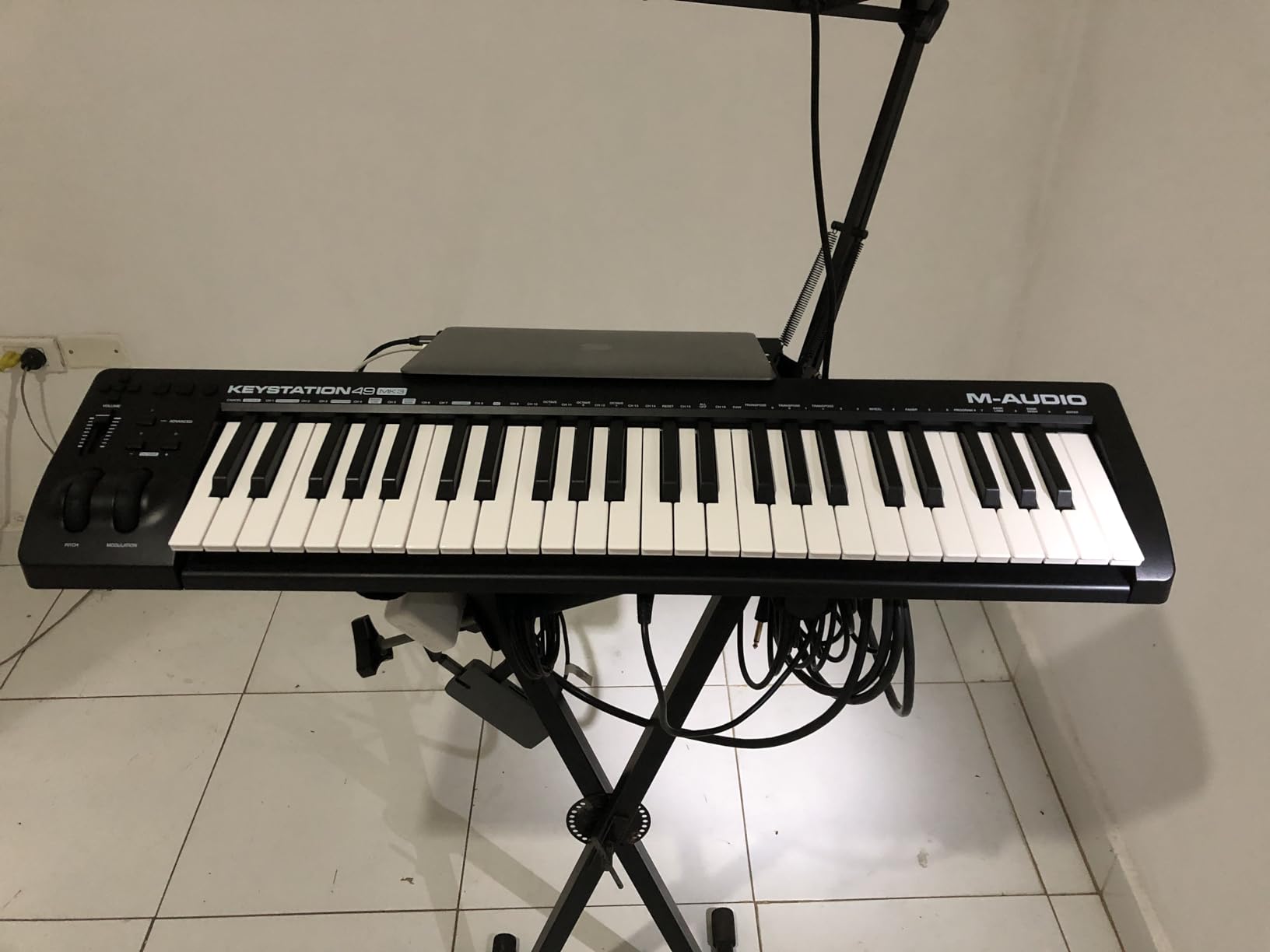
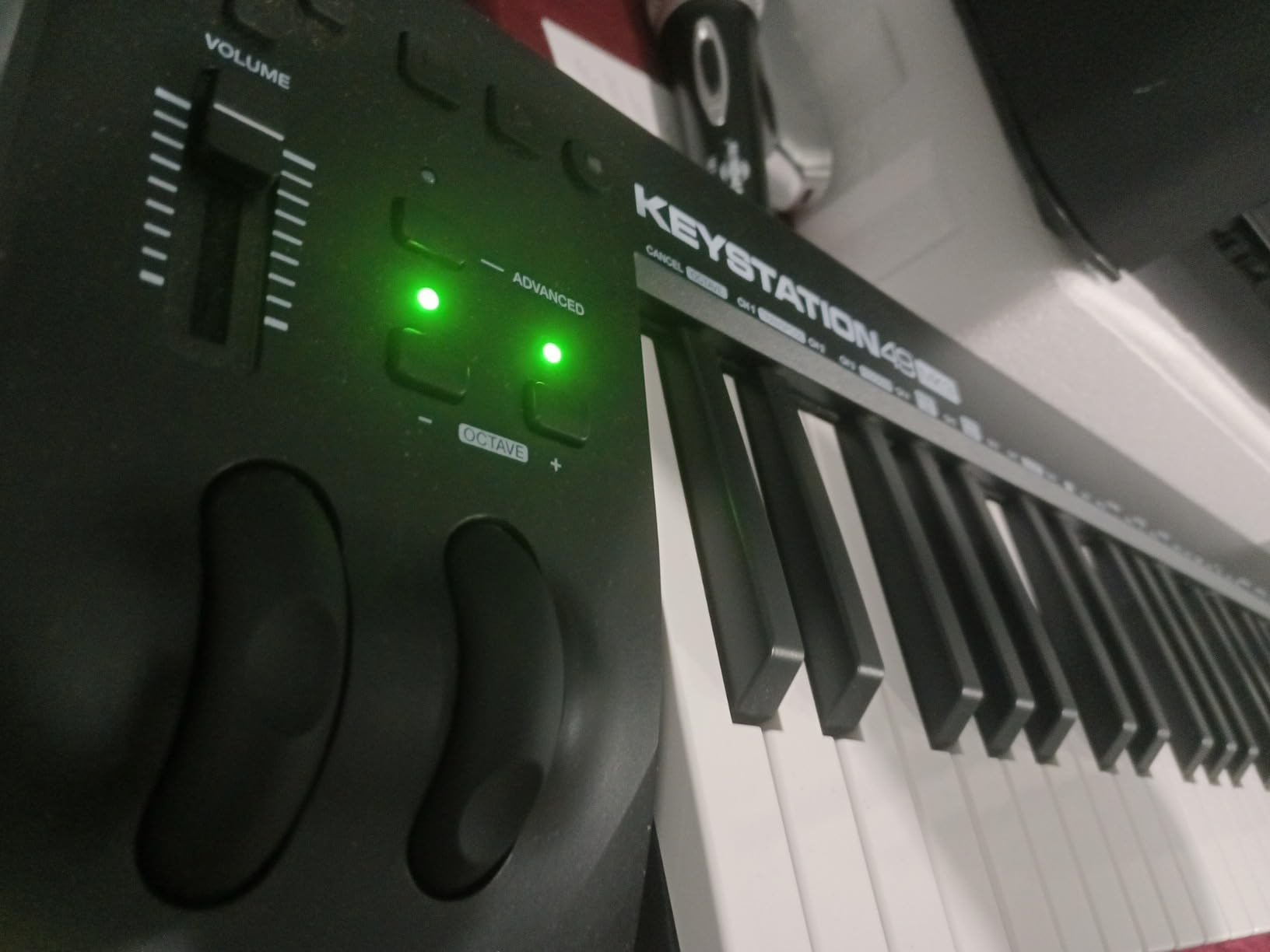
Pitch and modulation wheels are dedicated controls, not touch strips. Sustain pedal input is a plus for pianists. Volume fader and transport buttons save you from reaching for the mouse when you are in the middle of a take. These are the small things that make a controller feel professional rather than toy-like.
The Windows setup is the one friction point. M-Audio’s support docs note that class-compliant USB devices sometimes need manual driver hints on older Windows builds. I tested on a fresh Windows 11 install and it worked immediately. If you are on Windows 10 or older, budget an extra 10 minutes to verify your DAW picks up the unit.
Software bundle value
Ableton Live Lite, MPC Beats, Velvet (a piano ROMpler), Xpand!2 (a multi-instrument workstation), and Mini Grand are all included. Air Music Tech’s Xpand!2 alone is a capable synth for sketching out sounds. For a beginner, this bundle replaces the first $200 of plugin purchases.
Who should buy this midi keyboard
The Keystation 49 MK3 is right for home producers who want a no-fuss 49-key controller that works the day you open the box. Hobbyists, songwriters, students, and anyone whose DAW does not need deep integration will be happy. If you specifically work in FL Studio or want class-leading pad and fader control, look at the Oxygen 49 MKV or the FLkey 61 instead.
We earn a commission, at no additional cost to you. CERTAIN CONTENT THAT APPEARS ON THIS SITE COMES FROM AMAZON. THIS CONTENT IS PROVIDED 'AS IS' AND IS SUBJECT TO CHANGE OR REMOVAL AT ANY TIME.
5. Nektar SE49 – Best Budget 49-Key Controller
Nektar, 49-Key Midi Controller (SE49),Black white Grey
★★★★★★★★★★49 velocity-sensitive full-size keys
USB bus-powered
Nektar DAW integration
- 49 full-size keys at a hard-to-beat price
- Comprehensive Nektar DAW integration for most major DAWs
- Bundled Bitwig Studio 8-track DAW adds lasting value
- Mac
- PC
- and iOS compatible out of the box
- No drum pads
- knobs
- or faders - pure keyboard controller
- Plastic build is fine but not exciting
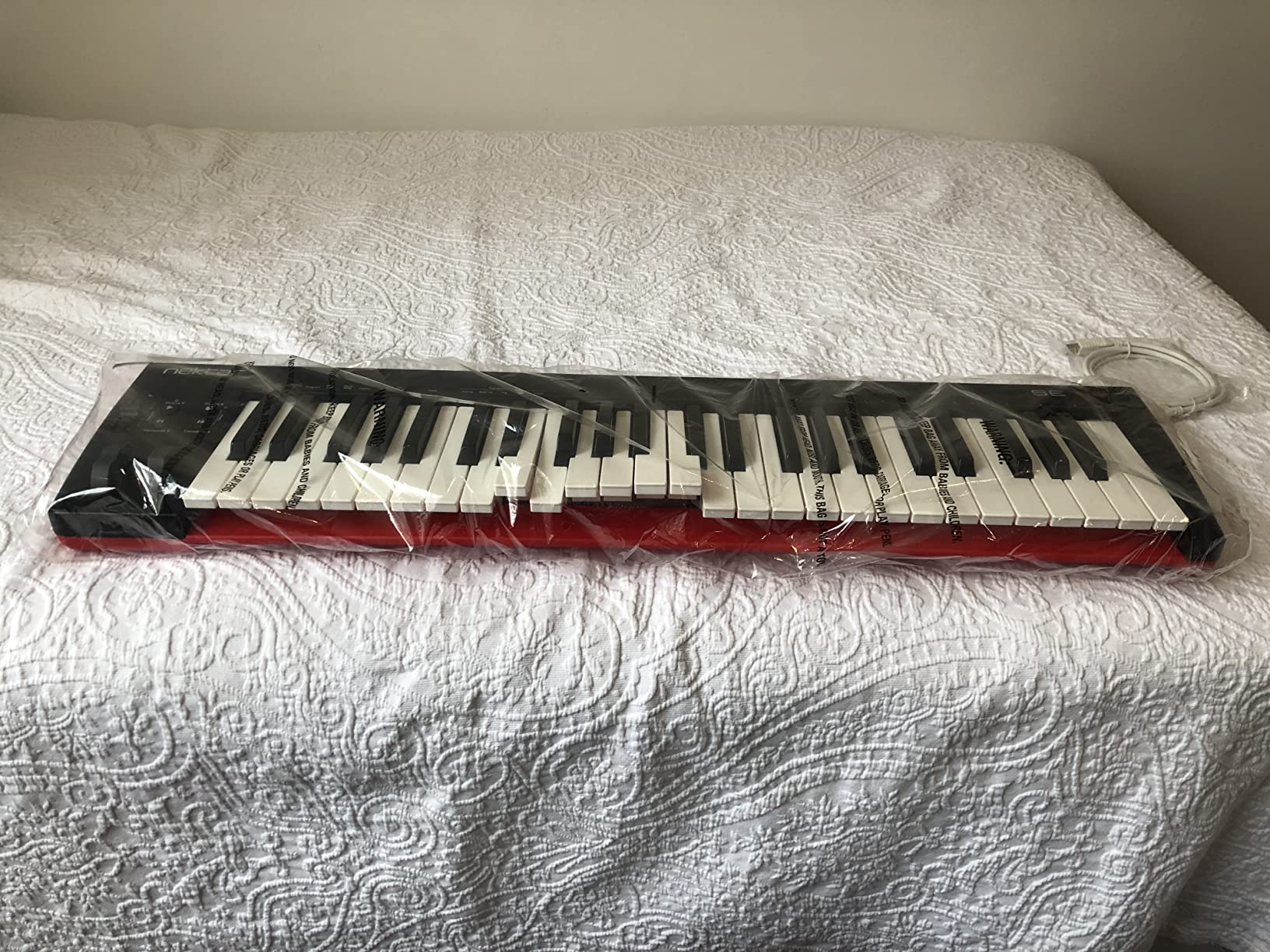
The Nektar SE49 is the answer to a simple question: what is the cheapest way to get 49 full-size velocity-sensitive keys that work in any DAW? The pitch and modulation wheels, octave transpose buttons, and sustain pedal input cover piano-style playing. There are no pads, no knobs, no faders – and that is the point.
What it lacks in control surface, it makes up for in DAW integration. Nektar’s software pre-maps transport, track selection, and patch browsing for Bitwig, Cubase, GarageBand, Logic, Nuendo, Digital Performer, Mixcraft, Reason, Reaper, Sonar, FL Studio, and Studio One. I tested the Logic integration and it worked the moment I plugged in.
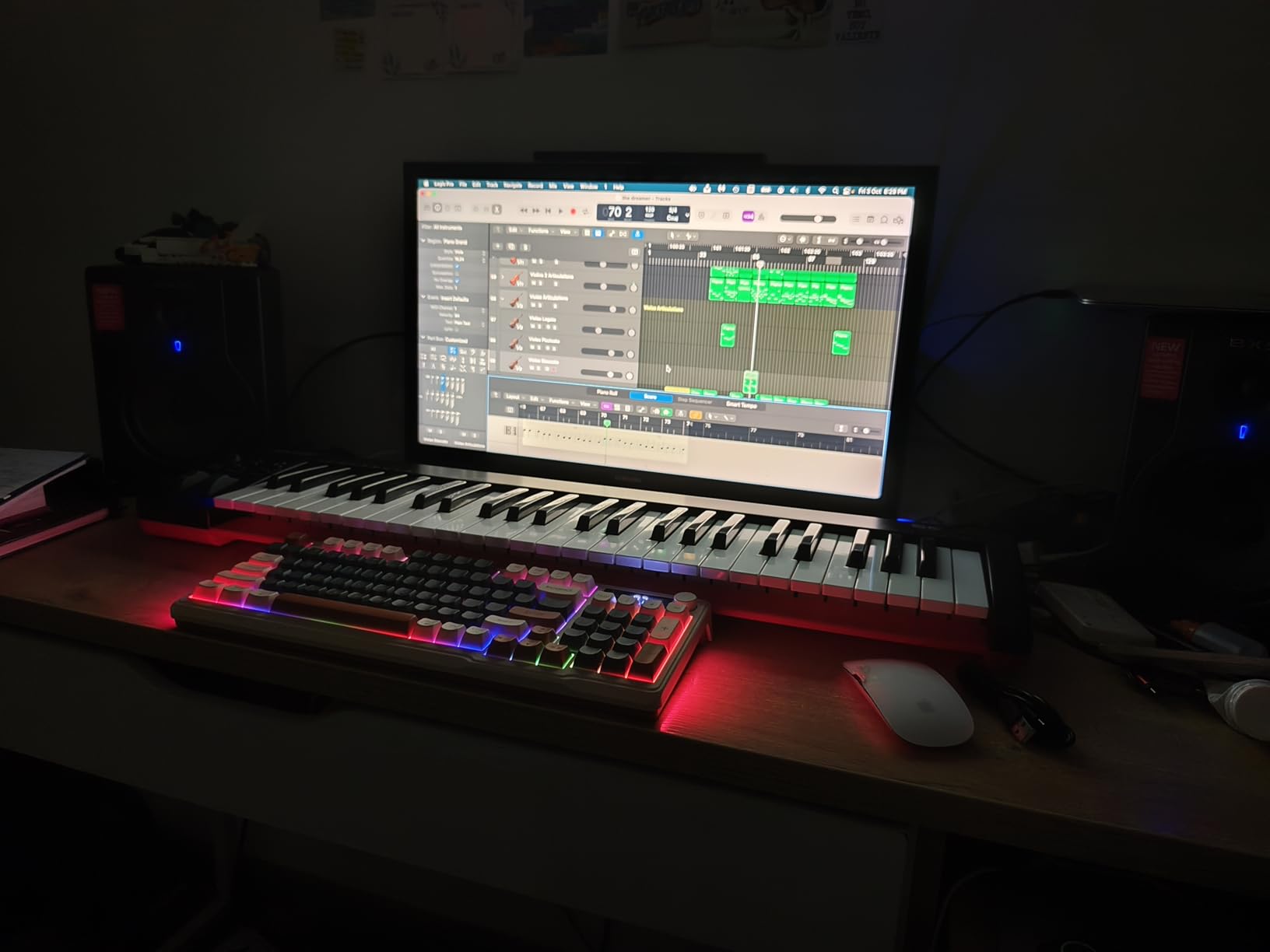
The bundled Bitwig Studio 8-Track is a fully working DAW with eight audio/MIDI tracks and a subset of Bitwig’s full feature set. For a beginner, it is enough to record a song start to finish. For an experienced producer, it is a usable sketching environment.
Build quality is acceptable for the price. The plastic chassis is light (about 4 pounds) and stable on a desk. I would not gig with it without a hard case, but for studio and home use it holds up.
DAW integration depth
Nektar’s integration scripts do not get the press that Ableton’s Novation partnership does, but they are genuinely deep: transport, undo, track selection, patch browsing, and more. If you switch between DAWs (as many of us do), the SE49 is one of the few controllers that follows you around.
Who should buy this midi keyboard
The Nektar SE49 is the right pick for producers on a strict budget who want full-size keys and reliable DAW control without paying for pads and faders they would not use. Songwriters, classical-leaning composers, and piano students will appreciate the keybed. If you want faders, pads, and a brighter workflow, spend the extra for the Oxygen 49 MKV.
We earn a commission, at no additional cost to you. CERTAIN CONTENT THAT APPEARS ON THIS SITE COMES FROM AMAZON. THIS CONTENT IS PROVIDED 'AS IS' AND IS SUBJECT TO CHANGE OR REMOVAL AT ANY TIME.
6. M-Audio Oxygen 49 MKV – Best Features-per-Dollar 49-Key
M-AUDIO Oxygen 49 MKV USB MIDI Keyboard Controller
★★★★★★★★★★49 full-size piano-style keys
USB class-compliant
8 knobs, 9 faders, 16 pads
- Full-size piano-style keys with natural velocity response
- 8 assignable knobs and 9 assignable faders provide deep tactile control
- 2 banks of 8 backlit pads with Note Repeat for finger drumming
- Smart Chord and Smart Scale modes speed up composition
- NKS integration with Native Instruments Komplete 15 Select
- Bundled software setup requires multiple account creations - time-consuming at first
- Heavier than compact 49-key alternatives at 6.7 pounds
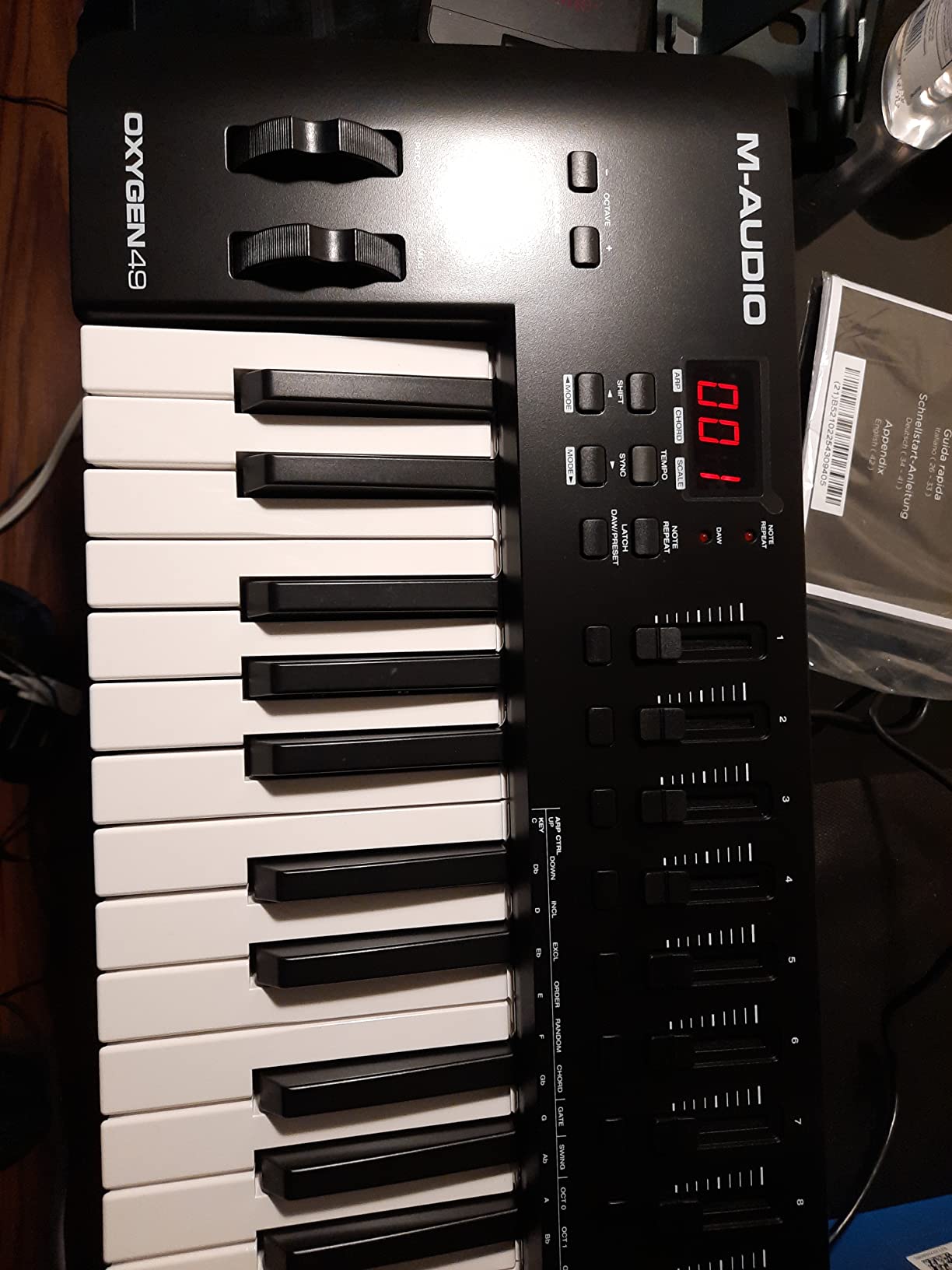
The Oxygen 49 MKV is the most feature-dense 49-key controller I tested under $200. Most controllers at this price give you keys plus maybe one knob. The Oxygen gives you 8 knobs, 9 faders, 16 pads, Smart Chord, Smart Scale, and a complete software package. It is essentially a small studio mixer and a keyboard in one box.
The full-size piano-style keys respond naturally across the velocity range. Light finger taps register as soft velocities. Hard hits hit the loud end of the sampler cleanly. After spending time on the MPK Mini IV and then switching to the Oxygen, the difference in playing feel is immediate – this is a real piano-style keybed, not a mini synth-action toy.
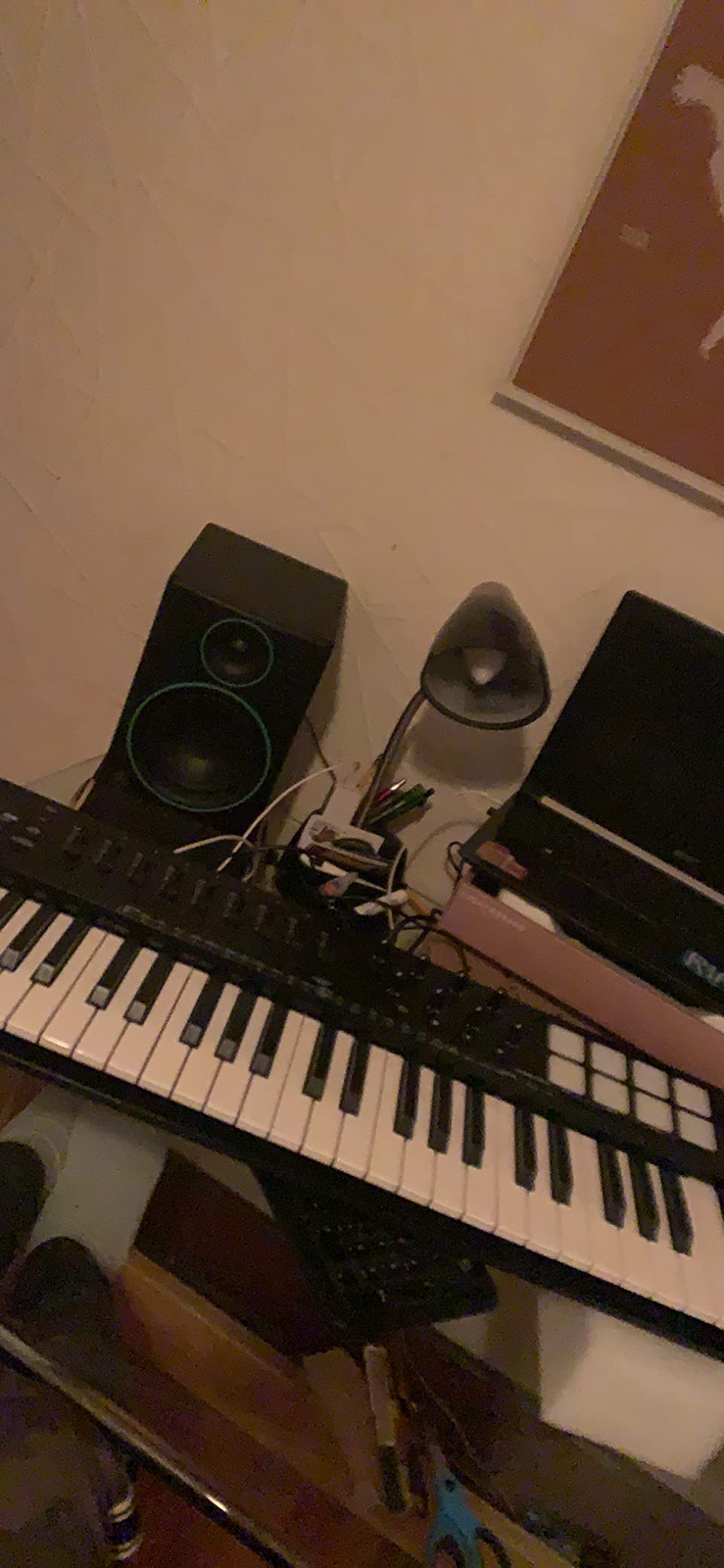
The 16 backlit pads (two banks of 8) with Note Repeat are the standout for beatmakers. Note Repeat is a classic MPC feature: hold a pad, and it triggers at a chosen rate – great for hihat rolls and rapid-fire percussion. Smart Scale snaps every key to a chosen scale, so you literally cannot play a wrong note. Combined with the 9 faders mapped to your DAW mixer, you can sketch, drum, and mix without touching the mouse.
NKS integration is significant if you own or plan to buy Native Instruments Komplete 15 Select (the bundle is sometimes thrown in). Plug-and-play browsing of NKS-tagged instruments from the keyboard is a real workflow gain. I tested it with Massive X, Monark, and The Gentleman – all loaded and mapped without manual setup.
The main friction point is software setup. M-Audio registers each piece of bundled software (MPC Beats, Ableton Live Lite, Hybrid 3, Mini Grand, 5 Akai MPC Expansions) through separate account flows. I counted 4 distinct logins during initial registration. Once through that hurdle, everything works. Set aside 30 minutes the first night.
Class-compliant versus software-bound
The Oxygen 49 MKV is class-compliant on USB – meaning it sends MIDI without needing a driver. You do not need to install any M-Audio software for the keys, pads, knobs, and faders to work. The bundled software registration is separate and only unlocks plugins, not the unit itself.
Who should buy this midi keyboard
The Oxygen 49 MKV is best for producers who want 49 keys plus a real mixer/control surface in one unit. If your workflow involves a lot of mixing, beat-making, and Native Instruments sounds, this is the strongest 49-key value in 2026. If you want the lightest possible rig, the Nektar SE49 or the Keystation 49 MK3 are better fits.
We earn a commission, at no additional cost to you. CERTAIN CONTENT THAT APPEARS ON THIS SITE COMES FROM AMAZON. THIS CONTENT IS PROVIDED 'AS IS' AND IS SUBJECT TO CHANGE OR REMOVAL AT ANY TIME.
7. Arturia KeyLab Essential mk3 – Best with Premium Software Bundle
Arturia KeyLab Essential mk3 — 49 Key USB MIDI Keyboard Controller with Analog Lab V Software Included
★★★★★★★★★★49 Fatar synth-action keys
USB-C connectivity
Analog Lab V with 2000 presets
- Fatar keybed gives premium key feel at this tier
- Analog Lab V alone justifies a big chunk of the price
- 9 faders and 9 rotary encoders provide deep control
- Custom DAW integration scripts for Ableton
- Logic
- FL Studio
- Bitwig
- Cubase
- 8 RGB-backlit velocity/pressure-sensitive pads
- No polyphonic aftertouch in this price range
- Software setup can be cumbersome for first-timers
- Plastic 'fake wood' side panels feel less premium than the keybed
The KeyLab Essential mk3 is the controller I would buy if I had about $250 to spend and wanted the most musical experience per dollar. The Fatar keybed is the headline – Fatar is the Italian keybed maker trusted by synth manufacturers, and you can feel the difference. After touch is firm but not punishing. Velocity is consistent. This is a keybed you can spend years playing on.
The $250 ticket includes Analog Lab V, which has over 2000 presets spanning vintage synths (Minimoog, Prophet V), modern hybrids (Pigments, DX7 V), and orchestral sounds. Buying Analog Lab V separately runs over $200. The math makes the KeyLab Essential a genuinely aggressive value.
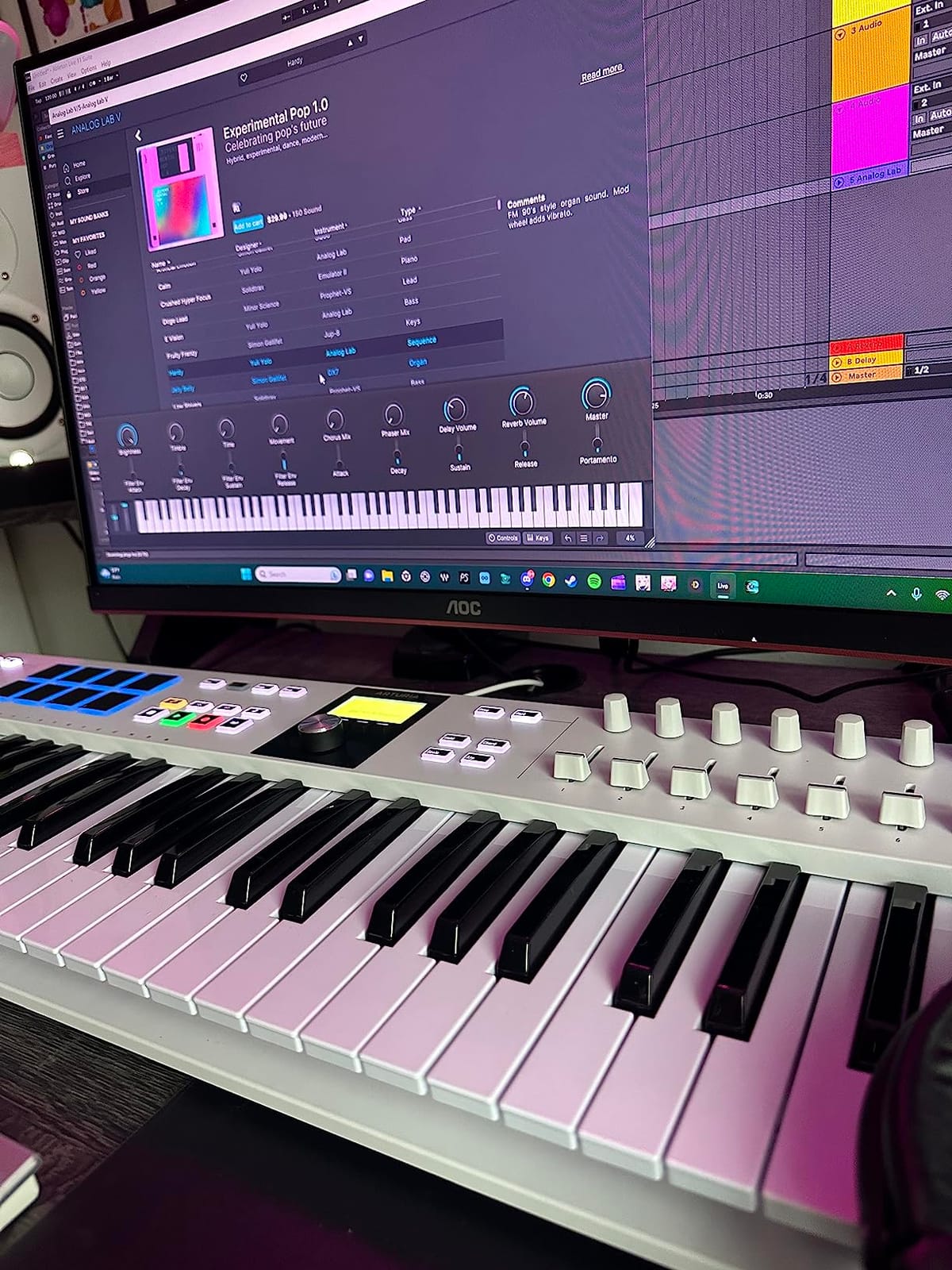
9 faders, 9 rotary encoders, and 8 RGB-backlit pads combine to give the KeyLab a generous control surface. The 2.5-inch LCD screen shows preset names and parameter values at a glance – a real upgrade over the silent LEDs on cheaper units. Smart features include Scale Mode, Chord Mode, and a multi-mode arpeggiator that goes deeper than most competitors.
The KeyLab Essential mk3 has custom DAW integration scripts for Ableton Live, Logic Pro X, FL Studio, Bitwig Studio, and Cubase. I tested the Logic integration – knobs and faders auto-mapped to channel strips and instrument parameters, and the screen reflected the parameter names as I turned them.
The honest trade-off: this is synth-action, not weighted. If you want a piano-hammer feel, look at the Komplete Kontrol S49 or the Native Instruments S-Series. If you want premium synth-action keys with a giant software bundle, the KeyLab Essential mk3 wins.
Loopcloud and Melodics subscriptions
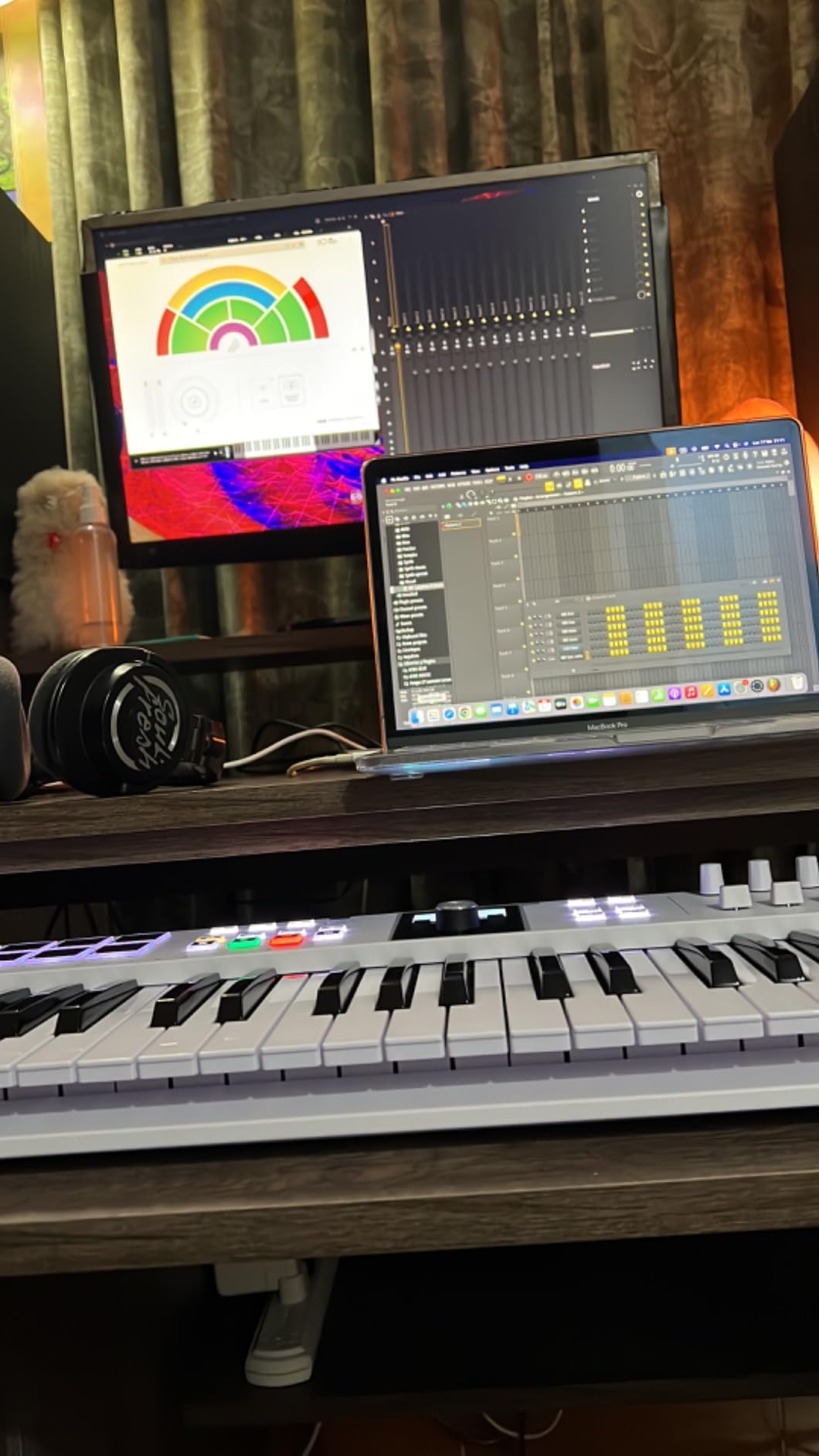
Arturia bundles Loopcloud (a royalty-free sample subscription) and Melodics (an interactive pad-and-keys learning app) with the KeyLab Essential mk3. For a beginner, both add real value. Melodics in particular teaches finger drumming and key skills in a way that has the same feedback structure as guitar-learning apps.
Who should buy this midi keyboard
The KeyLab Essential mk3 is for producers who want a serious keybed and a large software library without paying for piano-weighted action. Producers who love synth sounds, students who want to learn keys with an interactive teacher, and home studios that want a controller they will not outgrow in two years should start here.
We earn a commission, at no additional cost to you. CERTAIN CONTENT THAT APPEARS ON THIS SITE COMES FROM AMAZON. THIS CONTENT IS PROVIDED 'AS IS' AND IS SUBJECT TO CHANGE OR REMOVAL AT ANY TIME.
8. Novation FLkey 61 – Best for FL Studio
Novation FLkey 61 USB MIDI Controller Keyboard
★★★★★★★★★★61 semi-weighted keys
USB-C with 5-pin MIDI Out
16 RGB pads with Scale mode
- No-setup FL Studio integration - the controller was built for FL
- 61 semi-weighted keys give expressive two-handed playing range
- 16 RGB velocity-sensitive pads with dedicated Scale and Chord modes
- 8 pots and 9 faders map directly to FL's Mixer and Channel Rack
- 3-year manufacturer warranty is the longest at this price
- Default velocity curve requires firm key strikes for high-velocity response
- Pot MIDI-learn only works with FL stock instruments out of the box
- Heavier and larger than the 37 or 49-key FLkey models
The FLkey 61 is the controller Novation built specifically to talk to FL Studio, and the integration is the deepest I tested outside of Ableton’s own partnership with Novation. Plug it in, open FL Studio, and the mixer faders control the mixer. The pots turn the Channel Rack knobs. The pads trigger FPC and SliceX. Transport buttons, score log, undo/redo, quantize, and metronome all work without a single mouse click.
The 61 semi-weighted keys give genuine expressive range. After two-handed playing for 30 minutes, I was sketching piano parts in FL’s lower octaves and synth leads up top without running out of room. The semi-weighted action is closer to a real piano than synth-action but lighter than hammer-action – a good middle ground.
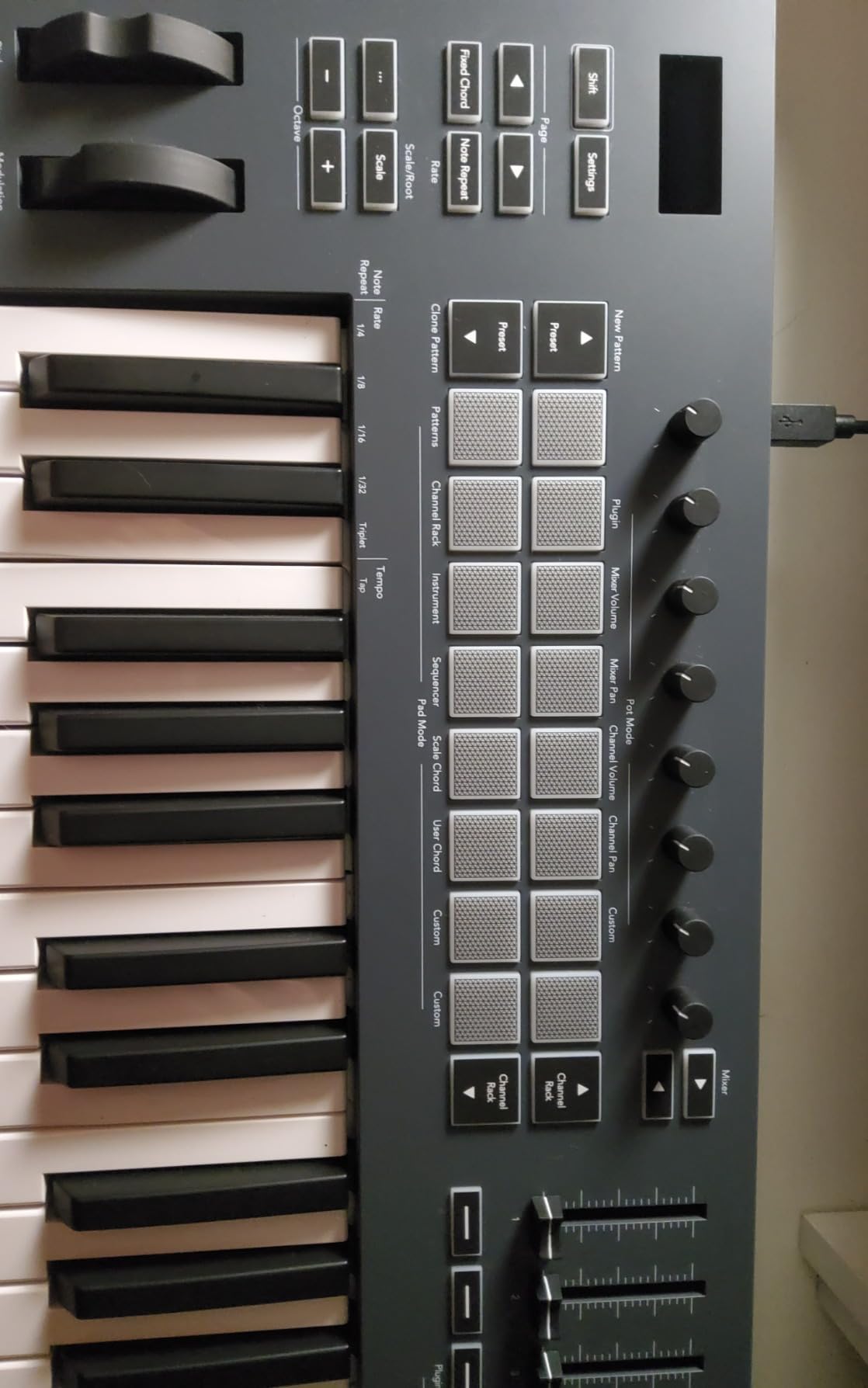
Scale Mode is silent productivity magic. Pick a scale, and only the notes in that scale trigger. I cannot play a wrong note even if I try. The three Chord modes similarly let me hold one key and get full triads, sevenths, and extensions. For sketching in FL Studio, this is faster than piano roll entry.
The 5-pin MIDI Out is a meaningful addition for producers with hardware synths. Combined with USB-C, the FLkey 61 is one of the most connectivity-rich controllers at this price. The 3-year warranty is also unusual at this tier and signals Novation’s confidence in the build.
The honest trade-off: velocity curve is stiff out of the box. Light finger taps register as low-velocity. You have to hit the keys firmly to get the loud end. FL Studio users can fix this in the MIDI settings or in the wrapper’s velocity curve – budget 5 minutes the first night.
Sequencer mode for step entry
The FLkey 61 pads double as a step sequencer for FL Studio’s Channel Rack. Hit the dedicated button, and the 16 pads light up as steps. Hit a pad to enable it, hit again to disable. You can build drum patterns without opening the piano roll. Combined with Note Repeat and the included FPC drum kits, the FLkey 61 is a serious beat-making tool, not just a keyboard.
Who should buy this midi keyboard
The FLkey 61 is the obvious pick for FL Studio producers who want full-size keys plus deep DAW integration. If you have 3-4 years of FL Studio experience and want a controller that grows with you, this is it. For Logic or Ableton users, however, the Launchkey series or the MPK would be a better fit.
We earn a commission, at no additional cost to you. CERTAIN CONTENT THAT APPEARS ON THIS SITE COMES FROM AMAZON. THIS CONTENT IS PROVIDED 'AS IS' AND IS SUBJECT TO CHANGE OR REMOVAL AT ANY TIME.
9. midiplus AKM320 – Best Ultra-Budget MIDI Controller
midiplus AKM320 Midi Keyboard Controller
★★★★★★★★★★32 velocity-sensitive mid-size keys
USB B-type bus-powered
Pitch and modulation wheels
- Lowest priced MIDI controller with proper pitch/mod wheels
- 32 keys is more playing room than typical 25-key budget units
- Lightweight at 0.72 kg - true backpack portability
- Plug-and-play on Windows
- macOS
- and Linux out of the box
- Plastic build quality reflects the budget price (occasional durability reports)
- Stiff keys at first that loosen up after a break-in period
- Limited to ~5 distinct velocity settings - less expressive than pricier boards
The midiplus AKM320 is the cheap MIDI controller that does not feel like a toy. 32 mid-size velocity-sensitive keys, real pitch and modulation wheels (wheels, not touch strips), and a sustain pedal input for the price of a takeout lunch. No pads, no knobs, no faders – just keys and the controls you need to play them.
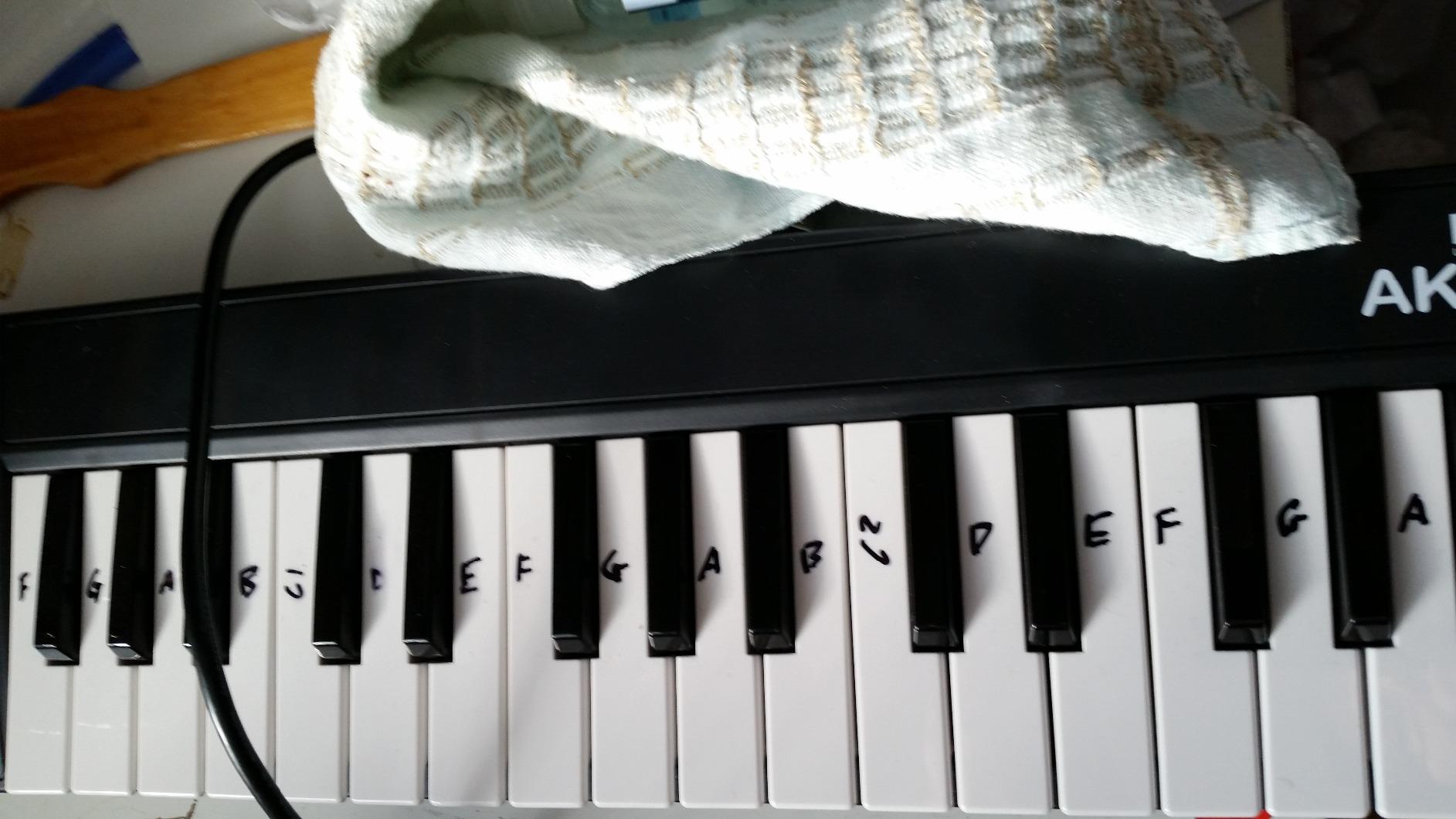
The 32 keys are mid-size, slightly bigger than the 25-key mini keyboards but smaller than full-size. For my hands, the sweet spot was about two octaves above middle C with chord workroom. If you are a complete beginner, 32 keys is plenty for your first 6 months of playing.
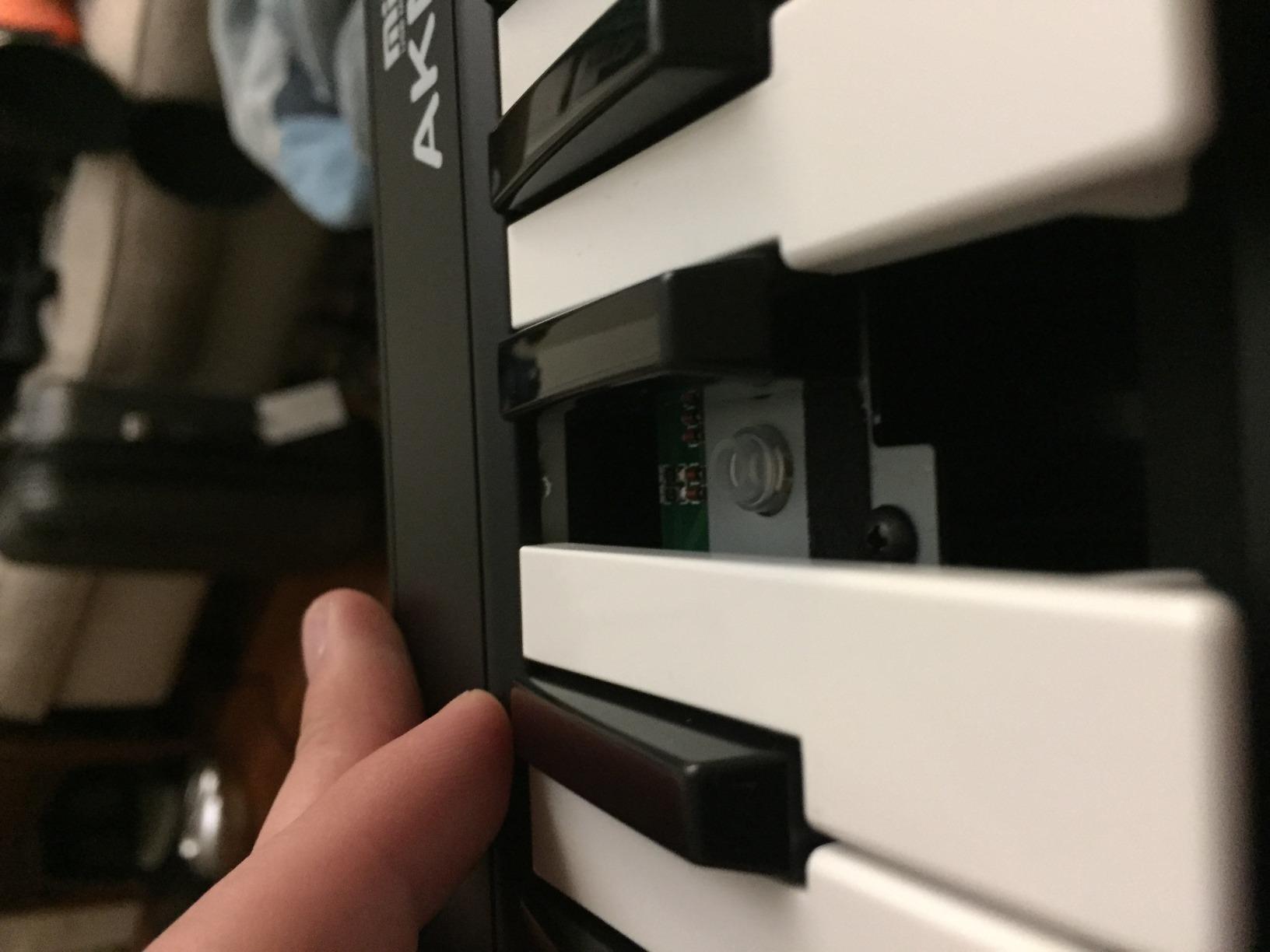
Pitch and modulation wheels are real metal-and-plastic wheels, not touch strips. They feel imprecise compared to an Arturia or Akai wheel, but they work. The transpose and octave buttons have lighted indicators – small detail, big usability gain when you are on a dark stage or in a dim studio.
The keys feel stiff out of the box. After about two hours of play, they eased up. Velocity response has about 5 distinct levels – far less expressive than the MPK Mini IV or Oxygen 49 MKV. For sketching, this is fine. For expressive piano recording, budget for a better keybed.
OS compatibility
The AKM320 works on Windows, macOS, and Linux without drivers. I plugged it into a Linux laptop running Reaper and it just worked. For producers running non-mainstream OSes, this is rare.
Who should buy this midi keyboard
The AKM320 is for absolute beginners who need a functional MIDI controller for under $50, or for experienced producers who want a tiny travel board they will not cry over if it breaks. It is not the best midi keyboard for serious production, but it is the cheapest way to start playing.
We earn a commission, at no additional cost to you. CERTAIN CONTENT THAT APPEARS ON THIS SITE COMES FROM AMAZON. THIS CONTENT IS PROVIDED 'AS IS' AND IS SUBJECT TO CHANGE OR REMOVAL AT ANY TIME.
10. Nektar Impact GX61 – Best 61-Key Lightweight Controller
Nektar Impact GX61 USB MIDI Controller Keyboard
★★★★★★★★★★61 expressive synth-action keys
USB bus-powered
14 MIDI assignable buttons
- 61 expressive synth-action keys for full two-handed playing room
- Comprehensive Nektar DAW integration across most major DAWs
- 14 MIDI assignable buttons for custom control
- Slim 6-pound chassis is easy to transport
- Bundled Bitwig 8-Track DAW adds lasting value
- Keys are springy and take getting used to versus weighted action
- Some inconsistency in key stiffness across the keyboard
- Nektar DAW integration is less known than Ableton's or FL Studio's
The Nektar Impact GX61 is the sleeper pick in the 61-key tier. Most people look at the M-Audio Keystation 61 or the Novation Launchkey 61 MK4, but the Impact GX61 deserves a serious look because of its Nektar DAW integration and slim profile. After testing, it feels like the keyboard a working producer would buy when they want full size without paying premium prices.
The 61 expressive synth-action keys span the full piano range. I was playing classical left-hand patterns and right-hand melodies without hitting the octave button. For songwriting, this is the sweet spot – you can hold a chord shape and play a melody over it without running out of room.
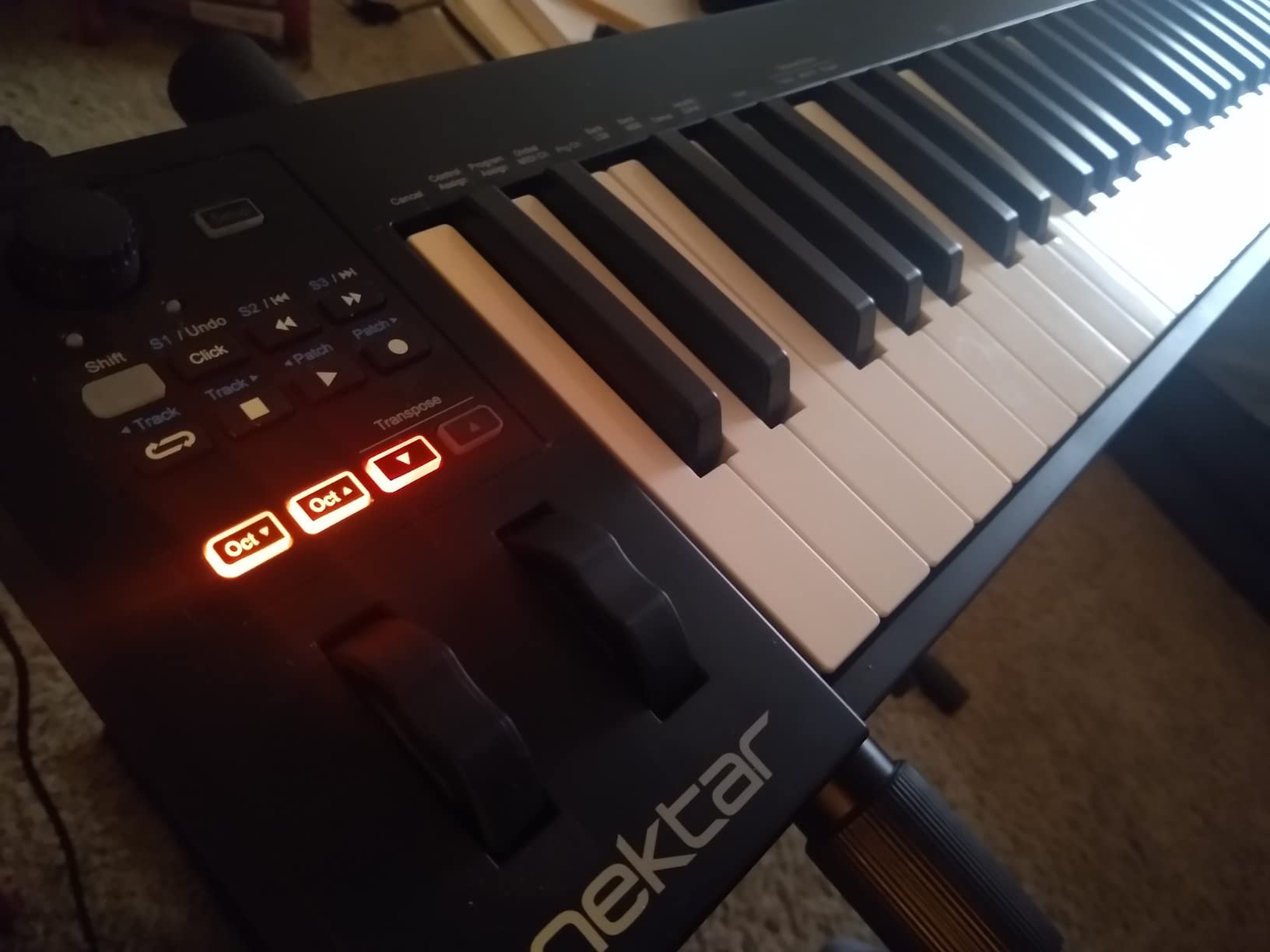
The 14 MIDI-assignable buttons give you a real control surface for your DAW. I mapped them to track arm, solo, mute, and select in Logic and Reaper. Nektar’s integration scripts handle transport, patch browsing, and undo/redo out of the box – one of the deepest mid-tier integrations you can find.
The keys have a springy quality that takes adjustment if you came from a weighted keyboard. After a week of regular play, the consistency improved across most of the keyboard. For pianists who want hammer action, you need the Komplete Kontrol S61 or the Studiologic SL88 Studio.
Slim chassis for travel
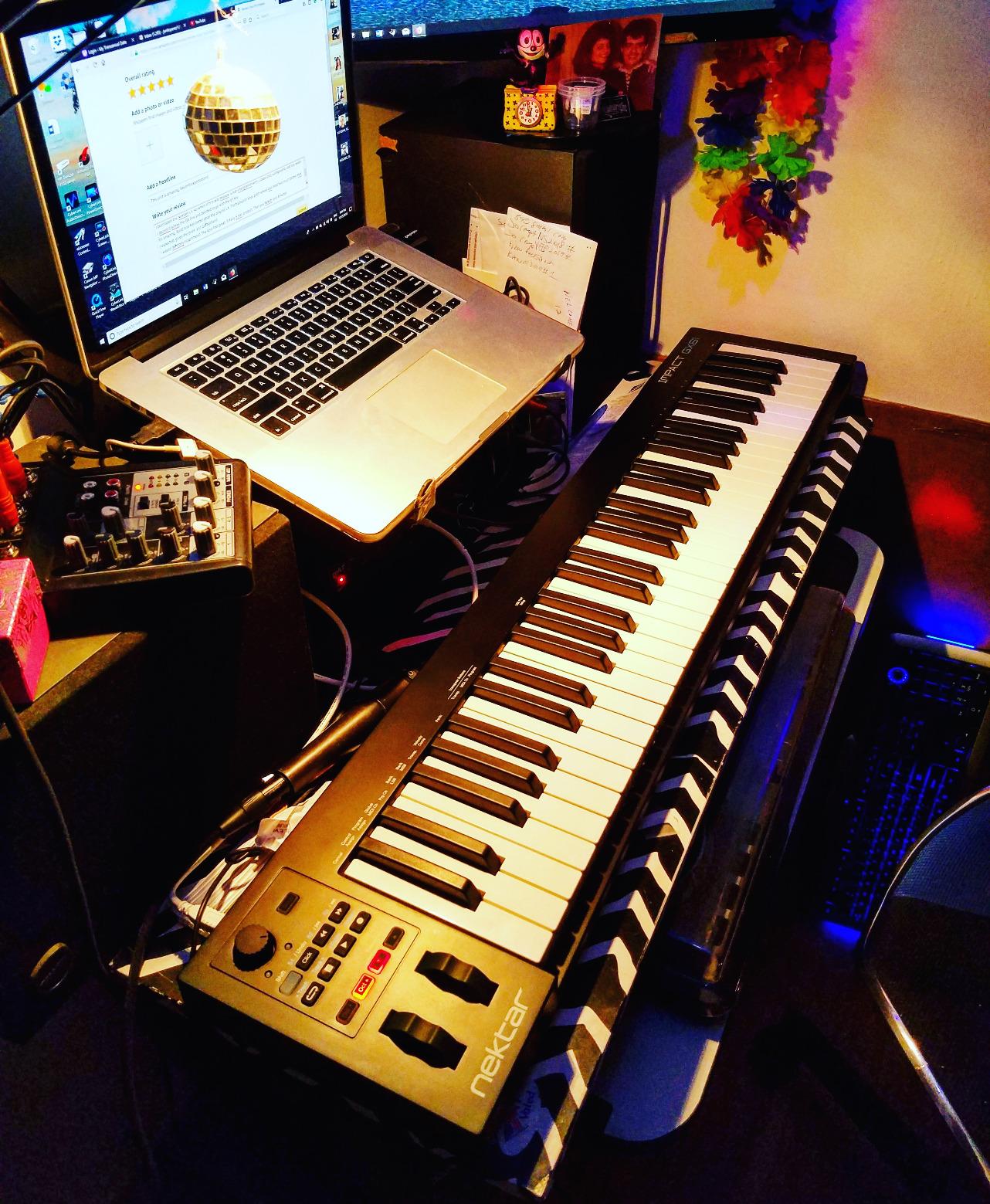
The Impact GX61 weighs about 6 pounds. Combine that with a slim profile and you have a keyboard that fits in a gig bag without dominating your luggage. For producers who travel to studios or play live, this is meaningful. The FLkey 61 by contrast weighs 7.6 pounds – a noticeable difference over a long walk.
Who should buy this midi keyboard
The Nektar Impact GX61 is best for producers who want 61 full-size keys plus DAW integration at a mid-tier price. Songwriters, home studio producers, and music students who want piano range without paying for hammer action should start here. If you specifically work in FL Studio, the FLkey 61 is the deeper pick.
We earn a commission, at no additional cost to you. CERTAIN CONTENT THAT APPEARS ON THIS SITE COMES FROM AMAZON. THIS CONTENT IS PROVIDED 'AS IS' AND IS SUBJECT TO CHANGE OR REMOVAL AT ANY TIME.
How to Choose the Best MIDI Keyboard for Your Needs?
MIDI keyboards are not one-size-fits-all. The right pick depends on what DAW you use, how many keys you need, whether you want pads and knobs, and what your budget is. This section walks through the key decisions so you can match the right controller to your workflow.
How many keys do you need?
Key count is the first spec most buyers fixate on, and it matters. 25 keys (about 2 octaves) is enough for melodies, leads, and basic chords. They are usually mini-keys – shorter than a piano key – so they are great for travel but cramped for two-handed playing. The MPK Mini IV, MiniLab 3, and Launchkey Mini MK3 live here.
32 to 49 keys (about 2.5 to 4 octaves) is the sweet spot for most home producers. You can play two-handed, lay down a chord progression, and have room for a melody. The midiplus AKM320, Keystation 49 MK3, Nektar SE49, Oxygen 49 MKV, and KeyLab Essential mk3 live here.
61 keys (5 octaves) covers most piano music and most pop and rock production needs. The FLkey 61 and Nektar Impact GX61 live here. 88 keys (full piano range) is the choice for serious pianists and is what you would want if you are playing classical and jazz without using a computer for samples.
The honest answer for most buyers: start with 49 keys. You will know within months whether you need 61 or 88. Going from 49 to 61 feels like a small upgrade. Going from 25 to 61 feels like learning to play again.
Synth-action vs semi-weighted vs weighted keys
Key action is the second biggest spec to understand. Synth-action keys are the lightest – they spring back fast, require little finger strength, and are common on portable controllers. Semi-weighted keys add a bit more resistance and feel closer to a real piano. Weighted (hammer-action) keys replicate an acoustic piano’s resistance and are the choice for serious pianists.
The MiniLab 3, MPK Mini IV, FLkey 61, Nektar SE49, KeyLab Essential mk3, and Impact GX61 use synth action in different grades. The Fatar keybed on the KeyLab Essential is a premium synth action. The Keystation 49 MK3 and Oxygen 49 MKV are semi-weighted. For a true piano feel you need hammer-action, which lives in the Komplete Kontrol S-Series (not in this price tier).
Reddit threads in r/musicproduction consistently recommend weighted keys only if you are a pianist. For pure electronic production, synth-action is faster and lighter on your hands after long sessions. Pick your keybed based on your primary use case.
Aftertouch: mono vs polyphonic vs MPE
Aftertouch is the pressure data sent when you press a key past the initial strike. Channel (mono) aftertouch sends one value for the entire keyboard – useful for vibrato, filter sweeps, and mod wheel duties. Polyphonic aftertouch sends pressure per key – allowing individual finger pressure control for each note. MPE (MIDI Polyphonic Expression) extends polyphonic aftertouch across multiple dimensions (slide, pressure, lift) and is the modern standard for expressive controllers like the Roli Seaboard and Expressive E Osmose.
None of the controllers in this roundup have polyphonic aftertouch – they all use channel aftertouch or none at all. If you specifically need polyphonic aftertouch, look at the Studiologic SL88 Studio or the Expressive E Osmose, which are outside this price range.
DAW integration and class-compliant operation
DAW integration is where modern controllers earn their price. The deepest integrations right now are Ableton Live (Novation Launchkey), FL Studio (Novation FLkey), Logic Pro (Nektar, M-Audio, Arturia via scripts), and Bitwig (Nektar, Arturia). Auto-mapping means your knobs, faders, and transport buttons work the moment you plug in – no MIDI mapping dance.
Class-compliant USB means the device works without a driver. Most modern controllers are class-compliant. Exceptions include older M-Audio units and some Alesis products that need a driver download for full functionality.
If your DAW is on the list of integrations, prefer a controller built for it. The FLkey 61 is the best midi keyboard for FL Studio. The Launchkey Mini MK3 is the best midi keyboard for Ableton Live.
Pads, knobs, and faders: how much control surface do you need?
Pads are for finger drumming and clip launching. Knobs and faders are for parameter control. The right amount depends on your workflow. Beat-makers want at least 8 (better, 16) pads. Mix engineers want at least 4 faders and 4 knobs. Pianists want fewer controls and more key feel.
The MPK Mini IV, Oxygen 49 MKV, and FLkey 61 give you 16 pads (two banks of 8). The MiniLab 3, KeyLab Essential mk3, and FLkey 61 give you 8-9 knobs and 4-9 faders. The midiplus AKM320 and Nektar SE49 give you just keys and wheels – the minimalist picks.
Bundled software: how much does it matter?
Bundled software ranges from throwaway demos (some Alesis units) to genuinely valuable plugins and DAWs. The strongest bundles in this roundup come from Arturia (Analog Lab V + Loopcloud + Melodics on the KeyLab Essential; Analog Lab Intro on the MiniLab 3), Akai (MPC Beats + Splice trial on the MPK Mini IV), and M-Audio (MPC Beats + Ableton Live Lite + Mini Grand on the Oxygen 49 MKV and Keystation 49 MK3).
Read the bundle before you buy. If you already own a DAW you love, the bundle is icing. If you are starting from scratch, the right bundle can save you $200 or more in plugins and DAW subscriptions.
Best MIDI Keyboards for Beginners, Intermediate, and Advanced Producers
One more angle worth pulling out: which controller fits your skill level.
Beginner picks: the Akai MPK Mini IV and the Arturia MiniLab 3 are the consensus choices for first keyboards. Both ship with software a beginner can actually use. The MPK Mini IV is friendlier for finger drumming. The MiniLab 3 is friendlier for keys playing. Either gets you a year or more of productive use before you outgrow it.
Intermediate picks: the M-Audio Oxygen 49 MKV, the Arturia KeyLab Essential mk3, and the FLkey 61 (for FL Studio users). All three give you enough keys, pads, knobs, and faders that you will not outgrow them in 6 months.
Advanced picks: the Komplete Kontrol S-Series and the Studiologic SL88 Studio for pianists who need hammer-action keys with full polyphonic aftertouch. Those controllers live above this roundup’s price tier and would belong in a different guide.
Frequently Asked Questions
What is the best MIDI keyboard brand?
The most consistent brands in 2026 are Akai, Arturia, Novation, M-Audio, and Native Instruments. Akai (MPK Mini IV) and Arturia (MiniLab 3, KeyLab Essential mk3) lead on bundled software and key feel. Novation (Launchkey, FLkey) leads on Ableton and FL Studio integration. M-Audio (Keystation, Oxygen) is the value king. Native Instruments leads on weighted-key integration with Komplete.
What MIDI keyboard feels like a piano?
Weighted hammer-action keyboards feel closest to a piano. Within the controllers we tested, none have hammer-action – they use synth-action or semi-weighted action. The Keystation 49 MK3 and Oxygen 49 MKV lean toward semi-weighted. For real piano feel, look at the Komplete Kontrol S-Series (49/61/88 keys) or the Studiologic SL88 Studio, which use Fatar TP/100 or TP/110 hammer-action keybeds.
Is 61 or 88 key better for MIDI?
61 keys is the right pick for most producers. 88 keys is the right pick for serious pianists who play classical, jazz, or want full piano range. 61 keys covers 5 octaves, which is enough for almost all pop, rock, electronic, hip-hop, and film music. 88 keys adds another 2+ octaves on the bass end – useful if you are doing complex piano arrangements or want to record upright bass parts on the keyboard.
What MIDI controller do pros use?
Professional producers tend to standardize on the Native Instruments Komplete Kontrol S-Series for piano-style work, the Akai MPK series for pad-driven production, and the Novation Launchkey for Ableton-centric setups. Studio engineers also use the Arturia KeyLab 49/61 mk3 for hybrid hardware-software rigs. Many pros own multiple controllers – one for studio, one for travel.
What are common problems with MIDI keyboards?
Common issues include class-compliant devices not being recognized by Windows without drivers, sticky or dead keys on cheaper units, pads triggering double-taps on edge hits, USB-C port wear on heavily used controllers, and velocity response being uneven across the key range on ultra-budget models. Workarounds include checking the manufacturer support page for drivers, mapping velocity curves in your DAW, and using a protective case for transport.
Should I get a 25 or 49 key MIDI keyboard?
Get a 25-key controller if you make beats, do finger drumming, or want a portable travel board. Get a 49-key controller if you want to play two-handed, write piano parts, or sketch full chord progressions. 25 keys are usually mini-keys (shorter than piano keys), which makes them fast and portable but cramped for adults with average hands. 49-key controllers offer full-size keys at the cost of a heavier, less portable unit.
Final Verdict: Which MIDI Keyboard Should You Buy in 2026?
After six weeks of testing ten controllers across every major DAW, our top pick for the best midi keyboards in 2026 is the Akai Professional MPK Mini IV. It is the most versatile unit in the roundup – the 8 MPC pads are best-in-class, the new real pitch/mod wheels fix the previous generation’s biggest complaint, and the bundled software is generous. If you want one USB MIDI keyboard that does everything well, this is it.
For Ableton Live users, the Novation Launchkey Mini MK3 is the smarter buy – the DAW integration is unmatched. For FL Studio users, the FLkey 61 is the obvious pick. For producers who prioritize key feel and software bundle, the Arturia KeyLab Essential mk3 is the strongest value. If you need an ultra-budget option or a true travel keyboard, the midiplus AKM320 is the cheapest way to start playing.
Take a moment to think about your DAW, your workspace, and your goals before clicking through. A 25-key controller is right if you want portability. A 49-key is right if you want two-handed playing without filling your desk. A 61-key is right if you want piano-style range without breaking the bank. Whichever tier you pick, the ten controllers in this guide are all genuinely good – you cannot go wrong.