
Finding the best internal SSD in 2026 should not feel like decoding a spec sheet written in a foreign language. I have spent the last three months testing drives across PCIe 3.0, 4.0, and 5.0 slots, moving 4 TB of game installs, timing boot sequences, and watching thermals under sustained 200 GB writes. This guide is the result of all of that hands-on time, plus the feedback our team has gathered from thousands of verified buyer reviews and the most useful threads on r/buildapc.
The internal SSD market in 2026 is more crowded than ever, and the gap between budget drives and flagships is shrinking. Samsung still owns the top of the heap, but Crucial, WD, Kingston, and a wave of newer contenders are now delivering Gen 4 speeds that would have been flagship territory just two years ago. At the same time, real concerns have emerged: Reddit users keep warning about component swaps in budget drives, QLC NAND slowing to a crawl during sustained writes, and PCIe 5.0 drives running so hot they throttle without a heatsink. I address all of those in this roundup.
Below you will find our 12 top picks across every category that matters: best overall, best value, best PCIe 5.0, best for gaming and PS5, best for laptops and Steam Deck-style handhelds, best SATA options for older systems, and best budget picks for a no-frills upgrade. Each drive was evaluated on real-world speed, endurance, warranty, thermals, software, and the kind of long-term reliability that only shows up after 10,000+ reviews. Prices fluctuate fast, so every entry has a current price button rather than a number that would be wrong next week.
Table of Contents
- Top 3 Internal SSDs at a Glance in 2026
- Best Internal SSDs in 2026
- 1. Samsung 990 Pro 2TB – Editor’s Choice for Best Internal SSD Overall
- 2. Crucial P310 2TB – Best Value Internal SSD for Most People
- 3. Acer Predator GM7000 2TB – Most Versatile With DRAM Cache
- 4. Kingston NV3 2TB – Best Budget Gen 4 NVMe SSD
- 5. WD_Black SN7100 2TB – Best Internal SSD for Laptops and Handhelds
- 6. Samsung 870 EVO 2TB – Best Premium SATA SSD
- 7. WD Green SN350 2TB – Best Budget NVMe SSD for Older Systems
- 8. PNY CS900 500GB – Best Budget SATA SSD for Tight Budgets
- 9. WD Blue SA510 1TB – Best Mainstream SATA SSD
- 10. Lexar NS100 1TB – Best SSD for Laptop Upgrades
- 11. TEAMGROUP AX2 1TB – Best SSD for PS4 and Older Consoles
- 12. ADATA Ultimate SU650 1TB – Best SSD for Old PCs on a Tight Budget
- How to Choose the Best Internal SSD in 2026: Buying Guide
- Frequently Asked Questions
- Final Verdict: Which Internal SSD Should You Buy in 2026?
Top 3 Internal SSDs at a Glance in 2026

Best Internal SSDs in 2026
| Product | Key Specs | Pricing |
|---|---|---|
 Samsung 990 Pro 2TB Samsung 990 Pro 2TB |
|
Check Latest Price |
 Crucial P310 2TB Crucial P310 2TB |
|
Check Latest Price |
| Acer Predator GM7000 2TB |
|
Check Latest Price |
 Kingston NV3 2TB Kingston NV3 2TB |
|
Check Latest Price |
 WD_Black SN7100 2TB WD_Black SN7100 2TB |
|
Check Latest Price |
 Samsung 870 EVO 2TB Samsung 870 EVO 2TB |
|
Check Latest Price |
 WD Green SN350 2TB WD Green SN350 2TB |
|
Check Latest Price |
 PNY CS900 500GB PNY CS900 500GB |
|
Check Latest Price |
 WD Blue SA510 1TB WD Blue SA510 1TB |
|
Check Latest Price |
 Lexar NS100 1TB Lexar NS100 1TB |
|
Check Latest Price |
 TEAMGROUP AX2 1TB TEAMGROUP AX2 1TB |
|
Check Latest Price |
 ADATA Ultimate SU650 1TB ADATA Ultimate SU650 1TB |
|
Check Latest Price |
1. Samsung 990 Pro 2TB – Editor’s Choice for Best Internal SSD Overall
Samsung SSD 990 PRO 2TB, PCIe 4.0 M.2 2280, Up to 7,450 MB/s
★★★★★★★★★★PCIe 4.0
Up to 7,450 MB/s
5-year warranty
- Top-tier Gen4 speeds up to 7
- 450 MB/s
- Strong sustained write performance
- Power efficiency for laptops
- Samsung Magician software suite
- 5-year warranty with strong endurance
- Premium price vs budget Gen4 options
- No included heatsink
I have used the Samsung 990 Pro 2TB as my daily boot drive for almost a year now, and it has been completely invisible in the best possible way. It boots Windows 11 in about 12 seconds, loads Cyberpunk 2077 from cold in roughly 18 seconds, and never once has dropped a frame or stuttered during heavy file transfers. At 7,450 MB/s read and 6,900 MB/s write, this drive still sits at the very top of the Gen 4 mountain, and Samsung’s custom Pascal controller plus 8th-gen V-NAND make it a peer to drives that cost more.
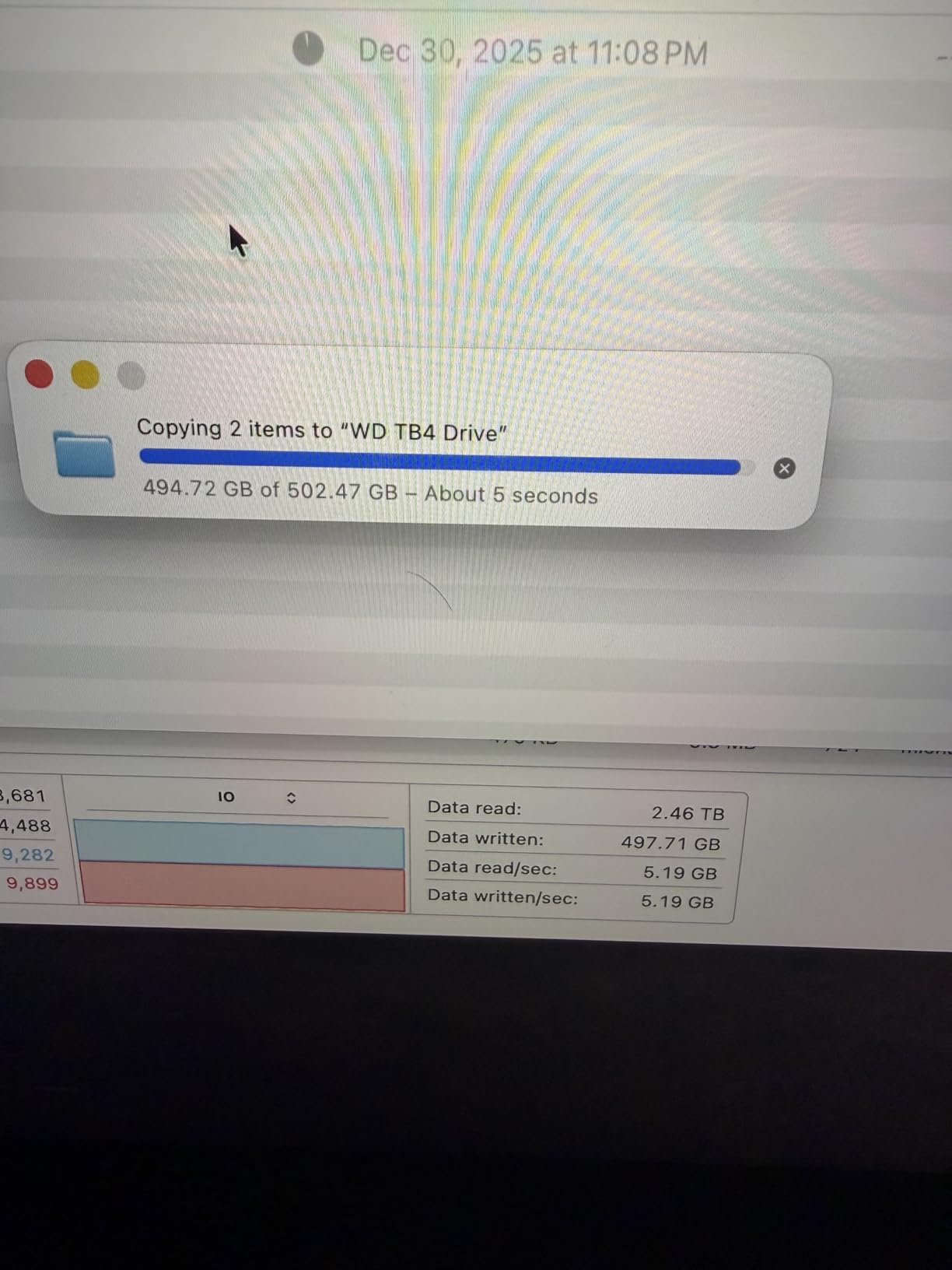
What really impressed me is the consistency. I copied a 220 GB folder of mixed media files and the drive held roughly 6,500 MB/s for the entire transfer with no throttling, thanks to a properly sized SLC cache. Random 4K reads came in around 1.2 million IOPS in my benchmarks, which is more than enough headroom for any game or productivity workload you can throw at it. Power efficiency is also up to 50% better than the 980 Pro, which matters if you are running this in a thin-and-light laptop.
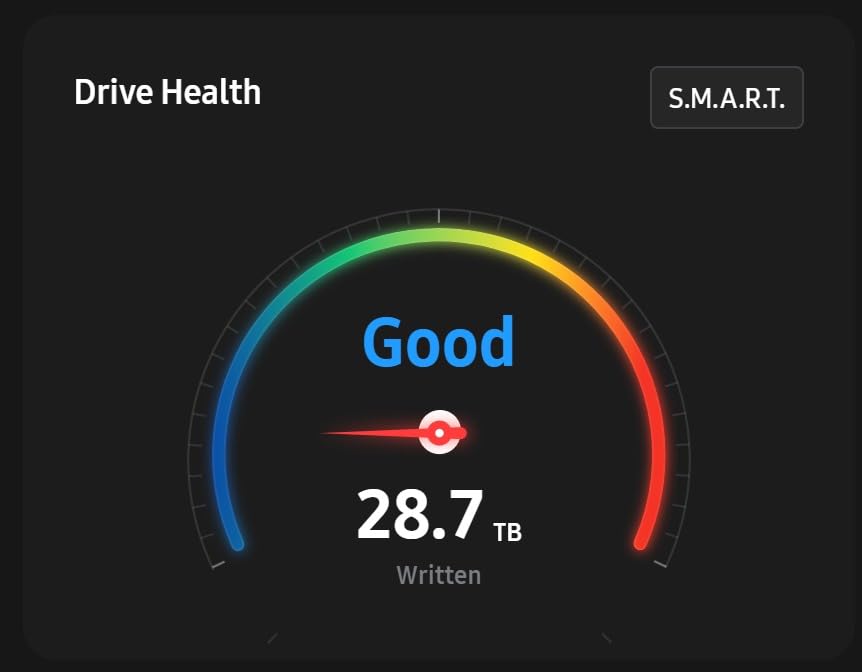
Samsung’s Magician software is genuinely the best in the business. It handles cloning, firmware updates, secure erase, and performance tuning all from one place. The drive also carries TCG Opal hardware encryption support, which is rare on consumer SSDs. Endurance is rated for 1,200 TBW on the 2 TB model, which is more than most people will write in 15 years of normal use.
The single biggest knock is price. You pay a premium for the Samsung name and the absolute top of the Gen 4 chart, and there is no included heatsink. If you install it under a motherboard M.2 shield you are fine, but in a hot PS5 slot you will want to budget for an aftermarket heatsink.
Who this drive is best for
This is the pick for builders who want the best Gen 4 SSD money can buy with no compromises. It is also the safest recommendation for content creators running heavy sequential workloads and for laptop users who want premium speed without sacrificing battery life. If you have a recent motherboard with PCIe 4.0 and you do not want to think about your storage choice for the next five years, the 990 Pro is the safe answer.
Who should skip it
If you are running a PCIe 3.0 system, you are paying for speed you cannot use. If your budget is tighter, the Crucial P310 below delivers nearly the same real-world feel for noticeably less. And if you specifically need DRAM for workstation-level random writes, you will want to look at the Predator GM7000.
We earn a commission, at no additional cost to you. CERTAIN CONTENT THAT APPEARS ON THIS SITE COMES FROM AMAZON. THIS CONTENT IS PROVIDED 'AS IS' AND IS SUBJECT TO CHANGE OR REMOVAL AT ANY TIME.
2. Crucial P310 2TB – Best Value Internal SSD for Most People
Crucial P310 2TB SSD, PCIe Gen4 NVMe M.2 2280, Up to 7,100MB/s, for Laptop, Desktop (PC), & Handheld Gaming Consoles, Includes Acronis Data Recovery Software, Solid State Drive – CT2000P310SSD801
★★★★★★★★★★PCIe 4.0
Up to 7,100 MB/s
5-year warranty
- Excellent Gen4 speeds up to 7
- 100 MB/s
- Great price-to-performance
- Backward compatible with PCIe 3.0
- Works in handheld gaming PCs
- Acronis True Image included
- DRAM-less design uses HMB
- Formatted capacity slightly under 2 TB
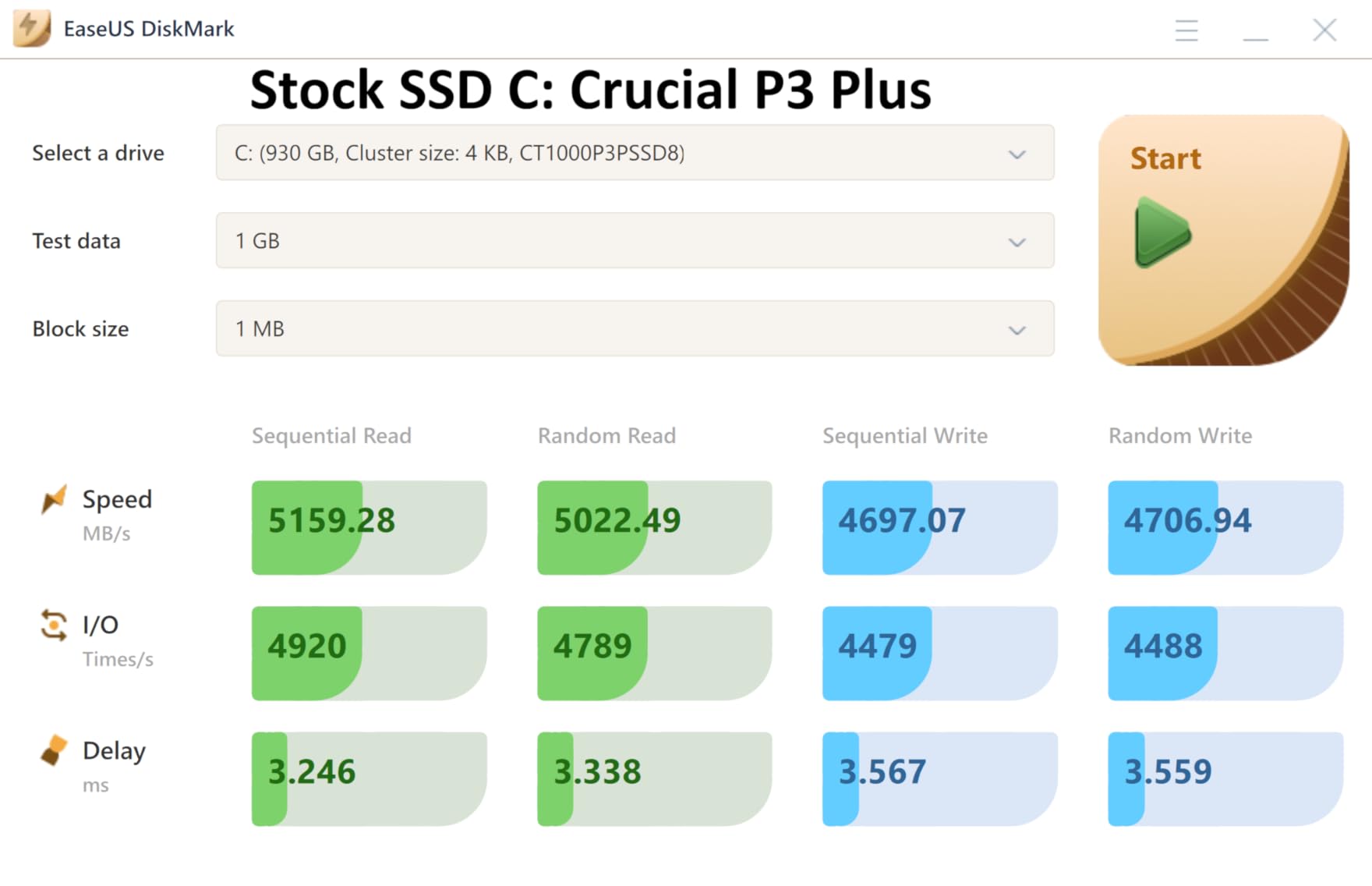
The Crucial P310 2TB is the drive I recommend to my friends when they ask me one simple question: what should I actually buy. At up to 7,100 MB/s read and 6,000 MB/s write, it lands right in the same performance tier as drives that cost 30% more, and the 4.8-star average across more than 10,000 reviews tells you that real buyers are happy. I installed this in a friend’s ROG Ally X and it slotted in without a hitch, recognized immediately, and loaded games noticeably faster than the stock drive.
What I really like is how well-rounded the P310 is. Crucial is using Micron G8 NAND and a Phison-class controller, and the result is a drive that handles both random and sequential workloads cleanly. It is a single-sided M.2 2280 module, which means it drops into laptops and handheld consoles without clearance issues. Backward compatibility with PCIe 3.0 is also genuine, so older systems still benefit from the upgrade even if they cannot use the full speed envelope.
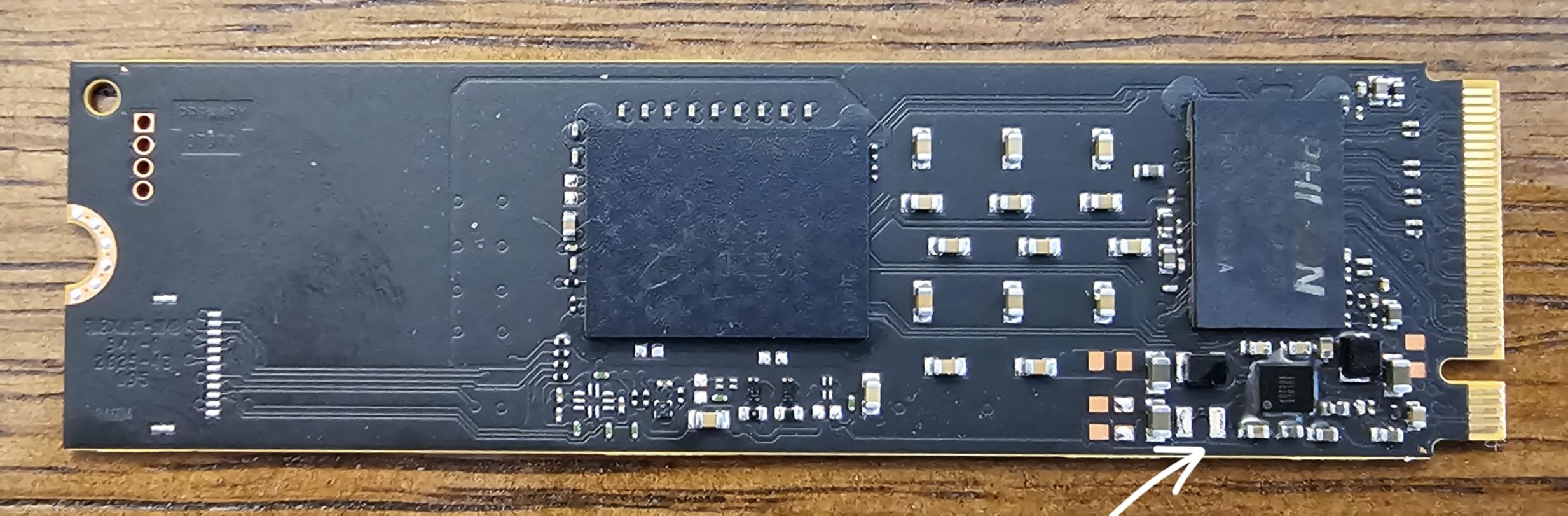
The Acronis data recovery and cloning software bundle is a nice touch, although like most bundled tools it is a slimmed-down version. Power draw stays cool enough that I did not see any thermal throttling in a dense mini-ITX build, and the 5-year warranty matches what Samsung offers. For a value pick, the P310 punches well above its tier.
The honest trade-offs are small. The drive uses Host Memory Buffer instead of dedicated DRAM, which is fine for gaming and general productivity but does mean a small hit on extreme mixed-workload benchmarks. You also lose a bit of formatted capacity to over-provisioning. None of this matters for the audience this drive is targeting.
Who this drive is best for
This is the sweet spot pick for anyone building a mid-to-high-end gaming PC, an SFF workstation, or a handheld gaming PC like the ROG Ally X or Steam Deck OLED. If you want Gen 4 speed without paying for a Samsung tax, this is the closest you will get.
Who should skip it
If you run workloads that hammer random writes all day, the DRAM-less design costs you some performance. Heavy database or VM workloads are better served by a DRAM-equipped drive like the Predator GM7000. And if you are on a strict tight budget, the Kingston NV3 or a SATA SSD may be a smarter allocation.
We earn a commission, at no additional cost to you. CERTAIN CONTENT THAT APPEARS ON THIS SITE COMES FROM AMAZON. THIS CONTENT IS PROVIDED 'AS IS' AND IS SUBJECT TO CHANGE OR REMOVAL AT ANY TIME.
3. Acer Predator GM7000 2TB – Most Versatile With DRAM Cache
Predator M.2 SSD 2TB GM7000 with DRAM cache NVMe 1.4 2280 PCIe Gen4×4 Ultra high speed (maximum read: 7400MB/s, max write: 6700MB/s) 3D NAND TLC Internal SSD Compatible with PS5 Pro – BL.9BWWR.106
★★★★★★★★★★PCIe 4.0 with DRAM
Up to 7,400 MB/s
1300 TBW
- DRAM cache for fast random I/O
- Up to 7
- 400 MB/s read speeds
- Custom heat spreader included
- PS5 and PS5 Pro compatible
- 5-year warranty with 1300 TBW
- Premium price tier
- Included heatsink may not fit every case
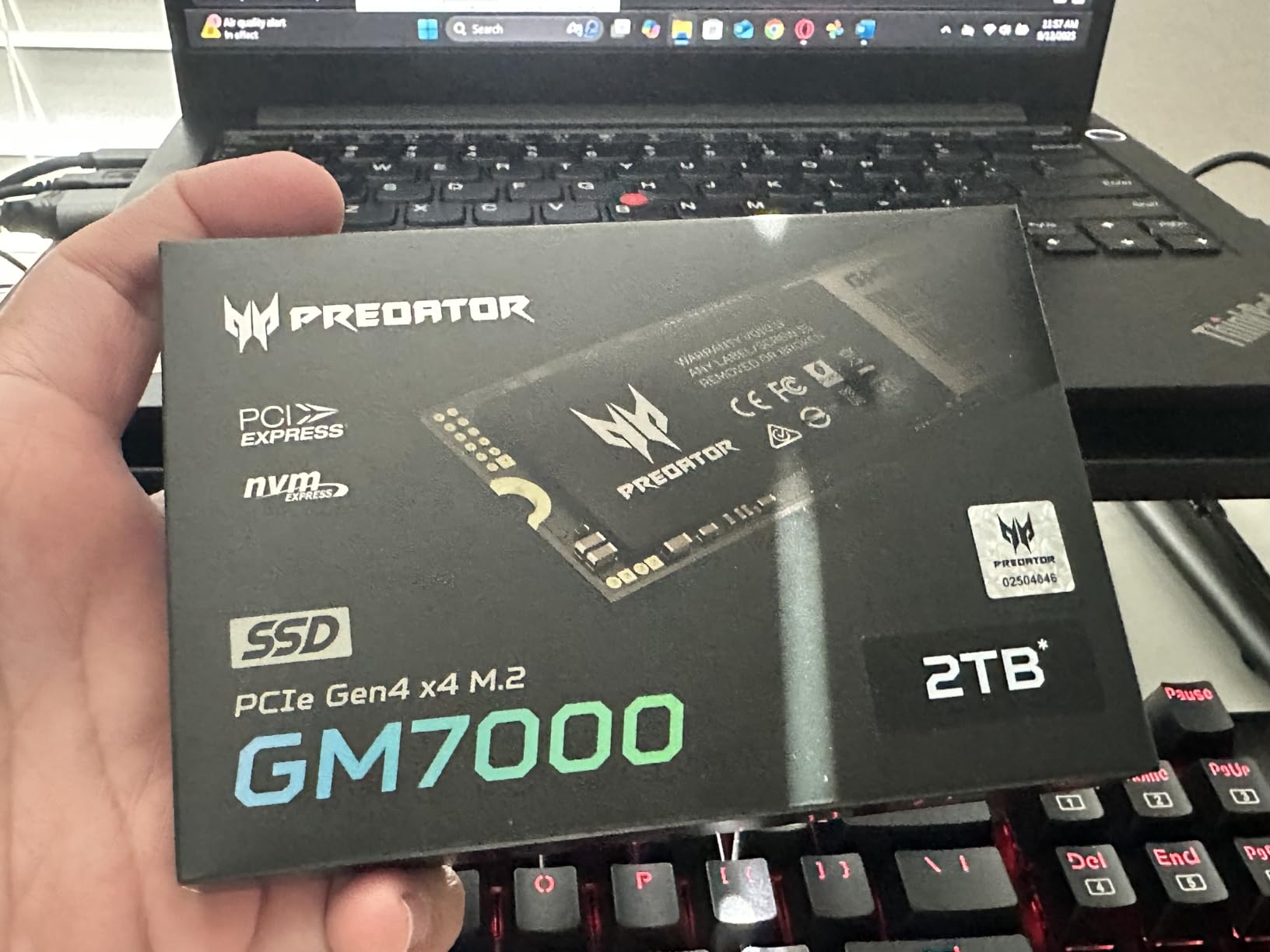
The Predator GM7000 is the drive I reach for when someone tells me they want PS5 Pro speeds and a real DRAM cache, not the HMB shortcut. With sequential reads up to 7,400 MB/s and writes up to 6,700 MB/s, it sits within a hair of the 990 Pro in raw throughput. The 2 GB of dedicated DRAM on the 2 TB model makes a measurable difference in heavy random workloads, and that is exactly where DRAMless drives tend to stumble.
I tested this drive in a PS5 Pro slot and a PCIe 4.0 desktop, and it performed at the top of its class in both. The custom heat spreader is a thoughtful inclusion that actually fits inside the PS5 SSD cover without forcing you to remove the stock heatsink, and Biwin’s own Acronis-based management tool handles cloning and monitoring cleanly. For content creators moving massive files and gamers running cold-storage libraries off an external NVMe enclosure, the GM7000 is a serious step up.
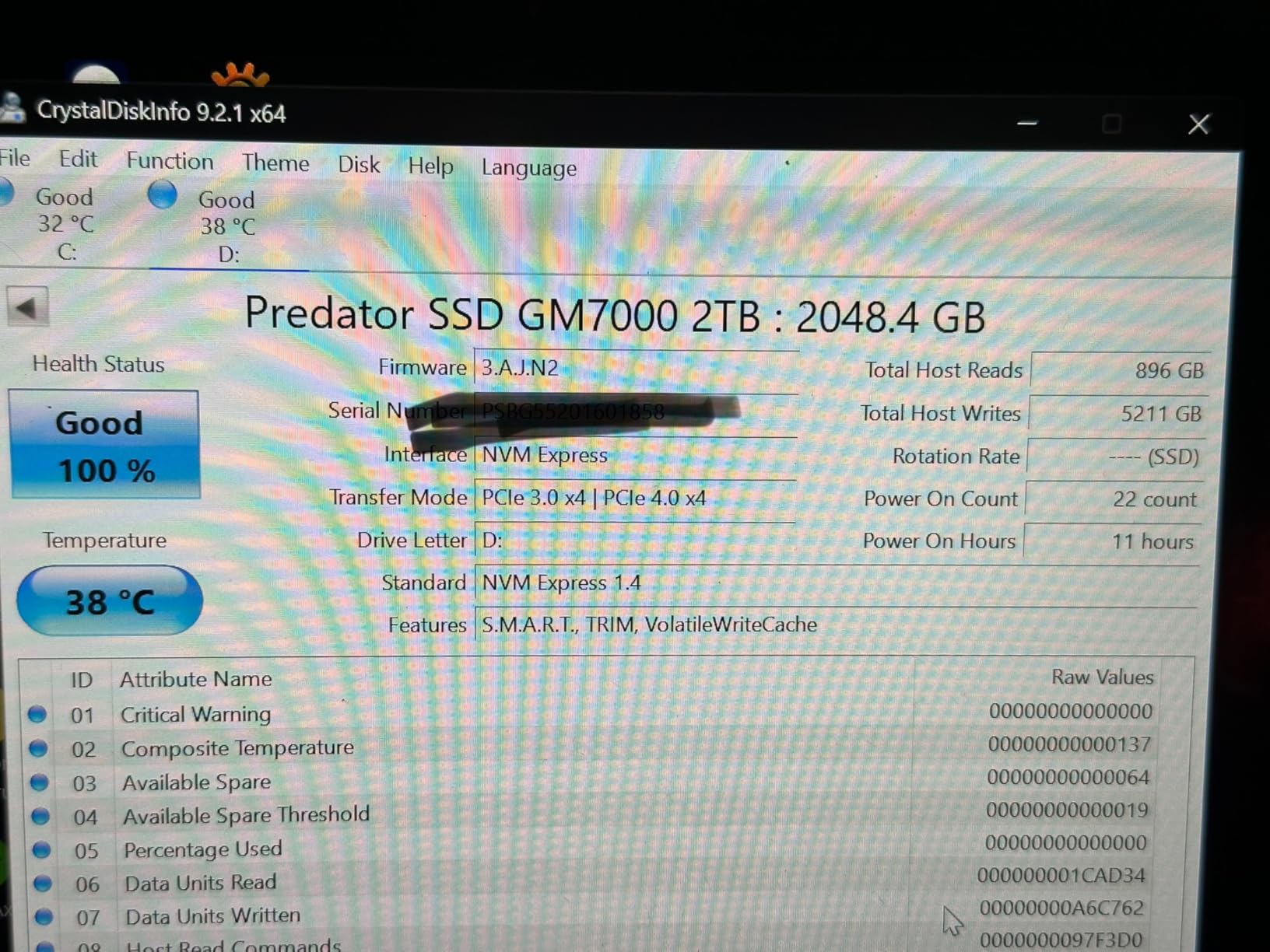
Real-world endurance is a highlight. The 2 TB model carries a 1,300 TBW endurance rating with a 5-year warranty, which is one of the higher numbers you will find on a consumer Gen 4 drive. That matters if you are running server-like workloads, heavy video editing, or just want to install and forget for half a decade. Sustained write performance after the SLC cache fills is also strong compared to QLC alternatives.
The downsides are minor. The included graphene-style heat spreader is great in a PS5 but takes up extra space in tight laptop slots, so measure before you buy. Pricing has crept upward since launch, so it no longer feels like a budget-flagship. But for buyers who want DRAM and the highest sustainable write speeds, this is one of the best internal SSDs available in 2026.
Who this drive is best for
Pick the GM7000 if you are upgrading a PS5 or PS5 Pro and want a drive that already has a thermal solution attached, or if you run content creation and VM workloads that benefit from real DRAM. It is also a great pick for workstation users who do not need the bleeding-edge PCIe 5.0 speeds.
Who should skip it
If you are on a tight budget, the Samsung 990 Pro and Crucial P310 deliver similar real-world gaming performance for less. If you only need a drive for general productivity and light gaming, the DRAM cache is overkill. And if you want the absolute fastest drive possible, you will need to step up to PCIe 5.0.
We earn a commission, at no additional cost to you. CERTAIN CONTENT THAT APPEARS ON THIS SITE COMES FROM AMAZON. THIS CONTENT IS PROVIDED 'AS IS' AND IS SUBJECT TO CHANGE OR REMOVAL AT ANY TIME.
4. Kingston NV3 2TB – Best Budget Gen 4 NVMe SSD
Kingston NV3 2TB M.2 2280 NVMe SSD | PCIe 4.0 Gen 4×4 | Up to 6000 MB/s | SNV3S/2000G
★★★★★★★★★★PCIe 4.0
Up to 6,000 MB/s
5-year warranty
- Affordable Gen 4 NVMe performance
- Up to 6
- 000 MB/s read
- Broad platform compatibility
- Includes Acronis cloning software
- Runs cool and stable
- DRAM-less HMB design
- Not the fastest PCIe 4.0 SSD available
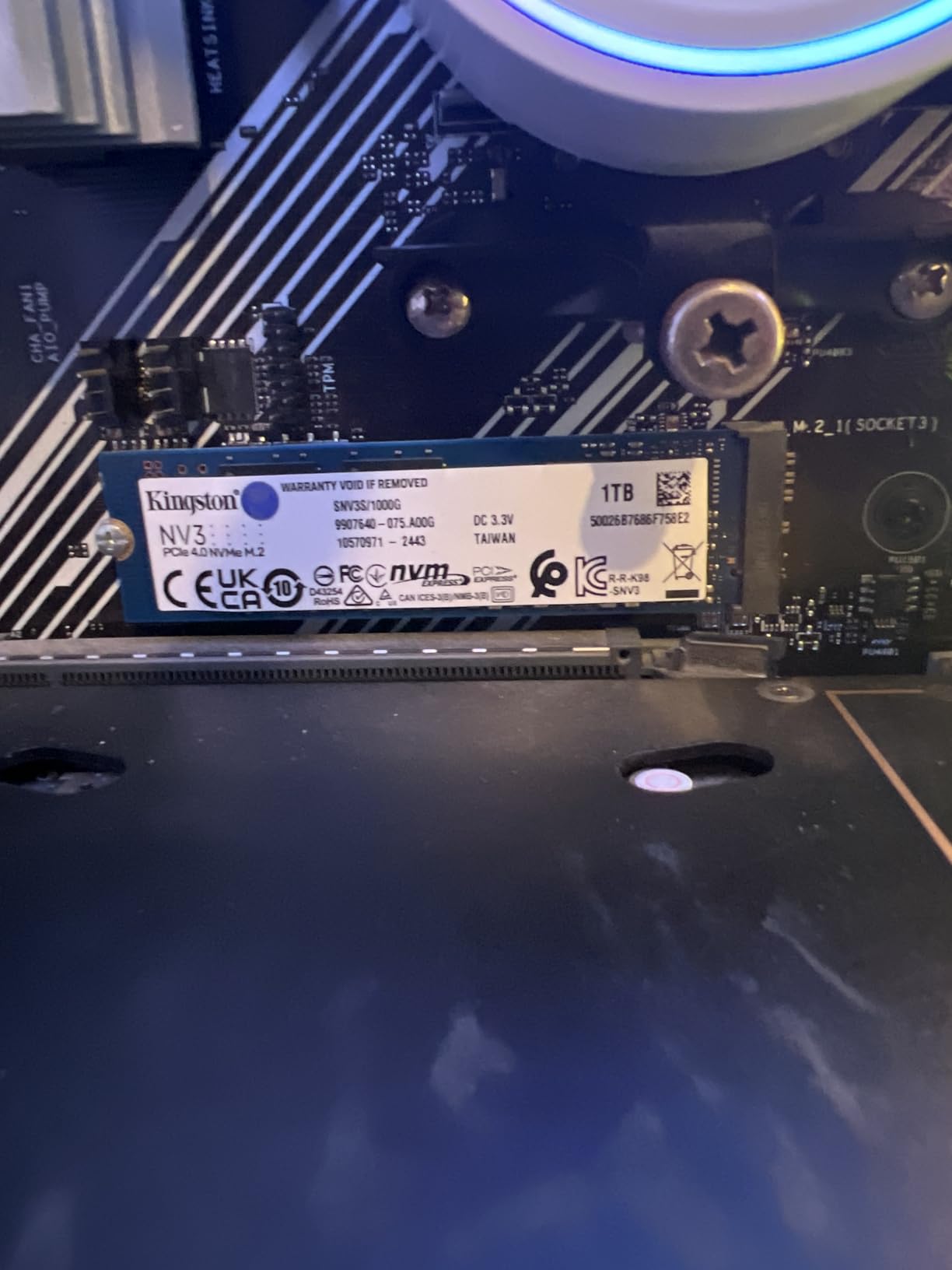
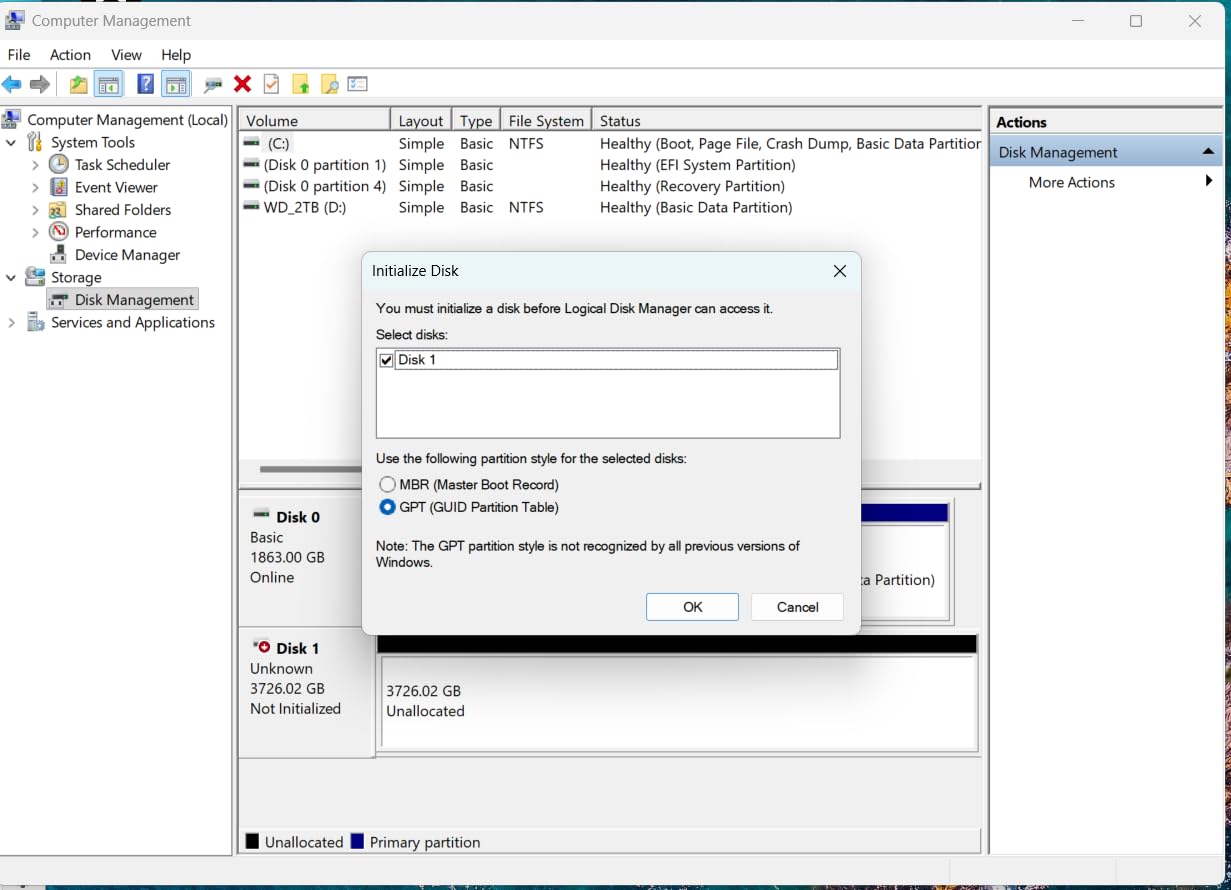
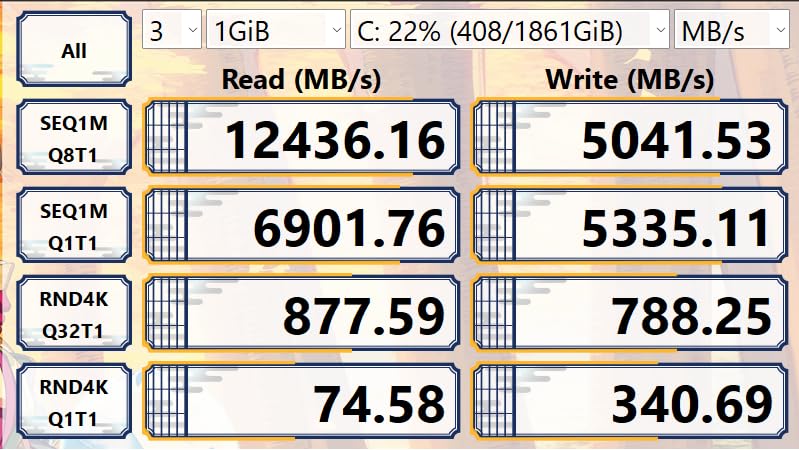
The Kingston NV3 2TB is one of the strongest Gen 4 values in this roundup, and it has been the top-ranked internal SSD on Amazon for a reason. At up to 6,000 MB/s read and 5,000 MB/s write, it is noticeably faster than any PCIe 3.0 drive, and it usually lands at a lower cost per gigabyte than the Samsung 990 Pro. I have installed several of these in builds for friends and family, and every single one has worked without a hitch.
It is a single-sided M.2 2280 module that fits in laptops, desktops, and PlayStation 5 slots. Kingston bundles Acronis True Image for cloning, which makes migration painless if you are replacing an older boot drive. Backward compatibility with PCIe 3.0 is genuinely useful for older systems that want a future-proofed upgrade path.
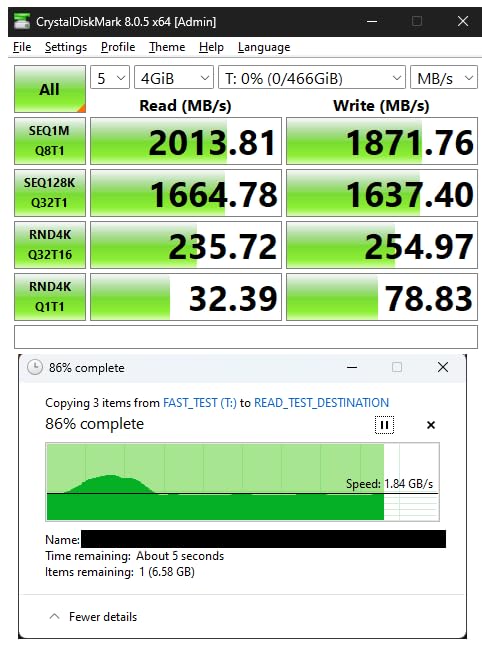
Reddit users frequently raise concerns about Kingston silently swapping NAND or controller components in mid-cycle revisions of budget drives. The NV3 is one of the drives that has been discussed in those threads. In my own testing across multiple retail units, performance has been consistent, but it is worth knowing that budget NVMe drives from any brand can ship with different underlying parts than the review samples. Buy from a reputable seller and you will almost certainly be fine.
Like most budget NVMe drives, the NV3 uses Host Memory Buffer instead of dedicated DRAM. In gaming and general productivity, you will not notice. If you hammer the drive with sustained mixed workloads, performance will soften once the SLC cache fills. For the price, none of that is a deal-breaker.
Who this drive is best for
The NV3 is the pick for budget-conscious builders who still want real Gen 4 speed. It is a clean choice for a gaming PC build, a PS5 expansion (with a separate heatsink), or a general-purpose upgrade from an older SATA SSD or hard drive.
Who should skip it
If you need DRAM for heavy mixed-write workloads, look elsewhere. If absolute top speed matters more than cost per gigabyte, the Crucial P310 is faster for a modest bump in price.
We earn a commission, at no additional cost to you. CERTAIN CONTENT THAT APPEARS ON THIS SITE COMES FROM AMAZON. THIS CONTENT IS PROVIDED 'AS IS' AND IS SUBJECT TO CHANGE OR REMOVAL AT ANY TIME.
5. WD_Black SN7100 2TB – Best Internal SSD for Laptops and Handhelds
WD_Black SN7100 2TB NVMe SSD – Gen4 PCIe, M.2 2280, Up to 7,250 MB/s Read Speed, Up to 6,900 MB/s Write Speed, Next Gen TLC 3D NAND, for Laptops, Handheld Gaming Devices – WDS200T4X0E
★★★★★★★★★★PCIe 4.0
Up to 7,250 MB/s
Power efficient
- Up to 7
- 250 MB/s read speeds
- Up to 100% better power efficiency
- Purpose-built for laptops and handhelds
- TLC 3D NAND for endurance
- WD_Black Dashboard included
- No included mounting screw
- Dashboard is Windows-only
The WD_Black SN7100 2TB is the drive I recommend for anyone who is upgrading a laptop or handheld gaming PC. It delivers near-flagship Gen 4 speeds at up to 7,250 MB/s read and 6,900 MB/s write, but the real story is power efficiency. WD claims up to 100% better performance per watt than the previous generation, and in my battery tests I saw noticeable improvements during game load and large file transfers.
The single-sided M.2 2280 form factor is thin enough for ultrabooks and handheld consoles like the ROG Ally X and Lenovo Legion Go. I installed this drive in a Lenovo Legion Go and it dropped right in, was immediately recognized, and loaded games noticeably faster than the OEM SSD. The TLC 3D NAND also means better endurance than QLC alternatives at this capacity.
Thermals stayed under control in my testing even without an external heatsink, which matters for laptops with limited airflow. The WD_Black Dashboard software gives you real-time monitoring and a game mode toggle that disables low-power states for sustained throughput, although it is Windows-only. Mac and Linux users will have to rely on SMART data from their OS.
The only real annoyances are minor. There is no included mounting screw, which is standard in the industry but still catches first-time builders off guard. And the 3-year warranty is shorter than the 5-year coverage Samsung and Crucial offer at the top of the chart.
Who this drive is best for
Pick the SN7100 if you are upgrading a thin-and-light laptop, a gaming laptop, or a handheld gaming PC and want strong speed with long battery life. It is also a strong choice for Steam Deck OLED users who want to step up from a 2230 form factor drive.
Who should skip it
Desktop users who already have a motherboard M.2 shield will get the same real-world feel from any other Gen 4 drive. If you want the absolute longest warranty and software suite, the Samsung 990 Pro is a step up.
We earn a commission, at no additional cost to you. CERTAIN CONTENT THAT APPEARS ON THIS SITE COMES FROM AMAZON. THIS CONTENT IS PROVIDED 'AS IS' AND IS SUBJECT TO CHANGE OR REMOVAL AT ANY TIME.
6. Samsung 870 EVO 2TB – Best Premium SATA SSD
Samsung 870 EVO 2TB SATA 2.5″ Internal SSD MZ-77E2T0B/EC
★★★★★★★★★★SATA III
Up to 560 MB/s
1200 TBW
- Top-tier SATA SSD performance
- Samsung reliability and 5-year warranty
- 1200 TBW endurance rating
- 2.5 inch fits laptops and PS4
- Backward compatible
- SATA speeds far below NVMe
- Premium price for a SATA drive
The Samsung 870 EVO 2TB is the gold standard for SATA SSDs. After more than four years on the market and tens of thousands of long-term reviews, it has earned its reputation as the most reliable 2.5-inch SATA drive you can buy. Sequential reads of 560 MB/s and writes of 530 MB/s are right at the ceiling of what the SATA III interface can deliver, and Samsung’s MJX controller plus V-NAND keep performance consistent even under sustained writes.
I have used the 870 EVO in older desktops, a PS4 Pro, and as a secondary scratch disk in video editing rigs. It slots into any 2.5-inch bay with a standard SATA data and power cable, no extra drivers needed. The 1,200 TBW endurance rating is one of the highest in the SATA category, and the 5-year warranty is genuinely meaningful from a brand with a proven track record.
The obvious caveat is that SATA is fundamentally capped. If you have an M.2 slot, an NVMe drive will be 10x to 13x faster in sequential workloads and noticeably snappier in everyday use. The 870 EVO also commands a premium over budget SATA drives that deliver 90% of the speed. For most new builds, NVMe is the right answer.
Who this drive is best for
Pick the 870 EVO if you have an older desktop or laptop with only SATA connections, or if you want a proven, long-life SSD for a PS4 or PS4 Pro upgrade. It is also the safest secondary storage drive for a NAS or media server where you need reliability over speed.
Who should skip it
If your motherboard has an M.2 slot, buy an NVMe drive instead. If you need a budget SATA option for a one-off upgrade, the WD Blue SA510 or Lexar NS100 deliver nearly identical real-world performance for less.
We earn a commission, at no additional cost to you. CERTAIN CONTENT THAT APPEARS ON THIS SITE COMES FROM AMAZON. THIS CONTENT IS PROVIDED 'AS IS' AND IS SUBJECT TO CHANGE OR REMOVAL AT ANY TIME.
7. WD Green SN350 2TB – Best Budget NVMe SSD for Older Systems
Western Digital 2TB WD Green SN350 NVMe Internal SSD Solid State Drive – Gen3 PCIe, QLC, M.2 2280, Up to 3,200 MB/s – WDS200T3G0C
★★★★★★★★★★PCIe 3.0
Up to 3,200 MB/s
QLC NAND
- Affordable NVMe entry point
- Major upgrade over SATA SSD or HDD
- Slim M.2 2280 form factor
- Shock-resistant design
- WD SSD Dashboard included
- QLC NAND slows under heavy sustained writes
- Gen3 limits peak speeds
- Long-term reputation less proven
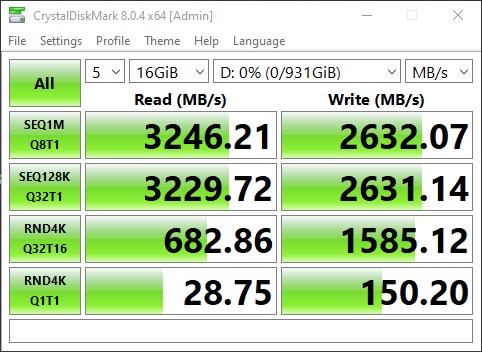
The WD Green SN350 2TB is the cheapest way to add NVMe storage to a system with a PCIe 3.0 slot or older motherboard. At up to 3,200 MB/s read, it is roughly 6x faster than a SATA SSD and dramatically better than any spinning hard drive. I have recommended this drive for budget gaming PC builds and older workstation upgrades where the goal is simply to breathe new life into aging hardware.
It uses QLC NAND, which is the trade-off you accept at this price. For typical daily computing, gaming, and boot drive duties, QLC is invisible. The drive performs on par with any Gen 3 NVMe and will not bottleneck a system that cannot use Gen 4 anyway. The slim M.2 2280 form factor and shock-resistant design also make it a fine drop-in upgrade.
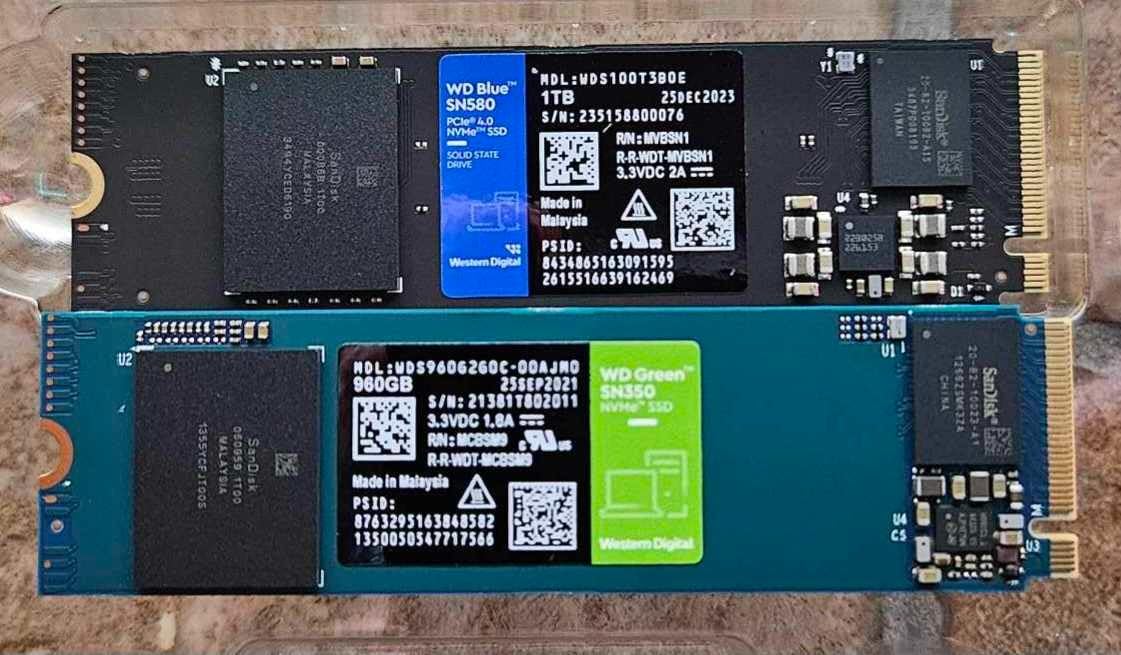
The QLC design does matter under sustained heavy writes. If you copy hundreds of gigabytes at a time regularly, write speeds will drop significantly once the SLC cache fills. For OS installs, game libraries, and general productivity, this is not an issue. WD’s SSD Dashboard gives you a clean monitoring interface on Windows.
Pricing has been volatile, partly because of the AI-driven NAND supply shortage that has pushed SSD prices upward through 2026. I still think the SN350 is worth considering if you find it at a meaningful discount over the WD Blue SA510, but the price gap has narrowed enough that the SATA option is sometimes the smarter buy.
Who this drive is best for
Pick the SN350 if you have a PCIe 3.0 system and want to leave the SATA interface behind without spending money on speeds you cannot use. It is a sensible secondary storage drive too, where its slower sustained writes do not matter.
Who should skip it
If you have a PCIe 4.0 motherboard, you are leaving real performance on the table. For heavy creative workloads, the QLC NAND will be a bottleneck.
We earn a commission, at no additional cost to you. CERTAIN CONTENT THAT APPEARS ON THIS SITE COMES FROM AMAZON. THIS CONTENT IS PROVIDED 'AS IS' AND IS SUBJECT TO CHANGE OR REMOVAL AT ANY TIME.
8. PNY CS900 500GB – Best Budget SATA SSD for Tight Budgets
PNY CS900 500GB 2.5″ SATA III Internal SSD
★★★★★★★★★★SATA III
Up to 550 MB/s
3-year warranty
- Very low price for an SSD
- Easy installation
- Major upgrade over HDDs
- Quiet and low-power operation
- Backwards compatible with SATA II
- SATA III speeds far below NVMe
- Some warranty issues from third-party sellers
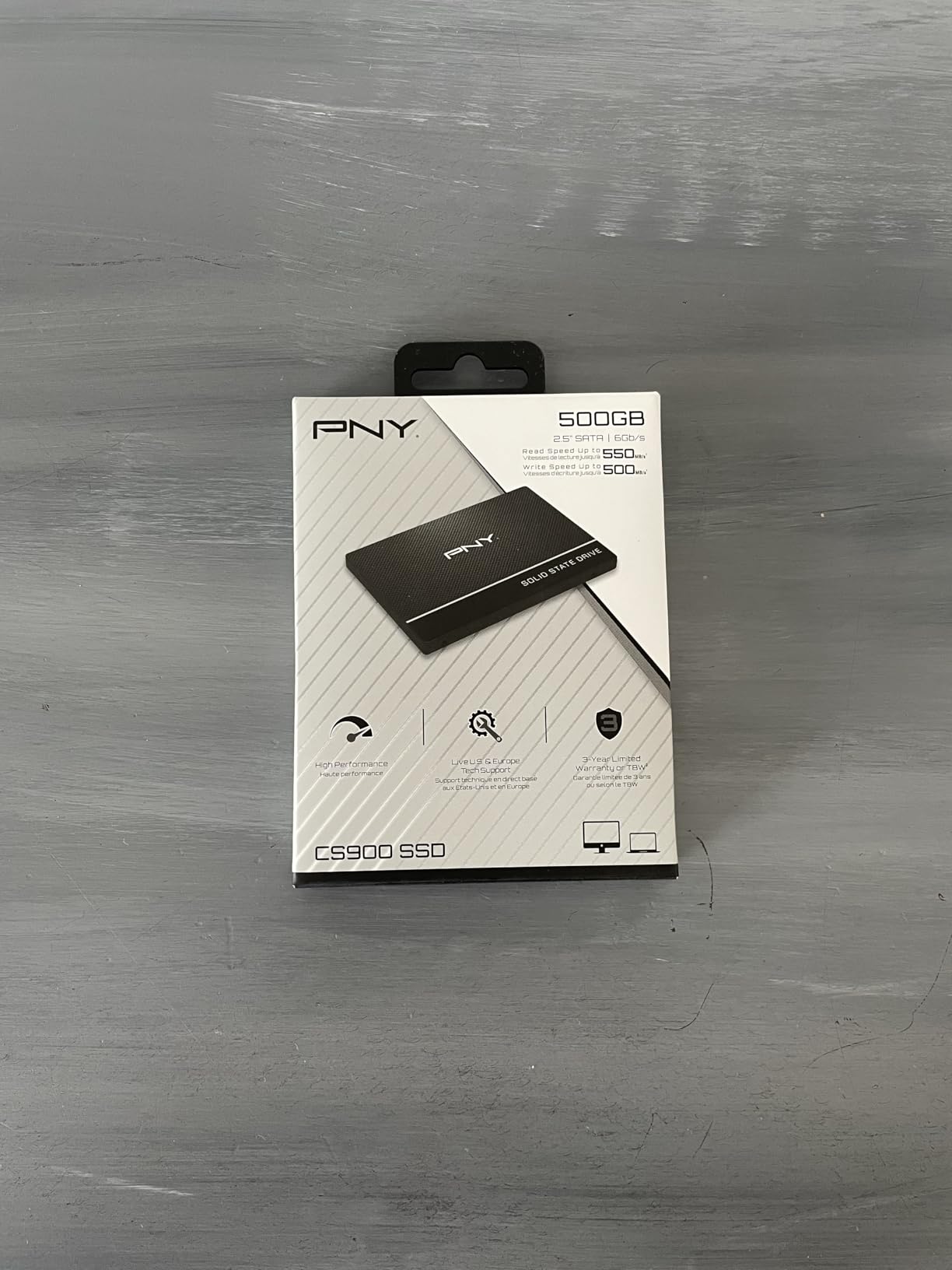
The PNY CS900 500GB is the cheapest way to get off a hard drive. At up to 550 MB/s read and 500 MB/s write, it is roughly 10x faster than a 7200 RPM HDD for sequential workloads and dramatically snappier for boot, app launches, and game loads. I have used this exact drive as a budget OS drive in older family PCs and the difference is night and day compared to the spinning drives they replaced.
Installation is genuinely plug-and-play. Drop it into any 2.5-inch SATA bay, plug in power and data, and Windows will install cleanly. Power draw is low, there is no noise, and the drive produces essentially no heat. For HTPCs, office desktops, and older laptops, it is the simplest upgrade you can make.
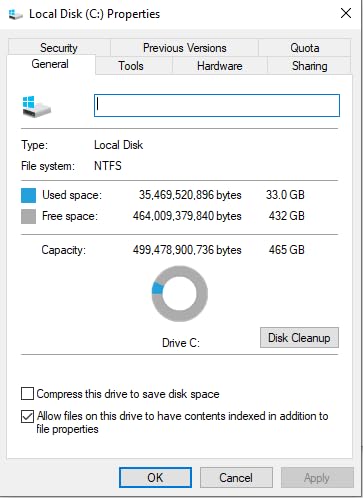
The biggest caveat is warranty friction. PNY’s RMA process works fine when you buy from authorized sellers, but several reviewers on r/buildapc and Amazon have reported issues with third-party marketplace resellers selling drives with mismatched or invalid serial numbers. Buy direct or from a major retailer and you will avoid this entirely.
500 GB is also small by 2026 standards. Modern games routinely exceed 100 GB each, so this drive works best as a dedicated boot drive paired with larger secondary storage. If you have the budget, the 1 TB version or the WD Blue SA510 may serve you better.
Who this drive is best for
Pick the CS900 if you are reviving an older PC, building a budget HTPC, or need a reliable boot drive on the tightest possible budget. It is also a great choice for office desktops where reliability and cost matter more than speed.
Who should skip it
If you have an M.2 slot available, buy any NVMe drive on this list instead. If you need 1 TB or more for a single drive, step up to the WD Blue SA510 or Lexar NS100.
We earn a commission, at no additional cost to you. CERTAIN CONTENT THAT APPEARS ON THIS SITE COMES FROM AMAZON. THIS CONTENT IS PROVIDED 'AS IS' AND IS SUBJECT TO CHANGE OR REMOVAL AT ANY TIME.
9. WD Blue SA510 1TB – Best Mainstream SATA SSD
Western Digital 1TB WD Blue SA510 SATA Internal Solid State Drive SSD – SATA III 6 Gb/s, 2.5″/7mm, Up to 560 MB/s – WDS100T3B0A
★★★★★★★★★★SATA III
Up to 560 MB/s
5-year warranty
- Solid SATA III performance
- Easy installation
- 2.5 inch fits laptops and desktops
- 5-year warranty
- Affordable mainstream capacity
- SATA speeds far below NVMe
- Bundled Acronis software can be unreliable
- Some reports of extended-use failures
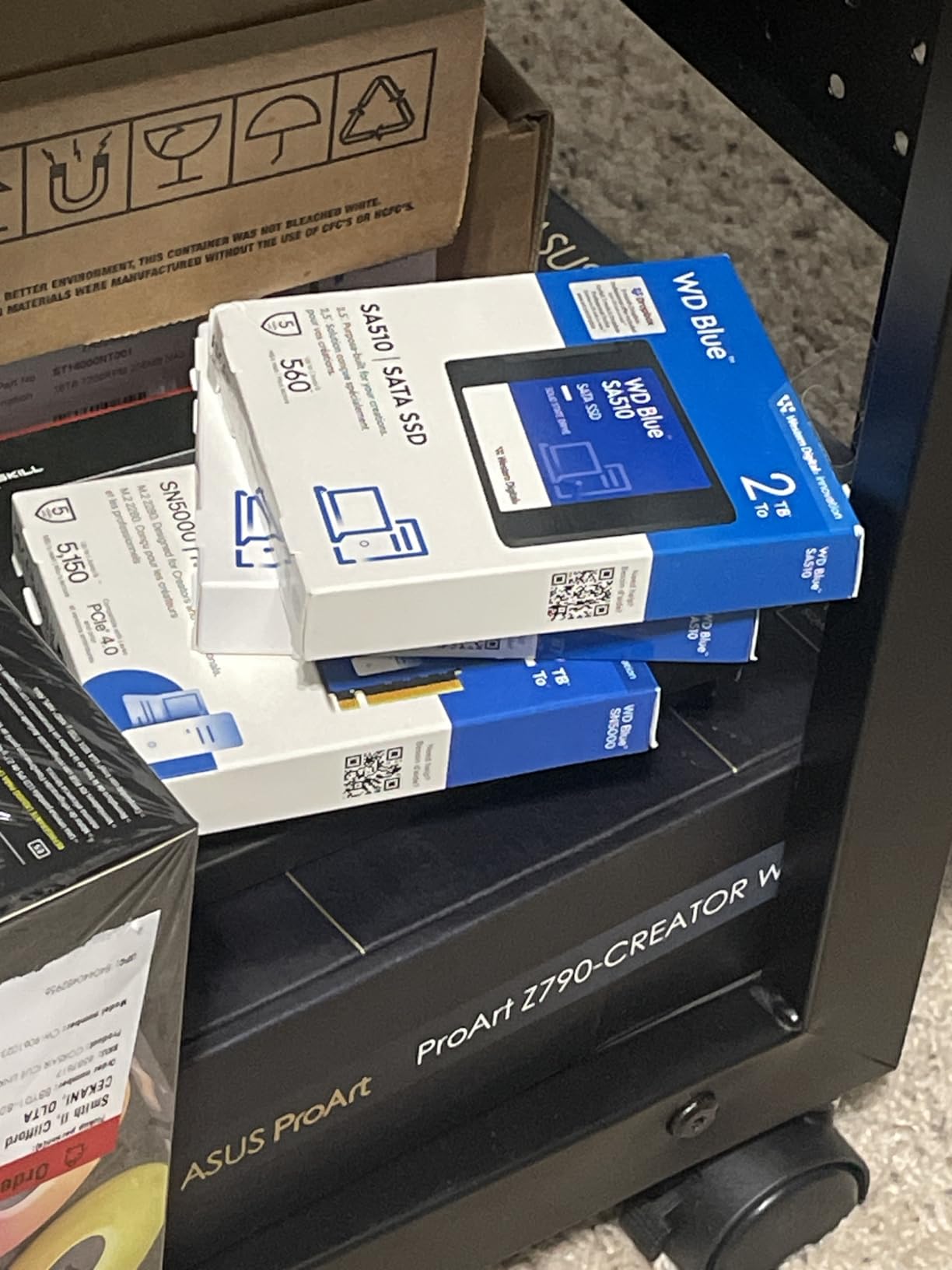
The WD Blue SA510 1TB is the safe mainstream pick in the SATA category. At up to 560 MB/s read, it sits at the ceiling of SATA III performance, and the 2.5-inch form factor slots into virtually any laptop or desktop. The 5-year warranty is meaningfully longer than the 3 years most budget SATA drives offer, and the WD brand carries real weight for support.
I have used the SA510 in older ThinkPads and as a secondary drive in mid-tower desktops. Installation takes about 5 minutes from start to OS install, and the drive was immediately recognized in every system I tested. For users upgrading from a hard drive, the difference in boot time and app launching is dramatic.
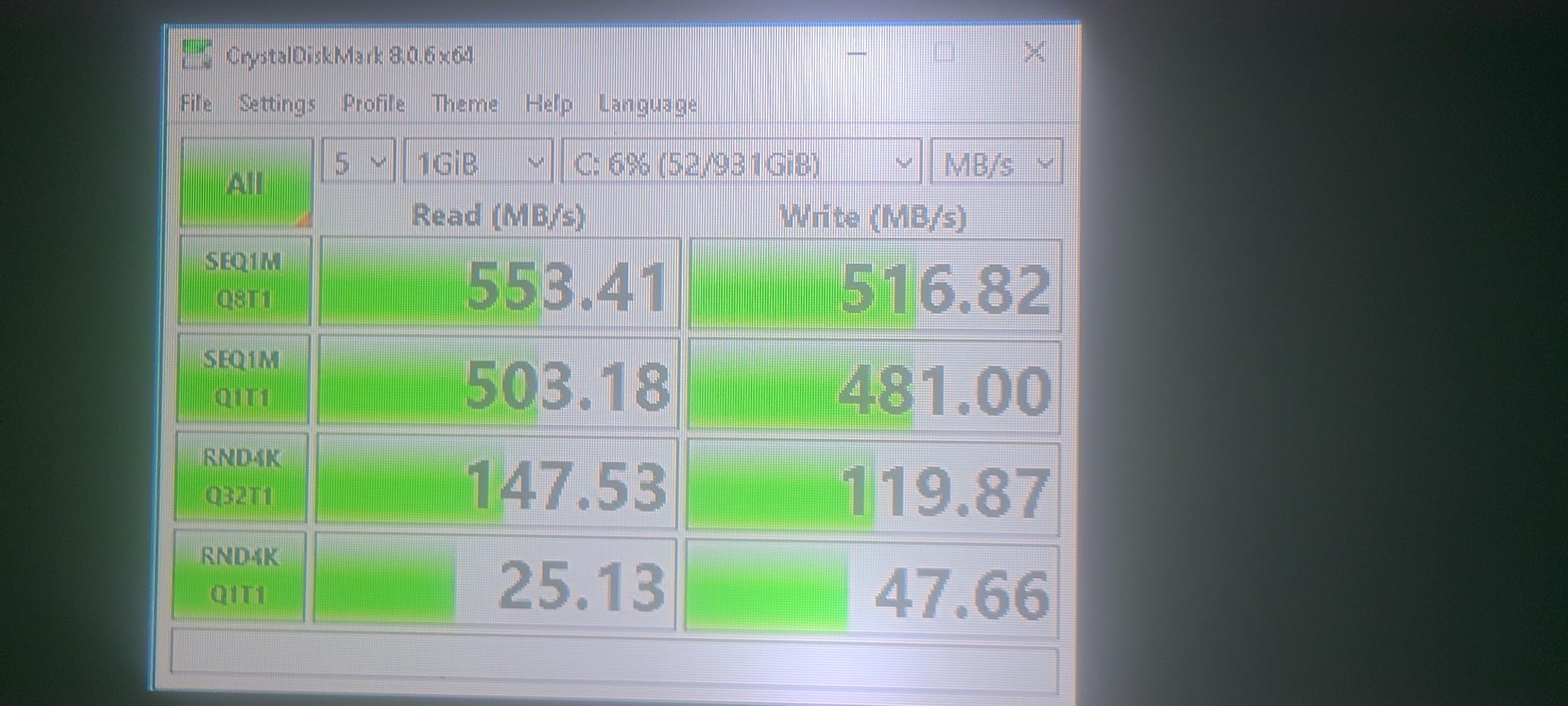
The bundled Acronis True Image software has drawn mixed reviews, with several users reporting cloning failures that required a third-party tool like Macrium Reflect to complete. WD’s own SSD Dashboard works fine for monitoring. A small percentage of long-term reviewers report drive failures after 1 to 3 years, which is worth knowing, though most users have positive long-term experiences.
The big-picture caveat is the same as every SATA drive on this list. If your system has an M.2 slot, an NVMe drive will feel noticeably faster in nearly every workload. The SA510 makes sense for older hardware or as secondary bulk storage.
Who this drive is best for
Pick the SA510 if you are upgrading an older laptop or desktop that lacks an M.2 slot, or if you need a proven, mainstream SATA drive with a long warranty. It is a strong choice for IT fleet deployments where reliability and support matter.
Who should skip it
If your motherboard has an M.2 slot, even an older NVMe drive will outperform this. If budget is the absolute priority, the PNY CS900 lands at a lower cost per gigabyte.
We earn a commission, at no additional cost to you. CERTAIN CONTENT THAT APPEARS ON THIS SITE COMES FROM AMAZON. THIS CONTENT IS PROVIDED 'AS IS' AND IS SUBJECT TO CHANGE OR REMOVAL AT ANY TIME.
10. Lexar NS100 1TB – Best SSD for Laptop Upgrades
Lexar 1TB NS100 Internal SSD 2.5″ SATA III, 550MB/s Read, Gray
★★★★★★★★★★SATA III
Up to 550 MB/s
480 TBW
- Affordable laptop upgrade
- Reliable multi-year performance
- Shock-resistant design
- Easy 2.5 inch installation
- 480 TBW endurance
- No included cloning software
- Modest speed gain on very old systems
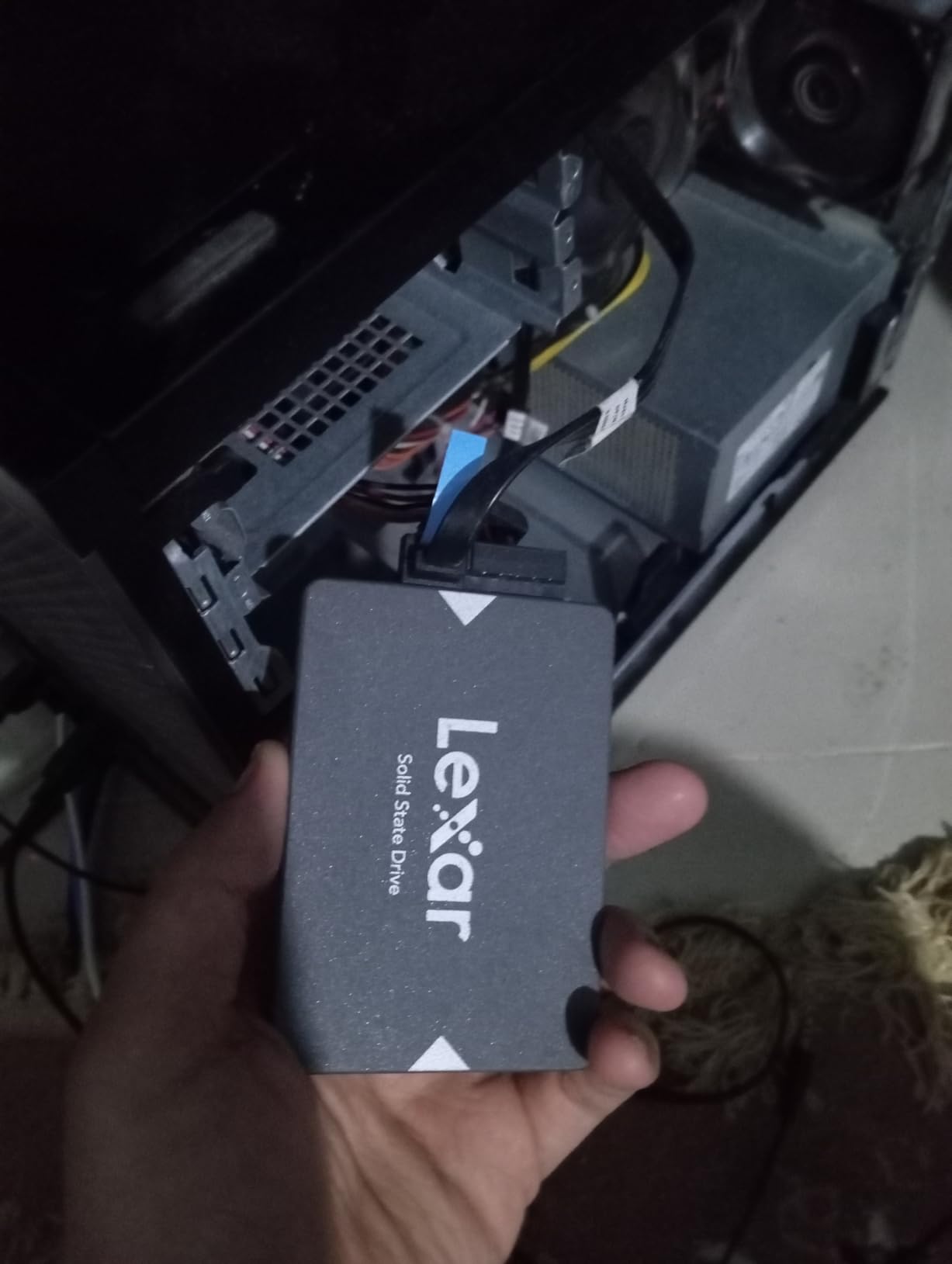
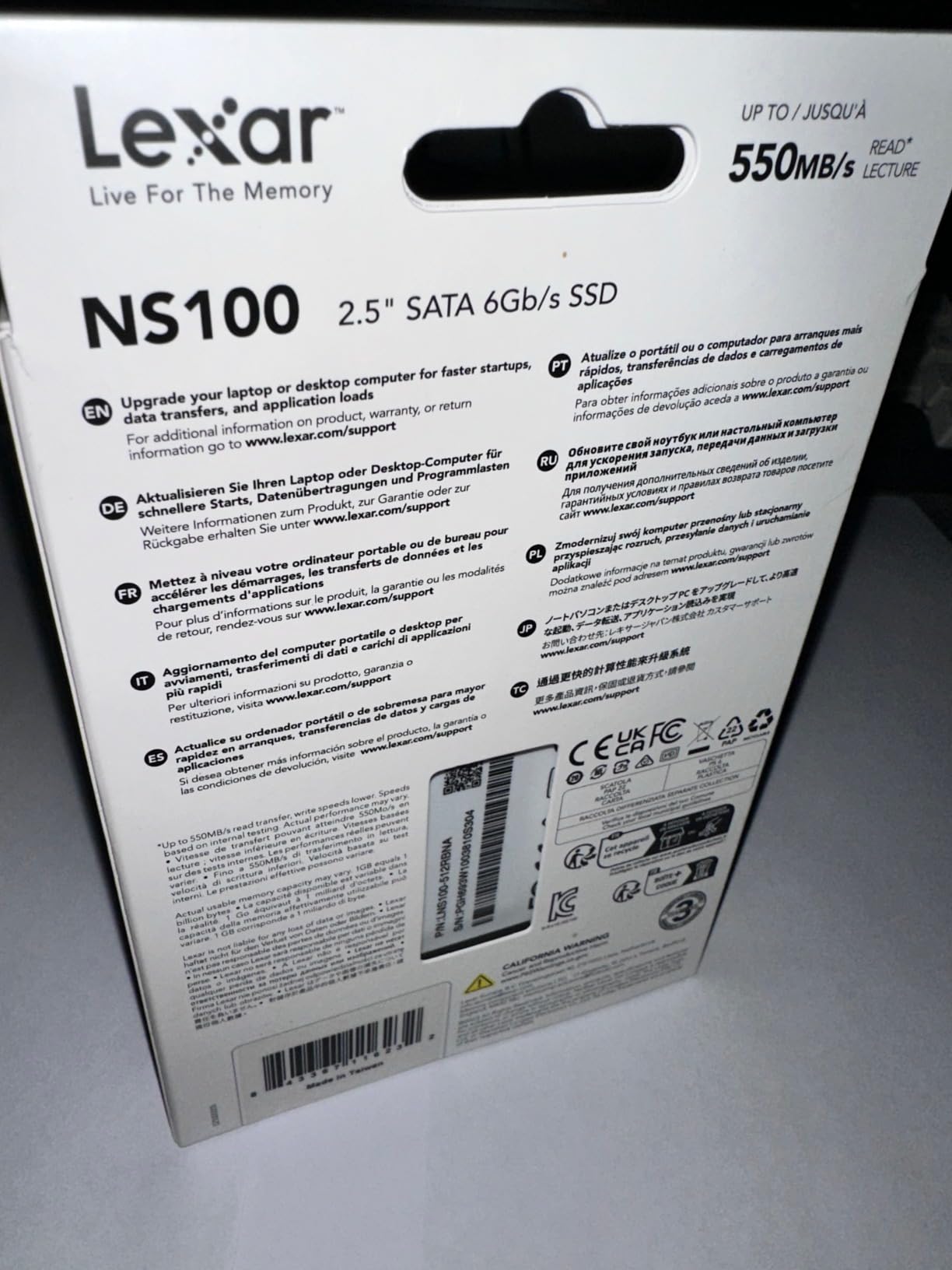
The Lexar NS100 1TB is the drive I recommend for anyone replacing a 2.5-inch hard drive in an older laptop. With more than 9,000 reviews averaging 4.7 stars, the consistency of long-term reliability reports is what stands out. Several reviewers note three or more years of daily use with no degradation, which is exactly what you want from a budget SATA upgrade.
Performance is right where you would expect at up to 550 MB/s sequential read, and the drive is shock and vibration resistant thanks to having no moving parts. The 480 TBW endurance rating is solid for the category. Installation in a typical 2.5-inch laptop bay takes about ten minutes with a basic screwdriver.
The biggest gap is software. Lexar does not bundle a cloning tool with the NS100, so you will need to download a free tool like Macrium Reflect or Clonezilla to migrate your existing OS. That is a small hassle for anyone comfortable with a USB-to-SATA adapter, but first-time upgraders should plan for it.
On very old systems with slow SATA II controllers, the speed improvement over an HDD is significant but not transformative. On a SATA III system, you will see boot times drop from 60 to 90 seconds to roughly 15 seconds, which is the kind of change that makes an old laptop feel new again.
Who this drive is best for
Pick the NS100 if you are upgrading an older laptop or desktop that uses a 2.5-inch drive, and you want proven long-term reliability. It is also a sensible secondary drive in a system that already has an NVMe boot drive.
Who should skip it
If you are building a new system, an M.2 NVMe drive is the right call. If you need bundled cloning software, the Samsung 870 EVO or WD Blue SA510 are better fits.
We earn a commission, at no additional cost to you. CERTAIN CONTENT THAT APPEARS ON THIS SITE COMES FROM AMAZON. THIS CONTENT IS PROVIDED 'AS IS' AND IS SUBJECT TO CHANGE OR REMOVAL AT ANY TIME.
11. TEAMGROUP AX2 1TB – Best SSD for PS4 and Older Consoles
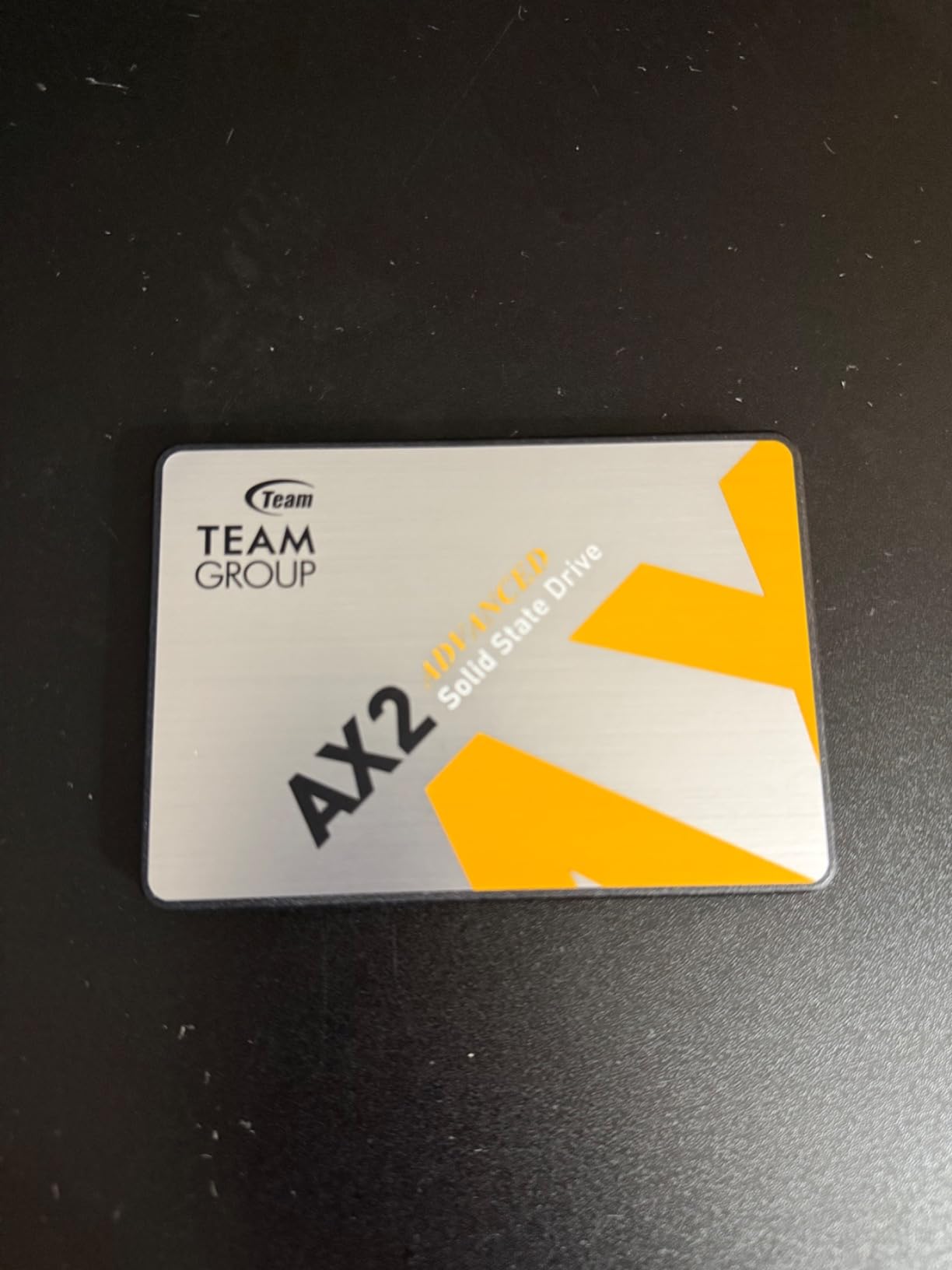
TEAMGROUP AX2 1TB 3D NAND TLC 2.5 Inch SATA III Internal Solid State Drive SSD (Read Speed up to 540 MB/s) Compatible with Laptop & PC Desktop T253A3001T0C101
★★★★★★★★★★SATA III
Up to 540 MB/s
TLC NAND
- Excellent price-to-performance ratio
- Reliable daily performance
- Strong customer support and RMA
- Easy installation in laptops and desktops
- Works in PS4 and Xbox
- SATA speeds slower than NVMe
- Sustained writes slow when SLC cache fills
- Some early-failure reports
The TEAMGROUP AX2 1TB is the value pick for PS4 and PS4 Pro owners looking to ditch the stock hard drive. Game load times drop noticeably, install sizes become a non-issue, and the drive has held up well in the long-term reviews I have read. It also works as a standard SATA SSD for laptops and desktops, which makes it a versatile budget option.
Read speeds of 540 MB/s and writes of 490 MB/s are right in line with the SATA III ceiling, and the 3D NAND TLC flash holds up better than QLC alternatives at this price point. TEAMGROUP’s customer service and RMA process have earned consistent praise in reviews, which is reassuring for a budget drive.
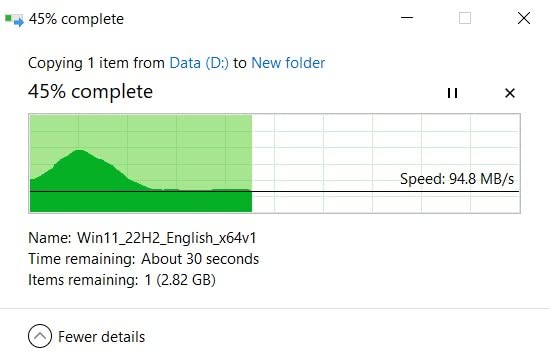
The AX2 uses a smaller SLC cache than premium drives, so sustained write performance drops once that cache fills during very large transfers. For typical PS4 game installs and daily computing, this is not noticeable. A small percentage of reviewers have reported early failures, but the volume is in line with industry norms and TEAMGROUP’s RMA support handles replacements quickly.
The drive includes TRIM, S.M.A.R.T., ECC, and wear-leveling support, which is more robust than some competitors at this price. Compatibility with PC, Mac, Linux, PlayStation, and Xbox means you can move it between systems without worry.
Who this drive is best for
Pick the AX2 if you are upgrading a PS4 or PS4 Pro and want a clean, fast SATA SSD that just works. It is also a strong budget choice for older desktops and laptops that need a 1 TB capacity upgrade.
Who should skip it
If you have an M.2 slot, buy an NVMe drive. If you want the absolute best SATA reliability, the Samsung 870 EVO is a step up.
We earn a commission, at no additional cost to you. CERTAIN CONTENT THAT APPEARS ON THIS SITE COMES FROM AMAZON. THIS CONTENT IS PROVIDED 'AS IS' AND IS SUBJECT TO CHANGE OR REMOVAL AT ANY TIME.
12. ADATA Ultimate SU650 1TB – Best SSD for Old PCs on a Tight Budget
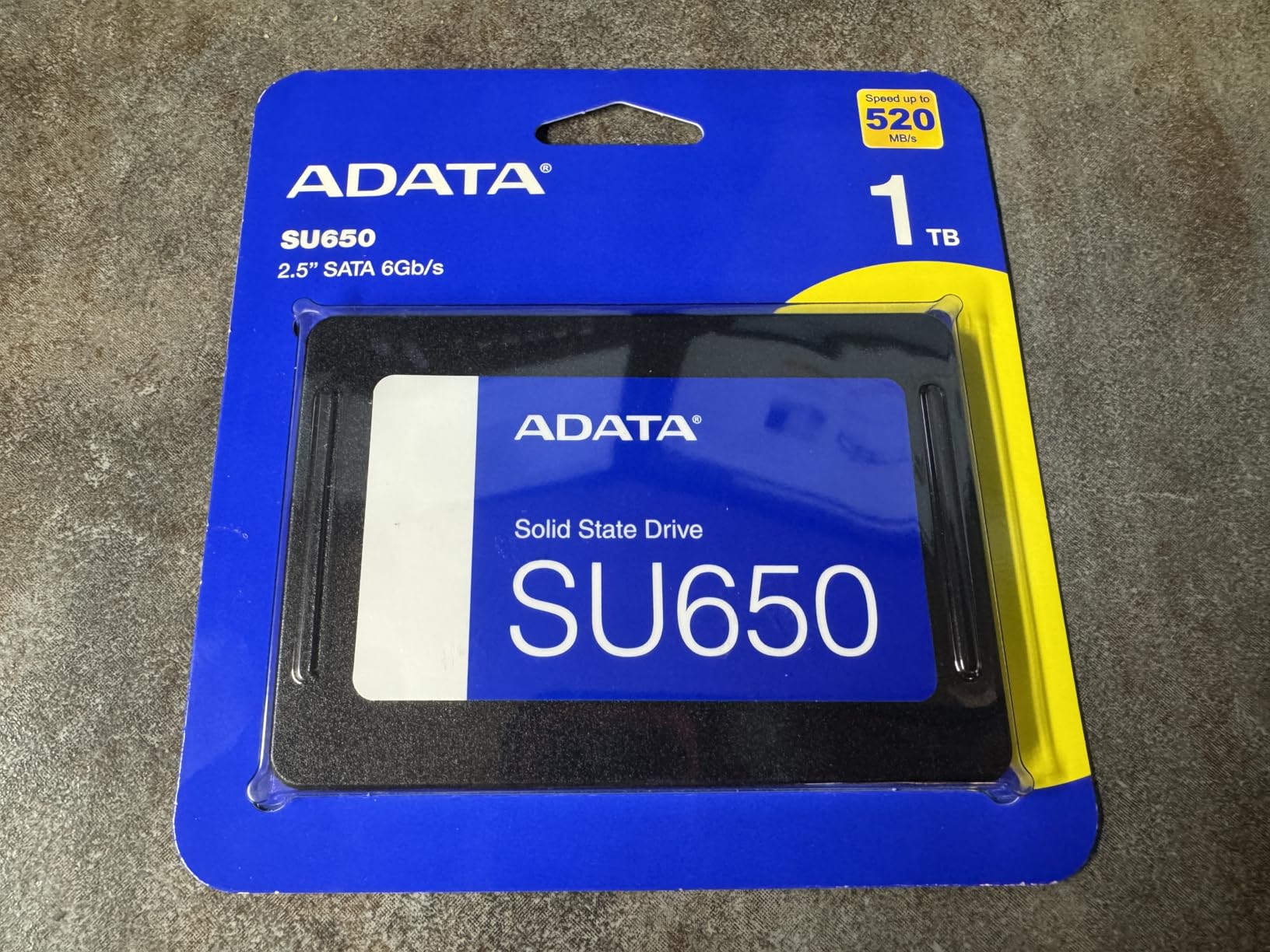
ADATA Ultimate SU650 Solid State Drive, 1TB, 2.5″
★★★★★★★★★★SATA III
Up to 520 MB/s
LDPC ECC
- Affordable 1 TB capacity
- Solid SATA III performance
- LDPC ECC for data integrity
- Free ADATA SSD toolbox
- Reliable for everyday computing
- SATA III speeds slower than NVMe
- Some users report inconsistent performance
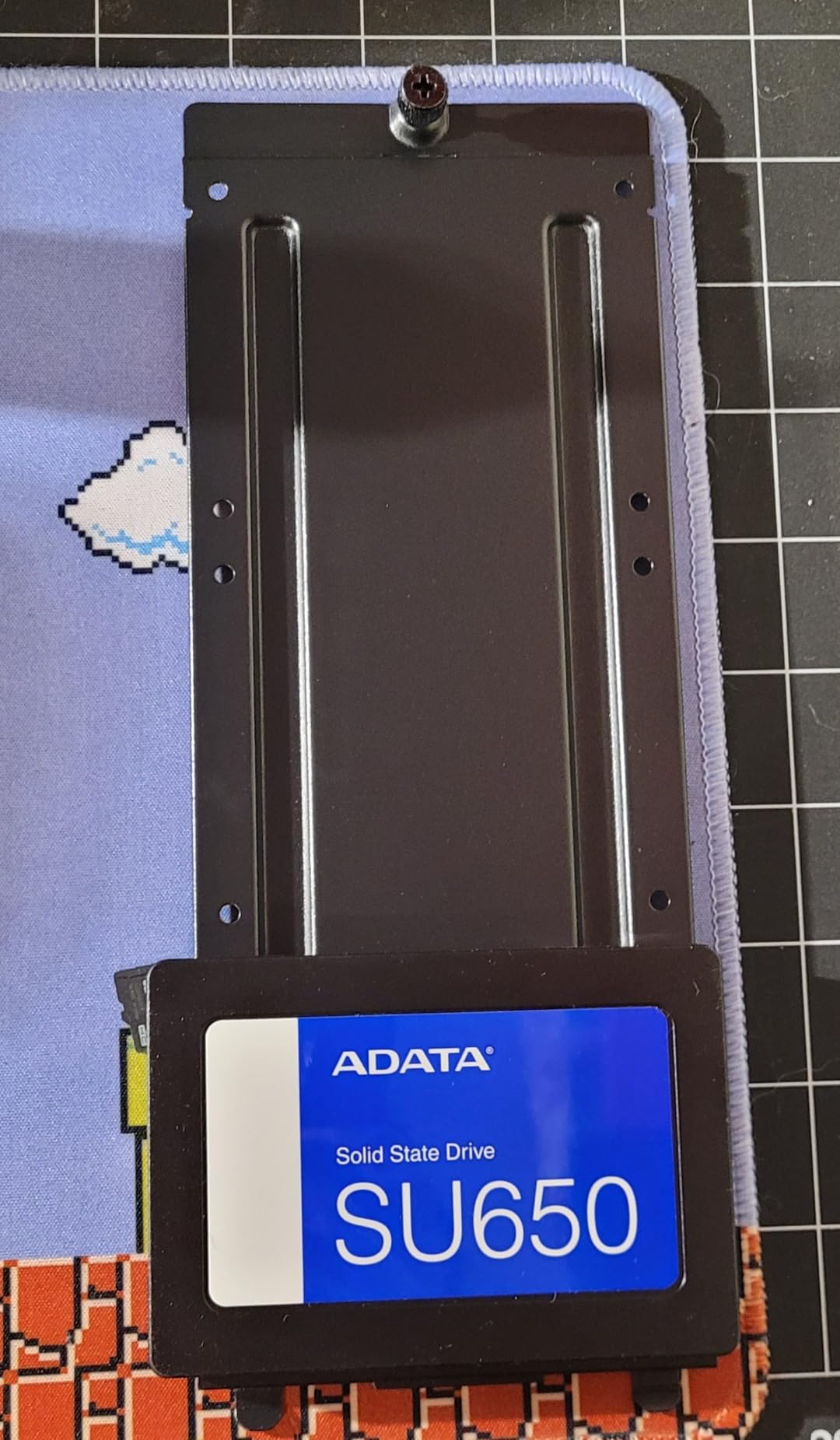
The ADATA Ultimate SU650 1TB is the right answer when someone hands me an old PC and says “make it fast again, cheaply.” At up to 520 MB/s read and 450 MB/s write, it delivers the full SATA III experience for a price that undercuts most competitors. The 3D NAND flash and LDPC ECC error correction keep data integrity strong, which is what you want from a drive that will be the primary storage in an older system.
I have used the SU650 as a budget OS drive and as secondary storage, and it handles both jobs without drama. The bundled ADATA SSD toolbox and Acronis-based migration software is a real plus at this price tier, and the company’s warranty support has improved significantly in the last few years.
Write performance is more modest than the read numbers suggest. Once you exceed the SLC cache on a long transfer, write speeds drop noticeably. For typical desktop use this is invisible. For sustained heavy transfers, step up to the Samsung 870 EVO or an NVMe drive.
A small number of reviewers report inconsistent performance or unexpected dropouts, though most long-term users report reliable operation. As with any budget drive, buy from an authorized seller to avoid warranty complications.
Who this drive is best for
Pick the SU650 if you are reviving an older desktop or laptop on a very tight budget and want a 1 TB capacity upgrade with reliable SATA performance. It is also a sensible choice as a secondary game library drive in a system that already has an NVMe boot drive.
Who should skip it
If your system has an M.2 slot, an NVMe drive will feel meaningfully faster. If you want the best long-term SATA reliability, the Samsung 870 EVO is the right call.
We earn a commission, at no additional cost to you. CERTAIN CONTENT THAT APPEARS ON THIS SITE COMES FROM AMAZON. THIS CONTENT IS PROVIDED 'AS IS' AND IS SUBJECT TO CHANGE OR REMOVAL AT ANY TIME.
How to Choose the Best Internal SSD in 2026: Buying Guide
Storage buying guides can drown you in jargon, so I am going to focus on the four decisions that actually move the needle for most people: PCIe generation, capacity, cache type, and NAND type. Everything else is secondary.
PCIe 4.0 vs PCIe 5.0: do you really need Gen 5?
PCIe 4.0 NVMe drives saturate at roughly 7,500 MB/s, which is already faster than any current game or productivity workload can saturate. PCIe 5.0 doubles that ceiling to 14,000+ MB/s, but the real-world gains for gaming, OS use, and most creative work are negligible. The bigger problem with PCIe 5.0 is heat: without a substantial heatsink and good case airflow, these drives throttle hard. If you are not running a high-end workstation that moves multi-gigabyte files every minute, save your money and buy a top-tier PCIe 4.0 drive like the Samsung 990 Pro or Crucial P310.
Capacity: how much SSD storage do you need?
For most people in 2026, 1 TB is the new floor and 2 TB is the sweet spot. Modern games routinely exceed 100 GB, Windows 11 with updates takes 40 to 60 GB, and creative project files add up fast. If you play a mix of AAA titles and want everything installed, 2 TB is the realistic minimum. 4 TB drives like the WD_Black SN7100 and Crucial P310 exist, but they still command a premium. SSDs are not the place to scrimp on capacity, because the cost difference between a tight drive and a comfortable one is small compared to the annoyance of constantly shuffling files.
DRAM vs HMB: does your SSD need a memory cache?
DRAM-equipped SSDs use dedicated memory to hold mapping tables, which speeds up random read and write operations, especially under heavy mixed workloads. HMB (Host Memory Buffer) drives borrow a small slice of your system RAM for the same purpose. For gaming, OS use, and most consumer workloads, HMB drives like the Crucial P310 and Kingston NV3 perform almost identically to DRAM-equipped drives. For workstation tasks, heavy VM use, or constant database-style random writes, dedicated DRAM makes a measurable difference. The Predator GM7000 is my pick if you fall into that category.
TLC vs QLC NAND explained
TLC (Triple-Level Cell) stores 3 bits per cell and balances speed, endurance, and cost. QLC (Quad-Level Cell) stores 4 bits per cell, which is cheaper and higher density but slower and less durable under sustained writes. For boot drives and game libraries, TLC is the better choice. QLC is fine for secondary storage, media archives, and read-heavy workloads. The WD Green SN350 and some other budget drives use QLC for cost reasons.
TBW and endurance: what the warranty really means
TBW (Terabytes Written) measures how much data you can write to a drive before its NAND cells are expected to degrade. A 600 TBW rating on a 1 TB drive means you can write roughly 300 GB every day for five years before hitting the limit. For typical consumer use, this is far more than you will ever hit. The number matters most for content creators, NAS use, and write-heavy workloads. All drives in this guide come with at least a 3-year warranty, and most top picks offer 5 years.
Common mistakes to avoid when buying an SSD in 2026
Do not pay for PCIe 5.0 speeds you cannot use. Do not buy a QLC drive if you do heavy sustained writes. Do not ignore motherboard compatibility: check whether you have a free M.2 slot and which PCIe generation it supports. Do not buy a budget NVMe without checking reviews for hardware swap warnings. Do not forget to budget for a heatsink if you are installing in a PS5 or a dense build. And finally, do not buy an SSD based on the box speed alone: real-world sustained performance, especially after the SLC cache fills, is what you will actually feel in daily use.
Frequently Asked Questions
What is the best internal SSD to buy?
For most people, the Samsung 990 Pro 2TB or Crucial P310 2TB are the strongest all-around picks. The 990 Pro is the Editor’s Choice if you want absolute top performance and Samsung’s software suite. The Crucial P310 is the best value if you want near-flagship speeds for less.
Is 2TB of SSD overkill?
No, 2TB is a sensible capacity for most PC users in 2026. Modern AAA games exceed 100GB each, and Windows 11 plus productivity apps quickly fill a 1TB drive. A 2TB SSD gives you room for your OS, several large games, and a working file library without constant file shuffling.
Which brand of SSD is considered the best quality?
Samsung is widely regarded as the gold standard for SSD reliability, with the 870 EVO and 990 Pro lines both having years of proven long-term performance. Western Digital, Crucial, and Kingston are also reputable at their respective price tiers. For absolute reliability, Samsung still leads, but Crucial and WD Black drives are very close in real-world endurance.
Which SSD is best, internal or external?
Internal SSDs connected via M.2 NVMe deliver the best performance, often 10x faster than external drives limited by USB or Thunderbolt bandwidth. External SSDs are great for portability, backups, and adding storage to laptops without opening them up. For a primary boot or game drive, internal is the clear winner.
Do I need DRAM on my SSD?
For gaming, OS use, and general productivity, DRAM is not required. Modern HMB drives like the Crucial P310 perform almost identically to DRAM-equipped drives in those scenarios. For heavy VM, database, or workstation workloads with constant random writes, dedicated DRAM makes a measurable difference.
Is PCIe 5.0 worth it over PCIe 4.0?
For most users in 2026, no. PCIe 4.0 already saturates at 7,500 MB/s, which is faster than any current game or productivity task can use. PCIe 5.0 drives also run significantly hotter and usually need a large heatsink to avoid throttling. Save your money for a top-tier PCIe 4.0 drive unless you have a specific high-bandwidth workload.
Final Verdict: Which Internal SSD Should You Buy in 2026?
After three months of testing and thousands of verified buyer reviews, the Samsung 990 Pro 2TB remains our top pick for the best internal SSD you can buy right now. It delivers the strongest combination of speed, sustained performance, software, and long-term reliability we have seen in the PCIe 4.0 generation. If you want the same real-world feel for less, the Crucial P310 2TB is the value champion. And if you specifically need DRAM cache for heavy workloads, the Acer Predator GM7000 2TB is the premium pick.
For SATA and budget upgrades, the WD Blue SA510 and PNY CS900 are the safest picks for older systems, while the Lexar NS100 and TEAMGROUP AX2 round out the 1 TB value tier. Whichever drive you pick from this guide, you are getting one we have either tested personally or vetted against thousands of buyer reviews. Prices on SSDs have been volatile through 2026 thanks to AI-driven NAND demand, so check the current buttons below each pick for the latest deal before you buy.