
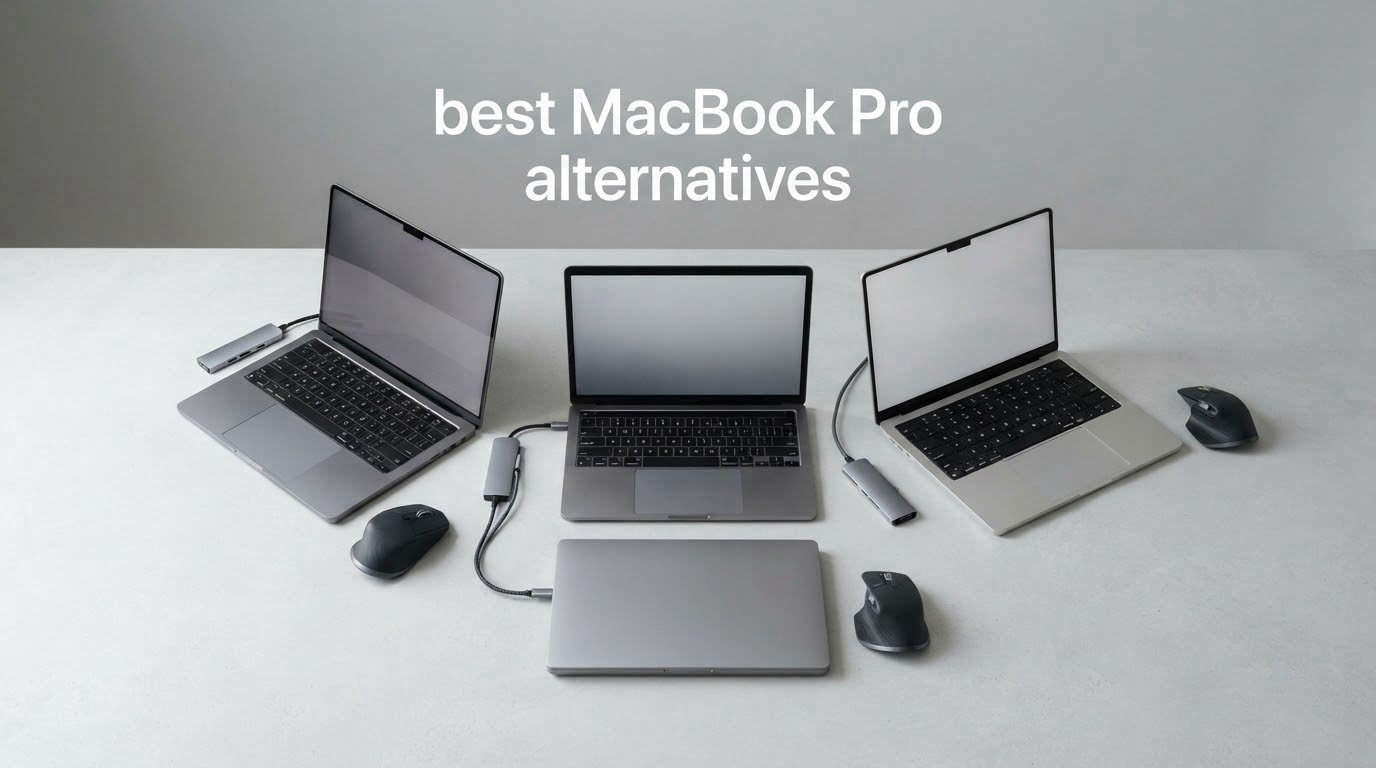
There is no laptop on the market that beats a MacBook Pro at being a MacBook Pro. The display tuning, the keyboard, the trackpad, the battery efficiency and the resale value are still Apple-only. What has changed is that a growing group of Windows machines now match the MacBook Pro on the things people actually complain about: raw multi-core muscle, a high-resolution high-refresh OLED panel, a machined aluminium chassis, and a machine that costs noticeably less for the same class of hardware.
If you are searching for the best MacBook Pro alternatives in 2026, you are usually doing it for one of four reasons. You want a dedicated GPU for gaming or 3D work. You want a repairable machine with sockets you can reach. You do not want to run macOS. Or you have simply decided the price of an Apple logo is more than your budget justifies. The twelve laptops below cover all four cases, and we have kept the con column honest on every one of them.
Our best overall pick is the Lenovo Yoga 7i 2-in-1. It carries the highest proven owner satisfaction in this group, a large 16-inch touchscreen, and enough connectivity to serve as a desk machine, and it converts into a tablet when the meeting ends. If you are moving from Final Cut Pro work rather than away from it, read our guide to the best laptops for Final Cut Pro first, because editing software changes the shortlist more than any spec does.
Last updated: October 2026. Every weight, resolution, port count and battery figure below comes from the manufacturer listing or the owner reviews attached to that listing, and we flag anywhere a claim number and a real-world report disagree.
Table of Contents
- Top MacBook Pro Alternatives by Category
- Top 3 Best Macbook Pro Alternatives (October 2026)
- Quick Comparison of All 12 Picks
- How We Picked and What We Checked?
- 1. Lenovo Yoga 7i 2-in-1, 16-inch Convertible Touchscreen
- 2. Samsung Galaxy Book5 Pro 360, 3K AMOLED with S Pen
- 3. Lenovo ThinkPad X1 Carbon Gen 13 Aura Edition, Business Travel Pick
- 4. Lenovo Slim 7i Aura Edition, Longest-Battery Pick
- 5. ASUS Vivobook S16, 3K OLED Color Work Pick
- 6. Acer Aspire 14 AI, Memory and Storage Winner
- 7. HP Elite x360 1040 G11, Business 2-in-1
- 8. LG gram 16, Big Screen, Low Weight
- 9. ASUS Zenbook Duo, Dual 3K OLED Screens
- 10. Dell XPS 13 9350, Compact 13-Inch Pick
- 11. Dell XPS 14, 3.2K OLED Workstation Class
- 12. Dell 16 Plus Touchscreen, Large-Screen Productivity
- How to Choose a MacBook Pro Alternative?
- 1. Start with the battery claim, then discount it
- 2. Weight matters more than you think
- 3. Panel technology: IPS, OLED and variable refresh
- 4. Memory is the spec you cannot change later
- 5. Graphics decide whether you can edit or play
- 6. Ports and docking
- 7. Copilot+ PC and TOPS, in plain terms
- 8. Support, warranty and repairability
- What You Lose Switching from macOS to Windows?
- When the MacBook Pro Is Still the Right Buy?
- Frequently Asked Questions
- Our Final Verdict
Top MacBook Pro Alternatives by Category
Best overall: Lenovo Yoga 7i 2-in-1, 16-inch convertible touchscreen, the strongest owner satisfaction of any pick here.
Best for 16-inch screen real estate: LG gram 16, a 3.3 pound chassis with a 16-inch non-reflective display and a 72Wh battery.
Best for creators and color work: ASUS Vivobook S16, a 16-inch 3K OLED at 120Hz covering 100% DCI-P3 at 600 nits.
Best for business travel: Lenovo ThinkPad X1 Carbon Gen 13 Aura Edition, a sub-kilogram 14-inch OLED business laptop with a 32GB memory configuration.
Best for dual-screen multitasking: ASUS Zenbook Duo, two 14-inch 3K 144Hz OLED touchscreens in one chassis with 32GB of RAM.
Best for compact portability: Dell XPS 13 9350, a 2.6 pound 13.4-inch machine with a 120Hz panel and Windows 11 Pro.
These six labels are a shortcut, not the whole picture. Read on for the full breakdown, including the battery and display compromises that come with each.
Top 3 Best Macbook Pro Alternatives (October 2026)


The Yoga 7i takes the overall slot because its 229 reviews and 4.7 average rating reflect the largest body of real owner feedback in this roundup, and the feedback is consistent. The Galaxy Book5 Pro 360 wins on display hardware and included stylus, the X1 Carbon wins on weight and business manageability.
Quick Comparison of All 12 Picks
| Product | Key Specs | Pricing |
|---|---|---|
| Lenovo Yoga 7i 2-in-1 |
|
Check Latest Price |
| Samsung Galaxy Book5 Pro 360 |
|
Check Latest Price |
 ThinkPad X1 Carbon Gen 13 ThinkPad X1 Carbon Gen 13 |
|
Check Latest Price |
 Lenovo Slim 7i Aura Edition Lenovo Slim 7i Aura Edition |
|
Check Latest Price |
 ASUS Vivobook S16 ASUS Vivobook S16 |
|
Check Latest Price |
 Acer Aspire 14 AI Acer Aspire 14 AI |
|
Check Latest Price |
 HP Elite x360 1040 G11 HP Elite x360 1040 G11 |
|
Check Latest Price |
 LG gram 16 2-in-1 LG gram 16 2-in-1 |
|
Check Latest Price |
 ASUS Zenbook Duo ASUS Zenbook Duo |
|
Check Latest Price |
 Dell XPS 13 9350 Dell XPS 13 9350 |
|
Check Latest Price |
 Dell XPS 14 Dell XPS 14 |
|
Check Latest Price |
 Dell 16 Plus Touchscreen Dell 16 Plus Touchscreen |
|
Check Latest Price |
How We Picked and What We Checked?
Every laptop here is a current-generation Windows machine, meaning Intel Core Ultra Series 2, AMD Ryzen AI, or an otherwise current chassis. We excluded anything whose listing still described older silicon, because a stale spec sheet is the single most common problem with roundups on this topic.
We weighed five things: the processor generation and core count, the display resolution, panel type, brightness and refresh rate, the memory and storage configuration, the weight, and the port selection. We read the owner reviews on each listing and pulled the recurring complaint into the con list even when it appears in only one or two reviews, so you can see the failure modes rather than just the highlights.
Where a manufacturer claims a battery figure, we quote it as a claim. Owners testing under real load consistently report shorter runtimes, and we say so rather than passing the headline number along as fact.
1. Lenovo Yoga 7i 2-in-1, 16-inch Convertible Touchscreen
Lenovo Yoga 7i 2-in-1 Laptop, 16″ 2K Touchscreen Display, Core Ultra 7 155U
★★★★★★★★★★16-inch 1920x1200 IPS touch
Core Ultra 7 155U, 12 cores
16GB DDR5, 1TB SSD
4.6 pounds
- Large 16-inch touchscreen
- 360-degree hinge
- Strong reported battery life
- Solid build for the class
- Numeric keypad and good port mix
- Speakers underperform
- 4.6 pounds is heavy for a premium ultraportable
- 1920x1200 IPS is a modest panel
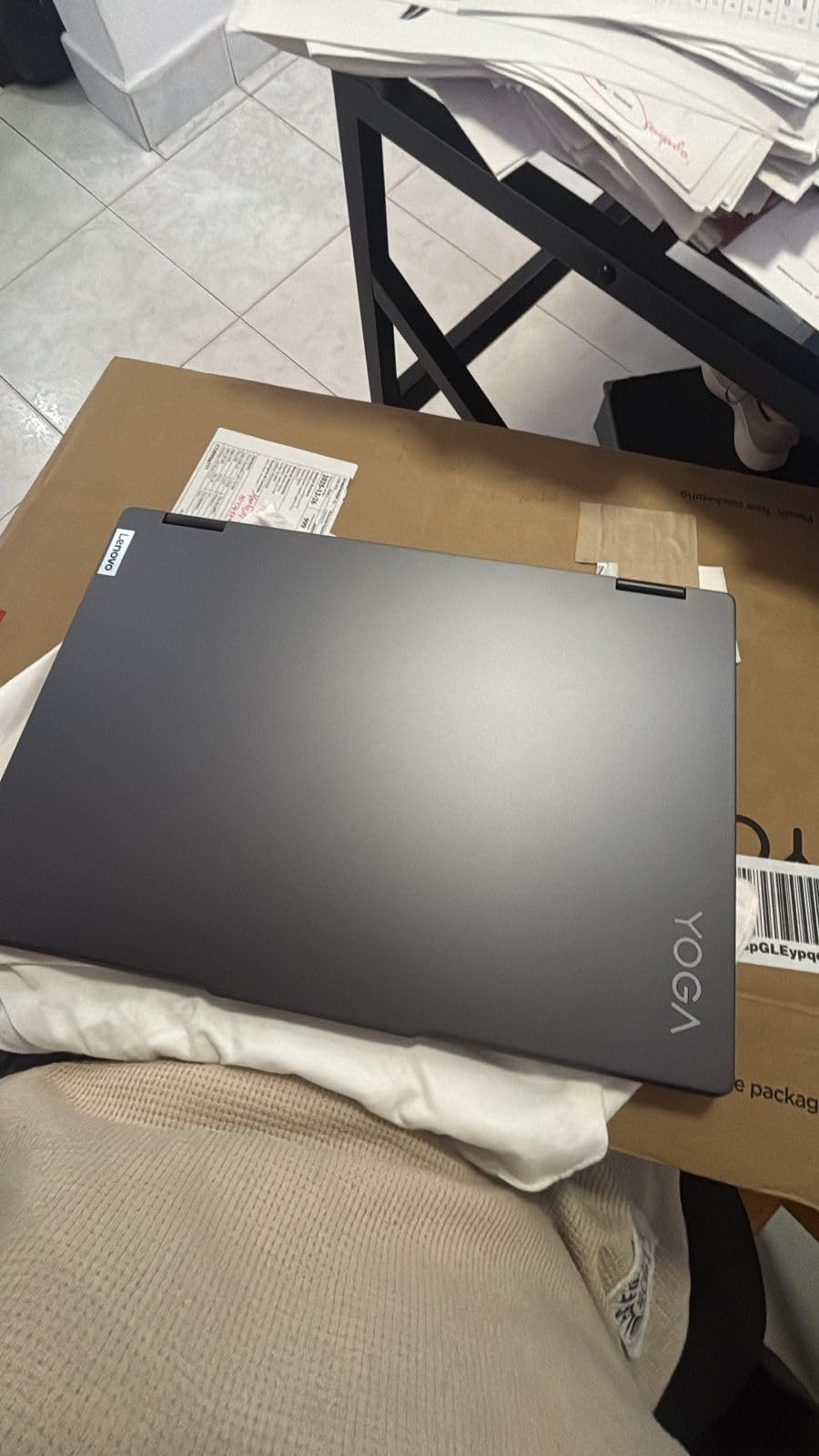
This is the laptop we keep coming back to. The Yoga 7i pairs a 12-core Core Ultra 7 155U running up to 4.8 GHz with 16GB of DDR5 and a 1TB PCIe 4.0 SSD, and Windows 11 Pro comes standard. Owners describe it as fast and dependable for real business workloads rather than as a benchmark machine, which is exactly how most people use a 16-inch laptop.
The 360-degree hinge is the reason to buy it over a clamshell. Flip it into tent mode for a video call on a desk, into stand mode to watch a client walkthrough, or flat into a tablet for markup. The capacitive touchscreen is not bright at 300 nits, so it struggles outdoors, but it is responsive indoors where you will actually use a convertible.
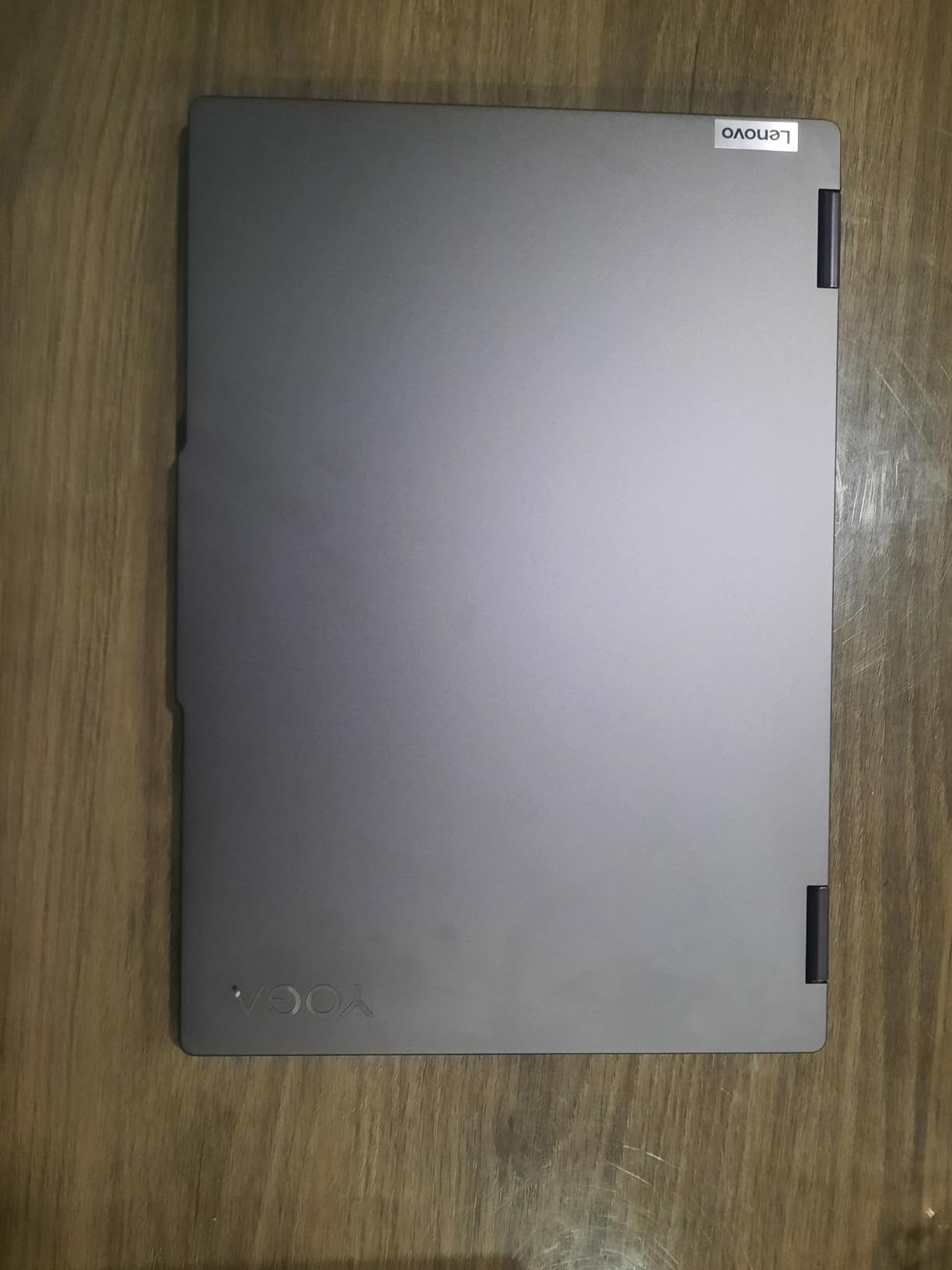
Connectivity is genuinely good for a convertible of this size. You get two USB-A ports, two USB-C ports, HDMI, a microSD reader and a headphone and microphone combo, plus Gigabit Ethernet and Wi-Fi 6E, which is unusual on a machine this thin. A fingerprint reader handles logins and a backlit keyboard includes a full numeric keypad that most ultraportables drop.
The honest weakness is weight. At 4.6 pounds this is not the travel laptop it looks like when closed, and the 0.75 inch thickness means it lives better on a desk than in a shoulder bag. If you need something you carry every day, look at the X1 Carbon or the XPS 13 instead.
Who should buy the Yoga 7i?
Buy it if you want a 16-inch screen you can prop up and fold, you work at a desk most days, and you need a numeric keypad. The port selection means you can skip a dock entirely for a single-monitor setup.
It also suits students and hybrid workers who take notes in tablet mode and type in laptop mode. Windows 11 Pro and the fingerprint reader make it a sensible shared family machine.
Who should skip the Yoga 7i?
Skip it if you carry your laptop daily or work outdoors, because 4.6 pounds and a 300 nit panel are both wrong for that. Skip it if you edit video, since integrated Intel graphics with no discrete GPU will not keep pace with a MacBook Pro on a heavy timeline.
Also look elsewhere if sound matters to you. Owners call the onboard speakers weak despite the Dolby Atmos branding.
We earn a commission, at no additional cost to you. CERTAIN CONTENT THAT APPEARS ON THIS SITE COMES FROM AMAZON. THIS CONTENT IS PROVIDED 'AS IS' AND IS SUBJECT TO CHANGE OR REMOVAL AT ANY TIME.
2. Samsung Galaxy Book5 Pro 360, 3K AMOLED with S Pen
Samsung 16” Galaxy Book5 Pro 360 Copilot+ PC, AI Computer, Intel Core 7 Ultra Processor, 3K AMOLED (2880×1800) Touchscreen, S Pen,120Hz, Dolby Atmos, Student Laptop, Lightweight, All-Day Battery Life
★★★★★★★★★★16-inch 2880x1800 AMOLED 120Hz
Core Ultra 7 256V, Arc 140V
16GB LPDDR5, 1TB SSD
3.7 pounds
- Best display in this roundup
- S Pen included
- Strong reported all-day battery
- Two Thunderbolt 4 ports
- Quad Dolby Atmos speakers
- Samsung AI software has a learning curve
- Premium cost for a 16-inch
- Glossy finish reflects outdoors
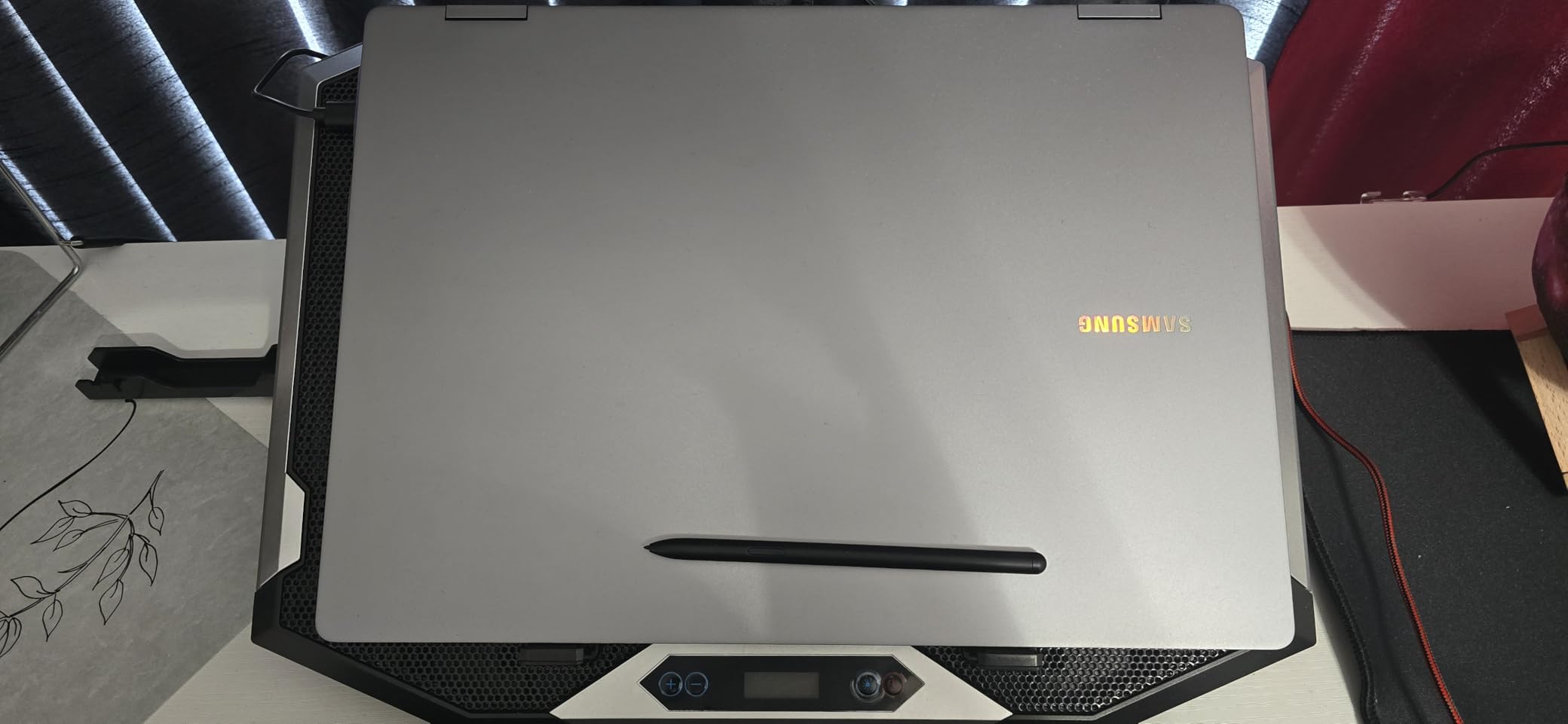
The Galaxy Book5 Pro 360 is the display pick. Its 16-inch Dynamic AMOLED 2X panel runs at 2880 x 1800 with a 120Hz refresh rate and 500 nits of brightness, wrapped in an anti-glare coating, and the S Pen stylus is in the box rather than sold separately. That combination is close to what a MacBook Pro display delivers, and it is the reason this laptop is on the list.
Underneath is an Intel Core Ultra 7 256V with Intel Arc 140V graphics, 16GB of LPDDR5 at 8533 MHz and a 1TB PCIe SSD. Samsung claims up to 25 hours of battery life with the 76Wh cell, and owners report a genuine all-day runtime, which is more than many competitors manage against the same claim.
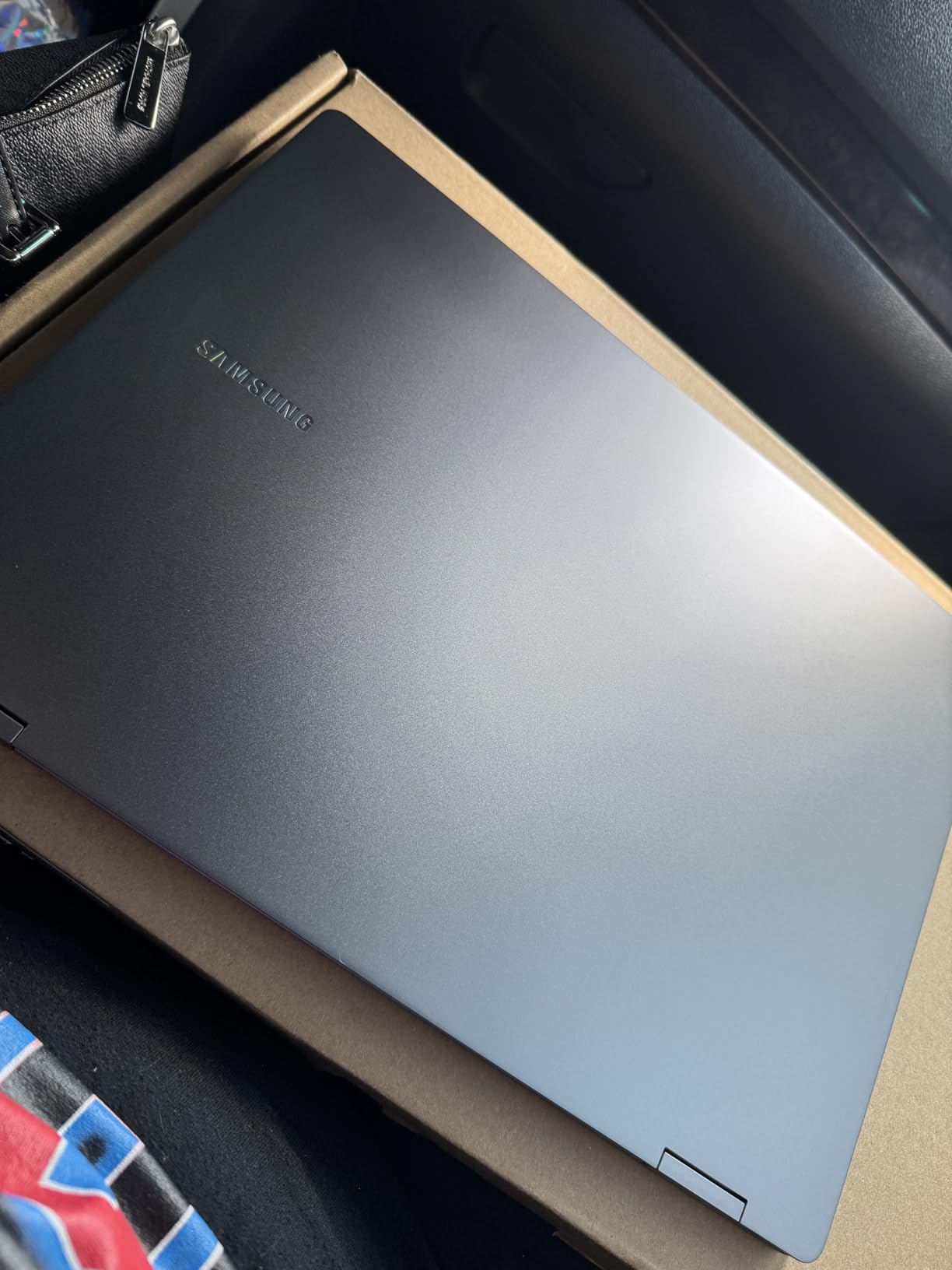
At 3.7 pounds and 0.5 inches thick, this is one of the lighter 16-inch convertibles here, and the port selection is complete: two Thunderbolt 4 ports, one USB-A, HDMI, a headphone jack and a microSD slot. Wi-Fi 7 and Bluetooth 5.4 are both present, so it is ready for current-generation networks.
The trade is Samsung’s software layer. AI Select, Phone Link and Quick Share add real value if you carry a Galaxy phone, and no value at all if you do not. Several owners describe the bundled features as something to learn before they become useful.
Who should buy the Galaxy Book5 Pro 360?
Buy it if you sketch, annotate, or review layouts on a pen display, because the S Pen and the 3K panel together are the reason to spend here. It is also a strong choice for a media-heavy traveler who wants a big screen without a heavy machine.
Samsung phone owners get extra value from the phone-to-PC integration. Everyone else can ignore it and still have a very good screen.
Who should skip the Galaxy Book5 Pro 360?
Skip it if your work is GPU-bound, since the Arc 140V is integrated and there is no discrete graphics option on this configuration. The glossy coating also produces reflections outdoors despite the anti-glare layer.
If you dislike vendor software, budget for a day of setting the AI features aside. And if memory headroom matters, 16GB is fixed here rather than 32GB.
We earn a commission, at no additional cost to you. CERTAIN CONTENT THAT APPEARS ON THIS SITE COMES FROM AMAZON. THIS CONTENT IS PROVIDED 'AS IS' AND IS SUBJECT TO CHANGE OR REMOVAL AT ANY TIME.
3. Lenovo ThinkPad X1 Carbon Gen 13 Aura Edition, Business Travel Pick
Lenovo ThinkPad X1 Carbon Gen 13 Aura Edition, Intel Ultra 7 258V (Beats U7 165), 14″ 2.8K (2880 x 1800), OLED, 32GB DDR5, 2TB SSD Gen 5, 1080p IR Camera, WiFi 7.0, Win 11 Pro – Black
★★★★★★★★★★14-inch 2880x1800 OLED 120Hz
Core Ultra 7 258V, 12 cores
32GB LPDDR5X, 2TB SSD
2.4 pounds
- Sub-kilogram and easy to carry
- Sharp 2.8K OLED
- 32GB and 2TB as standard
- Handles multi-monitor docks
- Windows 11 Pro with manageability
- Only one USB-A on this config
- Some reports of driver and hardware failures
- Premium cost
The X1 Carbon is the laptop I recommend when someone says they want a MacBook Pro alternative for work. It ships with 32GB of LPDDR5X memory and a 2TB Gen5 SSD, which is a business-laptop configuration rather than a consumer one, and the storage includes a free M.2 slot if you want to add more later.
Weight is the headline. The listing puts this chassis at 2.4 pounds, under a kilogram, and owners confirm it opens with one finger. The 14-inch 2880 x 1800 OLED runs at 120Hz with 400 nits and a matte anti-glare finish, which is easier on the eyes in a bright office than a glossy panel.
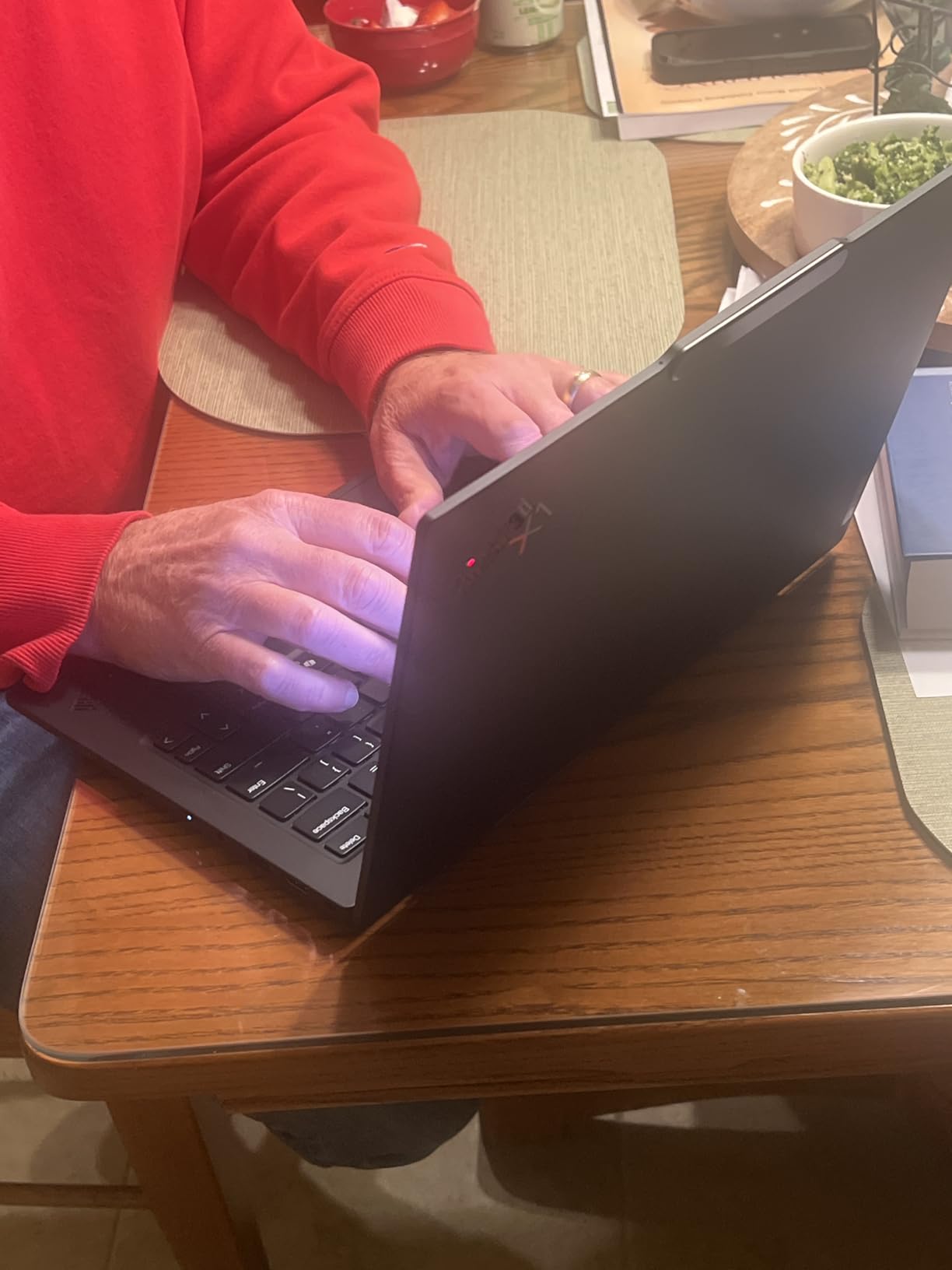
For a machine that thin, connectivity is unusually good: two Thunderbolt 4 ports, two USB-A ports, HDMI and a headphone jack, with support for up to two external monitors. A 1080p IR camera with a physical privacy shutter and a fingerprint reader handle the security side, and optional 5G cellular exists for people who travel to places without reliable Wi-Fi.
Two things give us pause. First, this specific configuration carries only one USB-A port, so legacy peripherals mean an adapter. Second, a small number of owners report repeated driver, USB and audio hardware failures that required service inside seven months, which is worth weighing against the 12-month onsite warranty.
Who should buy the X1 Carbon?
Buy it if your laptop goes in a bag and comes out in a meeting. The sub-kilogram weight and 32GB memory make it the most comfortable machine here for a full day away from a desk.
It is also the pick for IT departments. Windows 11 Pro with business-grade manageability, an onsite warranty and optional 5G are all things a MacBook Pro simply does not offer in the same form.
Who should skip the X1 Carbon?
Skip it if you need a large screen, since 14 inches is the limit here and there is no 16-inch X1 Carbon in this group. Skip it if you are a heavy gamer or 3D artist, as integrated Arc 140V graphics will not carry those workloads.
If you buy on a tight budget, the memory and storage are where the money goes, and that pushes the total well above the more conventional options.
We earn a commission, at no additional cost to you. CERTAIN CONTENT THAT APPEARS ON THIS SITE COMES FROM AMAZON. THIS CONTENT IS PROVIDED 'AS IS' AND IS SUBJECT TO CHANGE OR REMOVAL AT ANY TIME.
4. Lenovo Slim 7i Aura Edition, Longest-Battery Pick
Lenovo Slim 7i Aura Edition – 2025 – Copilot+ PC – Core Ultra 7 Processor 256V – 14″ WUXGA OLED Display – 16 GB Memory – 1 TB Storage – Luna Grey
★★★★★★★★★★14-inch 1920x1200 OLED, 600 nits
Core Ultra 7 256V Copilot+ PC
16GB LPDDR5, 1TB SSD
2.8 pounds
- 2.8 pounds with a solid aluminium feel
- Quiet thermals
- Good port selection including HDMI
- OLED with strong color
- Handles heavy multitasking
- Real battery life trails the 17 hour claim
- 60Hz refresh rate
- Copilot key can be intrusive
- One report of a dead motherboard
The Slim 7i is the quiet, unflashy option. It is a 14-inch aluminium clamshell at 2.8 pounds and 0.55 inches thick, and owners consistently report that it feels solid with no creaking, which is not something you can say about every machine in this price bracket.
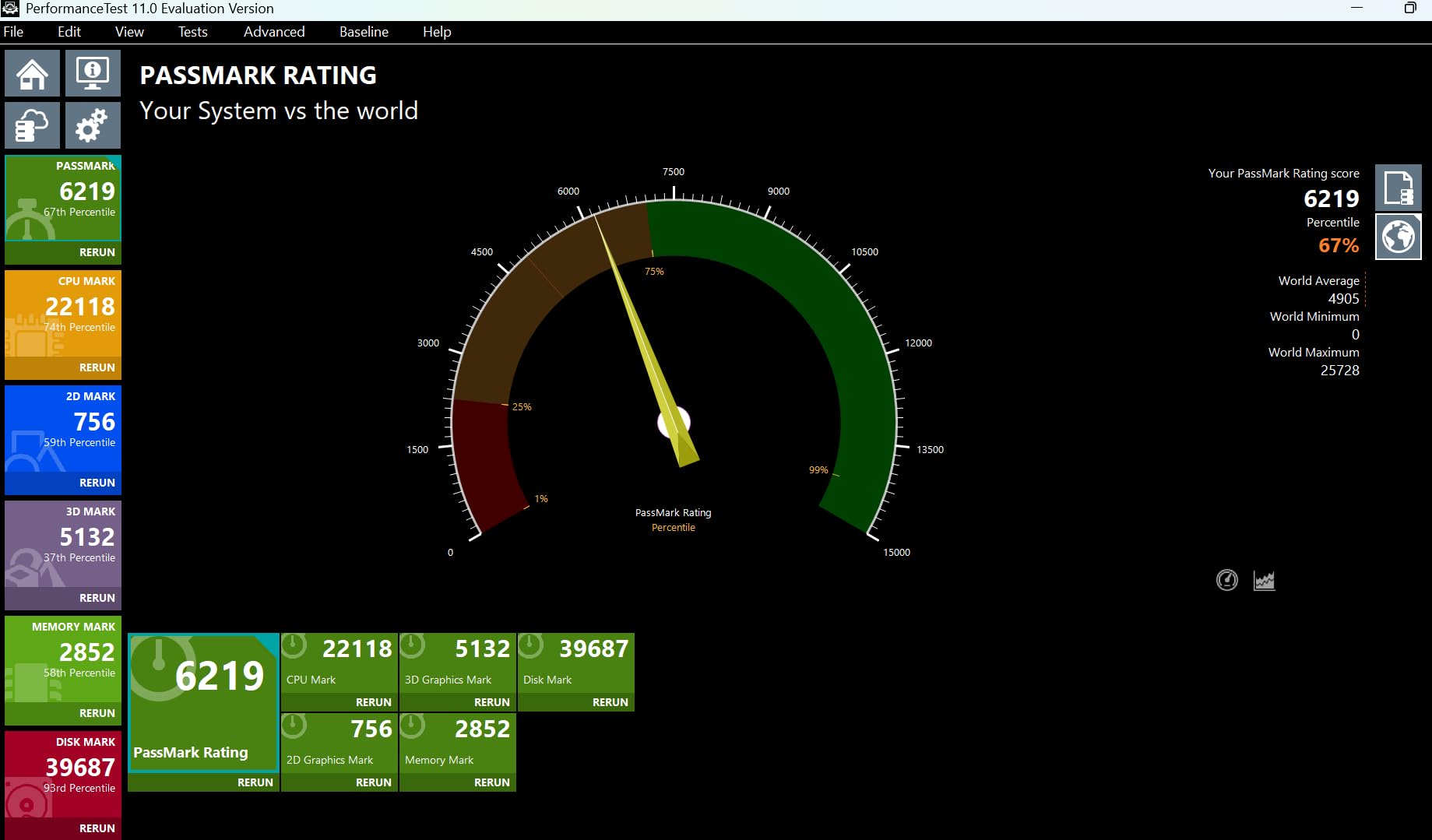
The display is a 1920 x 1200 OLED with 600 nits peak brightness and DisplayHDR True Black 500 support, and reviewers single out the color quality as a strength. The processor is the same Core Ultra 7 256V found in several other picks, with a 30W thermal design that keeps the fans quiet under normal work.
Samsung claims up to 17 hours from the 70Wh battery, and this is where the marketing and the reviews part company: owners testing under sustained load report noticeably shorter runtime. Treat the 17-hour figure as a best case. Ports include USB-C, USB-A and HDMI, and a 65W USB-C charger is included.
Two smaller issues. The 60Hz panel is a step down from the 120Hz screens most rivals in this list carry, and the dedicated Copilot key draws complaints from people who never use it. There is also a single isolated report of a unit arriving with a failed motherboard, which is a small-sample observation rather than a pattern.
Who should buy the Slim 7i?
Buy it if battery endurance matters more than a high refresh rate, because the 70Wh cell in a 2.8 pound chassis is a good combination for long days. It is a comfortable machine for writing, browsing and long spreadsheet sessions.
The quiet cooling also makes it a good pick for shared spaces and video calls, where fan noise travels further than you think.
Who should skip the Slim 7i?
Skip it if you do a lot of scrolling or motion work and notice refresh rate, because 60Hz is visibly behind the 120Hz alternatives here. The 1920 x 1200 resolution also limits fine text rendering compared with the 2.8K and 3K panels in this roundup.
Heavy GPU work is out as well, since the integrated graphics option has no discrete companion.
We earn a commission, at no additional cost to you. CERTAIN CONTENT THAT APPEARS ON THIS SITE COMES FROM AMAZON. THIS CONTENT IS PROVIDED 'AS IS' AND IS SUBJECT TO CHANGE OR REMOVAL AT ANY TIME.
5. ASUS Vivobook S16, 3K OLED Color Work Pick
ASUS Vivobook S16 Laptop, Copilot+ PC, AMD Ryzen AI 7 350 with XDNA NPU, 16GB Memory, 1TB SSD, Neutral Black, M5606KA-DS76
★★★★★★★★★★16-inch 2880x1800 OLED 120Hz
AMD Ryzen AI 7 350, 50 TOPS NPU
16GB LPDDR5, 1TB SSD
3.31 pounds
- 100% DCI-P3 3K OLED at 120Hz
- 600-nit HDR
- Fast for daily work
- Numeric keypad
- Anti-fingerprint metal lid
- Charging port on the left side only
- 16GB memory is fixed
- One report of a power-on failure
The Vivobook S16 is the color-accuracy pick, and the specification is unusually specific for this class: a 16-inch 2880 x 1800 OLED running at 120Hz, rated at 600 nits peak HDR brightness, covering 100% of the DCI-P3 color gamut. For anyone grading footage or matching brand colors, that is the number that matters, and reviewers consistently put the display first in their comments.
Performance comes from an AMD Ryzen AI 7 350 with eight cores boosting to 5 GHz and a 50 TOPS XDNA NPU, paired with Radeon 860M graphics. Owners report it feels fast and responsive for everyday work, streaming and multitasking, and the 75Wh battery is claimed at up to 14 hours.
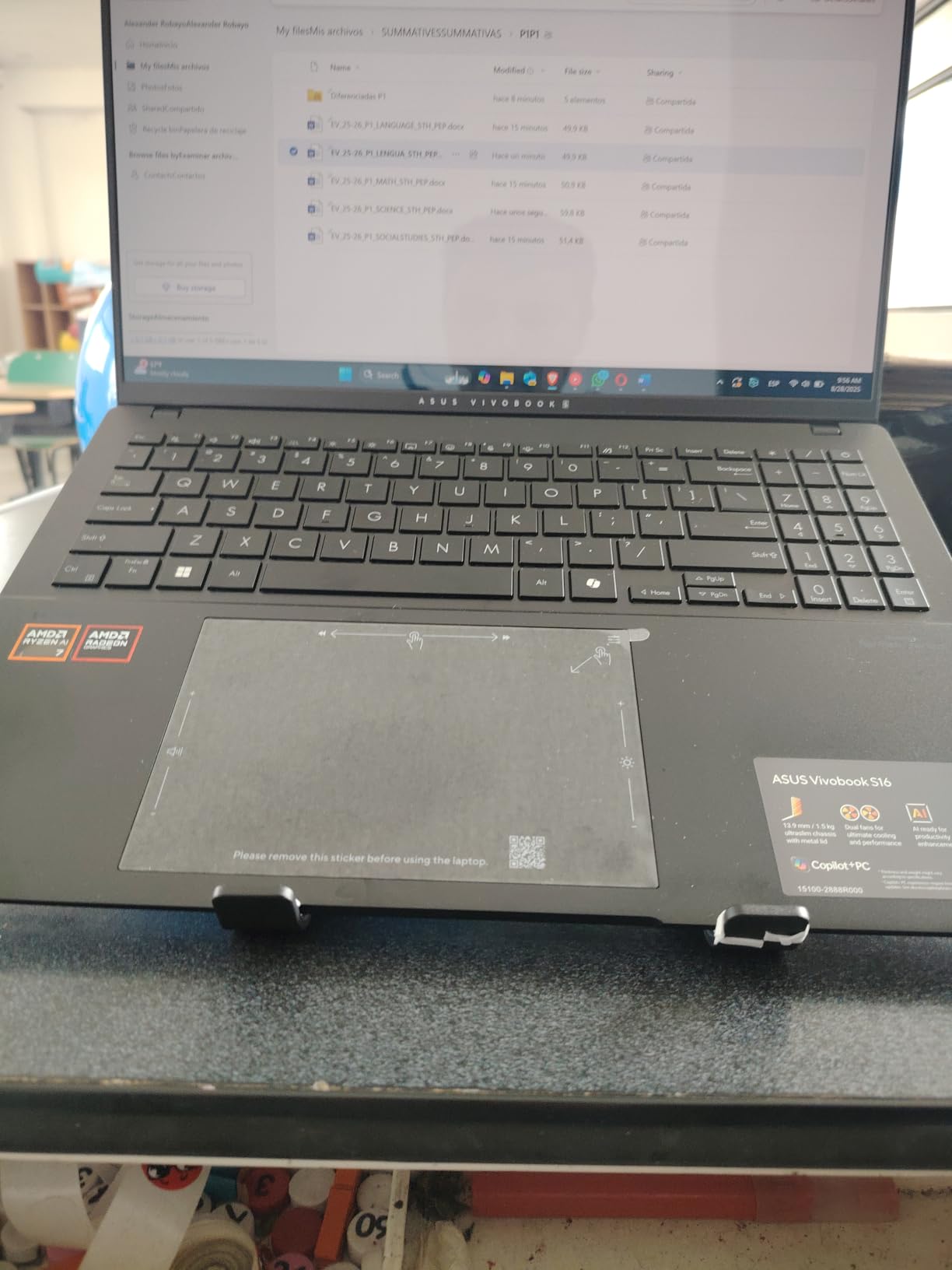
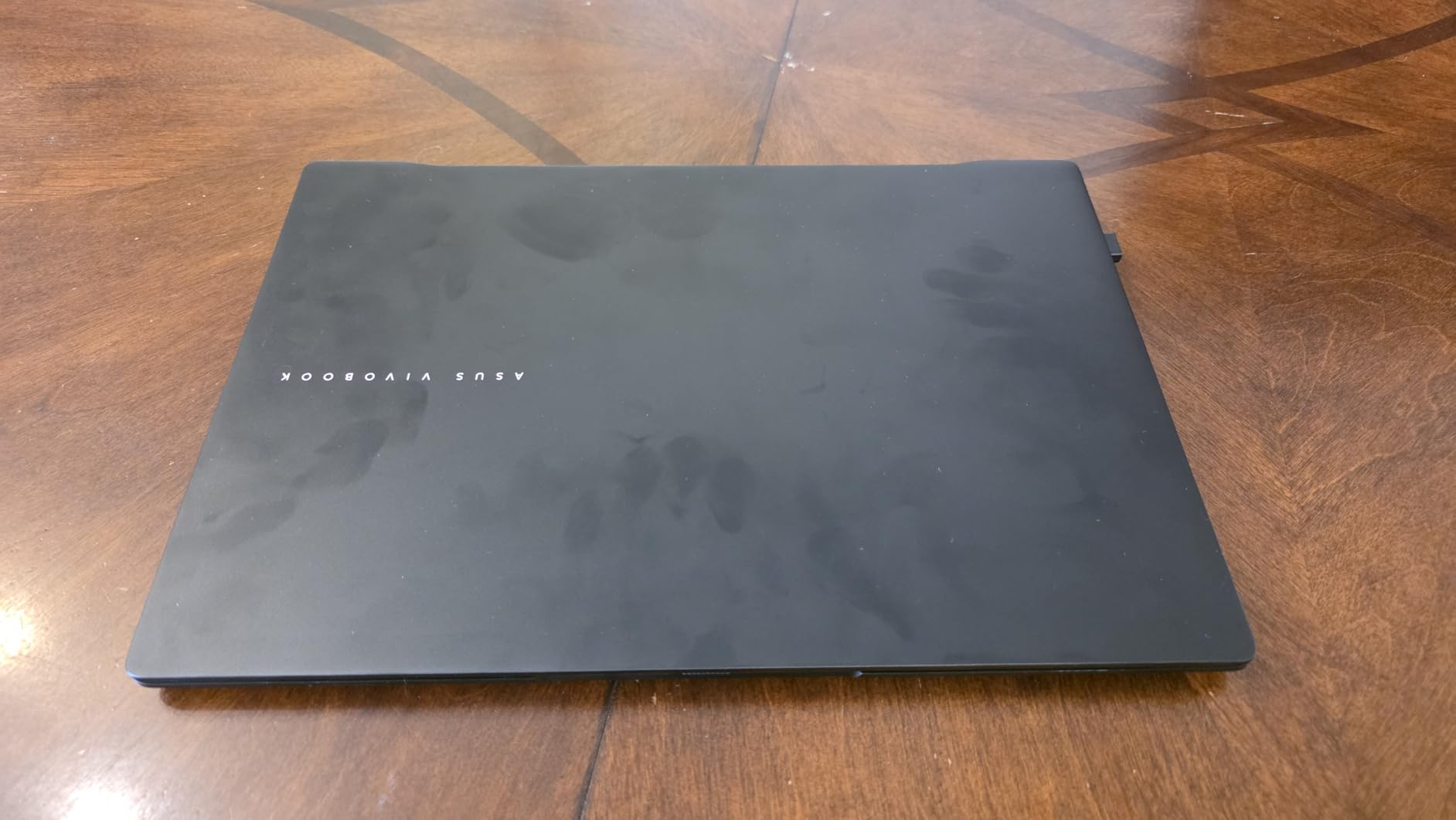
The chassis measures 0.55 inches thick and 3.31 pounds, with an anti-fingerprint metal lid and a MIL-STD-810H certification across five procedures. The keyboard is a single-zone RGB backlit layout with a numeric keypad, and the Harman/Kardon tuned Super Linear speakers with Dolby Atmos are among the better-sounding options in a Windows laptop.
Three things to know. The charging port sits on the left side only, which can be awkward depending on your desk and cable routing. The 16GB of LPDDR5 is soldered and not upgradeable. And one owner reported a unit that stopped powering on after a week.
Who should buy the Vivobook S16?
Buy it if color accuracy is part of your job. The 100% DCI-P3 coverage and 600-nit peak brightness are the spec you would otherwise have to move up to a much larger machine to get.
It is also a good general-purpose 16-inch laptop at 3.31 pounds, and the Ryzen platform gives you an alternative to the Intel crowd if you prefer it.
Who should skip the Vivobook S16?
Skip it if you need 32GB of memory, because that option does not exist on this machine. Skip it if you plan to game or render on a discrete GPU, since the Radeon 860M is integrated.
OLED burn-in is worth considering too if you leave static UI elements like editing timelines pinned to the screen for years at a time.
We earn a commission, at no additional cost to you. CERTAIN CONTENT THAT APPEARS ON THIS SITE COMES FROM AMAZON. THIS CONTENT IS PROVIDED 'AS IS' AND IS SUBJECT TO CHANGE OR REMOVAL AT ANY TIME.
6. Acer Aspire 14 AI, Memory and Storage Winner
Acer Aspire Laptop 2026, Touchscreen, Intel Ultra 7 258V, 32GB RAM+2TB SSD
★★★★★★★★★★14-inch 1920x1200 touchscreen
Core Ultra 7 258V, 47 TOPS NPU
32GB LPDDR5X, 2TB SSD
3.09 pounds
- 32GB RAM and 2TB storage
- Fast for AI and productivity work
- Light 3.09 pound body
- Responsive touchscreen
- USB hub included
- Average display quality
- Advertised Office 365 bundle not included
This Acer is unusual because it puts the specification where buyers can actually use it. 32GB of LPDDR5X and a 2TB PCIe SSD in a 14-inch machine at 3.09 pounds is the kind of configuration that would cost far more elsewhere, and owners single out the memory capacity as the reason they bought it.
The processor is an Intel Core Ultra 7 258V with a 47 TOPS NPU for local Copilot+ features, and the Intel Arc 140V with eight Xe cores handles photo work and 1080p video editing according to the manufacturer. Reviewers report the machine as very fast and smooth for AI and productivity workloads.
The display is the compromise. A 14-inch 1920 x 1200 capacitive touchscreen at 60Hz is unremarkable, and owners call it average and not ideal for media viewing. If your work is color-critical, look at the Vivobook S16 instead.
One genuine warning from the reviews: the advertised lifetime Office 365 bundle is not what arrives. Only Office for the web is provided, so budget accordingly if you need full desktop Office. On the plus side, a USB hub with HDMI, USB-A, USB-C, SD and Ethernet ports is bundled, which offsets the modest port selection.
Who should buy the Acer Aspire 14 AI?
Buy it if you run heavy multitasking, large project libraries, or a lot of browser tabs at once. 32GB of memory is the difference between comfortable and frustrating once your workload grows.
It is also a sensible pick if you want a capable machine without touching a high-end chassis. The included hub means you are not immediately shopping for adapters.
Who should skip the Acer Aspire 14 AI?
Skip it if you work in color, or watch a lot of video on the laptop. The 60Hz 1920 x 1200 panel is the weakest screen among the 14-inch options here.
It is also the wrong choice if you need the bundled productivity suite out of the box, and reviewers have flagged that gap explicitly.
We earn a commission, at no additional cost to you. CERTAIN CONTENT THAT APPEARS ON THIS SITE COMES FROM AMAZON. THIS CONTENT IS PROVIDED 'AS IS' AND IS SUBJECT TO CHANGE OR REMOVAL AT ANY TIME.
7. HP Elite x360 1040 G11, Business 2-in-1
HP Elite x360 1040 G11 14″ 2-in-1 Laptop, Ultra 7 155H, 32GB DDR5 512GB SSD
★★★★★★★★★★14-inch 2880x1800 OLED touch, 400 nits
Core Ultra 7 155H vPro, 16 cores
32GB DDR5, 512GB SSD
3.1 pounds
- 2.8K OLED anti-glare touchscreen
- 32GB for heavy multitasking
- Active Pen included
- Supports three 4K monitors
- Poly Studio quad speakers
- Some reports of screen and cursor glitches
- Keys feel firm
- 512GB storage is modest
- One display failure report
The Elite x360 1040 is the corporate 2-in-1 in this group. The 360-degree hinge gives you laptop, yoga, flip and tablet modes, an HP Active Pen is included with a side magnet for storage, and the 14-inch 2880 x 1800 OLED touchscreen is anti-glare at 400 nits with 100% sRGB coverage, which is the practical choice for a machine used in fluorescent-lit offices.
Under the hood is a 16-core Intel Core Ultra 7 155H vPro, 32GB of DDR5 at 7500 MT/s and a 512GB PCIe NVMe SSD. The vPro platform, BitLocker and Remote Desktop in Windows 11 Pro make it a machine IT departments can deploy, and it drives up to three external monitors at 4K 60Hz.
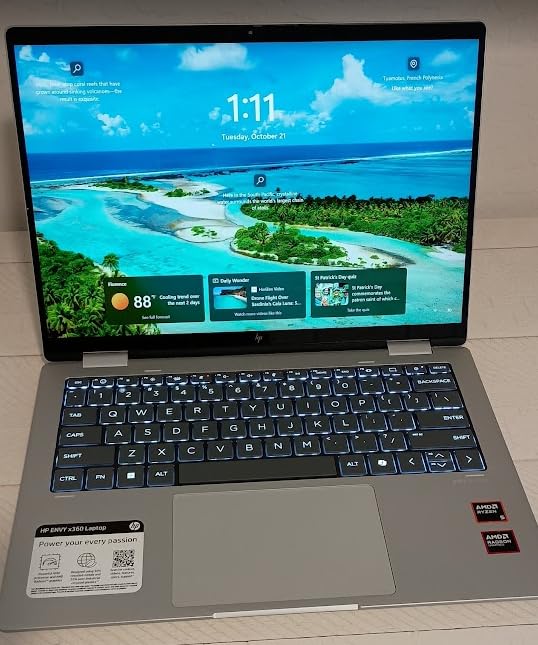
Owners report good battery life for a full day of school or office work, which matters given the 40Wh cell is on the small side for this class. A 5MP IR webcam with a privacy shutter, a fingerprint reader, Wi-Fi 7 and Bluetooth 5.4 round out a well-specified connectivity list, and a 7-in-1 USB-C hub is bundled.
The complaints are consistent enough to mention. Several owners report intermittent screen or cursor glitches, one reported a display failure shortly after purchase, and reviewers find the keys firmer than competing laptops. The 512GB storage is also modest for what is otherwise a well-equipped machine.
Who should buy the Elite x360 1040?
Buy it if you present to clients or annotate documents, because the anti-glare 2.8K OLED with an included pen is a rare combination in a business chassis. The three-monitor support also makes it a good fit for a permanent desk setup.
Teams moving off managed hardware will like the vPro features and the fingerprint reader with face recognition.
Who should skip the Elite x360 1040?
Skip it if you need more than 512GB, because you will be replacing the drive yourself on day one. Skip it if you are a fast typist who prefers a soft keyboard, as the firmer key feel comes up repeatedly in reviews.
Anyone with a bright desk should also test the screen first, given the reported glitch and failure reports in this sample.
We earn a commission, at no additional cost to you. CERTAIN CONTENT THAT APPEARS ON THIS SITE COMES FROM AMAZON. THIS CONTENT IS PROVIDED 'AS IS' AND IS SUBJECT TO CHANGE OR REMOVAL AT ANY TIME.
8. LG gram 16, Big Screen, Low Weight
LG gram 16” 2in1 Lightweight Laptop, Intel 13th Gen Core i7 Evo Platform, Windows 11 Home, 16GB RAM, 512GB SSD, Black
★★★★★★★★★★16-inch 2560x1600 non-reflective IPS
Core i7 Evo, Iris Xe
16GB LPDDR5, 512GB SSD
3.3 pounds
- 3.3 pounds for a 16-inch screen
- Non-reflective 2560x1600 display
- 99% DCI-P3 color
- 72Wh battery
- MIL-STD-810H durability
- Older 13th Gen processor platform
- 512GB storage is small
- Iris Xe graphics are not suited to GPU work
The gram exists for one reason, which is that a 16-inch laptop does not normally weigh 3.3 pounds. Owners put the light chassis first in almost every review, and the rest of the package holds up: a 16-inch 2560 x 1600 non-reflective IPS panel at 16:10 with 99% DCI-P3 coverage, and a 72Wh battery for extended time away from an outlet.
The hinge converts 360 degrees into a tablet, and the display accepts pen input. It has also passed seven MIL-STD-810H durability procedures, and the redesigned mini power adapter is genuinely smaller than the chargers that usually ship with 16-inch machines.
The processor is the weak point, and it is a real one. This configuration uses a 13th Gen Intel Core i7 Evo platform with Iris Xe graphics rather than the Core Ultra or Ryzen AI parts in most of this roundup, and Iris Xe is not suitable for demanding GPU work such as 3D rendering or video effects. The 512GB SSD is also small for the class.
Ports are better than the storage spec suggests, with two Thunderbolt 4 ports, two USB 3.2 ports, HDMI, a headphone jack and a microSD slot. Note that it supports only one external monitor.
Who should buy the LG gram 16?
Buy it if you want a big screen and a light bag. The 72Wh battery and non-reflective display make it excellent for travel, presentations and long reading sessions in bright rooms.
The 99% DCI-P3 coverage also makes it a reasonable low-cost choice for light color work, even if the resolution is not competitive at this price.
Who should skip the LG gram 16?
Skip it if you need modern silicon, because the 13th Gen platform is a generation behind the Core Ultra and Ryzen AI chips in every other pick here. Skip it for editing, 3D or gaming.
Anyone filling the drive quickly should also look past it, as 512GB is the smallest storage capacity in this group and the single-monitor limit rules out a multi-monitor desk setup.
We earn a commission, at no additional cost to you. CERTAIN CONTENT THAT APPEARS ON THIS SITE COMES FROM AMAZON. THIS CONTENT IS PROVIDED 'AS IS' AND IS SUBJECT TO CHANGE OR REMOVAL AT ANY TIME.
9. ASUS Zenbook Duo, Dual 3K OLED Screens
ASUS Zenbook Duo Laptop (2026), Dual 14” OLED 3K 144Hz Touch Display, Intel Core Ultra 9 Processor 386H, Intel Graphics, 32GB RAM, 1TB SSD, Sleeve and Stylus Included, WiFi 7, Windows 11, Moher Gray
★★★★★★★★★★Dual 14-inch 3K 144Hz OLED touch
Intel Core Ultra 9 386H, 16 cores
32GB DDR5, 1TB SSD
99Wh battery
- Two 3K 144Hz OLED touchscreens
- Up to 1000 nits HDR with 100% DCI-P3
- 99Wh battery with fast charging
- 32GB memory
- Sleeve and stylus included
- Highest cost in this roundup
- Adjustment period for dual-screen workflows
The Zenbook Duo is the specialist. It carries two 14-inch ASUS Lumina OLED touchscreens at 2880 x 1800, both running at 144Hz with 100% DCI-P3 color and up to 1000 nits of HDR brightness. That is more display area and more resolution than any other laptop in this roundup, and it is the entire point of the machine.
Because two panels stacked vertically would be unusable, the keyboard is magnetic and detaches, and an integrated kickstand holds the lower screen at an angle. It converts in seconds between a stacked dual-screen laptop, a tent, and a single-screen mode with the keyboard in front. Owners consistently report that the second screen is genuinely useful rather than a gimmick.
Internals are serious: a 16-core Intel Core Ultra 9 386H with a 50 TOPS NPU, 32GB of DDR5 and a 1TB SSD. The 99Wh battery charges to 60% in 49 minutes, and a protective sleeve plus an ASUS Pen 3.0 with wireless charging are bundled. Ports are 2x Thunderbolt 4, one USB 3.2 Gen 2 and HDMI 2.1 FRL.
The cost is the obvious drawback, and a small share of buyers rate it three stars simply because of the adjustment period for dual-screen habits. It is also a large footprint compared with a conventional single-screen 16-inch machine.
Who should buy the Zenbook Duo?
Buy it if you run a code editor beside a browser, or a timeline beside a preview, and you want that second screen without carrying an external display. Photographers and analysts get the same benefit from a genuine second high-resolution panel.
If you present to clients, the 1000-nit panels and pen support make it a strong portable presentation machine.
Who should skip the Zenbook Duo?
Skip it if your workload is single-screen, because you will be carrying a wider and heavier design than you need. The keyboard detaching and reattaching constantly is also not for everyone.
It is the wrong choice for a tight budget, and it will not replace a discrete GPU for 3D or gaming work, since it runs integrated Intel graphics.
We earn a commission, at no additional cost to you. CERTAIN CONTENT THAT APPEARS ON THIS SITE COMES FROM AMAZON. THIS CONTENT IS PROVIDED 'AS IS' AND IS SUBJECT TO CHANGE OR REMOVAL AT ANY TIME.
10. Dell XPS 13 9350, Compact 13-Inch Pick
Dell XPS 13 9350 Laptop, 13.4″ FHD+, Intel Ultra 7 256V, 16GB DDR5, 1TB SSD
★★★★★★★★★★13.4-inch 1920x1200 LCD, 120Hz
Intel Core Ultra 7 256V
16GB DDR5, 1TB SSD
2.6 pounds
- Refined build in a 2.6 pound chassis
- 120Hz panel at 500 nits
- Precision haptic glass touchpad
- Windows 11 Pro standard
- Up to 26 hours claimed
- Redesigned keyboard draws complaints
- Very wide palm rest
- Only Thunderbolt 4 ports
- No SD card reader
The XPS 13 9350 is the closest thing here to a direct MacBook Pro Air substitute in feel: a 2.6 pound machined chassis, 11.62 inches long and 0.6 inches thick, with a precision haptic glass touchpad. The 13.4-inch 1920 x 1200 display runs at 120Hz with 500 nits of brightness and narrow bezels, which is a brighter panel than most of the 14-inch options in this roundup.
Inside is an Intel Core Ultra 7 256V with eight cores up to 4.8 GHz and Intel Arc graphics, 16GB of DDR5 at 8533 MHz and a 1TB PCIe SSD. Dell claims up to 26 hours of battery life from the 55Wh cell, and the included 7-in-1 USB-C hub is there because the laptop itself only has two Thunderbolt 4 ports.
The keyboard redesign is the story in the reviews. Real keys in the function row have been replaced with small indicator lights, and the palm rest is wide enough that reviewers report repositioning their hands to reach the spacebar. If you type without looking, try one first.
Windows 11 Pro 64-bit is included with BitLocker, Remote Desktop, Hyper-V and Group Policy, and the SSD was resealed to accommodate the upgrade with a three-year warranty on the drive itself. Two external displays are supported over Thunderbolt 4 at up to 4K 60Hz.
Who should buy the XPS 13?
Buy it if you want the smallest, most premium-feeling machine on this list and you work in Windows applications. The 2.6 pound weight and 500-nit 120Hz display make it comfortable on a couch, a plane or a café table.
It also suits anyone who needs real Windows Pro features, since domain-joinable Windows is included rather than sold as an upgrade.
Who should skip the XPS 13?
Skip it if you are a touch typist, because the function-row change and wide palm rest are the most repeated complaints in the reviews. Skip it if you carry legacy USB-A devices or need an SD card, since the port selection is Thunderbolt only.
And if you need a large screen for long editing sessions, 13.4 inches is not going to serve you well.
We earn a commission, at no additional cost to you. CERTAIN CONTENT THAT APPEARS ON THIS SITE COMES FROM AMAZON. THIS CONTENT IS PROVIDED 'AS IS' AND IS SUBJECT TO CHANGE OR REMOVAL AT ANY TIME.
11. Dell XPS 14, 3.2K OLED Workstation Class
Dell XPS 14 Premium Laptop DA14250-14.5-inch Touch 3.2K OLED 48-120Hz Display, Intel Core Ultra 7 255H, Intel Arc Graphics, 32GB Memory, 1TB SSD, Backlit English Keyboard with Fingerprint Reader
★★★★★★★★★★14.5-inch 3200x2000 OLED, 48-120Hz
Intel Core Ultra 7 255H, up to 5.1 GHz
32GB LPDDR5, 1TB SSD
3.8 pounds
- Sharp 3.2K OLED with variable refresh
- 32GB memory for heavy work
- Machined aluminium with Gorilla Glass 3
- Thunderbolt 4 plus microSDXC
- Same keyboard and palm rest complaints as the XPS 13
- 3.8 pounds is heavy for 14.5 inches
- Only 19 reviews so far
The XPS 14 is the highest-resolution single-screen display in this roundup. Its 14.5-inch 3200 x 2000 OLED runs at a variable 48 to 120Hz, which means it drops to a low refresh on static content to save power and climbs when you scroll, and the matte finish avoids the reflections that plague glossy OLED panels. Owners put the display quality first in their reviews.
Performance is a 12th-generation-class Intel Core Ultra 7 255H boosting to 5.1 GHz with Intel Arc graphics, and 32GB of LPDDR5 at 6400 MHz with support up to 64GB. Ports are 2x Thunderbolt 4 plus a USB port and a microSDXC reader, which is a more practical mix than the XPS 13 offers.
The build is a machined aluminium chassis with Gorilla Glass 3 and a 60-watt Type-C adapter included, backed by one year of basic onsite service. Waves MaxxAudio Pro and Waves Nx 3D handle the audio.
The same keyboard complaints appear here as on the XPS 13, because it is the same design language: function keys replaced by indicator lights and a wide palm rest. At 3.8 pounds for a 14.5-inch chassis, it is also the heaviest 14-inch option in this list. With only 19 reviews, long-term reliability data is thin.
Who should buy the XPS 14?
Buy it if resolution density matters, because 3200 x 2000 on 14.5 inches gives you fine text rendering that most 14-inch panels cannot match. The matte variable-refresh OLED also makes it a good editor display with no reflections.
32GB of memory and the microSDXC slot suit photographers and analysts who move large files locally.
Who should skip the XPS 14?
Skip it if you carry your laptop all day, because 3.8 pounds undercuts the whole point of a 14-inch machine. The keyboard layout deserves an in-person test before you commit.
It is also the wrong tool for GPU-bound work and for buyers who want an established reliability record, since the review base here is small.
We earn a commission, at no additional cost to you. CERTAIN CONTENT THAT APPEARS ON THIS SITE COMES FROM AMAZON. THIS CONTENT IS PROVIDED 'AS IS' AND IS SUBJECT TO CHANGE OR REMOVAL AT ANY TIME.
12. Dell 16 Plus Touchscreen, Large-Screen Productivity
Dell 16 Plus Touchscreen Laptop, Intel Core Ultra 9, 32GB LPDDR5X, 1TB SSD | 16″ Business Laptop, Copilot+ PC with on-Device AI, Wi-Fi 7, Backlit KB, Win 11 Home, Premium
★★★★★★★★★★16-inch 16:10 FHD+ touch, 300 nits
Core Ultra 9 288V vPro, 12 cores
32GB LPDDR5X, 1TB SSD
4.3 pounds
- 32GB memory handles photo editing
- Good full-workday battery
- Large 16:10 touch screen
- Thunderbolt 4 with DisplayPort 2.1
- Quiet keyboard
- Only three USB ports and no card reader
- Some units lack the advertised numeric keypad
- One early storage failure report
This is the most conventional option in the roundup, and for a lot of people that is exactly the point. It is positioned as a Latitude 3550 replacement built on the Intel vPro platform, with a 12-core Intel Core Ultra 9 288V reaching 5.3 GHz, 32GB of LPDDR5X at 8533 MT/s and a 1TB PCIe NVMe SSD.
Owners report using it for demanding photo editing in Photoshop and Topaz, and credit the 32GB of memory for the multitasking headroom. Battery life is described as good for a full workday, and the keyboard is quiet with an aluminum-style casing and rounded edges that make the 4.3 pound body easier to carry than the number suggests.

The 16-inch 16:10 FHD+ touchscreen is a 1920 x 1200 WVA panel at 300 nits with ComfortView, and the extra height over a 16:9 screen is genuinely useful for document work. Connectivity is Wi-Fi 7 at 160 gig plus Bluetooth 5.3, and you get a Thunderbolt 4 port with DisplayPort 2.1, HDMI 2.1, USB-C with DisplayPort 1.4, USB-A and an audio jack.
The gaps are in the basics. There are only three USB ports and no card reader, and some buyers report that units arriving without the numeric keypad the listing describes. One owner also reported a drive failure shortly after the return window closed, and with 14 reviews the rating rests on a small sample.
Who should buy the Dell 16 Plus?
Buy it if you want a large screen for documents, spreadsheets and photo work, and you would rather have 32GB of memory than a premium chassis. The vPro platform also suits managed business environments.
It is a sensible desk-based replacement for an older corporate laptop, and the 16:10 aspect ratio is a genuine upgrade from a standard 16:9 panel.
Who should skip the Dell 16 Plus?
Skip it if you need a color-accurate display, because 300 nits and WVA is the weakest panel specification in this roundup. Skip it if you need card readers or a wide port selection.
Verify the numeric keypad before ordering if you type numbers, and note that the review history is still short enough that reliability data is limited.
We earn a commission, at no additional cost to you. CERTAIN CONTENT THAT APPEARS ON THIS SITE COMES FROM AMAZON. THIS CONTENT IS PROVIDED 'AS IS' AND IS SUBJECT TO CHANGE OR REMOVAL AT ANY TIME.
How to Choose a MacBook Pro Alternative?
1. Start with the battery claim, then discount it
Manufacturer battery figures for Windows laptops are measured in light workloads, and owners consistently report shorter runtimes under real load. On r/laptops and r/SuggestALaptop, battery life is the most common complaint people raise after moving off a Mac. A 70Wh to 99Wh battery is a better signal than any hours-on-a-box number.
2. Weight matters more than you think
The range across this list is wide: 2.4 pounds to 4.6 pounds for machines with similar screens. Below 3 pounds you can carry a laptop all day without thinking about it. Above 4 pounds it becomes a desk machine, whatever the marketing says.
3. Panel technology: IPS, OLED and variable refresh
OLED gives you deep blacks, high contrast and 100% DCI-P3 coverage, which matters for color work and for watching video. The trade is burn-in risk over a multi-year ownership window and lower sustained brightness. IPS panels are dimmer but stable and non-reflective, as on the LG gram. A 120Hz refresh rate makes scrolling visibly smoother, and variable refresh panels such as the XPS 14 drop to a low rate on static content to save power.
4. Memory is the spec you cannot change later
Almost every laptop here uses soldered LPDDR5 memory. Apple lets you configure unified memory at purchase, and the same is true of these machines, so 32GB is worth paying for if you keep large applications open for years. Anything at 16GB should be treated as a 2 to 3 year machine for demanding work.
5. Graphics decide whether you can edit or play
Every pick in this roundup uses integrated graphics. That is enough for photo editing, code and office work, and it is why discrete GPU laptops do not appear here. If you do 3D rendering, machine learning, or modern AAA gaming, you need a different class of machine entirely, and no amount of memory compensates for a missing GPU.
6. Ports and docking
Count what you actually plug in. Two Thunderbolt 4 ports plus HDMI covers a single-monitor desk. Older USB-A devices need a hub, and several laptops here bundle one, which is a hint about how few ports they have. Multi-monitor support also varies, from one external display on the LG gram to three 4K monitors on the HP Elite x360.
7. Copilot+ PC and TOPS, in plain terms
A Copilot+ PC is a Windows 11 machine whose neural processing unit delivers 40 TOPS or more, where TOPS means trillions of operations per second. You will see figures like 47 TOPS on the Acer Aspire and 50 TOPS on the ASUS Vivobook and Zenbook Duo. Today these powers on-device AI features such as recall, summaries and image tools. It is a useful buying signal for future-proofing, not a reason to pick one machine over another on its own.
8. Support, warranty and repairability
This is where MacBook Pro alternatives are weakest. Apple offers AppleCare with Genius Bar appointments and long macOS support windows. The machines here carry one-year limited warranties, some with onsite service, and repairs typically go through a manufacturer service depot. Lenovo, HP, Dell and ASUS ship parts and documentation that make self-service more plausible than on Apple hardware, and the X1 Carbon includes a free M.2 slot for storage expansion. If you keep a laptop for five years or more, that difference matters.
What You Lose Switching from macOS to Windows?
Every ranking page on this topic talks about what you gain. Very few talk about what you give up, and that is the part people regret most. These are the honest trade-offs.
Apple-only software. Final Cut Pro, Logic Pro and Xcode do not exist on Windows. There are capable substitutes, but a switch means relearning an editing or audio workflow, and there is no direct equivalent for building iOS apps.
iPhone and iPad integration. AirDrop, universal clipboard, Sidecar as a second display, iPhone Mirroring and calls and texts from the Mac all disappear. Phone Link covers some ground on Windows but not the file transfer and handoff experience people actually rely on.
Battery efficiency. Apple silicon leads on real-world battery life at this weight class, and forum discussion makes it the most commonly cited reason for switching back.
Display consistency and tuning. macOS colour management and a high-refresh panel with high sustained brightness are Apple strengths. Panel quality varies far more between Windows laptops, which is why we list resolution, nits and gamut for every pick above.
Support access. There is no Genius Bar equivalent, and Windows support means a service depot or a mail-in repair.
Habit and shortcuts. Finder, the command key, window management and default app associations all change. Budget a week of friction before you decide the switch was a mistake.
Forums also raise a category most roundups ignore: Windows on ARM. Qualcomm Snapdragon X Copilot+ PCs are the fastest-growing alternative category right now, and none appear in this list because none met our specification bar. The reason is app compatibility, which is the most common complaint about ARM Windows machines. Emulated x86 applications run, but driver support for specialist hardware, some creative plug-ins, and older line-of-business software remain rough edges. If you need a discrete GPU or specific pro software, an Intel or AMD machine is the safer route.
When the MacBook Pro Is Still the Right Buy?
Keep the MacBook Pro if Xcode is part of your job, if Final Cut Pro is your primary editor, or if you rely on AirDrop, Sidecar and iPhone handoff every day. It is also the right call if battery life is your first priority and you work without a charger regularly.
None of the twelve laptops here matches the combination of sustained battery life, display consistency, trackpad precision and resale value that Apple delivers. The case for switching is about price, graphics, repairability and platform preference, not about raw quality.
Frequently Asked Questions
Is there anything better than a MacBook Pro?
Not across the board. No Windows laptop matches a MacBook Pro for sustained battery life, display consistency, trackpad precision and resale value. Where alternatives win is raw multi-core performance, a high-resolution high-refresh OLED panel, stylus support, discrete GPU options in other models, and price. Our best overall pick, the Lenovo Yoga 7i, matches the class on build and battery while costing noticeably less.
What laptop is comparable to a MacBook Pro?
The closest matches in this roundup are the Lenovo Yoga 7i 2-in-1 for general use, the Lenovo ThinkPad X1 Carbon Gen 13 for business travel, and the ASUS Zenbook Duo for dual-screen work. The X1 Carbon is the lightest option here at 2.4 pounds with 32GB of memory, the Yoga 7i is the most proven, and the Zenbook Duo gives you two 3K 144Hz OLED panels.
What is the best alternative to a MacBook Pro?
For most buyers the best MacBook Pro alternative is the Lenovo Yoga 7i 2-in-1, a 16-inch convertible with a Core Ultra 7 155U, 16GB of DDR5, a 1TB SSD and a 4.7 rating across 229 reviews. If your priority is travel weight, take the ThinkPad X1 Carbon. If your priority is color accuracy, take the ASUS Vivobook S16 with its 3K 120Hz OLED at 100% DCI-P3.
What to buy instead of a MacBook?
Buy a premium Windows ultrabook with 32GB of memory and a high-resolution OLED panel, and choose the size that matches your work. A 14-inch machine under 3 pounds travels well, a 16-inch OLED at 100% DCI-P3 handles color work, and 32GB of RAM is the point of no return for memory-heavy use. Check the port count and monitor support before you buy, because they vary widely.
Are Macs overpriced compared to Windows laptops?
For hardware specifications per unit of cost, yes. For the complete package, the gap is narrower. You get a better trackpad, more consistent displays, tighter battery efficiency and a resale value that holds up, plus Apple-only software such as Final Cut Pro and Xcode. You also give up warranty service walk-ins, and every Windows machine here uses integrated graphics rather than a discrete GPU.
Do Windows laptops have better battery life than MacBooks?
Rarely, at equivalent weight and screen size. The best Windows laptops here use 70Wh to 99Wh batteries, and the LG gram 16 pairs a 72Wh cell with a 3.3 pound 16-inch chassis, but owner reviews consistently report shorter real-world runtimes than manufacturer claims. Forum discussion on r/laptops and r/SuggestALaptop consistently names battery life as the most common regret after leaving macOS.
Our Final Verdict
The best MacBook Pro alternatives in 2026 come down to what you are leaving and what you need in return. For most people, the Lenovo Yoga 7i 2-in-1 is the safest first step away from macOS: a large screen, a versatile hinge, good ports and the most proven owner satisfaction of any laptop here.
Travel light and take the ThinkPad X1 Carbon. Work in color and take the ASUS Vivobook S16. Run heavy multitasking and take the Acer Aspire 14 AI for its 32GB and 2TB. Need two screens and take the Zenbook Duo. And if you rely on Xcode, Final Cut Pro or AirDrop every day, keep the MacBook Pro, because nothing on this list replaces that ecosystem.