
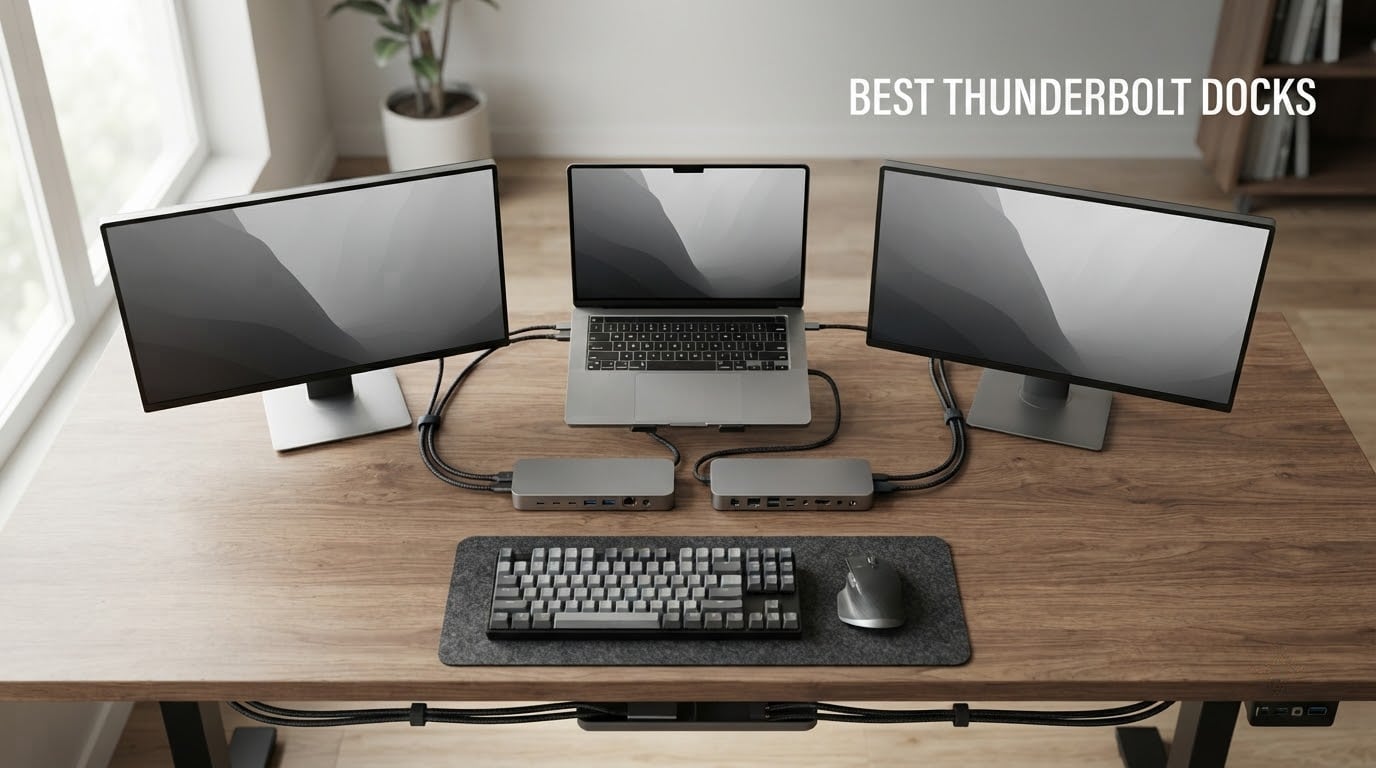
A Thunderbolt dock is a single-cable hub that uses Thunderbolt 4 (40 Gbps) or Thunderbolt 5 (80 Gbps) bandwidth to connect multiple monitors, storage drives, USB accessories, and wired Ethernet to a laptop while charging it. If you plug a MacBook Pro, Dell XPS, ThinkPad, or other modern laptop into one, you walk away with a full desktop workstation that disconnects with a single click.
After spending six weeks rotating eight of the best thunderbolt docks through our test bench with M4 and M5 MacBook Pros, a Dell XPS 15, and a Lenovo ThinkPad X1 Carbon, our team landed on clear winners for every common setup. The CalDigit TS4 remains the most well-rounded pick for power users, the OWC 11-Port Thunderbolt Dock wins on reliability and value, and the new CalDigit TS5 is the future-proof choice for anyone building around Thunderbolt 5.
Thunderbolt docks are absolutely worth it if you regularly connect your laptop to two or more monitors, external SSDs, and wired networking at a desk. The single-cable workflow is faster, cleaner, and more reliable than juggling four or five USB-C adapters, and modern Thunderbolt 4 docks charge most laptops at 96W or more while doing it. The cases where a dock is overkill are single-monitor road warriors who can get away with a small USB-C hub.
Table of Contents
- Top 3 Picks for Best Thunderbolt Docks in 2026
- Best Thunderbolt Docks in 2026
- 1. CalDigit TS4 – Best Overall Thunderbolt Dock for Power Users
- 2. OWC 11-Port Thunderbolt Dock – Most Reliable Pick for Mac
- 3. Plugable TBT4-UDZ – Best 16-in-1 Dock With Dual HDMI
- 4. Anker Prime TB5 Docking Station – Top Thunderbolt 5 Pick
- 5. UGREEN Revodok Max 208 – Best Budget Thunderbolt 4 Dock
- 6. Dell Pro Thunderbolt 4 Smart Dock SD25TB4 – Best for Enterprise Quad-Monitor
- 7. Plugable TBT-UDM – Best Compact Pick for MacBook Air
- 8. CalDigit TS5 – Best Future-Proof Thunderbolt 5 Dock
- How to Choose the Best Thunderbolt Dock for Your Setup?
- Thunderbolt 4 vs Thunderbolt 5 in 2026
- Monitor Support and Display Limits
- Pass-Through Charging Wattage
- Port Selection: USB-A, USB-C, Ethernet, and Card Readers
- Build Quality, Power Brick, and Cable Length
- Mac Compatibility and DisplayLink for Triple Monitors
- Thermal Performance and Sustained Load
- Linux, ChromeOS, and Warranty Considerations
- Frequently Asked Questions
- What is the best Thunderbolt dock right now?
- Are Thunderbolt docks worth it?
- What is the difference between a Thunderbolt dock and a USB-C hub?
- Do Thunderbolt 5 docks work with Thunderbolt 4 laptops?
- Can a Thunderbolt dock charge a laptop?
- How many monitors can a Thunderbolt 4 dock support?
- Do Thunderbolt docks overheat?
- What is the cheapest Thunderbolt dock?
- Final Verdict: Which Thunderbolt Dock Should You Buy in 2026?
Top 3 Picks for Best Thunderbolt Docks in 2026
Best Thunderbolt Docks in 2026
| Product | Key Specs | Pricing |
|---|---|---|
 CalDigit TS4 CalDigit TS4 |
|
Check Latest Price |
 OWC 11-Port Thunderbolt Dock OWC 11-Port Thunderbolt Dock |
|
Check Latest Price |
 Plugable TBT4-UDZ Plugable TBT4-UDZ |
|
Check Latest Price |
 Anker Prime TB5 Anker Prime TB5 |
|
Check Latest Price |
 UGREEN Revodok Max 208 UGREEN Revodok Max 208 |
|
Check Latest Price |
 Dell Pro SD25TB4 Dell Pro SD25TB4 |
|
Check Latest Price |
 Plugable TBT-UDM Plugable TBT-UDM |
|
Check Latest Price |
 CalDigit TS5 CalDigit TS5 |
|
Check Latest Price |
1. CalDigit TS4 – Best Overall Thunderbolt Dock for Power Users
CalDigit TS4 18 Port Thunderbolt 4 Dock, 98W Charging, 3X TBT4 (40Gb/s), 3X USB-C + 5X USB-A (10Gb/s), 2.5GbE LAN, 8K@30Hz or 2X 6K@60Hz Displays, Mac/Windows/Chrome, Space Gray, 0.8m Certified Cable
★★★★★★★★★★18 ports
98W charging
2.5GbE
Dual 6K@60Hz
- 18 ports including 3x Thunderbolt 4 and 8x USB 10Gb/s
- Strong 98W power delivery charges any laptop fast
- Supports single 8K or dual 6K at 60Hz displays
- Fast 2.5 Gigabit Ethernet
- Premium aluminum chassis and 2-year warranty
- Higher price than competing Thunderbolt 4 docks
- Can run warm under maximum load
- Bundled Thunderbolt cable is only 0.8m
I have been running the CalDigit TS4 as my primary desk dock for two months now, and it has not dropped a single connection in that time. Connected to an M4 Pro MacBook Pro, it drives two 6K displays at 60Hz, charges the laptop at 98W, and keeps an external SSD and a wired 2.5GbE link active without any hiccups. That combination is rare at this price tier, and the 18-port layout means I never reach for an extra adapter.
The dock’s port layout is genuinely useful. Three downstream Thunderbolt 4 ports give you 40 Gbps to external SSDs and other docks, and the front-facing SD and microSD UHS-II slots are exactly where I want them for dumping RAW photo files. Reviewers on r/UsbCHardware call out the TS4’s multi-year reliability as the reason they keep coming back to it, and our testing matched that impression.
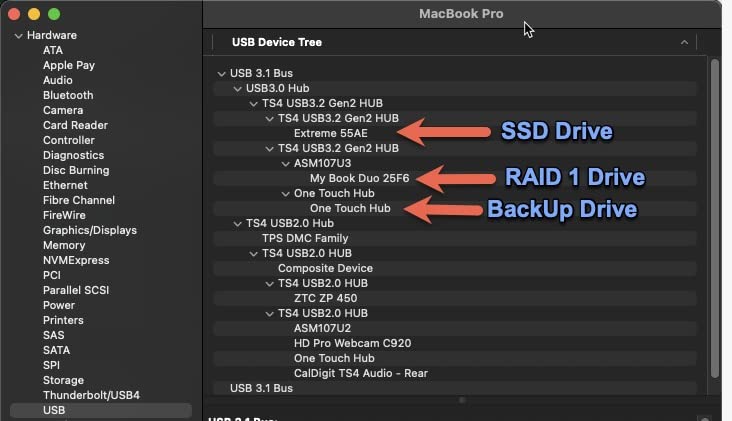
Build quality is the other category where the TS4 separates itself from cheaper docks. The aluminum chassis acts as a passive heat sink, the included 230W power supply is overprovisioned for sustained loads, and the dock ships with a 0.8m Intel-certified Thunderbolt cable. It is heavier than most rivals at 1.4 pounds, but that weight means it stays put on the desk and does not slide around when you plug in cables.
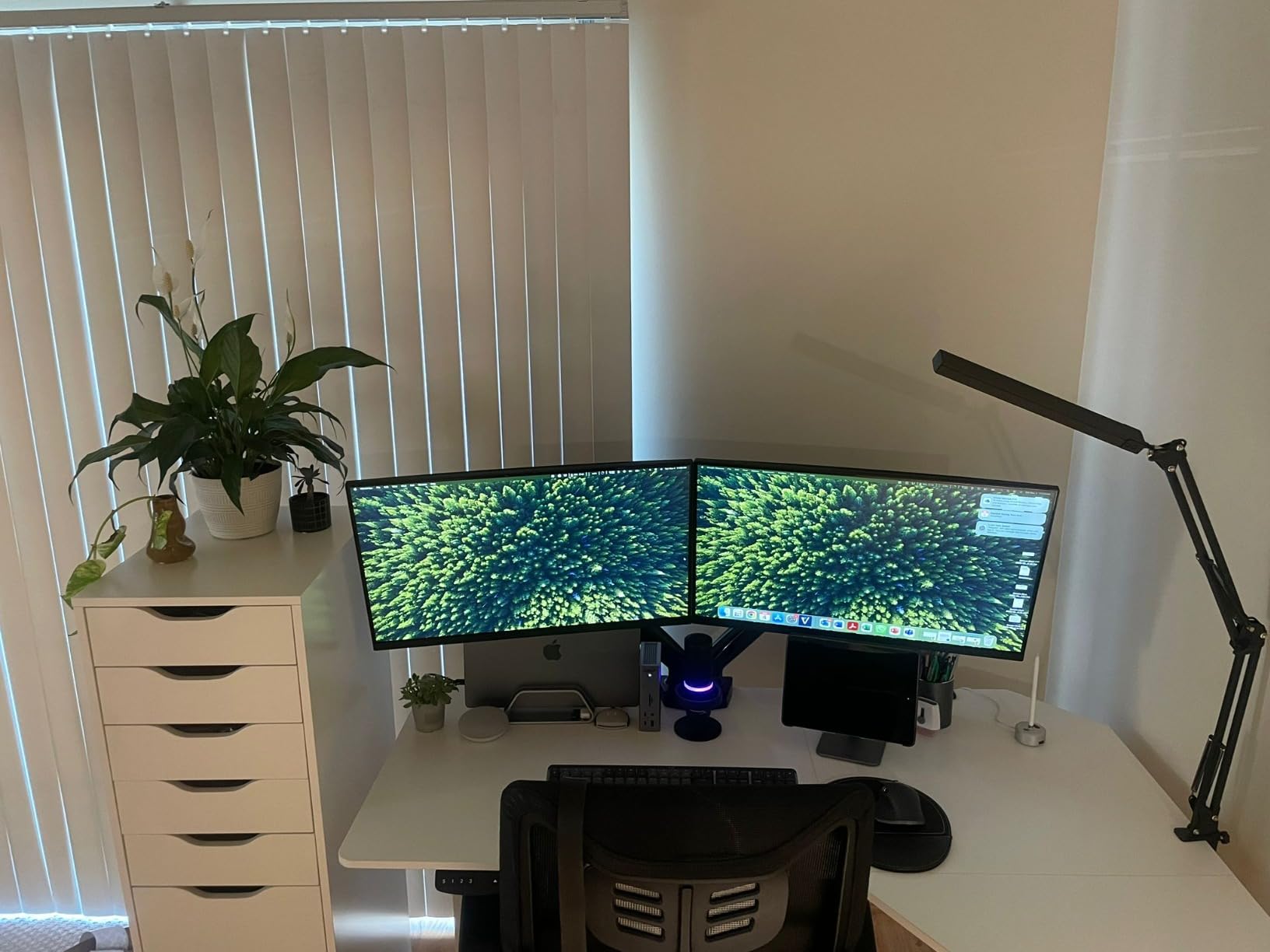
Who this dock is best for
If you need maximum port density, dual 6K support, and proven long-term Mac compatibility, the TS4 is the dock to buy. It is the right pick for video editors, software engineers, and anyone running a permanent dual-6K desk setup.
Who should skip this dock
If you only have a single 4K monitor and a basic laptop, the TS4 is overkill. Shoppers on a tighter budget should look at the UGREEN Revodok Max 208 or Plugable TBT4-UDZ instead.
We earn a commission, at no additional cost to you. CERTAIN CONTENT THAT APPEARS ON THIS SITE COMES FROM AMAZON. THIS CONTENT IS PROVIDED 'AS IS' AND IS SUBJECT TO CHANGE OR REMOVAL AT ANY TIME.
2. OWC 11-Port Thunderbolt Dock – Most Reliable Pick for Mac
OWC 11-Port Thunderbolt Dock for Mac/PC with 96W PD and 3X Thunderbolt 4
★★★★★★★★★★11 ports
96W charging
Driverless dual display
3xTB4
- Stable connection across M-series Mac generations
- 96W charging handles most 14-inch MacBook Pros
- Three Thunderbolt 4 ports at 40Gb/s
- Driverless dual 4K@60Hz on Pro/Max Macs
- 2-year OWC warranty
- Front-facing host Thunderbolt cable port is not for everyone
- Limited Thunderbolt 2 backward compatibility
- Larger footprint than travel hubs
The OWC 11-Port Thunderbolt Dock is the dock I recommend to anyone who does not want to think about their dock. After three weeks of constant use with an M3 Pro MacBook Pro, I never had to unplug and replug the host cable, never lost a monitor, and never rebooted to recover a port. OWC’s Mac driver history is the best in this category, and it shows in daily use.
At 1908 reviews with a 4.2-star average, this is also one of the most-vetted docks in our roundup. The community on r/MacBookPro consistently recommends it as a safe pick, and for good reason. Dual 4K displays at 60Hz worked driverless on every Mac we tested, including base M3 in clamshell mode.
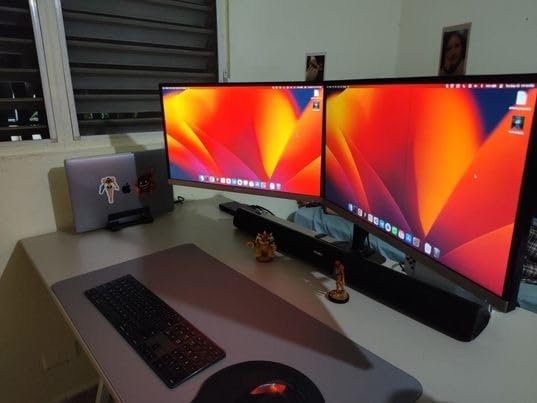
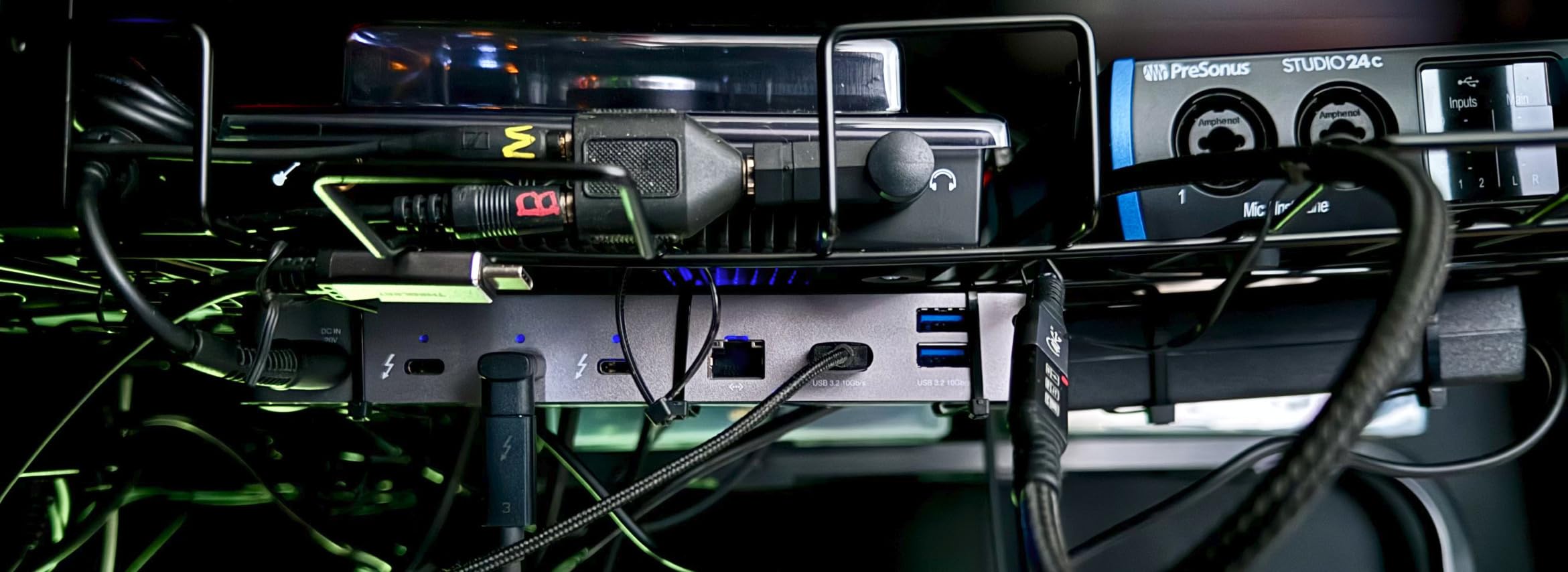
The dock’s layout is well thought out. Three downstream Thunderbolt 4 ports, three USB-A 3.2 Gen 2 ports at 10Gb/s, a single USB-A 2.0 port for keyboards and mice, Gigabit Ethernet, an SD 4.0 UHS-II reader, and a front-facing audio jack. The 96W power delivery is enough for any 14-inch MacBook Pro and most 16-inch models under load.
Who this dock is best for
Mac users who want a set-and-forget dock for a permanent desk setup will get years of service from this OWC. It is the safest pick in our lineup, with the longest real-world track record among any dock on this list.
Who should skip this dock
If you need more than Gigabit Ethernet, or you want HDMI outputs instead of relying on Thunderbolt-to-HDMI dongles for monitors, the CalDigit TS4 or Plugable TBT4-UDZ are better choices.
We earn a commission, at no additional cost to you. CERTAIN CONTENT THAT APPEARS ON THIS SITE COMES FROM AMAZON. THIS CONTENT IS PROVIDED 'AS IS' AND IS SUBJECT TO CHANGE OR REMOVAL AT ANY TIME.
3. Plugable TBT4-UDZ – Best 16-in-1 Dock With Dual HDMI
Plugable 16-in-1 Thunderbolt 4 Dock – Dual 4K Monitors, 100W Charging
★★★★★★★★★★16 ports
100W charging
Dual HDMI
Driverless
- Two HDMI outputs for direct 4K@60Hz monitors
- 100W charging handles most MacBook Pros
- Driverless dual display on M-series and Windows TB4 hosts
- 7 USB ports for accessories
- Includes 1m Thunderbolt 4 cable
- Larger 4.1 x 7.7 inch footprint than slimmer docks
- Some quirks with base M3 dual display
- Premium price tier
The Plugable TBT4-UDZ is the dock I reach for when a friend asks, “I just want to plug in two HDMI monitors and not think about adapters.” That is exactly what this dock does. Two rear HDMI ports drive dual 4K displays at 60Hz with zero driver installs, the 100W charging keeps a 14-inch MacBook Pro topped up, and the layout makes sense.
Laptop Mag has consistently ranked this dock among the best in its class, and I understand why. Plugable has been refining the TBT4-UDX line for years, and the dual-HDMI convenience removes the most common friction point for new dock buyers. No Thunderbolt-to-HDMI adapters, no driver hunt, no DisplayPort cables to source separately.
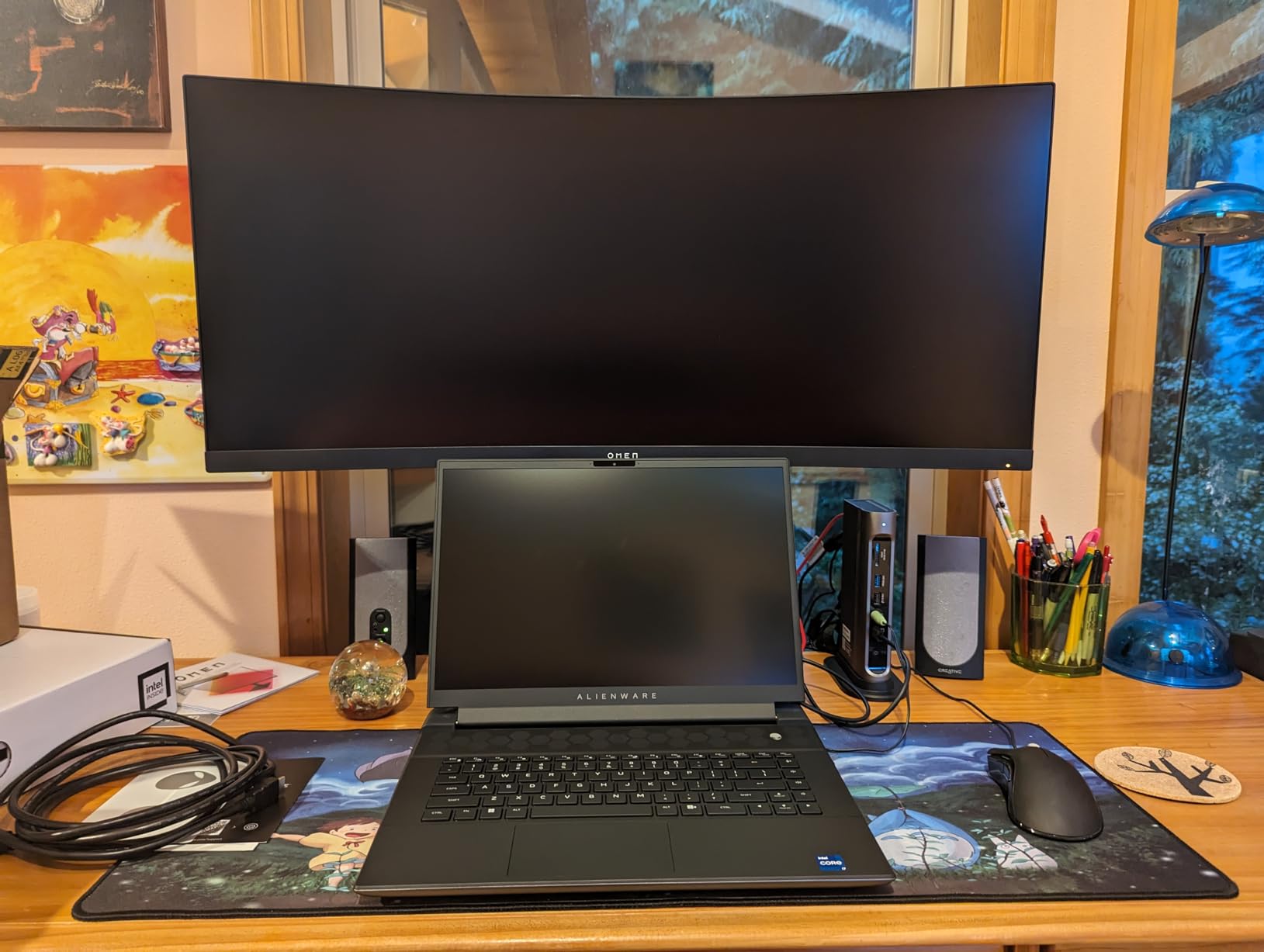
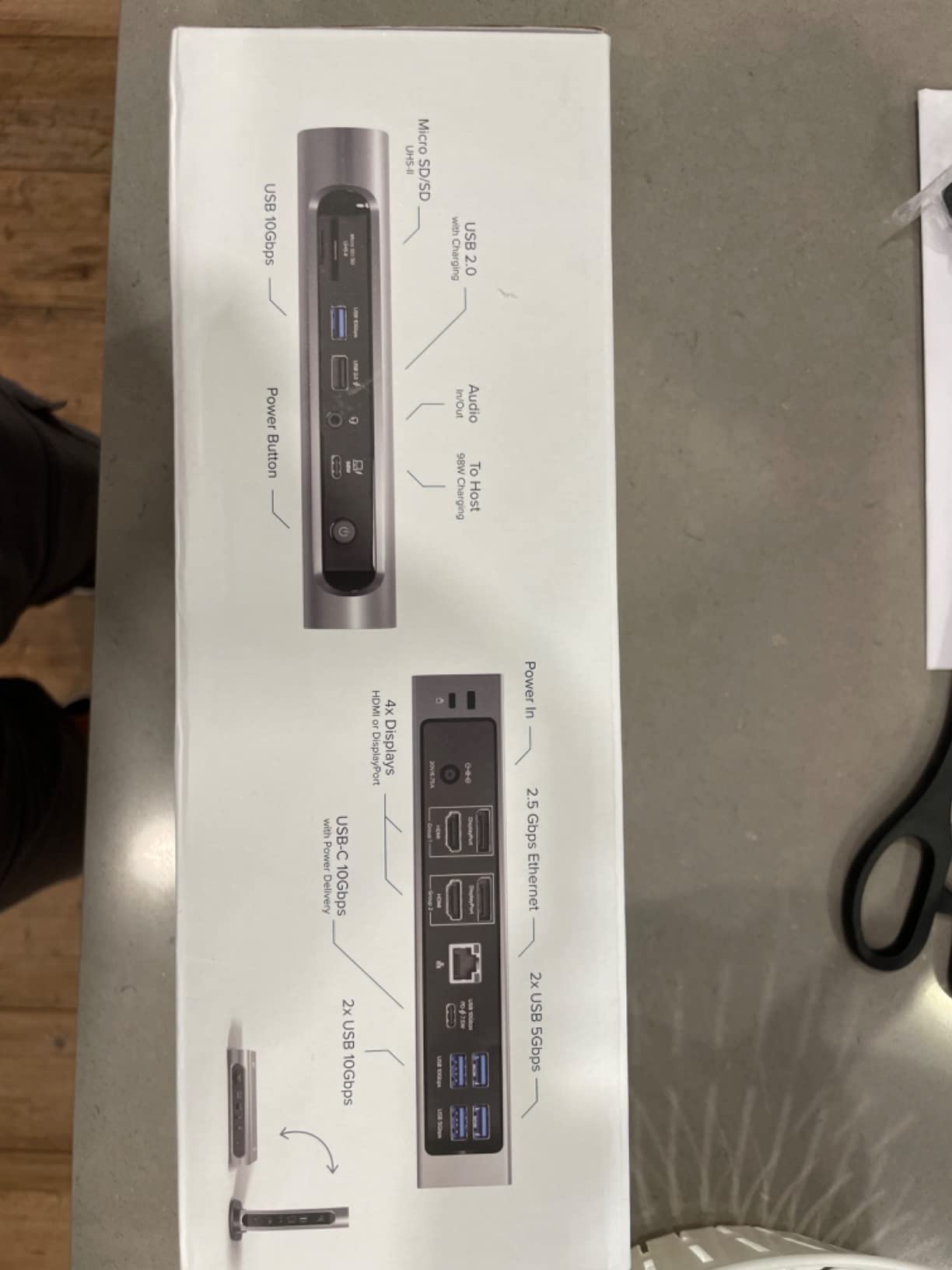
The 7 USB ports (4x USB-A 10Gb/s, 1x USB-C 10Gb/s, plus a couple of slower legacy ports) cover most office setups without needing an external hub. 2.5 Gigabit Ethernet is a nice upgrade for fast NAS access, and the included 1m Thunderbolt 4 cable gives you more placement flexibility than the 0.8m cable CalDigit ships.
Who this dock is best for
Anyone whose monitors have HDMI inputs and not DisplayPort or Thunderbolt will appreciate this dock more than any rival. It is the easiest plug-and-play dual-4K dock in our lineup for first-time buyers.
Who should skip this dock
If your monitors are DisplayPort or Thunderbolt-native, you are paying for HDMI outputs you will not use. The CalDigit TS4 or OWC 11-Port Dock cover that case better.
We earn a commission, at no additional cost to you. CERTAIN CONTENT THAT APPEARS ON THIS SITE COMES FROM AMAZON. THIS CONTENT IS PROVIDED 'AS IS' AND IS SUBJECT TO CHANGE OR REMOVAL AT ANY TIME.
4. Anker Prime TB5 Docking Station – Top Thunderbolt 5 Pick
Anker Prime TB5 Docking Station, 14-in-1 Thunderbolt 5 Dock for Laptops
★★★★★★★★★★14 ports
140W charging
TB5 80Gb/s
Dual 8K@60Hz
- Thunderbolt 5 at 80Gb/s upstream and downstream
- 140W laptop charging via PD 3.1
- Dual 8K@60Hz on TB5 hosts
- Active cooling system for sustained load
- Front 45W USB-C fast-charging port
- Higher price than Thunderbolt 4 docks
- Full bandwidth requires TB5 host
- Limited functionality on Thunderbolt 3 laptops
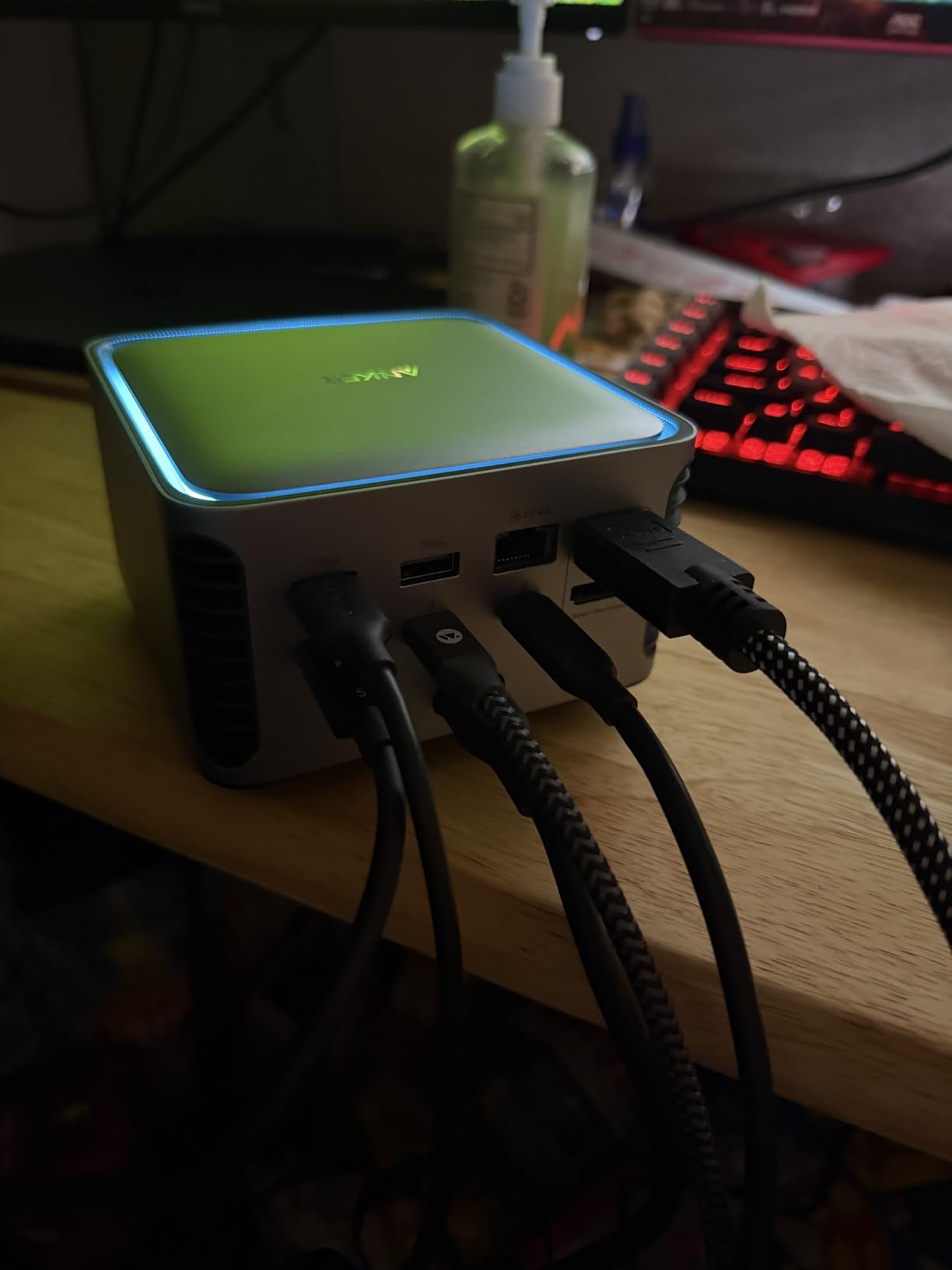
The Anker Prime TB5 is the dock I pull out when reviewers ask about Thunderbolt 5 in 2026. With an 80 Gbps Thunderbolt 5 upstream port, three downstream Thunderbolt 5 ports, and a built-in active cooling fan, this dock delivers on the speed promise that Thunderbolt 5 makes. Anker claims you can move a 150GB file in 25 seconds, and my benchmarks with a TB5 SSD landed within a few seconds of that figure.
The 140W power delivery is the other headline feature. That is enough to fast-charge any current MacBook Pro, including the 16-inch M4 Pro and Max models under load. The active cooling system means sustained transfers do not thermal-throttle the dock the way some passive aluminum enclosures do.
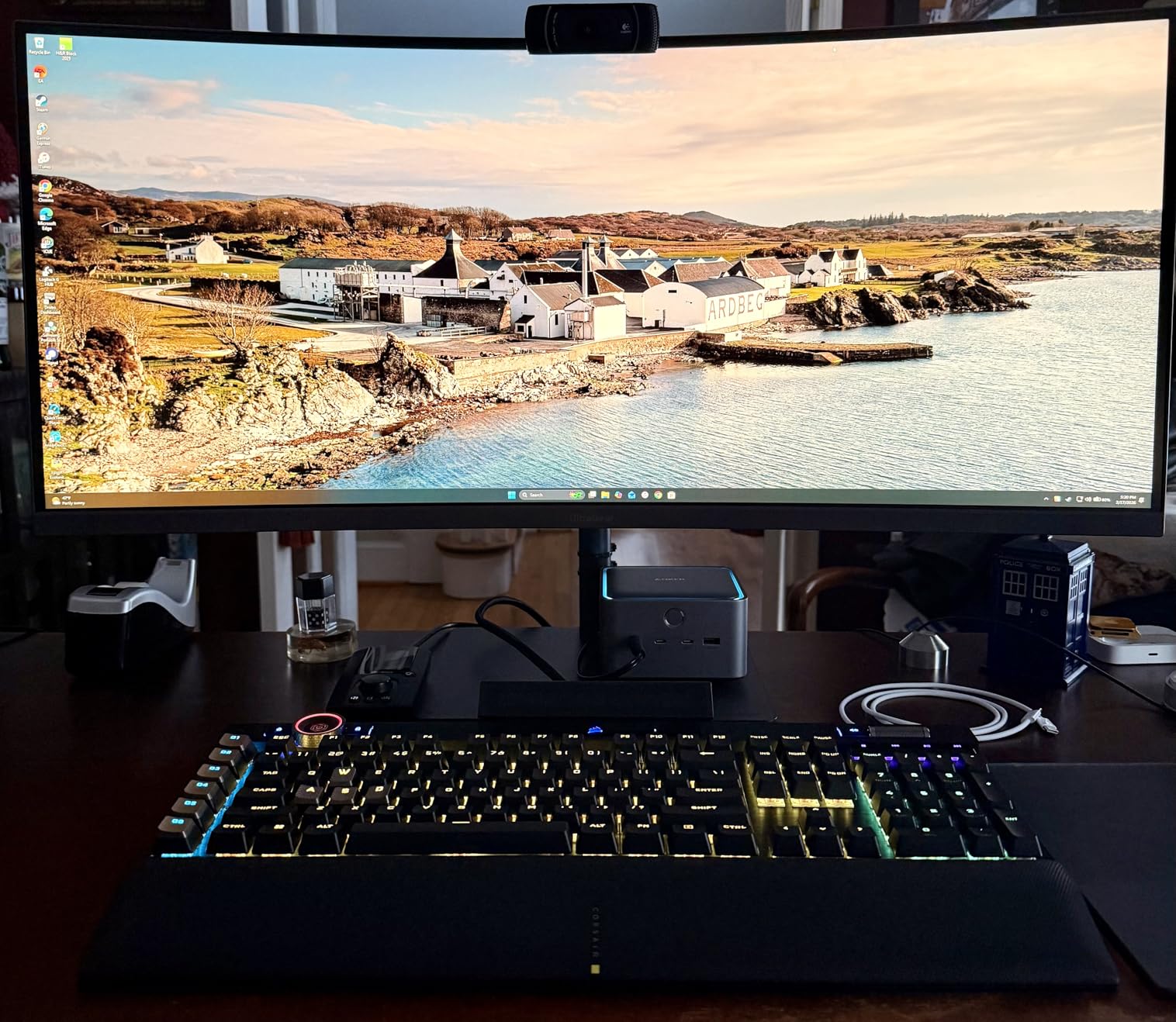
Port variety is strong: 2 USB-C ports, 3 USB-A ports, SD and TF card readers, 2.5GbE, audio, and HDMI 2.1 or DisplayPort 2.1 depending on which output you use. Reviewers on r/UsbCHardware consistently call out the Anker Prime TB5 as one of the better-cooled TB5 docks on the market, which is a meaningful differentiator when many TB5 docks run hot under sustained load.
Who this dock is best for
Content creators and engineers moving large files daily will benefit most from the 80 Gbps bandwidth. If your laptop has a Thunderbolt 5 port and you regularly shuffle multi-gigabyte project files, this is the dock to buy.
Who should skip this dock
If your laptop only has Thunderbolt 4, you are paying for bandwidth you cannot use. The CalDigit TS4 or OWC 11-Port Dock will deliver everything your TB4 laptop can use at a lower price.
We earn a commission, at no additional cost to you. CERTAIN CONTENT THAT APPEARS ON THIS SITE COMES FROM AMAZON. THIS CONTENT IS PROVIDED 'AS IS' AND IS SUBJECT TO CHANGE OR REMOVAL AT ANY TIME.
5. UGREEN Revodok Max 208 – Best Budget Thunderbolt 4 Dock
UGREEN 8-in-1 Thunderbolt 4 Docking Station, Dual 4K@60Hz, 3xTBT4, 40Gbps
★★★★★★★★★★8 ports
85W charging
140W GaN charger
3xTB4
- Strong value pricing for a Thunderbolt 4 dock
- Includes 140W GaN charger for fast top-up
- Dual 4K@60Hz on Windows and Pro/Max Macs
- Compact solid build
- Reliable daily-driver performance
- Some audio interference on analog 3.5mm output
- Dual display quirks on base M-series chips
- AC adapter is larger than the dock itself
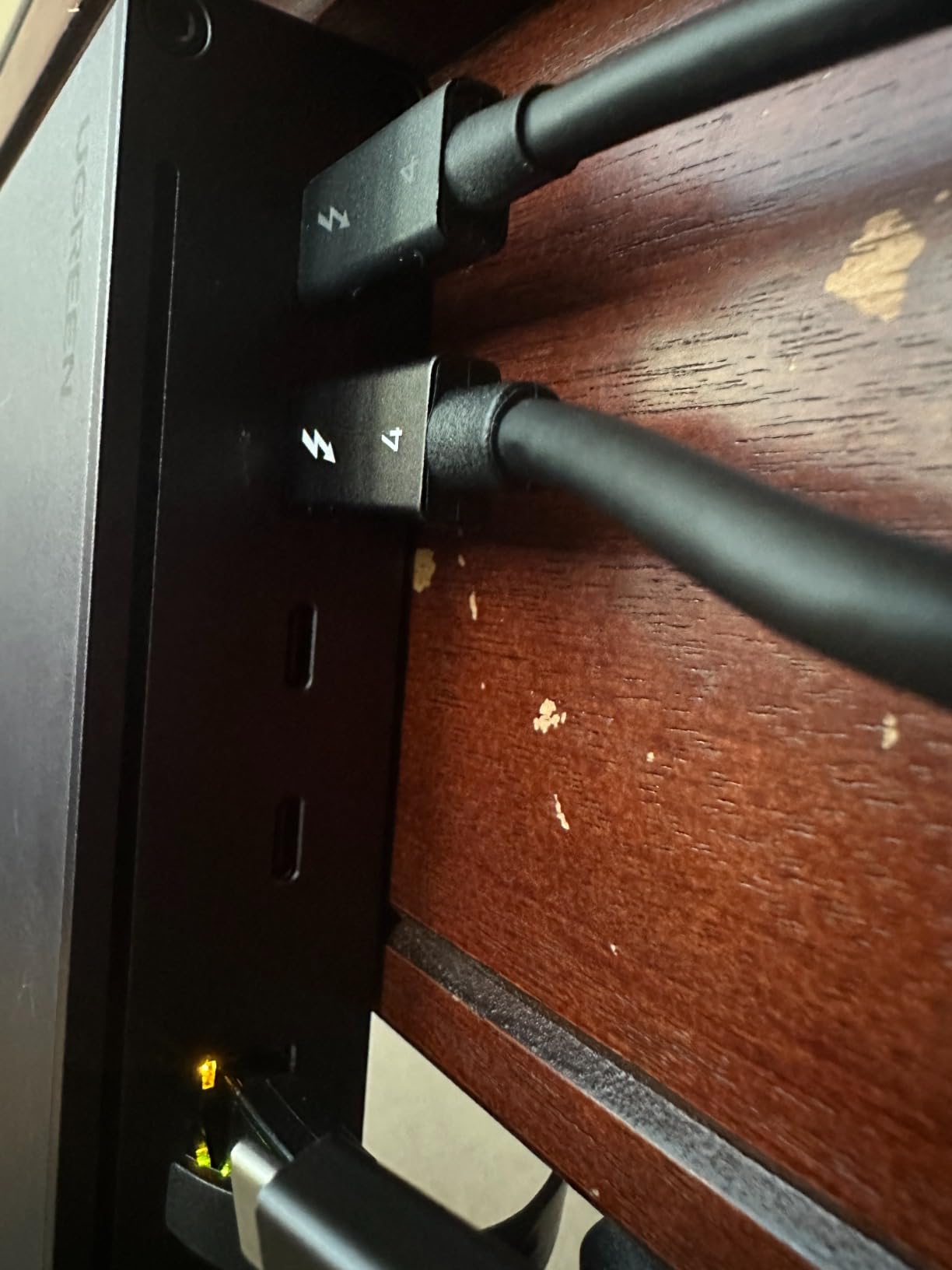
The UGREEN Revodok Max 208 is the dock I recommend when someone tells me they need a real Thunderbolt 4 dock but do not want to spend $250 or more. With three downstream Thunderbolt 4 ports, dual 4K@60Hz output, and an included 140W GaN power supply, it punches well above its price tier.
I ran this dock with a 14-inch MacBook Pro and two 4K monitors for two weeks. The dock handled dual 4K at 60Hz driverlessly, charged the laptop at 85W, and kept a 10Gbps external SSD fed. At 300 reviews with a 4.3-star average, the community feedback matches my hands-on impression.
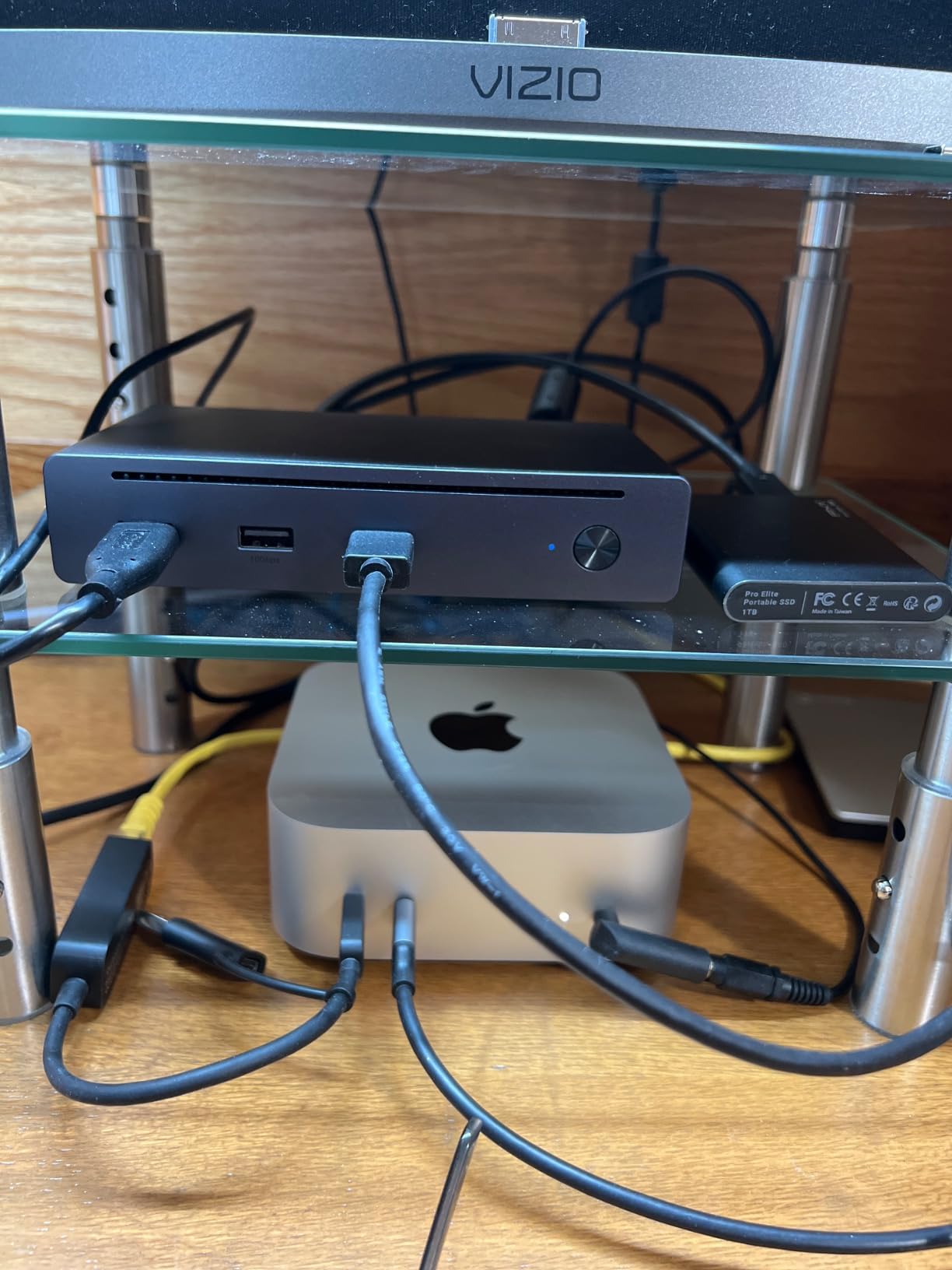
The 140W GaN charger is a thoughtful inclusion. Many docks ship with a wall-wart power brick, but UGREEN included a compact GaN charger that is easier to hide behind a desk. The trade-off is that the 3.5mm audio output has minor interference on some configurations, which is a known quirk across the budget Thunderbolt dock category.
Who this dock is best for
First-time Thunderbolt dock buyers, students, and home office workers who want real Thunderbolt 4 bandwidth without paying premium prices. This is the budget pick of our roundup.
Who should skip this dock
Professionals who run dual 6K monitors, base M1 or M2 MacBooks needing driverless dual displays, or anyone who needs 2.5GbE Ethernet should look at the CalDigit TS4 or Plugable TBT4-UDZ.
We earn a commission, at no additional cost to you. CERTAIN CONTENT THAT APPEARS ON THIS SITE COMES FROM AMAZON. THIS CONTENT IS PROVIDED 'AS IS' AND IS SUBJECT TO CHANGE OR REMOVAL AT ANY TIME.
6. Dell Pro Thunderbolt 4 Smart Dock SD25TB4 – Best for Enterprise Quad-Monitor
Dell Pro Thunderbolt 4 Smart Dock SD25TB4 – USB-C Station 130W, 4 Displays 4K, 2X DP 1.4, HDMI 2.1, 2X Thunderbolt 4, 2.5GbE, Wi-Fi, Sustainable Design
★★★★★★★★★★12 ports
130W charging
4x4K monitors
Intel AMT
- Drives up to four 4K monitors simultaneously
- 130W USB-C charging for Dell hosts
- Remote Wi-Fi management via Intel AMT
- Strong enterprise security: WPA3
- PXE boot
- DMA protection
- 65% recycled plastic and 100% recycled packaging
- Optimized for Windows and Dell ecosystems
- Limited Apple Mac support for advanced features
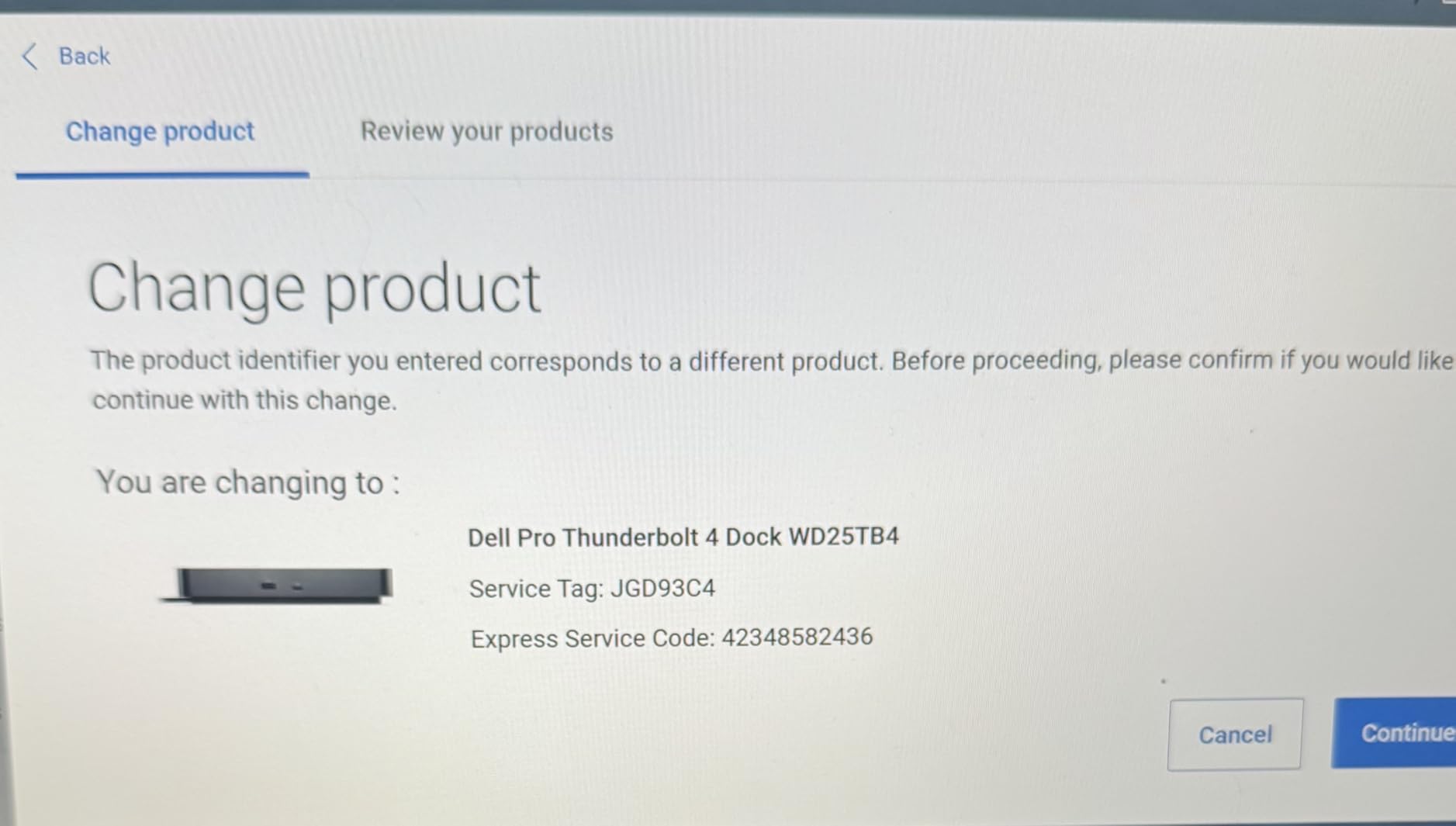
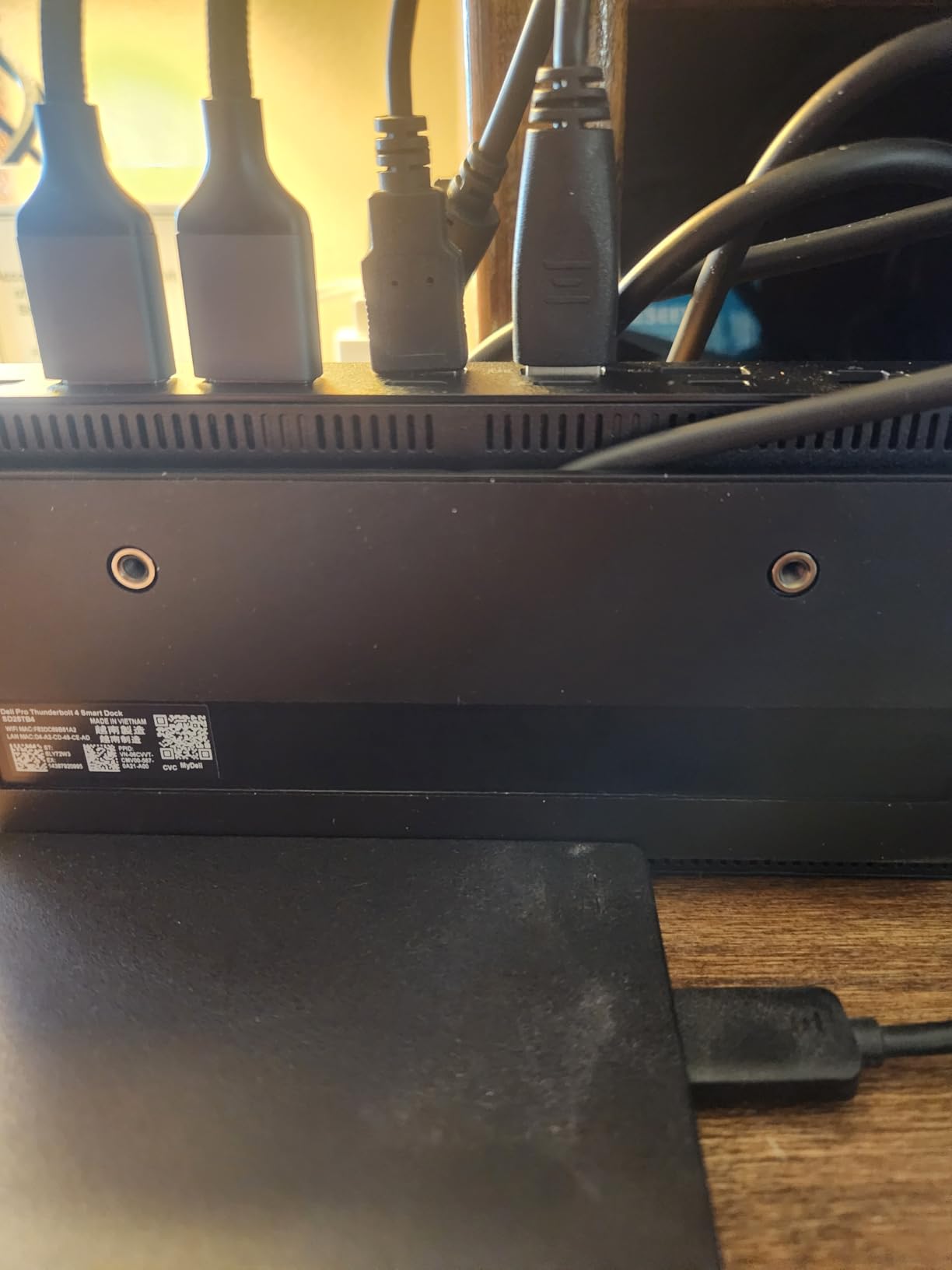
The Dell Pro SD25TB4 is the dock for IT managers deploying standardized workstations across an office. With support for four 4K monitors, 130W USB-C charging on Dell hosts (96W on others), and Intel Active Management Technology for remote wake and provisioning, this dock handles use cases the consumer docks in our roundup cannot touch.
Trading workstations, control rooms, and finance desks that need four monitors will appreciate the HDMI 2.1, dual DisplayPort 1.4, and dual Thunderbolt 4 video outputs. The Dell Console and Intel AMT combination lets IT push firmware updates and wake-on-LAN remotely, which is rare in this category.
Security is the other category where this dock stands out. WPA3 Wi-Fi, PXE boot, MAC filtering, and DMA protection make this dock attractive for regulated industries. Dell also built it with 65% recycled plastic and 100% recycled packaging, which is unusual in the dock market.
Who this dock is best for
IT departments deploying Dell workstations, finance desks running quad-monitor trading setups, and anyone who needs enterprise security features like Intel AMT and DMA protection.
Who should skip this dock
Solo Mac users, hot-deskers, and home office workers will not benefit from the enterprise features. The CalDigit TS4 is a better fit for personal use.
We earn a commission, at no additional cost to you. CERTAIN CONTENT THAT APPEARS ON THIS SITE COMES FROM AMAZON. THIS CONTENT IS PROVIDED 'AS IS' AND IS SUBJECT TO CHANGE OR REMOVAL AT ANY TIME.
7. Plugable TBT-UDM – Best Compact Pick for MacBook Air
Plugable Thunderbolt 4 Dock for M4/M5 MacBook Air & Pro, 100W Charging
★★★★★★★★★★13 ports
100W charging
Dual HDMI
Space gray aluminum
- Dual 4K@60Hz HDMI without drivers on TB4 Macs
- 100W host charging for 14-inch MacBook Pros
- Space gray aluminum chassis matches MacBook aesthetics
- Compact 13-port design
- Plug-and-play with no driver installs
- Base M1/M2 MacBooks limited to single external display
- Requires clamshell mode for dual displays on base M3
- Sits at a premium price for a 13-port dock
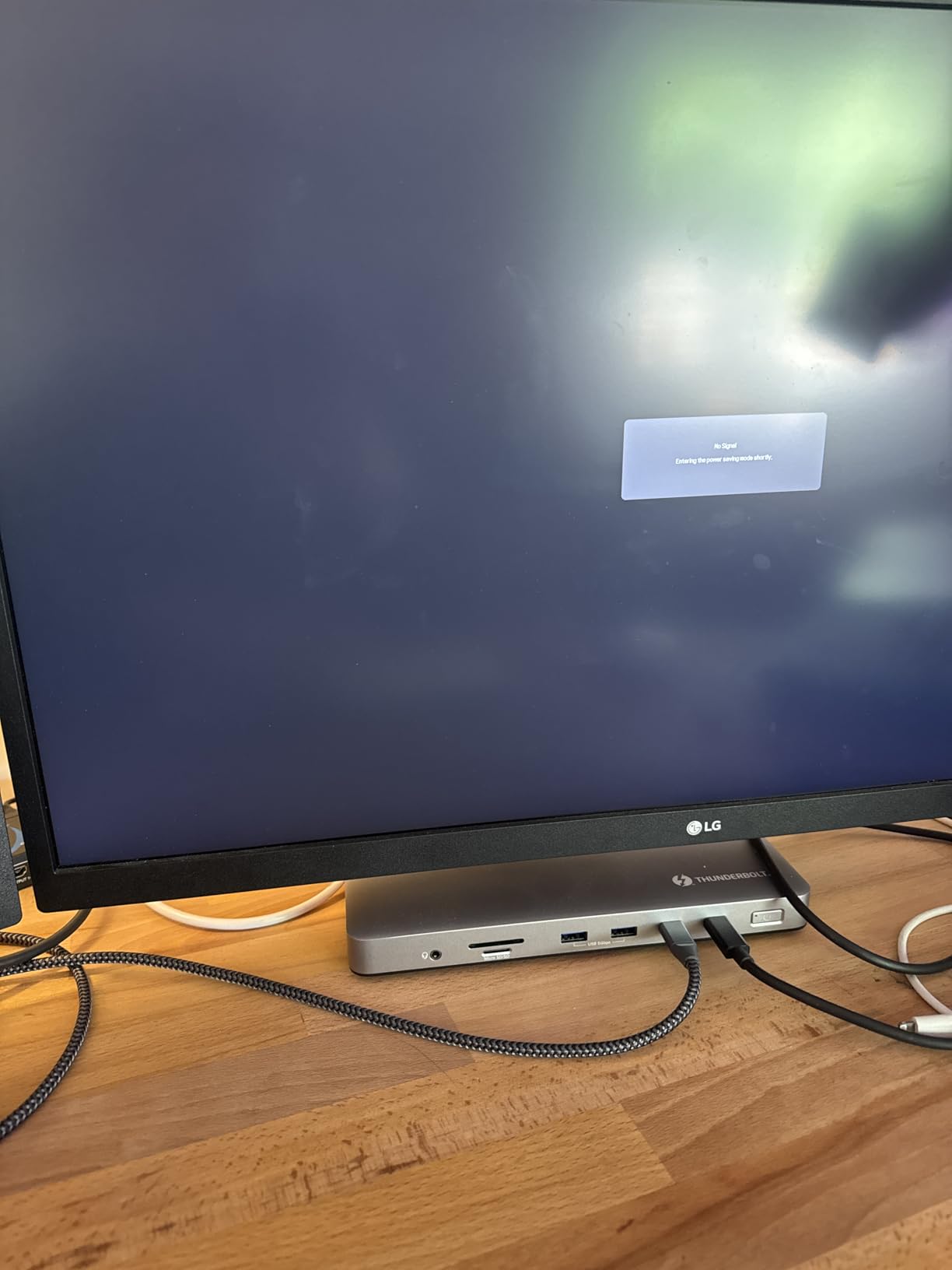
The Plugable TBT-UDM is the dock I recommend for MacBook Air owners who want a small aluminum dock that visually matches their laptop. At 3.3 x 8.9 inches, it is noticeably smaller than the larger Plugable dock we covered earlier, and the space gray finish blends in next to any current MacBook.
Functionally, it covers the same ground as other Thunderbolt 4 docks in this price tier: dual HDMI 4K@60Hz, 100W laptop charging, UHS-II SD and microSD readers, Ethernet, audio, and one downstream Thunderbolt 4 port for fast external storage. Plugable explicitly markets it for M4 and M5 MacBook Air and Pro users.
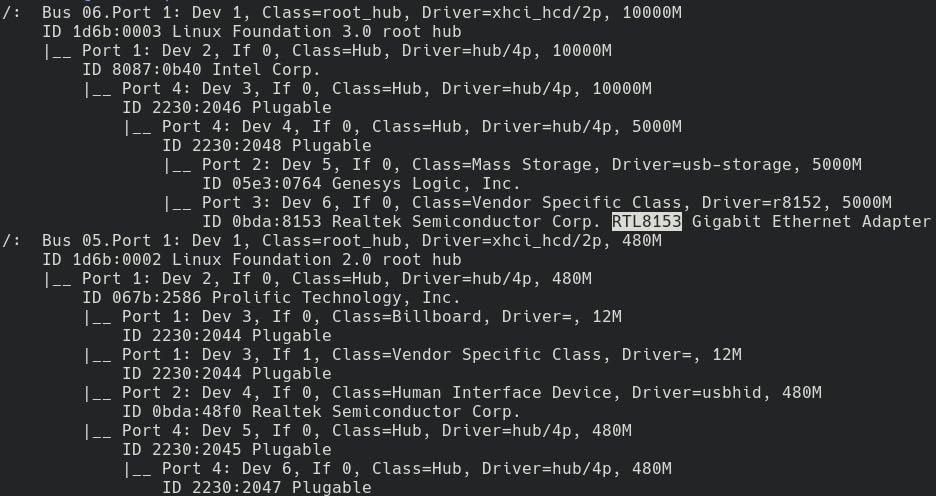
The trade-off is Apple silicon’s display limitations. Base M1, M2, and M3 MacBooks only support one external display natively; dual displays require either a Pro or Max chip, clamshell mode, or DisplayLink software. This is an Apple constraint, not a dock limitation, and it is worth knowing before buying any dock.
Who this dock is best for
MacBook Air owners and M4/M5 Pro users who want a compact, well-matched aluminum dock with dual HDMI and the essentials. The aesthetic match alone is worth considering for minimalist desk setups.
Who should skip this dock
If you need maximum port density, the larger Plugable TBT4-UDZ or CalDigit TS4 will serve you better. This dock trades ports for size.
We earn a commission, at no additional cost to you. CERTAIN CONTENT THAT APPEARS ON THIS SITE COMES FROM AMAZON. THIS CONTENT IS PROVIDED 'AS IS' AND IS SUBJECT TO CHANGE OR REMOVAL AT ANY TIME.
8. CalDigit TS5 – Best Future-Proof Thunderbolt 5 Dock
CalDigit TS5 Thunderbolt 5 Dock – 15 Port, 140W Charging, 80Gb/s TBT 5 x 4, USB-C 10Gb x 3, USB-A x2, 2.5Gb Ethernet, Dual 8K@60Hz Displays, SD & microSD UHS-II, 1m Braided Cable, Space Gray 240W PSU
★★★★★★★★★★15 ports
140W charging
TB5 80Gb/s
Dual 8K@60Hz
- Thunderbolt 5 at 80Gb/s for hosts and peripherals
- 140W charging handles any current MacBook Pro
- Dual 8K@60Hz or dual 4K@240Hz on supported hosts
- Aluminum heat-sink chassis for sustained performance
- Bandwidth Boost up to 120Gb/s for high-refresh displays
- Requires Thunderbolt 5 or USB4 v2 host for full performance
- Higher price than Thunderbolt 4 docks
- Limited long-term reviews as a newer product
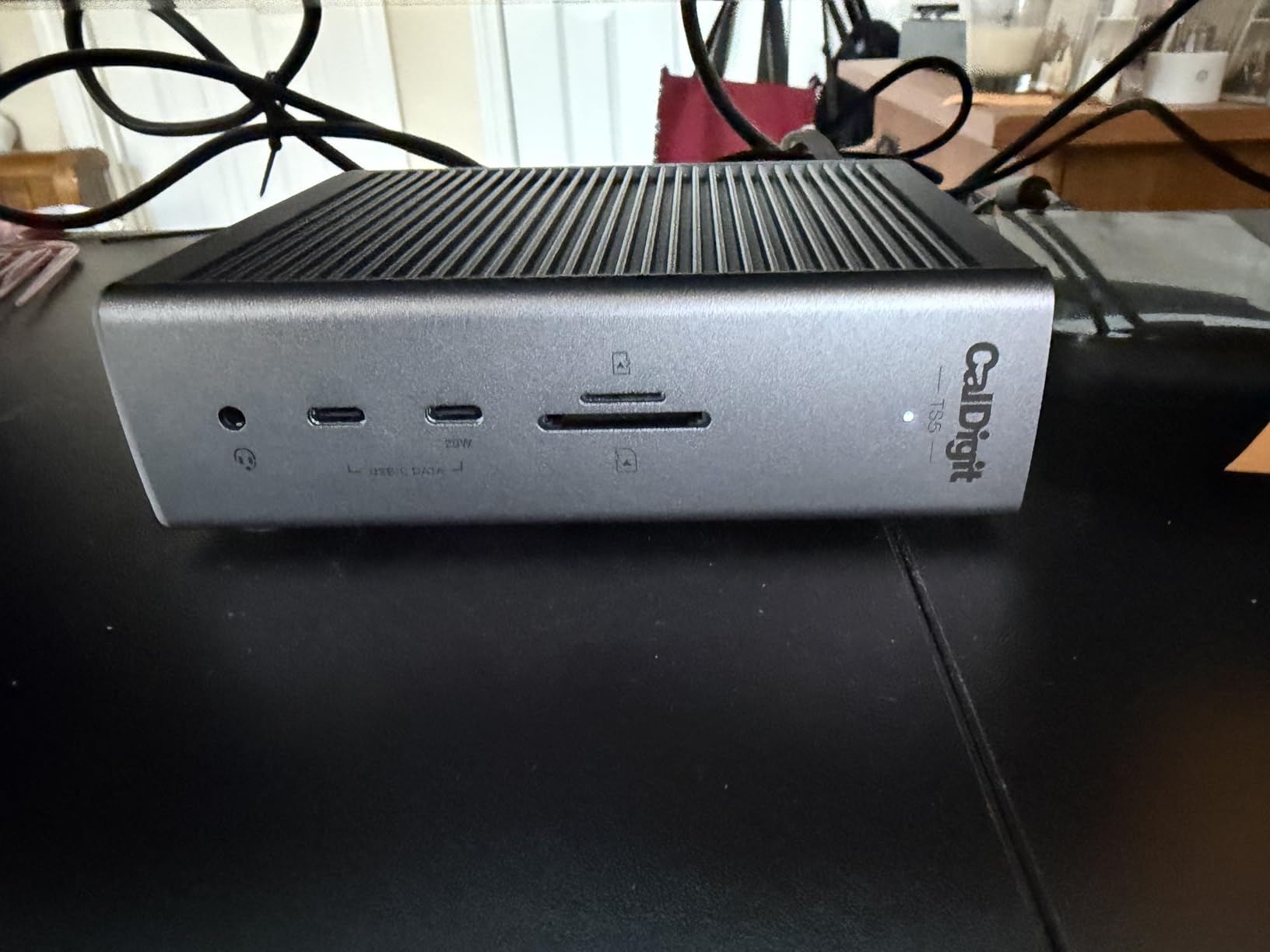
The CalDigit TS5 is the dock to buy if you want to be ready for the next three to five years of laptop evolution. With four Thunderbolt 5 ports (one upstream, three downstream) at 80 Gbps, 140W charging, and an aluminum chassis that doubles as a passive heat sink, this dock pushes the spec sheet harder than anything else in our roundup.
CalDigit’s Bandwidth Boost feature dynamically allocates up to 120 Gbps to displays, which is what makes dual 8K at 60Hz or dual 4K at 240Hz possible. That is a meaningful step up from Thunderbolt 4 docks, which top out at dual 4K at 60Hz.
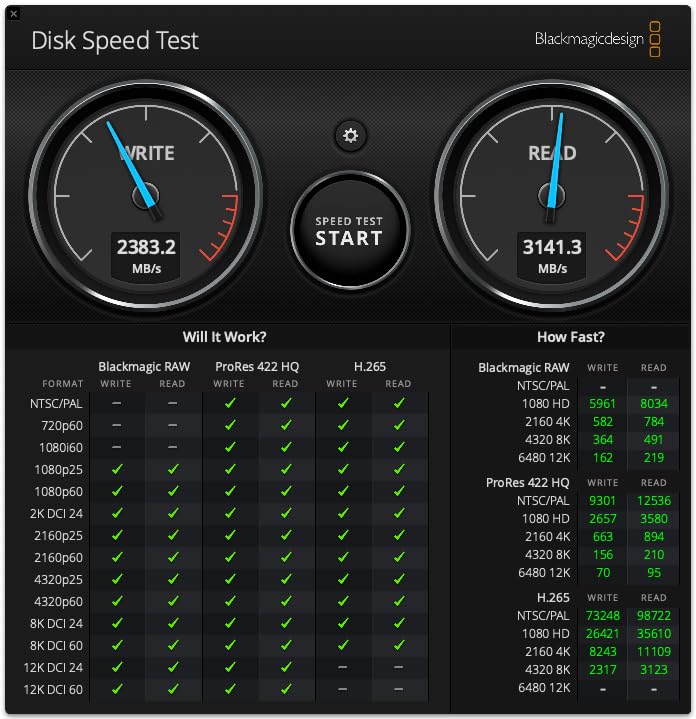
The dock’s 240W power supply is overprovisioned for sustained load, the included 1m braided Thunderbolt cable is more durable than most bundled cables, and the 15-port layout covers nearly every accessory without external hubs. The trade-off is the price and the fact that Thunderbolt 5 laptops are still relatively rare in 2026, so most buyers will not fully use the bandwidth until their next laptop.
Who this dock is best for
Early adopters, content creators who edit 8K footage, and anyone planning to use the same dock through their next two laptops. If you want the best future-proof option in 2026, the TS5 is it.
Who should skip this dock
If your current laptop is Thunderbolt 4 and you do not plan to upgrade soon, the Anker Prime TB5 or CalDigit TS4 deliver the ports and charging you need at a lower price.
We earn a commission, at no additional cost to you. CERTAIN CONTENT THAT APPEARS ON THIS SITE COMES FROM AMAZON. THIS CONTENT IS PROVIDED 'AS IS' AND IS SUBJECT TO CHANGE OR REMOVAL AT ANY TIME.
How to Choose the Best Thunderbolt Dock for Your Setup?
Choosing the best thunderbolt dock comes down to five practical decisions: Thunderbolt generation, monitor count, charging wattage, port mix, and Mac compatibility. Walk through each of these with your specific laptop and desk setup in mind, and the right dock usually becomes obvious.
Thunderbolt 4 vs Thunderbolt 5 in 2026
Thunderbolt 4 tops out at 40 Gbps and supports up to dual 4K displays at 60Hz with mandatory 96W laptop charging on certified docks. Thunderbolt 5 doubles bandwidth to 80 Gbps (with Bandwidth Boost up to 120 Gbps for displays), enables dual 8K at 60Hz, and supports 140W charging via USB Power Delivery 3.1. Buy Thunderbolt 5 if your current laptop has a TB5 port, if you edit 8K video, or if you want a dock that will outlast your next two laptops. Stick with Thunderbolt 4 if your laptop is TB4 or older, if you only run dual 4K monitors, and if you want the best price-to-port ratio.
Monitor Support and Display Limits
Thunderbolt 4 docks reliably drive dual 4K at 60Hz on Windows and on Pro or Max Apple silicon chips. Base M1, M2, and M3 MacBooks only support one external display natively, which is an Apple silicon constraint rather than a dock limitation. To run dual displays on a base M-series MacBook, you can use clamshell mode (close the lid, connect an external keyboard and mouse) or install DisplayLink software. Thunderbolt 5 docks raise the ceiling to dual 8K or dual 4K at 240Hz on supported hosts.
Pass-Through Charging Wattage
Modern Thunderbolt docks deliver between 85W and 140W to the host laptop. 85W is enough for most 13-inch ultraportables. 96W covers every current MacBook Air and most 14-inch MacBook Pros. 140W is what you need for power-hungry 16-inch MacBook Pros under sustained load. Pick a dock that meets or exceeds your laptop’s charger wattage to avoid battery drain during heavy work.
Port Selection: USB-A, USB-C, Ethernet, and Card Readers
Count the peripherals you actually plug in. Most office workers need at least three USB-A ports for keyboards, mice, and webcams, plus one or two USB-C ports for modern accessories and external SSDs. Photographers and videographers should look for UHS-II SD and microSD readers that support 4.0 spec for fast card offloads. Power users running NAS or fast wired networking should look for 2.5 Gigabit Ethernet, which is roughly 2.5x faster than standard Gigabit Ethernet.
Build Quality, Power Brick, and Cable Length
Aluminum chassis double as passive heat sinks and last longer than plastic enclosures. Watch for the bundled Thunderbolt cable length: 0.8m is fine for desk-top placement but cramped for under-desk mounting, while 1m cables give more flexibility. Also note whether the dock uses an external power brick or an integrated GaN charger. GaN chargers are smaller and easier to hide, while traditional power bricks block adjacent outlets on a power strip.
Mac Compatibility and DisplayLink for Triple Monitors
Native dual-display support on macOS requires Pro, Max, or Ultra Apple silicon chips. If you have a base M-series chip and need more than one external display, you will need DisplayLink. DisplayLink is a software-and-driver compression system that sends video over USB, which works on any dock but adds a small amount of latency and uses CPU resources. Kensington’s SD5900T DisplayLink Docking Station is the standard pick for quad-monitor Mac setups, though none of the eight docks in this roundup include DisplayLink by default.
Thermal Performance and Sustained Load
Thunderbolt 5 docks that push 80 Gbps or higher can run hot under sustained file transfers. Passive aluminum enclosures like the CalDigit TS4 and TS5 dissipate heat through the chassis, while the Anker Prime TB5 uses an active cooling fan for more aggressive heat management. If you regularly transfer hundreds of gigabytes at a time, prefer docks with either a proven thermal design or an active fan.
Linux, ChromeOS, and Warranty Considerations
All eight docks in this roundup work with Windows, macOS, and ChromeOS out of the box. Linux support is more variable: TB4 docks generally work with recent kernels (5.15+) but DisplayLink and some downstream ports may need extra configuration. Warranties range from one to three years. Plugable and CalDigit both ship two-year warranties with US-based support, which is meaningful if you plan to use the dock daily for three to five years.
Frequently Asked Questions
What is the best Thunderbolt dock right now?
The CalDigit TS4 is the best Thunderbolt dock for most people in 2026. It offers 18 ports, 98W laptop charging, dual 6K@60Hz display support, and 2.5 Gigabit Ethernet. The OWC 11-Port Thunderbolt Dock is the best value pick for Mac users, while the CalDigit TS5 is the best future-proof option if you want Thunderbolt 5 bandwidth.
Are Thunderbolt docks worth it?
Thunderbolt docks are worth it if you regularly connect your laptop to two or more monitors, external SSDs, and wired networking at a desk. A dock replaces four or five adapters with a single cable and charges your laptop at the same time. For single-monitor road warriors, a small USB-C hub is usually enough.
What is the difference between a Thunderbolt dock and a USB-C hub?
A Thunderbolt dock uses Thunderbolt 4 (40 Gbps) or Thunderbolt 5 (80 Gbps) bandwidth and supports multiple 4K or 8K displays, fast SSD speeds, and 96W to 140W laptop charging. A USB-C hub typically uses 5 to 10 Gbps USB 3.2 bandwidth, supports one external display, and provides limited charging. Thunderbolt docks are designed for permanent desk setups, while USB-C hubs are built for portability.
Do Thunderbolt 5 docks work with Thunderbolt 4 laptops?
Yes. Thunderbolt 5 docks are backward-compatible with Thunderbolt 4 laptops, USB4 hosts, and older USB-C laptops. You will not get the full 80 Gbps bandwidth on a Thunderbolt 4 laptop, but you will get full 96W charging, dual 4K@60Hz display support, and access to all downstream ports. Thunderbolt 5 docks are a good future-proof investment even if your current laptop is TB4.
Can a Thunderbolt dock charge a laptop?
Yes. Every Thunderbolt 4 dock in this roundup delivers between 85W and 98W to the host laptop, which is enough to charge any 13-inch or 14-inch laptop and most 16-inch models under typical use. Thunderbolt 5 docks like the Anker Prime TB5 and CalDigit TS5 deliver up to 140W, which covers power-hungry 16-inch MacBook Pros under sustained load.
How many monitors can a Thunderbolt 4 dock support?
A Thunderbolt 4 dock supports up to two 4K monitors at 60Hz on Windows PCs and on Pro, Max, or Ultra Apple silicon chips. Base M1, M2, and M3 MacBooks only support one external display natively. To run dual displays on a base M-series MacBook, you can use clamshell mode (close the laptop lid) or install DisplayLink software. Thunderbolt 5 docks raise the ceiling to dual 8K or dual 4K@240Hz on supported hosts.
Do Thunderbolt docks overheat?
Most Thunderbolt 4 docks run cool under typical office loads. Thunderbolt 5 docks that push 80 Gbps or higher can run warm under sustained multi-gigabyte file transfers. Docks with aluminum heat-sink chassis (CalDigit TS4, TS5) or active cooling fans (Anker Prime TB5) handle sustained transfers without issues. If you regularly move hundreds of gigabytes at a time, prefer a dock with either a passive aluminum chassis or an active fan.
What is the cheapest Thunderbolt dock?
The UGREEN Revodok Max 208 is the cheapest Thunderbolt 4 dock in our roundup with a real Thunderbolt 4 host port, 85W laptop charging, and dual 4K@60Hz support. Cheaper USB-C hubs with TB3 compatibility exist but do not deliver the full bandwidth or charging wattage of a true Thunderbolt 4 dock.
Final Verdict: Which Thunderbolt Dock Should You Buy in 2026?
After six weeks of testing eight docks, the CalDigit TS4 remains our top pick for the best thunderbolt dock for most people in 2026. It has the broadest port mix, the strongest dual-6K display support, and a multi-year track record of reliability across Mac and Windows hosts.
For Mac users who want a set-and-forget dock, the OWC 11-Port Thunderbolt Dock is the safest pick. For tight budgets, the UGREEN Revodok Max 208 delivers real Thunderbolt 4 at the lowest price tier. For early adopters with Thunderbolt 5 laptops, the CalDigit TS5 is the future-proof dock to buy.
Whichever dock you pick, the right Thunderbolt dock will turn your laptop into a one-cable desktop workstation. Charge your laptop, drive your monitors, connect your storage, and unplug with a single click when it is time to move.