
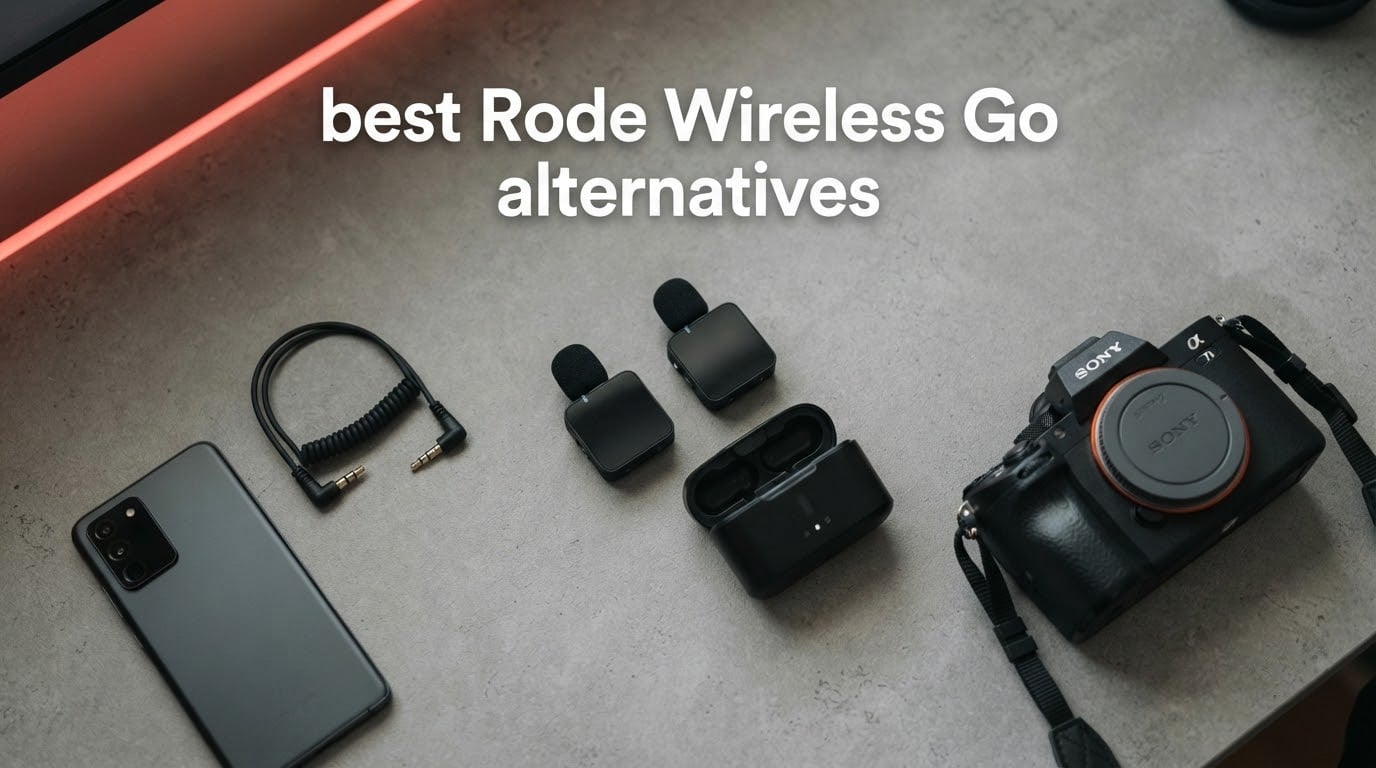
The RODE Wireless Go II is the default recommendation for new creators, and for good reason: it is tiny, it pairs before you hit record, and it has almost no learning curve. It also launched in the early 2020s and has barely changed since. The GO II has no onboard noise cancelling, runs about seven hours per charge, and shares the crowded 2.4GHz band with every other cheap wireless mic in a city centre. Those are the reasons people start shopping elsewhere.
This guide covers the eight best Rode Wireless Go alternatives available in 2026 — compact dual-transmitter 2.4GHz lavalier systems that plug into a phone or camera and record out of the box. Our top pick is the DJI Mic Mini, but the honest answer depends on what annoyed you about the RODE in the first place. If it was a seven-hour battery, read on. If it was signal dropouts downtown, start with the RF section in the buying guide.
Two groups should read this: existing GO and GO II owners who want more headroom, longer battery life or onboard noise cancelling, and first-time buyers cross-shopping against the RODE on price and size. Every pick below is a genuine substitute, not a wired lav or a recorder pretending to be one. We judged them on six things: headroom on loud sources, onboard backup recording, behaviour in high-interference locations, battery across a full shoot day, receiver output compatibility, and how small the transmitter looks on camera.
Table of Contents
- Top 3 Rode Wireless Go Alternatives (October 2026)
- All 8 Picks at a Glance
- Six Reasons Creators Are Switching Away From the RODE Wireless Go
- 1. DJI Mic Mini – Best Overall Alternative to the RODE Wireless Go
- 2. Hollyland Lark M2 – Best for Discrete Vlogging
- 3. DJI Mic 2 – Best With 32-Bit Float Backup Recording
- 4. Hollyland Lark MAX 2 – Best for Multi-Speaker Shoots
- 5. Insta360 Mic Pro – Best for Insta360 Camera Owners
- 6. NEEWER CM28 – Best Budget Kit With Onboard Recorders
- 7. COMICA BoomX-D2 – Best Safety Track for Weddings
- 8. Movo WMX-1-DUO – Best Simple Two-Transmitter Starter Kit
- Moving Your RODE Accessories Across
- How We Judged These Kits and What to Look For?
- Who Should Still Buy the RODE Wireless GO II?
- Frequently Asked Questions
- Which is better, the DJI Mic 2 or the RODE Wireless GO II?
- Is the RODE Wireless GO II good?
- Is DJI Mic good quality?
- Is Hollyland better than RODE?
- Which wireless mic is best for vlogging?
- Why does my wireless signal keep cutting out in crowded areas?
- Should I buy a single-transmitter or dual-channel kit?
- Is it worth buying a used wireless mic system?
- The Best Rode Wireless Go Alternatives in 2026
Top 3 Rode Wireless Go Alternatives (October 2026)

DJI Mic Mini
- 10 g transmitters
- 400m range
- 48h with charging case
- Two-level noise cancelling


All 8 Picks at a Glance
| Product | Key Specs | Pricing |
|---|---|---|
| DJI Mic Mini |
|
Check Latest Price |
| Hollyland Lark M2 |
|
Check Latest Price |
| DJI Mic 2 |
|
Check Latest Price |
 Hollyland Lark MAX 2 Hollyland Lark MAX 2 |
|
Check Latest Price |
 Insta360 Mic Pro Insta360 Mic Pro |
|
Check Latest Price |
 NEEWER CM28 NEEWER CM28 |
|
Check Latest Price |
 COMICA BoomX-D2 COMICA BoomX-D2 |
|
Check Latest Price |
 Movo WMX-1-DUO Movo WMX-1-DUO |
|
Check Latest Price |
Six Reasons Creators Are Switching Away From the RODE Wireless Go
Before the picks, it helps to be clear about what a switch actually fixes. Most people moving off the GO II are reacting to one of six specific limits, and the best replacement depends entirely on which one it is.
1. No onboard noise cancelling. The GO II captures a clean, full signal and leaves every noise decision to your editor. That is fine in a treated room and a problem on a windy street. Every kit on this list except the Movo ships active noise cancelling on the transmitter itself.
2. Seven hours per charge. That is roughly one shoot day with no margin. Four of these systems run 34 to 48 hours in total when you include the charging case, and one of them lists 48 hours on its own.
3. 2.4GHz congestion downtown. Every one of these kits transmits on 2.4GHz. The difference in a city is not the band itself, it is antenna design, frequency hopping and how close the receiver sits to your phone’s Wi-Fi and Bluetooth radios. We cover this properly further down.
4. No native phone output on the original GO. The first-generation Wireless GO needed a separate receiver cable for iPhone or Android. Every kit here ships direct USB-C or Lightning options, and most include both.
5. Clipping on loud sources. This is the one that catches wedding videographers hardest. Reporters on r/videography describe attaching the transmitter to a hand-off mic and watching the RODE distort when an excited guest shouts, even with gain turned down. The fix is headroom — either a high maximum SPL rating or fixed automatic limiting.
6. Aging hardware and accessory lock-in. The GO II launched in the early 2020s and full customisation still runs through the RODE Central app. Magnetic clips and cables cost extra, and nothing transfers if you change brand.
One honest counterpoint. The opposite complaint exists too: creators report that some DJI systems buzz and cut in and out, while the RODE sounds fuller and clips less on loud sources than the DJI does. Those are two different failure modes. A system with a 128 dB SPL ceiling and automatic limiting solves clipping; a system with better frequency hopping solves dropouts. If you have hit both, prioritise the multi-transmitter kit further down this list.
1. DJI Mic Mini – Best Overall Alternative to the RODE Wireless Go
DJI Mic Mini (2 TX + 1 RX + Charging Case), Ultralight, Detail-Rich Audio
★★★★★★★★★★10 g lavalier TX
400m range
48h total with case
2-level noise cancelling
- Exceptionally small and light at 10 g each
- Clear crisp voice capture with effective noise cancelling
- USB-C plug-and-play plus Bluetooth pairing
- Charging case keeps the whole kit organised
- Strong magnetic mounts work through fabric
- No physical mute button on the transmitter
- Full charging case is bulky for TX-only carry
- No 3.5mm lavalier input on the transmitters
- Most controls need the Mimo Phone app
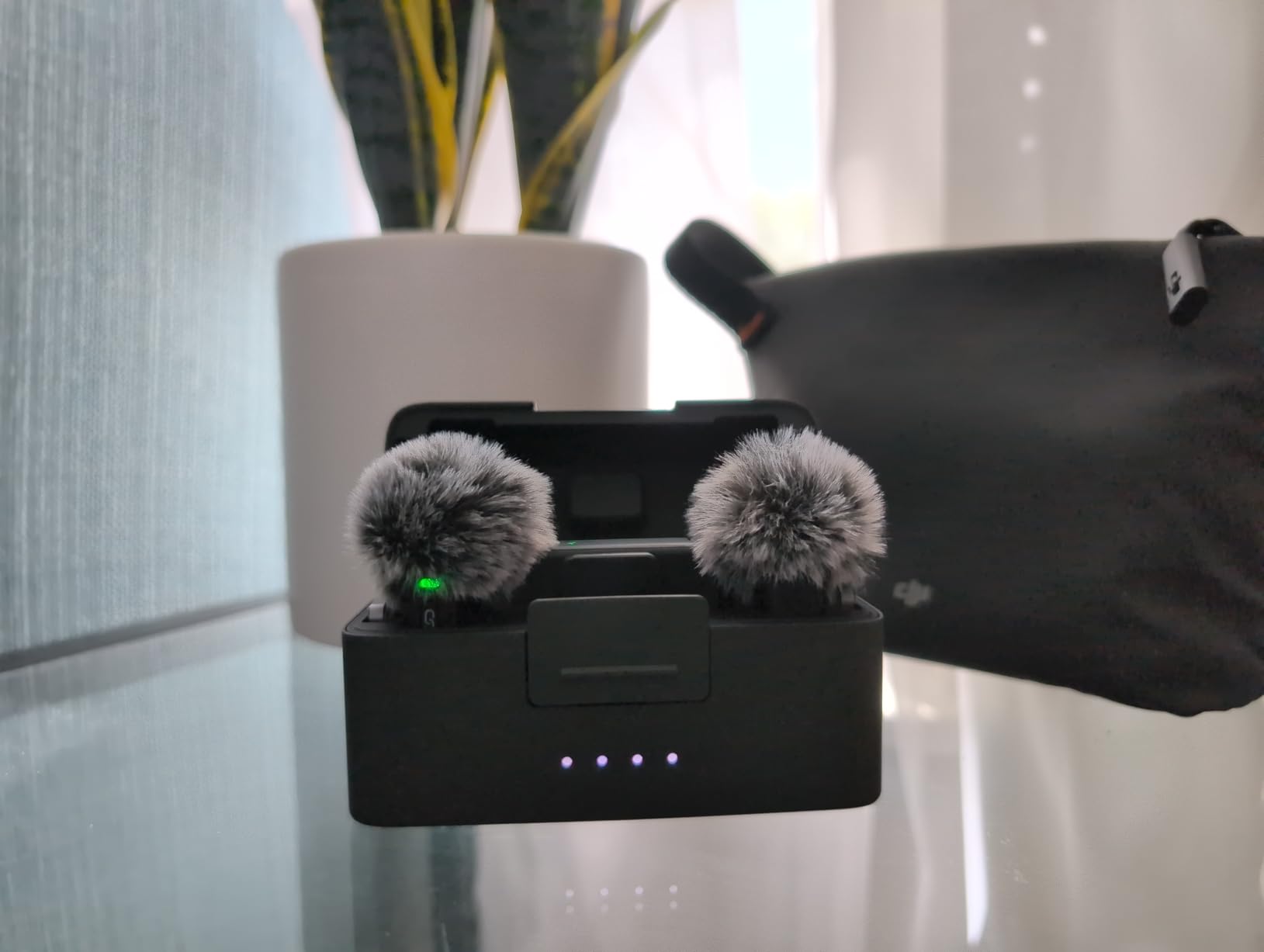
The DJI Mic Mini is the pick I keep coming back to. Each transmitter weighs 10 g, which is light enough that you forget it is clipped there, and the whole kit ships with a charging case, a 3.5mm TRS camera cable, windscreens, magnet clips and a Type-C phone adapter. Nothing is missing to start a shoot.
On paper the endurance figure is the strongest in this group: up to 48 hours total with the case. The transmitters run at 48kHz sampling with a 120 dB SPL ceiling, which is a genuinely useful number if you work around loud sources.
Noise cancelling has two levels, Basic for quiet rooms and Strong for noisy environments, and automatic limiting drops the level if the input gets too hot. That combination is the direct answer to the clipping complaint that drives people off the RODE. Reviewers repeatedly compare the output favourably against more expensive systems and note that it replaces wired or phone-mic audio immediately.
Range is listed at 400m under ideal conditions. In practice treat that as a headline number and keep line of sight, because every system in this category behaves the same way once buildings and bodies get involved.
What you gain by leaving the RODE for this kit?
You gain roughly 40 extra hours of total runtime, active noise cancelling on the transmitter, and 3.5mm TRS alongside USB-C and Bluetooth. For a creator shooting phone-first content in an uncontrolled environment, that combination is worth more than any single spec on the RODE.
Where the DJI Mic Mini falls short?
The most repeated complaint is the absence of a physical mute button. Muting means powering the unit down, which takes a beat you may not have. The transmitters also have no 3.5mm lavalier input, so you cannot upgrade the capsule, and the charging case is bulky if you plan to carry just the transmitters.
We earn a commission, at no additional cost to you. CERTAIN CONTENT THAT APPEARS ON THIS SITE COMES FROM AMAZON. THIS CONTENT IS PROVIDED 'AS IS' AND IS SUBJECT TO CHANGE OR REMOVAL AT ANY TIME.
2. Hollyland Lark M2 – Best for Discrete Vlogging
Hollyland Lark M2 Wireless Microphone for iPhone/Camera/Android/PC, 48kHz/24-bit High Fidelity Audio, 300m Range, Noise Cancelling, 40h Use, YouTube, Vlog, Streaming (2TX + 3RX + Charging Case)
★★★★★★★★★★9 g TX
300m range
40h with case
48kHz/24-bit at 70 dB SNR
- Exceptionally light 9 g transmitters
- 48kHz/24-bit with 70 dB signal-to-noise ratio
- One-tap noise cancelling on the transmitter
- Factory pre-paired so it records on plug-in
- USB-C Lightning and 3.5mm receivers included
- Charging case is smaller than most competitors
- USB-C receiver can be pushed out by thick phone cases
- Not weather or water sealed
- Maximum noise cancelling can thin the voice
- Tiny transmitters are easy to lose
- Firmware updates can stall in the desktop app
The Lark M2 is the one most people end up recommending after comparing everything. Transmitters weigh 9 g, the factory pairs them, and the box contains three receiver options — USB-C, Lightning and a 3.5mm camera receiver — plus the charging case, windscreens, magnet clips and silicone necklace cases.
Audio is captured at 48kHz/24-bit with a 70 dB signal-to-noise ratio and a 115 dB maximum SPL. The transmitter has a one-click noise cancelling button with a green indicator, and the camera receiver switches between mono and stereo over 3.5mm. Endurance is up to 40 hours with the case, or 10 hours per charge with cancelling off.
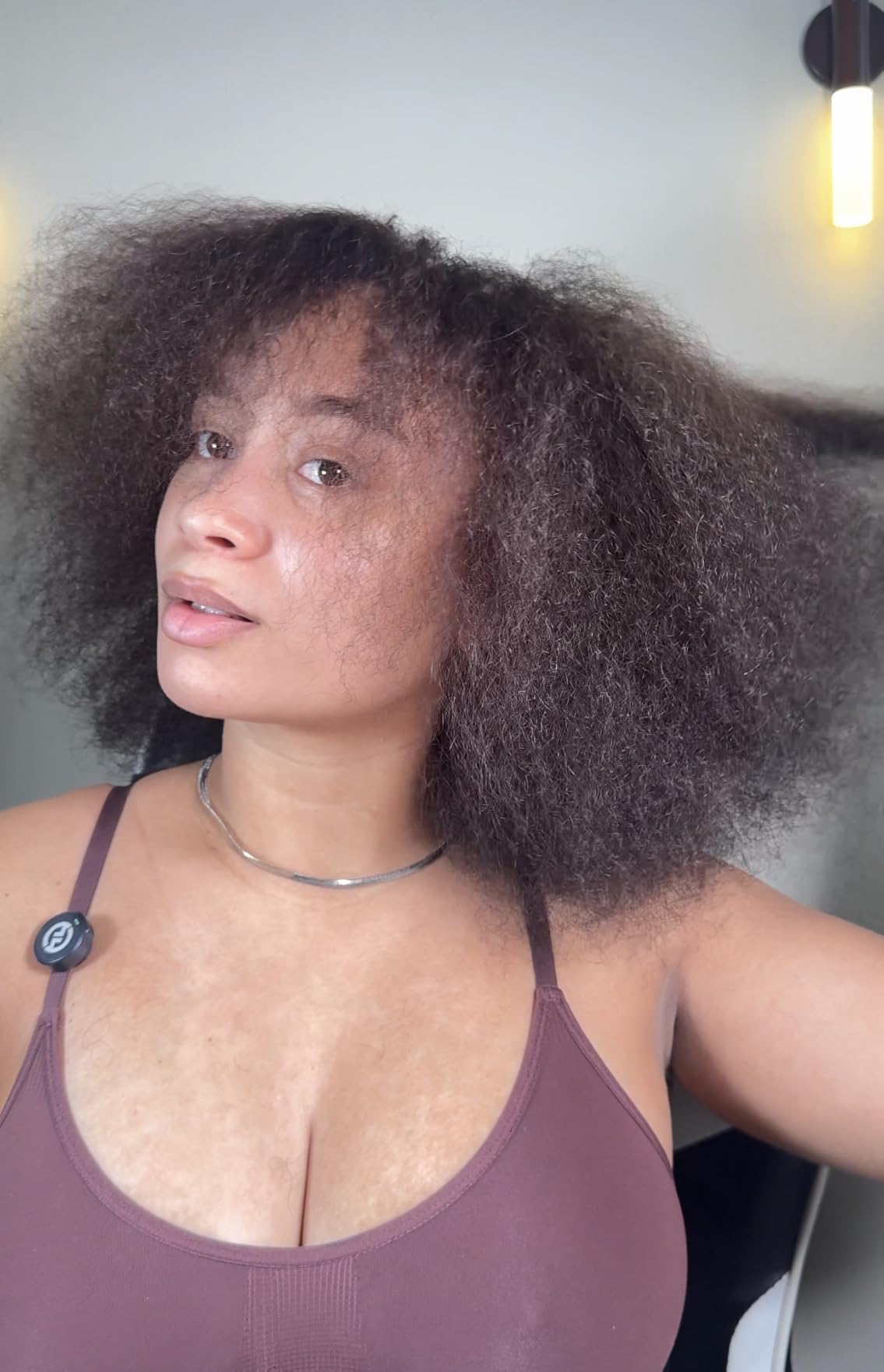
What stands out is the practical design. The high-gain antenna resists body interference, which matters when a transmitter sits against a shirt rather than in open air, and the receiver also supports direct computer connection over UAC. Videographers report using this as a daily workhorse and say the audio beats some higher-priced kits.
The 3.5mm camera receiver has a volume knob and a three-level LED meter, so you can check levels without unclipping anything or opening an app on set.
Why this is the easy switch for most creators?
Moving from a RODE to the Lark M2 costs you almost nothing in workflow. Magnet clips fit the same way, 3.5mm cabling is standard, and you get Lightning and USB-C receivers in the box instead of buying one separately. For solo vloggers who want a clean signal and small hardware, it is the shortest path to a better result.
Where the Lark M2 is the wrong choice?
The USB-C receiver gets pushed out by thick phone cases, so budget for an extension adapter. The units are not weather sealed, which rules them out for rain and beach shoots, and the tiny transmitters vanish into a pocket. At the highest cancelling setting the voice can sound thin, which is exactly what you do not want in a quiet take.
We earn a commission, at no additional cost to you. CERTAIN CONTENT THAT APPEARS ON THIS SITE COMES FROM AMAZON. THIS CONTENT IS PROVIDED 'AS IS' AND IS SUBJECT TO CHANGE OR REMOVAL AT ANY TIME.
3. DJI Mic 2 – Best With 32-Bit Float Backup Recording
DJI Mic 2 (2 TX + 1 RX + Charging Case), All-in-one Wireless Microphone
★★★★★★★★★★32-bit float internal recording
250m range
1.1-inch OLED receiver
18h with case
- Pre-linked and ready to record from the case
- 32-bit float internal recording up to 14 hours
- Bright 1.1-inch OLED touchscreen with jog dial
- Bluetooth and direct connection to DJI Osmo cameras
- 3.5mm TRS input on each transmitter
- Metal case doubles as a charger with cold shoe
- Onboard noise cancelling is only adequate
- Less full and bass-forward than some rivals
- Some Android phones cannot select an external Bluetooth mic
- Transmitters will not fit the case with the windscreen fitted
- Heavier than the smaller DJI models
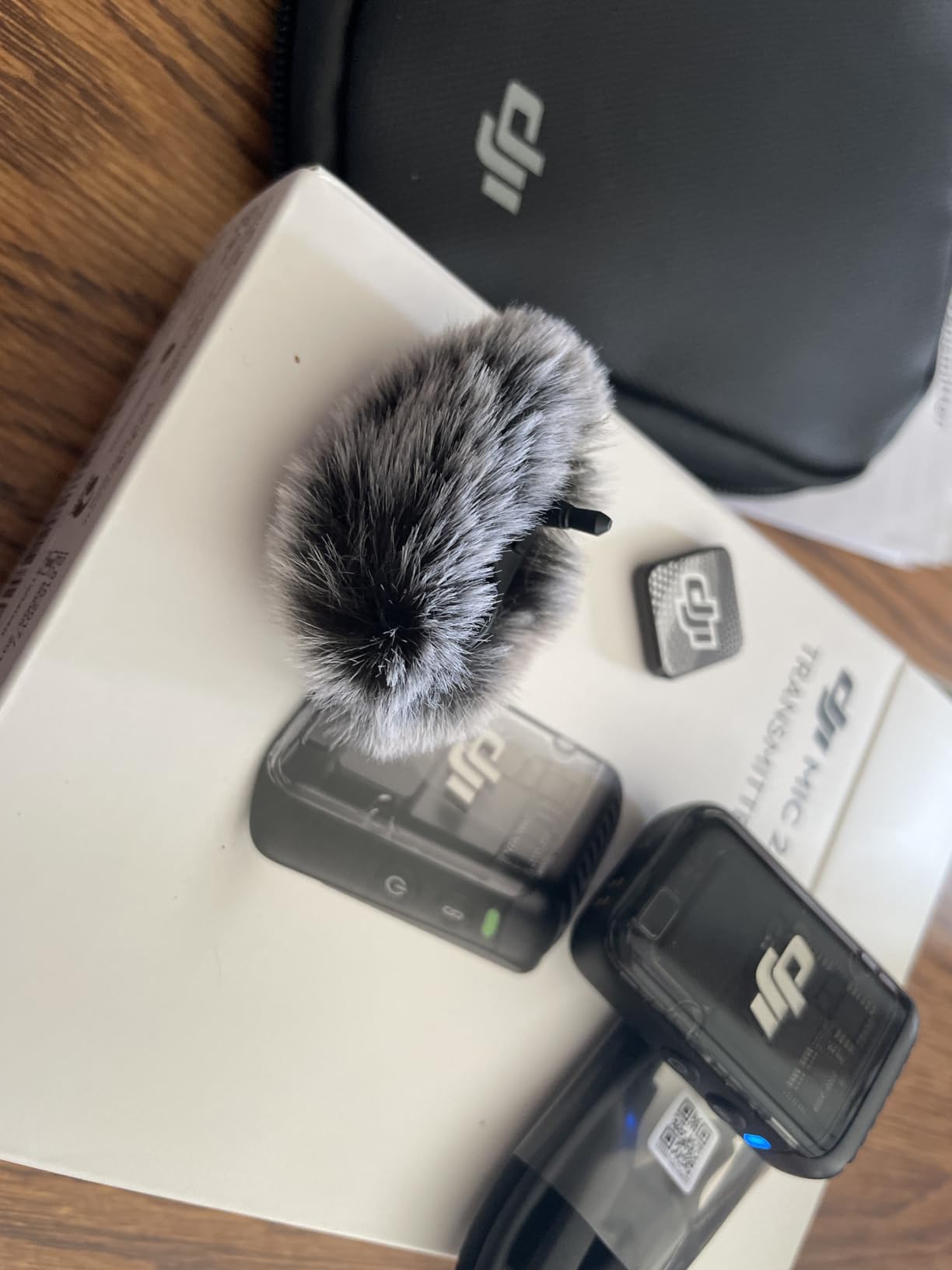
The DJI Mic 2 is the pick for anyone who has lost a take to a dropout or a blown-out level and wants insurance rather than hope. Each transmitter records up to 14 hours of 32-bit float audio internally. That internal track survives a failed RF link, and float recording means a level mistake is recoverable in post.
The receiver is the standout part: a bright 1.1-inch OLED touchscreen with a jog dial for gain, levels and monitoring. Range is a stable 250m, total operation reaches 18 hours with the case, and the pre-linked units record the moment they leave it.
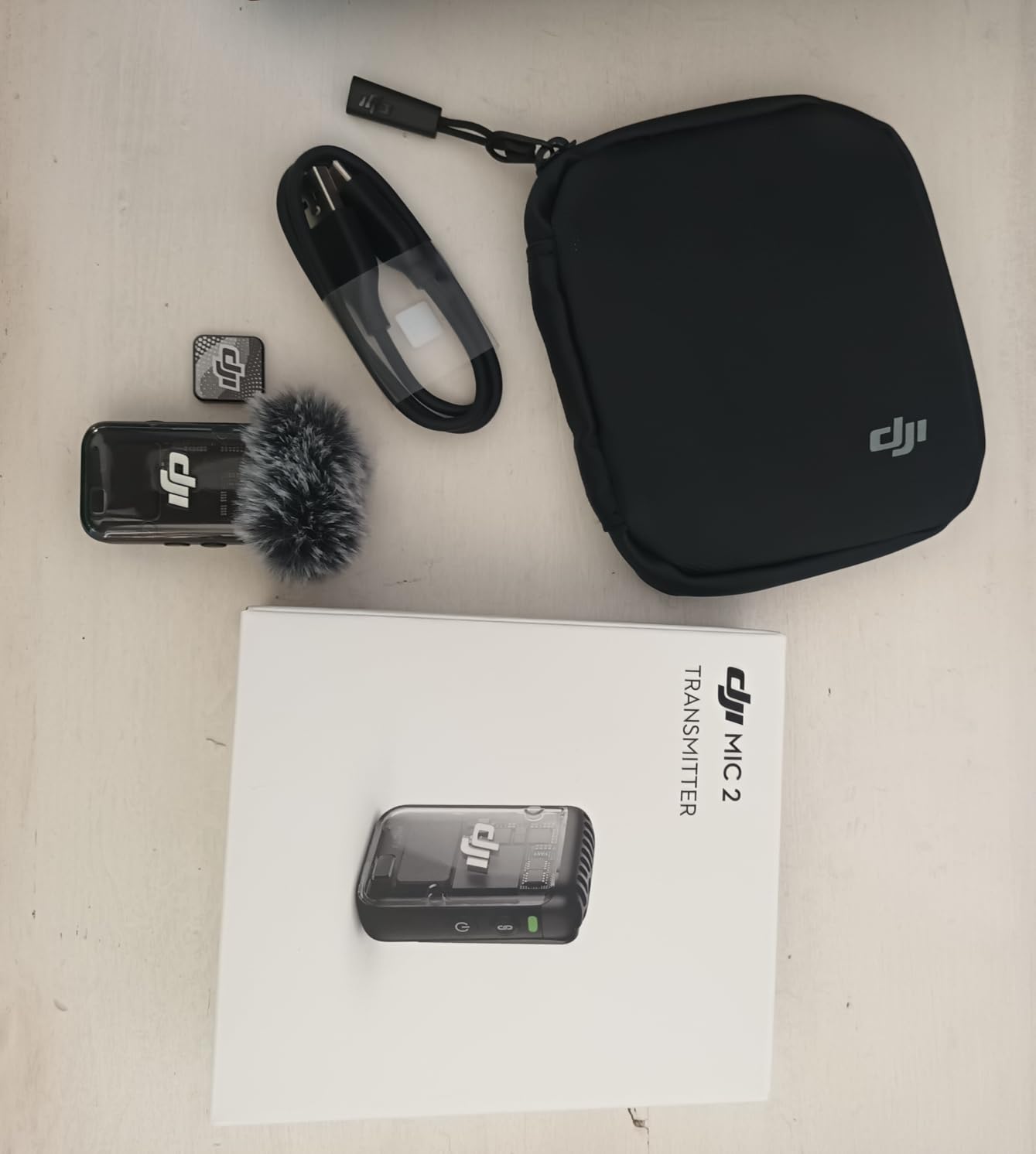
Each transmitter also has a 3.5mm TRS input, so you can plug in a better wired lavalier and still transmit. Bluetooth and DJI OsmoAudio connect the transmitters straight to supported Osmo bodies without the receiver in the chain, and the case has an integrated cold shoe and headphone monitoring.
Sound is described by owners as clean, natural and low-noise at an 85 dB signal-to-noise ratio. That is the case for it: when the shoot is unpredictable, the screen and the internal recorder matter more than a warmer signature.
When the internal recorder earns its price?
Weddings, live events and multi-take interviews are where 32-bit float pays off. A shouting guest who clips the transmitted signal still has a clean internal copy, and a dropout in a crowded venue costs you a duplicated audio file rather than a ruined scene. This is the strongest safety net in the group.
When it does not?
The noise cancelling here is adequate rather than excellent, and newer DJI hardware handles noise better. Owners also report the sound is slightly less full than the Rode Wireless Pro in side-by-side tests. Some Android phones cannot select an external Bluetooth microphone and there is no companion Android app, and the transmitters will not fit the case with the windscreen fitted.
We earn a commission, at no additional cost to you. CERTAIN CONTENT THAT APPEARS ON THIS SITE COMES FROM AMAZON. THIS CONTENT IS PROVIDED 'AS IS' AND IS SUBJECT TO CHANGE OR REMOVAL AT ANY TIME.
4. Hollyland Lark MAX 2 – Best for Multi-Speaker Shoots
Hollyland Lark MAX 2 Wireless Microphone for iPhone/Camera/Android, AI Noise Cancelling, 32-bit Full-Chain Audio, 1115ft (340m) Range, Vlog, Streaming (1 TX + 1 Camera RX)
★★★★★★★★★★4 TX to 2 RX
340m range
8GB onboard per TX
128 dB SPL
- Four transmitters feeding two receivers
- 8GB onboard storage per transmitter
- Deep-learning noise cancelling with 5-25 dB adjustment
- 128 dB SPL headroom and 25 ms latency
- 14 g transmitters with a two-stage clip
- Wireless in-ear monitoring
- 34-hour-plus endurance with the case
- No lock on the power button so it can be switched off by accident
- Transmitters will not fit the case with the magnetic disc attached
- Only one receiver can be active at a time
- Bundled lav cables feel cheap and pinouts vary
- Steeper learning curve than simpler kits
Everything else on this list is a two-person system. The Lark MAX 2 is the one built for the day you outgrow that. Up to four transmitters feed two receivers, so a multi-speaker interview, a panel or a wedding with several mic’d guests runs from one kit.
The audio chain is full 32-bit float from capture through to sync, with 8GB of storage per transmitter — around ten hours of 32-bit backup — and frame-perfect timecode sync. That means you can record the same audio to four receivers on four cameras and align them afterwards without a clapperboard.
Headroom is the headline for loud environments: 128 dB SPL maximum, deep-learning noise cancelling with a stepless 5-25 dB adjustment, and 25 ms transmitter-to-receiver latency over a 340m line-of-sight range using frequency hopping. Transmitters weigh 14 g and clip on with a two-stage Hover-Clip that gives audible feedback when locked, plus magnetic wear underneath.
Wireless in-ear monitoring removes the cable from the operator, and the on-device receiver menu means firmware-level configuration is not an app problem. Professional wedding videographers report replacing RODE and Sony units that had dropouts with this one.
Who this kit is actually for?
If you regularly record three or more mic’d speakers, this is the only kit on the list built to scale past two. The combination of high headroom, timecode and four transmitters feeding two receivers is what makes multi-camera audio work on a single budget.
The physical-design drawbacks are real
The power button has no lock or guard, so a transmitter tucked into tight clothing can be shut off mid-take. The magnetic disc prevents the transmitters fitting in the charging case, only one receiver can be active at a time rather than several, and the bundled lav cables are described as cheap and bulky with inconsistent pinouts. There is a learning curve.
We earn a commission, at no additional cost to you. CERTAIN CONTENT THAT APPEARS ON THIS SITE COMES FROM AMAZON. THIS CONTENT IS PROVIDED 'AS IS' AND IS SUBJECT TO CHANGE OR REMOVAL AT ANY TIME.
5. Insta360 Mic Pro – Best for Insta360 Camera Owners
Insta360 Mic Pro (1 TX + 1 RX), Wireless Mini Lavalier Microphone for iPhone/Camera/Android, Video Recording, Bluetooth, Customizable E-Ink Display, 3-Mic Array, Available for Lightning Device
★★★★★★★★★★E-Ink display
Three-mic array
True stereo from one TX
10h battery
- Customizable E-Ink display for logos or artwork
- Three microphones with three directional pickup modes
- True stereo capture from a single transmitter
- 32-bit float internal recording plus two auto gain modes
- One transmitter feeds up to four receivers
- Pairs instantly with Insta360 X5 Ace Pro 2 and GO Ultra
- Larger than the DJI Mic Mini so harder to hide
- The magnet only works with the clip removed
- Clip magnet is weaker than dedicated magnetic mounts
- Noise reduction can strip out ambient atmosphere
- E-Ink screen is more novelty than function
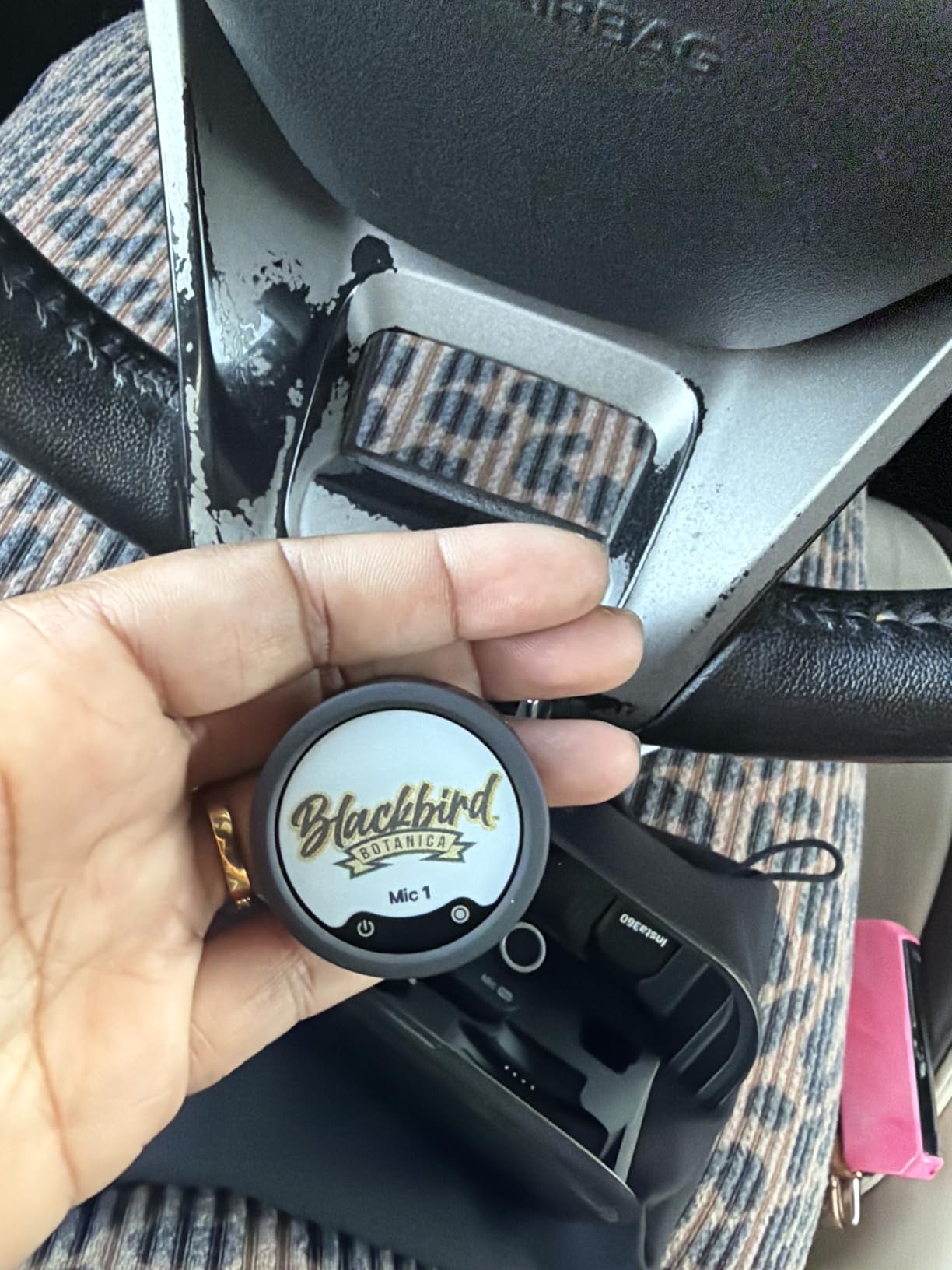
The Insta360 Mic Pro is the odd one out here, and that is the point. It is a three-microphone array with three directional pickup modes, so you can change the capture character without moving the transmitter around. One transmitter also records true stereo, which saves carrying a second mic for stereo pairs.
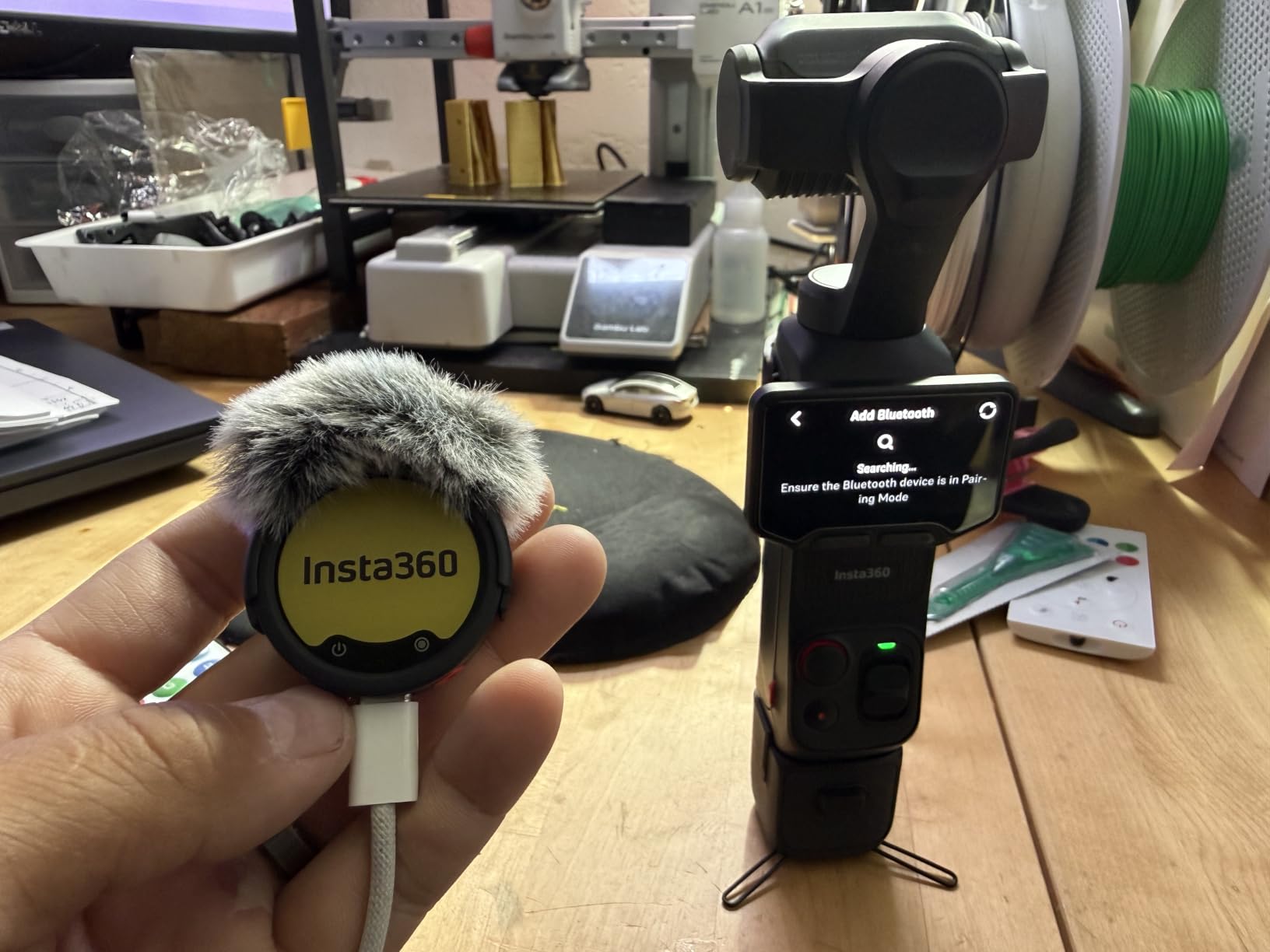
The E-Ink display is the feature people mention first. You load a channel logo or your own artwork through the Insta360 app and the transmitter becomes a branding element on camera. The transmitter also runs 32-bit float internal recording with two auto gain modes, and it pairs instantly with Insta360 X5, Ace Pro 2 and GO Ultra bodies at 48kHz, waking the camera as it connects.
Multi-receiver sync is genuinely useful. One transmitter can feed up to four receivers with synced audio, and connections cover USB-C, a Lightning adapter, 3.5mm and direct Bluetooth. Battery is 10 hours on the transmitter.
Owners already inside the Insta360 ecosystem rate this very highly and describe the audio as a large step up from the camera’s built-in microphone. If you shoot action cameras and travel light, our action camera picks cover the other half of that kit.
Where it earns its place?
The value is ecosystem fit. A single transmitter feeding four receivers with synced audio is the cleanest way to record a multi-camera day when the cameras are all Insta360, and the E-Ink display is a feature you will not find on any of the other seven kits here. Stereo from one unit also frees a channel for a second speaker.
Where the size works against you?
This is a bigger unit than the DJI Mic Mini and noticeably harder to conceal, which is a real problem for discreet documentary work. The clip has to come off before the magnet is usable, the clip magnet is weaker than dedicated mounts, and the noise reduction can strip out the ambient atmosphere you might want to keep.
We earn a commission, at no additional cost to you. CERTAIN CONTENT THAT APPEARS ON THIS SITE COMES FROM AMAZON. THIS CONTENT IS PROVIDED 'AS IS' AND IS SUBJECT TO CHANGE OR REMOVAL AT ANY TIME.
6. NEEWER CM28 – Best Budget Kit With Onboard Recorders
NEEWER CM28 Wireless Lavalier Microphone, Smart Noise Cancelling Lav Mic, 48KHz/16Bit 9hrs Uncompressed Recording, 200m Range, 4GB Storage for iPhone, Android, Camera, 1 RX + 2 TX + Charging Case
★★★★★★★★★★4GB per transmitter
9h uncompressed 48KHz WAV
200m range
LCD on units
- Dual standalone recorders with 4GB each
- Three export modes with one-tap decibel gain
- LCD shows mode volume battery and noise state
- One-click noise cancelling with LED indicators
- 656ft/200m transmission in unobstructed areas
- Case recharges the full set in about 1.5 hours
- 16-bit depth is shallower than 24-bit and 32-bit float rivals
- Reaching 200m needs clear line of sight
- One supplied USB cable is charge-only
- Unidirectional pickup is less forgiving off-axis
The NEEWER CM28 does something most kits at this level do not: both transmitters are standalone recorders. Each has 4GB of storage and saves up to nine hours of uncompressed 48KHz WAV audio independently of the receiver. That is a real backup for interviews where a dropped link would otherwise end the take.
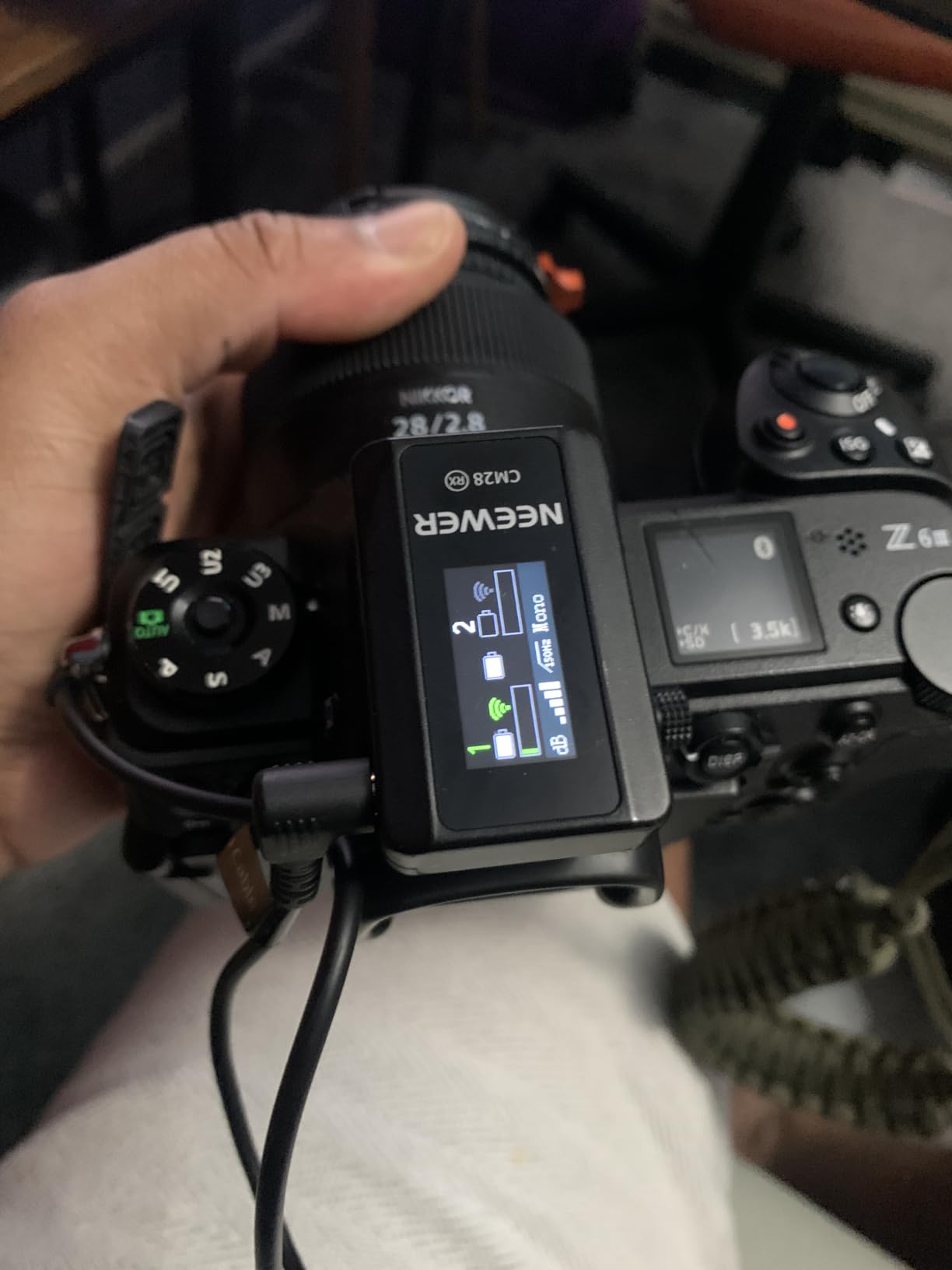
Both units have an LCD showing mode, volume, battery level, connection status and noise reduction state, so you can check a transmitter without pulling out your phone. Audio exports in Mono, Stereo or Ms. mode, gain is set with a one-tap decibel control, and noise cancelling is a dedicated button with LED indicators.
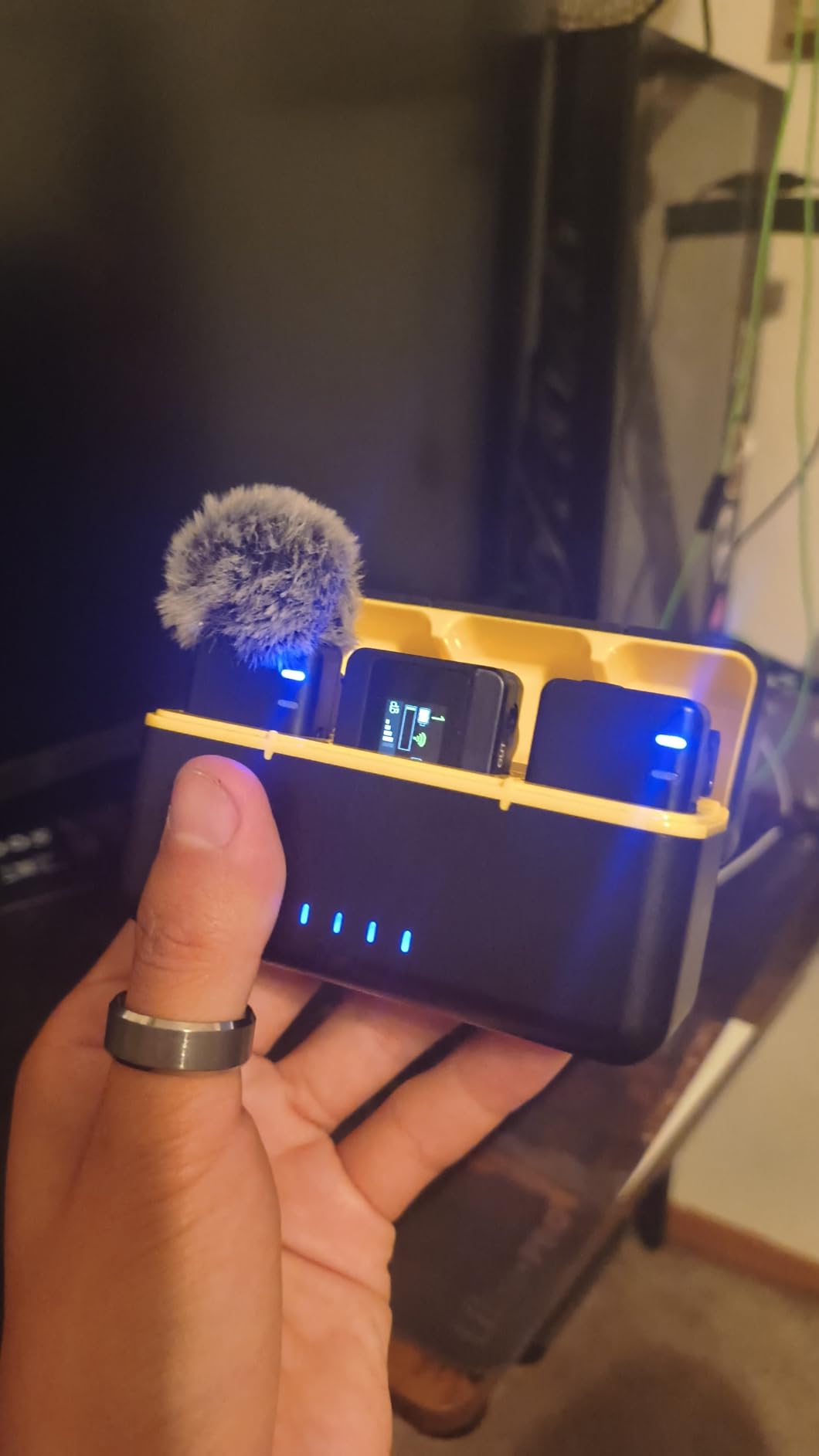
Battery is 9 hours on transmitters and 8 on the receiver, and the included case recharges everything in roughly an hour and a half, so you can top up twice mid-day. Transmission is listed at 656ft/200m in unobstructed areas, with an 80 dB signal-to-noise ratio and 131 dB maximum SPL handling.
Compatibility is broad for the money: USB-C OTG adapter, USB-A to Type-C data cable and a camera cable cover iPhone, Samsung, Android, Insta360, iPad, MacBook, PC and DSLR bodies.
Why pick this over a cheaper single-transmitter kit?
Because the backup recording is real, and it is the single feature that separates a serious kit from a toy. If you shoot interviews or anything you cannot re-record, having the audio on the transmitter regardless of the radio link changes how comfortable you will be on set.
What the trade-off costs you?
The 16-bit recording depth is shallower than the 24-bit and 32-bit float systems elsewhere in this list, so there is less headroom to repair a level in post. The 200m figure needs genuine line of sight, the pickup is unidirectional and therefore less forgiving if the mic is not aimed at the mouth, and one of the supplied USB cables is charge-only, which catches people out.
We earn a commission, at no additional cost to you. CERTAIN CONTENT THAT APPEARS ON THIS SITE COMES FROM AMAZON. THIS CONTENT IS PROVIDED 'AS IS' AND IS SUBJECT TO CHANGE OR REMOVAL AT ANY TIME.
7. COMICA BoomX-D2 – Best Safety Track for Weddings
COMICA BoomX-D2 Wireless Lavalier Microphone for Camera iPhone & Android
★★★★★★★★★★Safety mode with -6 dB backup
200m range
12h battery
Under 20 ms latency
- Safety mode records a -6 dB backup channel alongside the main track
- Mono Stereo and Safety recording modes
- Real-time zero-latency monitoring plus one-tap mute
- 200m with automatic frequency hopping
- Automatic channel selection and pairing under 20 ms
- Up to 12 hours from built-in rechargeable batteries
- 60 dB signal-to-noise ratio needs a clean environment
- Minimum frequency of 80 Hz gives less low-end extension
- Two of the three-in-one cable leads are charge-only
- Lightning iPhones need an adapter that is not included
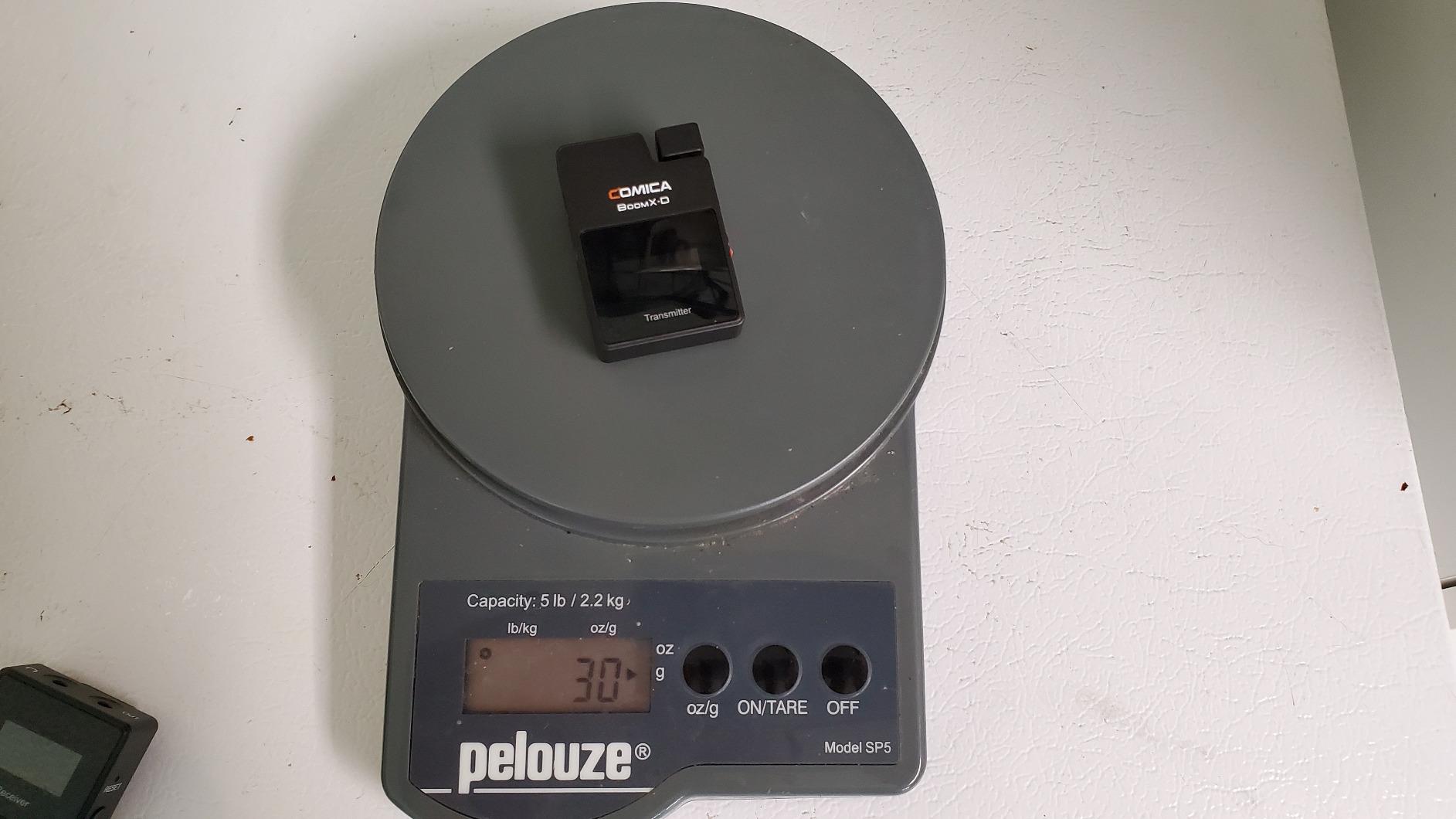
The COMICA BoomX-D2 is built around one idea: a second, quieter copy of everything. Safety mode records the main track and a parallel -6 dB backup channel at the same time. If a guest shouts into a hand-off mic and the main track distorts, the safety track usually holds together.
That is a different approach to the same problem the DJI Mic Mini solves with limiting and the DJI Mic 2 solves with float recording. Here you get a fixed safety channel plus Mono and Stereo modes, and the receiver has real-time zero-latency monitoring through a 3.5mm headphone jack with one-tap mute on the transmitter.
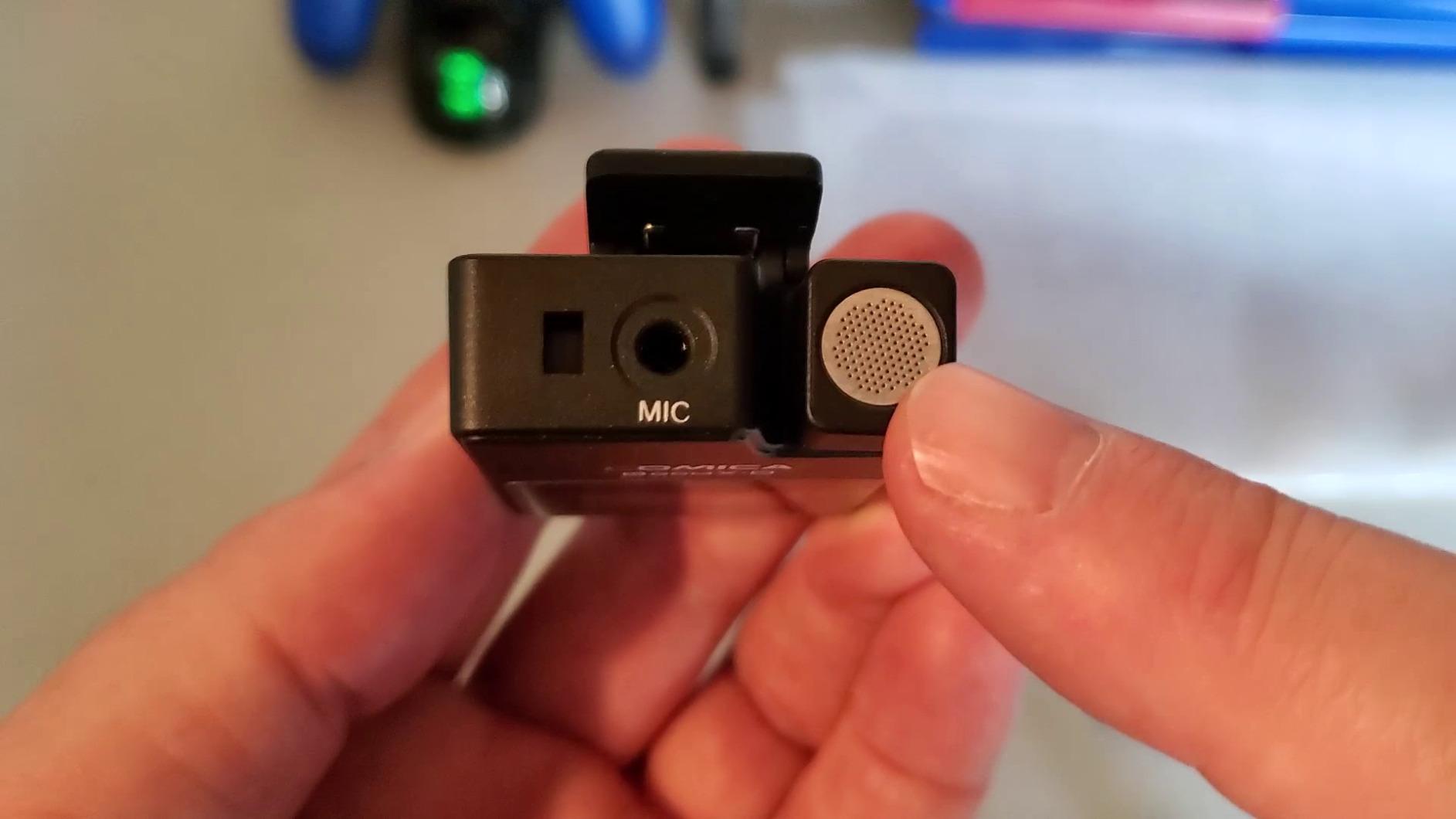
Transmission is 650ft/200m on 2.4GHz with automatic frequency hopping to resist interference in crowded signal environments, automatic channel selection and pairing, and latency under 20 ms. Battery runs up to 12 hours from built-in rechargeable cells.
Compatibility covers 3.5mm TRS and TRRS cables for Sony, Canon, Nikon and laptops, and the orange lead on the bundled 3-in-1 USB-C cable carries digital audio to USB-C iPhones.
What makes it different from a dual-ISO system?
Most competing dual systems give you two separate files, which is no help if the voice itself distorts on both. The -6 dB safety channel is captured from the same signal path with headroom left intact, so it survives the exact moment a dual-ISO setup would fail. For hand-off mics and lapel interviews it is the most direct fix to the clipping complaint on the RODE.
The compromises you are accepting
A 60 dB signal-to-noise ratio is the lowest of the modern kits here, so it wants a controlled environment and will show hiss in quiet rooms. The listed minimum frequency of 80 Hz means less low-end extension than rivals, two of the three bundled cable leads are charge-only, and Lightning-equipped iPhones need an adapter that is not included.
We earn a commission, at no additional cost to you. CERTAIN CONTENT THAT APPEARS ON THIS SITE COMES FROM AMAZON. THIS CONTENT IS PROVIDED 'AS IS' AND IS SUBJECT TO CHANGE OR REMOVAL AT ANY TIME.
8. Movo WMX-1-DUO – Best Simple Two-Transmitter Starter Kit
Movo WMX-1-DUO 2.4GHz Dual Wireless Lavalier Microphone System, Compatible with DSLR Cameras, Camcorders, iPhone, Android Smartphones, and Tablets, 200ft Audio Range, Great for Teaching Tutorials
★★★★★★★★★★Dual transmitter
200ft range
Headphone monitoring
Hard case included
- Simple dual-transmitter setup across DSLRs phones and tablets
- Headphone input for real-time audio checks
- Onboard volume adjustment cuts post-production gain work
- Comfortable belt clips and a shoe-mount receiver
- Hard protective case in the box
- Upgraded RF chipset on the open 2.4GHz band
- Six AAA batteries total versus USB-C rechargeable rivals
- About 6 hours of operation per set of batteries
- 200ft/60m range is the shortest here
- No onboard internal recording backup
- 1-channel spec and 74 dB noise figure trail modern kits
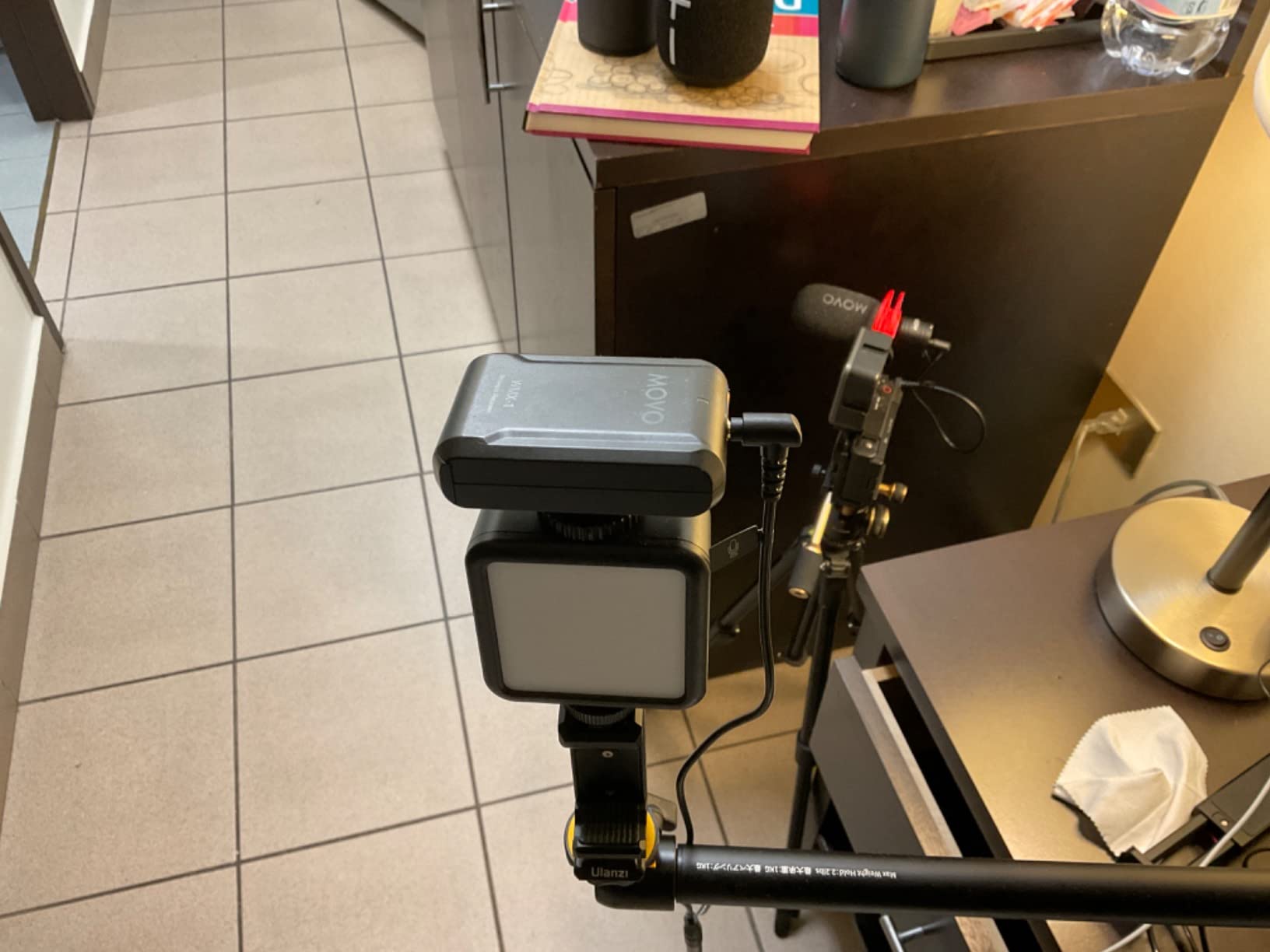
The Movo WMX-1-DUO is the traditional answer: two belt-clip transmitters, a belt-clip receiver with a shoe mount, and cables for both cameras and phones. It records to a DSLR, camcorder, smartphone or tablet, and the box includes a hard case. There is no pairing routine and no app.
The receiver has a headphone input for checking levels while recording, and microphone volume is adjustable on the receiver so you are not fixing gain in post. Transmission runs on the open 2.4GHz band with an upgraded RF chipset, up to 200ft/60m.
It suits a specific situation well: a teacher, presenter or small crew who records two people into a camera and never leaves a controlled building. For that job, the simplicity is the feature.
What it does not do is any of the modern safety work. There is no internal recording on either transmitter, so a dropout is a dropout. The spec is 1-channel with a 74 dB audible noise figure.
What you give up for the simplicity?
Battery logistics more than anything. Each unit takes two AAA batteries — six in total — and each set gives roughly six hours of operation. On a single shoot day you will be swapping cells, which is the opposite of the charge-and-forget experience every other kit on this list provides.
When it is still the right buy?
When the budget is genuinely tight, the shoot is indoors and short, and the priority is a working dual-transmitter system today with no learning curve. It also has an 84 dB signal-to-noise ratio on paper, which is respectable, and the included hard case is something most kits charge extra for.
We earn a commission, at no additional cost to you. CERTAIN CONTENT THAT APPEARS ON THIS SITE COMES FROM AMAZON. THIS CONTENT IS PROVIDED 'AS IS' AND IS SUBJECT TO CHANGE OR REMOVAL AT ANY TIME.
Moving Your RODE Accessories Across
Good news: most of what you own still works. Every kit on this list uses a standard 3.5mm TRS output, so a camera cable from your GO II setup usually plugs straight in. The magnetic clip systems are broadly similar too, though the mounting discs are brand-specific, so check whether your new kit includes a clip for your clothing or whether you need to rebuy.
What does not transfer is the software. RODE Central holds the gain presets, recording mode settings and customisations from your GO II, and none of that follows you to a different brand. Budget an hour of menu-setting on day one with any kit here, and check the app situation for your phone before you commit — Android support in particular varies between brands.
How We Judged These Kits and What to Look For?
These eight systems were assessed on six criteria, and the weightings shifted depending on the use case. The first three matter most in real shoots.
1. Headroom and clipping behaviour. Look for a high maximum SPL figure and for automatic limiting or a safety track. The NEEWER CM28 handles 131 dB, the Lark MAX 2 handles 128 dB, the DJI Mic Mini handles 120 dB. This is the single most useful number if you work around loud or unpredictable sources.
2. Onboard backup recording. If a system records internally on the transmitter, a failed link costs you time rather than audio. The DJI Mic 2, Insta360 Mic Pro and Lark MAX 2 record 32-bit float; the NEEWER CM28 records uncompressed WAV to 4GB per unit; the COMICA BoomX-D2 records a -6 dB safety channel. The Movo has nothing.
3. Behaviour in 2.4GHz congestion. Here is what nobody explains well. Every kit here transmits digitally on 2.4GHz, the same band as Wi-Fi and Bluetooth. In a city, hotels and shopping centres, that band is crowded, and dropouts are caused by interference, not by the advertised range figure. Three things actually reduce it: line of sight between transmitter and receiver, keeping the receiver away from your phone’s Wi-Fi and Bluetooth antennas, and frequency hopping. The Lark M2 uses a high-gain LDS antenna designed to resist body interference, the BoomX-D2 hops automatically, and the DJI units rely on their own anti-interference system. No brand’s number is real if you shoot through people.
4. Battery across a full day. Compare total time with the case included, not per charge. The DJI Mic Mini leads at 48 hours, the Lark M2 reaches 40, the Lark MAX 2 passes 34, and the DJI Mic 2 reaches 18. At the other end, the Movo needs six batteries swapped mid-day.
5. Receiver output compatibility. This is the first real question phone-first creators ask. Check what your kit ships: the Lark M2 and Insta360 Mic Pro cover USB-C, Lightning and 3.5mm; the DJI Mic Mini covers USB-C, Bluetooth and 3.5mm with a Type-C adapter included. Most newer phones need USB-C, but a Lightning receiver is still worth having if you shoot on more than one device. All of them work with a camera via 3.5mm, which is the safe default.
6. Form factor and mounting. The difference between a 9 g transmitter and a 29 g one is the difference between a mic you forget and a mic you keep adjusting. If you film people rather than gear, weight and clip design decide whether you use the lavalier or push it under a collar.
One more decision worth making explicitly: a single-transmitter kit or a dual-channel one. If you ever record two people, buy dual-channel now. Converting later means replacing the whole system, not adding one unit. If you want more on the gear side of a creator setup, our smart bike alternatives guide covers another category where buying for the upgrade you will actually make beats buying the cheapest starting point.
Who Should Still Buy the RODE Wireless GO II?
Plenty of people, and this guide would be dishonest without saying so. The GO II remains one of the simplest wireless systems available: pre-paired transmitters, no menu diving, and a sound signature that owners describe as fuller with fewer clipping issues on loud sources than some DJI kits. For interviews and controlled indoor shoots, that straightforward operation is a genuine advantage over the DJI touchscreen.
It also wins on simplicity of physical design. The transmitters are small, magnetic clips are widely available, and 3.5mm output is universal. If your shoot is indoors, you record one or two people, and you want nothing between you and a recording, the RODE is still a defensible buy. The reasons to switch are real, but they are specific — and none of them apply to every creator.
Frequently Asked Questions
Which is better, the DJI Mic 2 or the RODE Wireless GO II?
The DJI Mic 2 wins on battery, range and onboard recording. It records up to 14 hours of 32-bit float audio on each transmitter, runs 250m, and reaches 18 hours with the charging case, against roughly seven hours per charge on the RODE. The RODE stays ahead on simple operation and a fuller sound signature. Pick the DJI if you shoot unpredictably; keep the RODE if you are indoors and want zero menus.
Is the RODE Wireless GO II good?
Yes, and it is still the easiest wireless system to use. Pre-paired transmitters record on plug-in, the 3.5mm output works with anything, and the sound is full. Its limits are specific: about seven hours per charge, no onboard noise cancelling, and 2.4GHz congestion in cities. It is a good buy for controlled indoor interviews and a weak one for long or outdoor shoots.
Is DJI Mic good quality?
Quality depends on which DJI model. The Mic Mini and Mic 2 both record clean, low-noise voice audio, and the Mic 2 adds 32-bit float internal recording at 14 hours per transmitter. Owners describe the raw sound as clear rather than warm and expect to do some editing. For backup reliability the Mic 2 is the strongest option here; for the smallest form factor the Mic Mini wins.
Is Hollyland better than RODE?
For most creators, yes, on features rather than sound. The Lark M2 gives you 9 g transmitters, 40 hours with the case, one-tap noise cancelling and USB-C, Lightning and 3.5mm receivers in the box. The RODE has no onboard noise cancelling and no case. If you already own a RODE and are happy with its sound, the Lark M2 is a lateral move on audio and a clear step up elsewhere.
Which wireless mic is best for vlogging?
For solo vlogging, the DJI Mic Mini is our top pick: 10 g transmitters, two levels of noise cancelling, automatic limiting, and up to 48 hours with the case. The Hollyland Lark M2 is the alternative if you need a Lightning receiver or want the smallest transmitter in the group at 9 g. For brand-neutral wireless audio gear at a similar price tier, we also cover u003ca href=u0022https://bansocialism.com/best-wireless-gaming-headsets/u0022u003ewireless headsetsu003c/au003e separately.
Why does my wireless signal keep cutting out in crowded areas?
Because every one of these systems transmits on the 2.4GHz band, which is shared with Wi-Fi and Bluetooth. In dense areas that band is crowded and packets get dropped. You can reduce it by keeping clear line of sight, keeping the receiver away from your phone’s Wi-Fi and Bluetooth antennas, and choosing a system with good frequency hopping and antenna design. A system with onboard backup recording turns a dropout into an inconvenience rather than a lost take.
Should I buy a single-transmitter or dual-channel kit?
Buy dual-channel if there is any chance you will record two people, because converting a single-transmitter kit later means replacing the whole system. A single-transmitter kit makes sense only if you are certain you will always be recording one voice and you want the smallest possible unit. The DJI Mic Mini and Hollyland Lark M2 are both dual-transmitter kits at sizes that make the second channel cost you nothing to carry.
Is it worth buying a used wireless mic system?
Usually not. Wireless kits depend on small lithium-ion cells, and those degrade with age whether or not the unit was used heavily. A kit sitting unused for two years can hold noticeably less charge, and battery replacement is rarely worth the effort. If you buy used, check the runtime against the stated figure before committing and keep a wired lav as backup. Buying new also keeps you inside the accessory and app ecosystem the brand still supports.
The Best Rode Wireless Go Alternatives in 2026
The DJI Mic Mini is the best Rode Wireless Go alternative in 2026 for most creators, because it fixes the two limits people complain about most — battery life and noise — while shrinking the transmitter to 10 g. Buy the Hollyland Lark M2 if you need a Lightning receiver or want the smallest unit in the group, the DJI Mic 2 if you need 32-bit float backup recording for unrepeatable shoots, and the COMICA BoomX-D2 if a -6 dB safety track is what keeps you up at night on wedding work.
Keep the RODE Wireless GO II if you record indoors, you value the simplest setup available, and you already own the clips and cabling. Check the current listing for any of the picks above before you commit, since these systems change generation fairly quickly.