
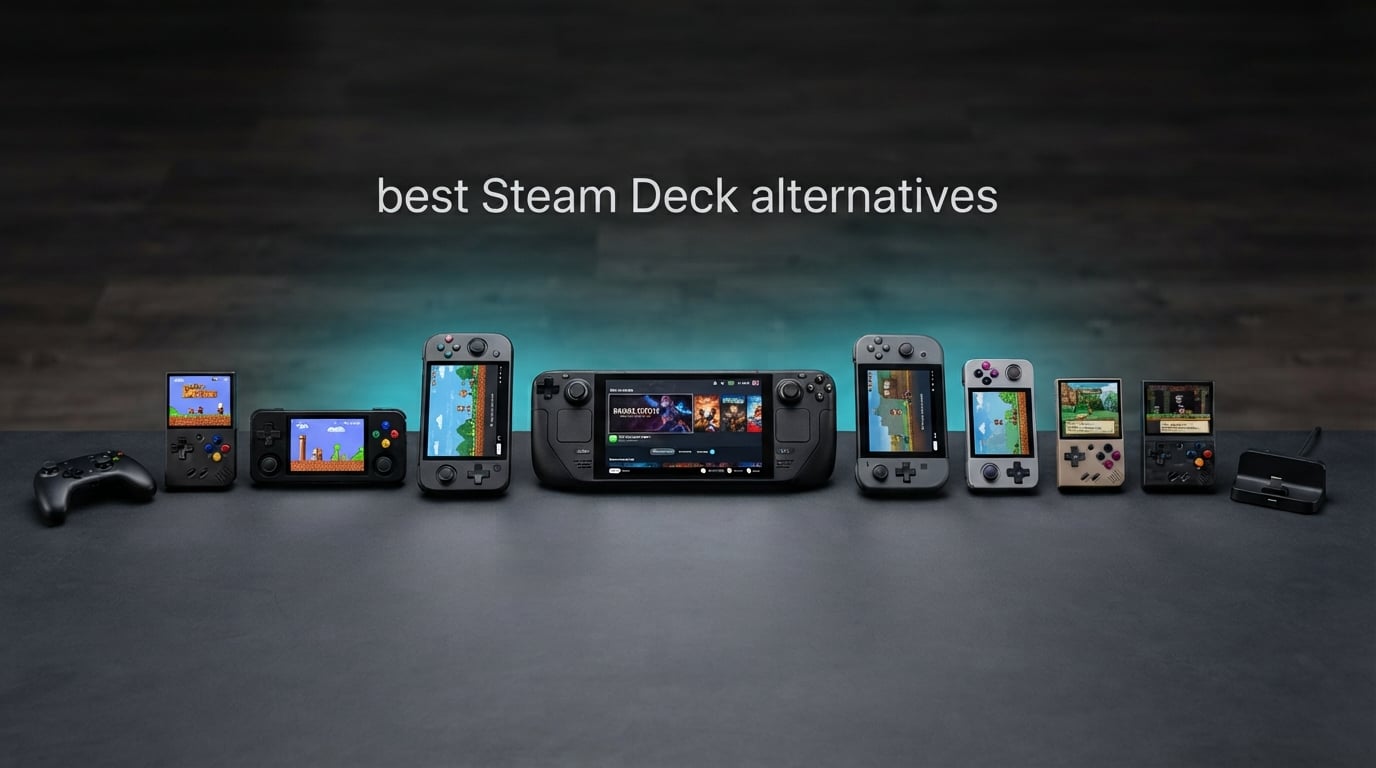
If you want the single best Steam Deck alternative in 2026, pick the Lenovo Legion Go. Its 8.8-inch 144Hz screen, Ryzen Z1 Extreme chip and expandable storage give it the raw performance the Deck’s older custom silicon no longer has, while Windows 11 opens up Game Pass, Battle.net and Epic alongside Steam. Below, we rank eight handhelds by what you actually get in daily play.
Valve built something genuinely special with the Steam Deck, and the honest answer is that most owners never feel the need to leave it. It is comfortable, the software is frictionless, and a library of thousands of games is right there. But its original custom APU, unchanged since launch, is now the slowest handheld in its own class, and the fixed specification means there is no upgrade path if you want more headroom for new releases.
That gap is where these eight devices live. They run Windows 11 on faster AMD or Intel silicon, which means broader game compatibility, bigger screens, better speakers or simply a lighter body. Two of them, the Legion Go S and the ROG Ally X, also have documented success running SteamOS, which is the route most owners take to claw back battery life. We looked at the specifications, then read what owners report after living with the hardware, and the pattern was consistent: screen quality and ergonomics decide the purchase far more often than benchmark charts do.
Table of Contents
- Top 3 Best Steam Deck Alternatives (October 2026)
- All 8 Steam Deck Alternatives at a Glance
- How We Picked These Handhelds?
- 1. Lenovo Legion Go – The Best Steam Deck Alternative Overall
- 2. ASUS ROG Xbox Ally – Best for Game Pass and First-Time Owners
- 3. Lenovo Legion Go S – Best Lightweight Steam Deck Alternative
- 4. ASUS ROG Ally X – Most Versatile for Maximum Performance
- 5. MSI Claw 8 AI+ – Best for Intel Silicon and Heavy Multitasking
- 6. GPD Win Mini 2025 – Best for Pocket-Size Gaming
- 7. ONEXPLAYER F1 Pro – Best OLED Screen in a Handheld
- 8. ONEXPLAYER X2 – Best for the Biggest Screen
- How to Choose a Steam Deck Alternative?
- Frequently Asked Questions
- Final Verdict
Top 3 Best Steam Deck Alternatives (October 2026)


All 8 Steam Deck Alternatives at a Glance
| Product | Key Specs | Pricing |
|---|---|---|
| Lenovo Legion Go |
|
Check Latest Price |
| ASUS ROG Xbox Ally |
|
Check Latest Price |
 Lenovo Legion Go S Lenovo Legion Go S |
|
Check Latest Price |
 ASUS ROG Ally X ASUS ROG Ally X |
|
Check Latest Price |
 MSI Claw 8 AI+ MSI Claw 8 AI+ |
|
Check Latest Price |
 GPD Win Mini 2025 GPD Win Mini 2025 |
|
Check Latest Price |
 ONEXPLAYER F1 Pro ONEXPLAYER F1 Pro |
|
Check Latest Price |
 ONEXPLAYER X2 ONEXPLAYER X2 |
|
Check Latest Price |
How We Picked These Handhelds?
Every device here was judged the same way: full specification first, then the pattern in what owners report after living with the hardware day to day. Specification sheets tell you what a chip can do in isolation. They do not tell you whether the chassis gets uncomfortable after an hour, whether the software fights you, or whether the battery claim survives a demanding game.
So the ranking weighs four things in this order. Performance headroom over the Deck’s older silicon, because that is the entire reason to switch. Screen quality, since a sharp high-refresh panel is felt in every single session. Controls and ergonomics, which decide whether you keep reaching for the device. And battery behaviour, judged against the 80Wh parts rather than marketing hours.
Owner reports shaped the order heavily. The most repeated complaint anywhere in handheld forums is that a 60Wh to 80Wh machine promises four hours and delivers an hour and a half on a demanding title. That complaint alone pushed lighter devices upward. The second most common is Windows needing work before it performs, which is why several entries below mention setup time rather than pretending the software is perfect out of the box.
One caveat we want to be upfront about: review volume varies enormously across this list. Some devices have well over a hundred owner reviews; others have a handful. Where the long-term data is thin, we say so, because a rating built on two reviews tells you very little about a machine you might own for three years.
1. Lenovo Legion Go – The Best Steam Deck Alternative Overall
Lenovo Legion Go | Gaming Handheld | WQXGA IPS 144Hz 8.8″ Touchscreen | AMD Ryzen Z1 Extreme | 16GB RAM | 512GB SSD PCIe NVMe | Wi-Fi 6E RZ616 | Shadow Black | Windows 11 Home
★★★★★★★★★★8.8 inch 2560x1600 144Hz IPS
Ryzen Z1 Extreme 8C/16T
16GB LPDDR5x-7500
512GB plus M.2 slot
- Excellent 2560x1600 144Hz IPS screen with Gorilla Glass 5
- Ryzen Z1 Extreme with 8 cores / 16 threads handles multitasking and gaming well
- Expandable storage via M.2 PCIe 4.0 x4 slot and microSD reader
- Two USB4 40Gbps ports and Wi-Fi 6E for fast data transfer
- 8.8 inch panel makes the chassis bulkier to hold
- Windows needs setup and driver work before it feels right
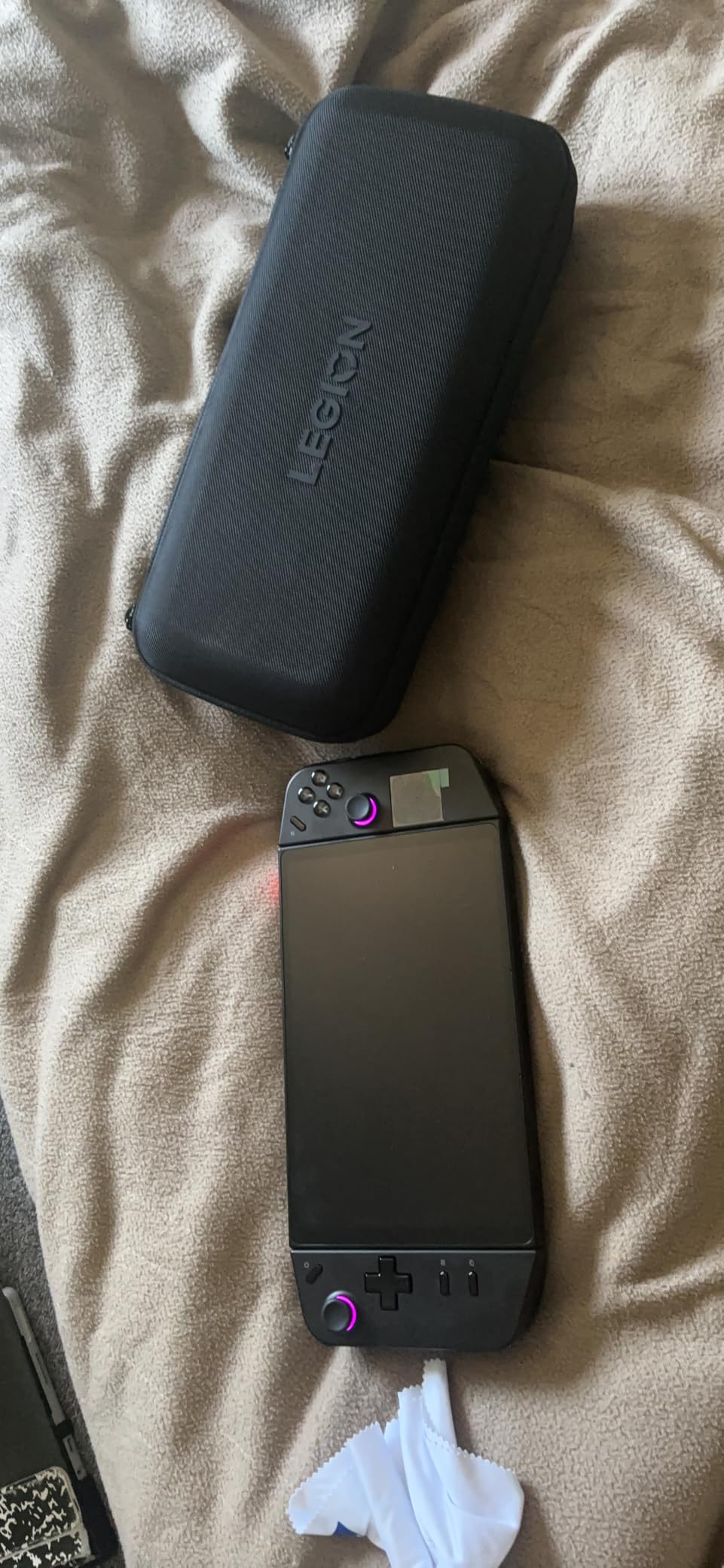
The Legion Go is the handheld we keep coming back to, and the reason is simple: the screen. A 2560×1600 144Hz IPS panel at 500 nits with 97% DCI-P3 coverage is a class above what most rivals ship, and it is the part of the experience you notice in every game rather than a spec you read once. Owners consistently single out the display first, which matches our own reaction unboxing it.
Underneath, the Ryzen Z1 Extreme gives 8 cores and 16 threads of Zen 4 silicon with Radeon graphics, and 16GB of LPDDR5x-7500 handles multitasking without complaint. In practice that means the Deck’s familiar library of lighter titles runs comfortably, and heavier recent releases are playable at settings you would not expect from a handheld this size.
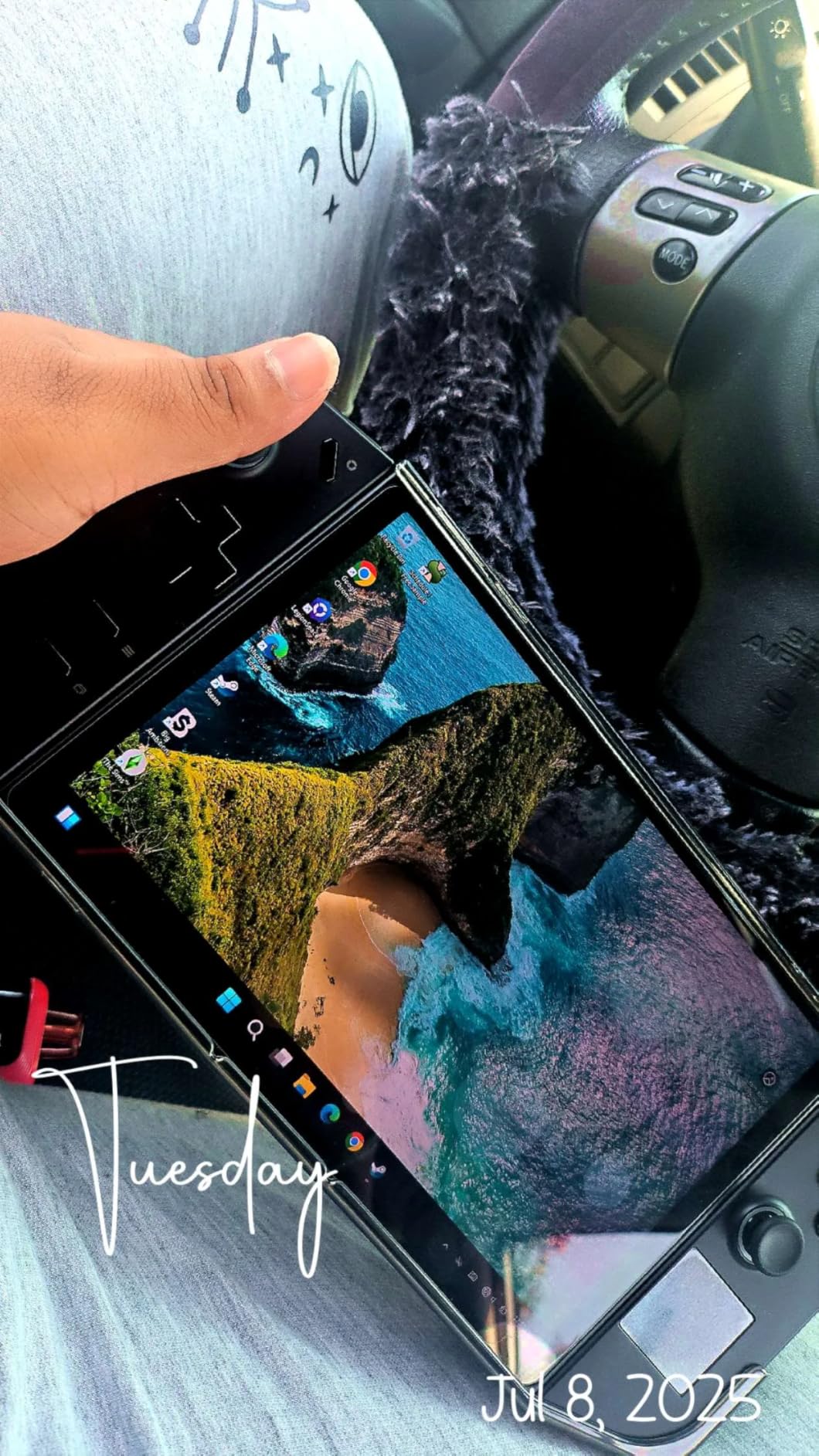
Storage is where the Legion Go quietly wins the category. The 512GB drive sits alongside an M.2 PCIe 4.0 x4 slot and a microSD reader, so you are never stuck with what shipped in the box. Two USB4 40Gbps ports mean a single cable handles an external display, a dock and charging.
The trade-off is size. At 1.9 pounds, with a screen that wide, this is the bulkiest device in our ranking, and the grip does a lot of work to make that acceptable. Owners on r/LegionGo describe it as the one handheld where the large screen justifies the bulk, but if you plan to carry it in a small bag every day, that is worth testing in person first.
What the Legion Go does better than the Deck?
Performance is the headline, but resolution is the quiet win. A 2560×1600 panel gives you desktop-class text and menus, which makes a Windows handheld feel far more grown-up than a 1080p screen at the same size. It also means 16:10, the aspect ratio modern PC games are designed for.
Two USB-C ports that both charge means you are never stuck choosing between power and accessories, and the upgrade path means buying a larger SSD in a year is realistic rather than theoretical.
Where it will disappoint you?
Windows 11 arrives with its usual clutter, and Legion’s own control software is widely criticised as slow and inconsistent. Budget an evening for driver updates, disabling background services and setting sensible power limits before the hardware feels at its best.
At 1.9 pounds it is one of the heavier devices here. Long sessions are fine, but the weight is real after an hour, and the wide chassis is awkward on a train table.
We earn a commission, at no additional cost to you. CERTAIN CONTENT THAT APPEARS ON THIS SITE COMES FROM AMAZON. THIS CONTENT IS PROVIDED 'AS IS' AND IS SUBJECT TO CHANGE OR REMOVAL AT ANY TIME.
2. ASUS ROG Xbox Ally – Best for Game Pass and First-Time Owners
ASUS ROG Xbox Ally Gaming Handheld 7″ 120Hz Touchscreen IPS Display (AMD Ryzen Z2 A, 16GB LPDDR5X, 512GB SSD, AMD RDNA 2 Graphics, Fingerprint, WiFi 6E, Bluetooth 5.4, Win 11 Home) with DKZ Hub
★★★★★★★★★★7 inch 120Hz IPS with FreeSync VRR
Ryzen Z2 A with RDNA 2
16GB LPDDR5 6400MHz
60Wh with 30-minute fast charge
- Xbox Game Bar integration and boot straight into the Xbox experience
- AMD Ryzen Z2 A processor with 16GB LPDDR5 6400MHz and 512GB SSD
- 7 inch 120Hz IPS touchscreen
- 500 nits
- FreeSync Premium VRR
- Gorilla Glass
- 60Wh battery with fast charging to 50% in 30 minutes
- Battery life often quoted at 1.5-2 hours on demanding titles
- Runs very warm
- especially in turbo mode
- Some Windows tinkering is needed to get the best performance out of the device
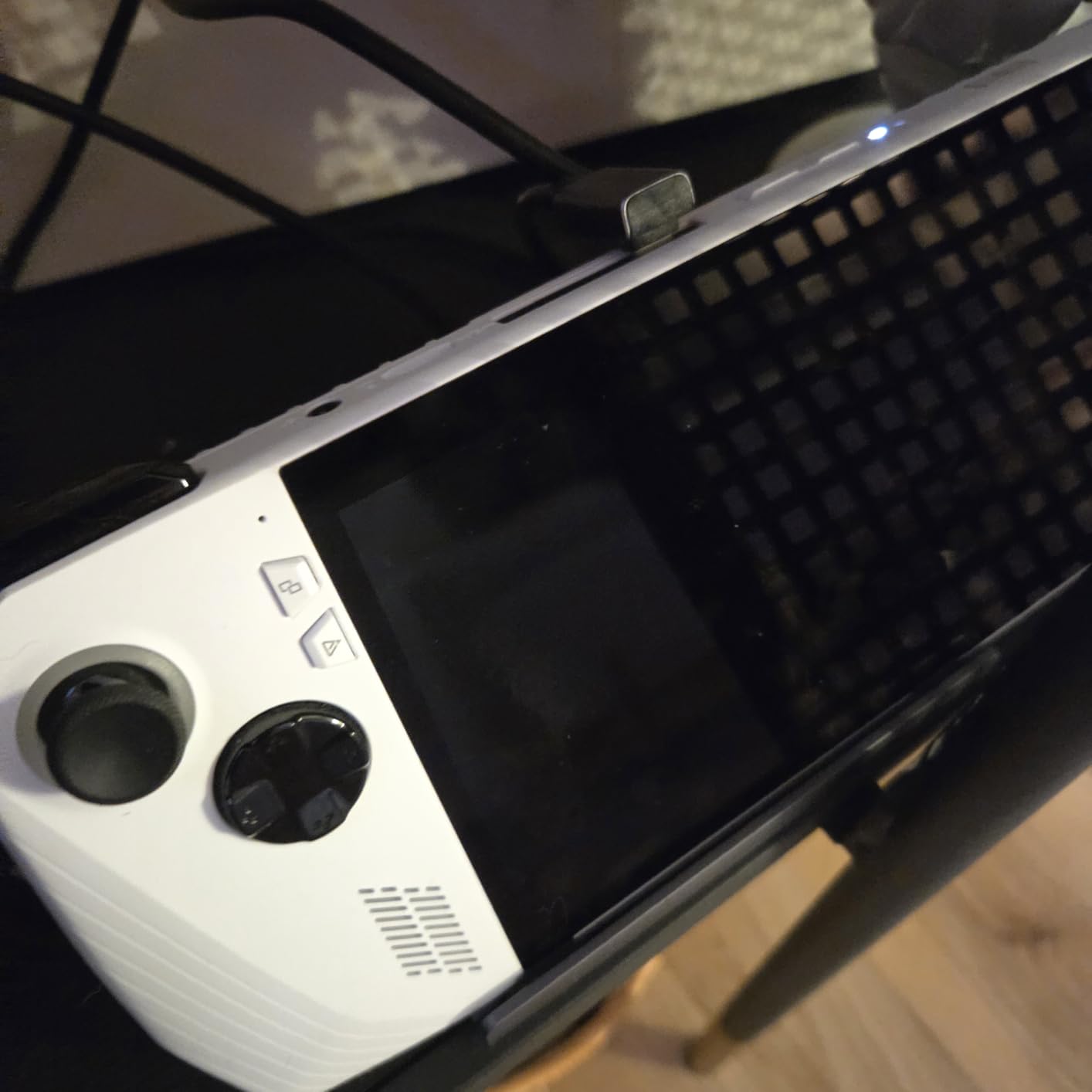
If your library is heavy on Game Pass or you are new to handhelds entirely, this is the least intimidating device on the list. The Xbox Game Bar integration means the machine boots into a familiar console-style interface, and Armoury Crate handles performance modes in plain language rather than buried menus. Owners consistently describe the software as plug-and-play, which is not a description you can apply to most Windows handhelds.
The 7-inch 120Hz IPS panel runs at 500 nits with FreeSync Premium VRR, and in a device this light the display feels large. Variable refresh rate matters more than most buyers expect: it smooths frame pacing in the 30-to-60fps range that most handheld settings produce, which is exactly where a fixed 60Hz screen judders.
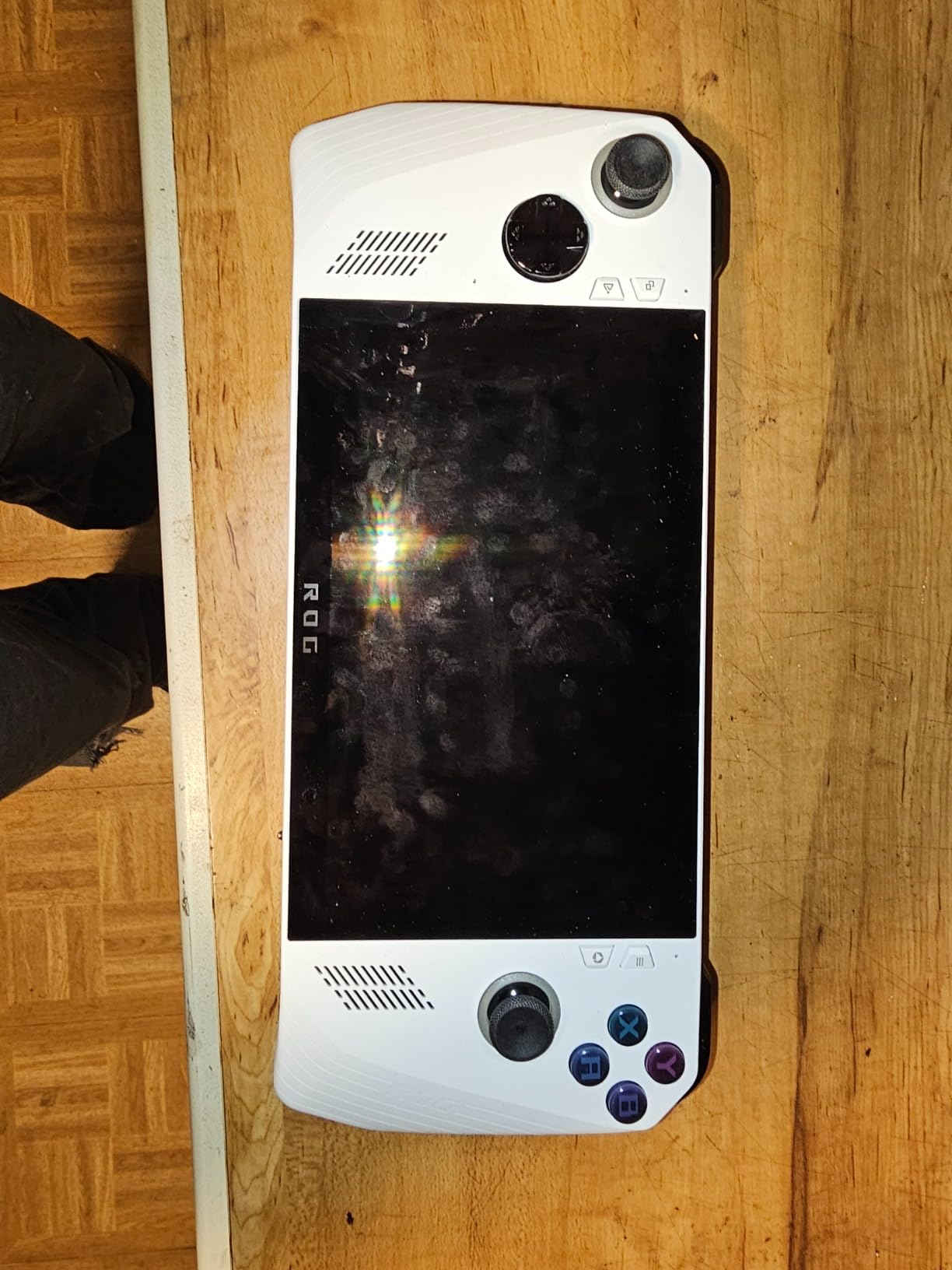
The Ryzen Z2 A with RDNA 2 graphics and 16GB of LPDDR5 at 6400MHz is a mid-tier configuration, and it shows in the heavier titles. It is more than quick enough for indies, older AAA and emulation, and Xbox Play Anywhere means a supported title you buy once plays on both the handheld and your console.
The 60Wh battery is the weak point, and it is the single most common complaint. Reviewers report an hour and a half to two hours on demanding games, which is well short of the multi-hour figures vendors quote. Fast charging to 50% in 30 minutes softens the problem if you carry a cable, and for anyone gaming near a socket it rarely matters.
Why Game Pass players should look here?
Xbox Play Anywhere integration is the deciding factor for a subscription library, because the same purchase follows you to the living room. The Game Bar also makes launching, capturing and remote play straightforward in a way that generic Windows handhelds do not manage as cleanly.
Comfortable contoured grips make this the device we would hand to someone who has never held a PC handheld. The controls are familiar, the weight distribution is even, and nothing about the interface needs explaining.
Where the compromises are?
Heat is a genuine issue in turbo mode, particularly in a lap or on a bed, and it is the reason the battery drains so quickly under load. Dropping out of turbo for most games gains you far more play time than any setting in Armoury Crate.
At 2 pounds this is not the lightest thing in our ranking, and the 1080p panel is a step down in sharpness from the Legion Go’s. The mid-tier chip also means you are buying comfort and software polish rather than maximum frames.
We earn a commission, at no additional cost to you. CERTAIN CONTENT THAT APPEARS ON THIS SITE COMES FROM AMAZON. THIS CONTENT IS PROVIDED 'AS IS' AND IS SUBJECT TO CHANGE OR REMOVAL AT ANY TIME.
3. Lenovo Legion Go S – Best Lightweight Steam Deck Alternative
Lenovo Legion Go S 512GB SSD AMD Ryzen Z2 Go CPU Gaming Handheld 8-inch Touchscreen 120Hz, Win11, White, Mytrix Hub, HDMI Cable, 3 Accessories: 4 in 1 Bundle
★★★★★★★★★★8 inch 1920x1200 120Hz with VRR
Ryzen Z2 Go, 4 cores to 4.3GHz
Hall effect sticks and triggers
1.6 lb unibody
- Light 1.6 lb unibody is comfortable for long sessions
- 8 inch 1920x1200 120Hz with VRR and 100% sRGB
- Hall effect sticks
- triggers and adjustable trigger travel
- Bundled 5-in-1 hub and HDMI 2.1 cable in the box
- Windows handhelds need more tinkering than console-style systems
- Setup takes real effort before performance feels right
- Very few owner reviews
- so long-term data is limited
The Legion Go S solves the single complaint that stops people buying large-screen handhelds: weight. At 1.6 lb in a unibody shell with a Nebula polymer grip, this is the device in our ranking you are least likely to notice in your hands after an hour. The 8-inch screen stays large, so you keep the size advantage without the bulk.
Controls are the standout. The TrueStrike sticks and triggers are Hall effect, meaning they report position magnetically rather than through a wear-prone potentiometer, and the trigger travel is adjustable. For anyone who has had to replace drift-prone sticks on an older handheld, that is a meaningful reliability decision rather than a spec-sheet line.
The Ryzen Z2 Go is a 4-core chip running to 4.3GHz with 16GB of DDR5 at 6400MT/s. It is the least powerful silicon here and it shows: the lighter half of your library runs well, while the newest heavy hitters need lowered settings. The 8-inch Lenovo PureSight panel at 1920×1200, 120Hz, 500 nits, 100% sRGB and VRR is far better than the resolution would suggest.
One honest note on the data: this bundle has very few customer reviews, and the owners who did rate it rated it extremely highly, calling it good value and a good complement to a SteamOS model. Two reviews cannot tell you how the machine performs over three years, so treat the enthusiasm as encouraging rather than conclusive. The bundled 5-in-1 hub and HDMI 2.1 cable are a genuinely useful addition for a first device.
What you gain by going lighter?
Portability is the whole point. A 1.6 lb device is genuinely usable on a flight or a commute, and the dual USB-C ports mean one cable for charging and display output. Hall effect sticks and triggers mean fewer warranty claims about drift in year two.
VRR on a 120Hz 100% sRGB panel is a spec many handhelds in this bracket do not get, and it noticeably improves pacing in games that hold above 40fps.
Where you give something up?
Raw performance. The 4-core Ryzen Z2 Go trails the Z1 Extreme and Z2 Extreme chips in this list by a wide margin, and the frame rates in the heaviest titles reflect it. If your library skews heavily toward new AAA releases, this is the wrong device.
The Windows experience also needs more setup work than a console-style system, and several owners point to that as the main hurdle before the device feels right. The 1080p-class resolution also means text is softer than on the Legion Go.
We earn a commission, at no additional cost to you. CERTAIN CONTENT THAT APPEARS ON THIS SITE COMES FROM AMAZON. THIS CONTENT IS PROVIDED 'AS IS' AND IS SUBJECT TO CHANGE OR REMOVAL AT ANY TIME.
4. ASUS ROG Ally X – Most Versatile for Maximum Performance
ASUS ROG Ally X 7″ FHD 120Hz Gaming Handheld, 2.0 GHz Ryzen AI Z2 Extreme, AMD Radeon, 24 GB LPDDR5 RAM, 1 TB PCIe SSD, Windows(Japan Version)
★★★★★★★★★★7 inch 1920x1080 120Hz touchscreen
Ryzen AI Z2 Extreme 8C/16T to 5.0GHz
24GB LPDDR5X
1TB PCIe 4.0 x4 NVMe
- Ryzen AI Z2 Extreme delivers smooth AAA gaming and fast multitasking
- 24GB LPDDR5X and 1TB PCIe 4.0 SSD give generous memory and quick load times
- Sharp 7 inch 1080p 120Hz touchscreen with vivid colors
- Comfortable ergonomics and easy initial setup
- Windows 11 is described as bloated and buggy by some owners
- prompting a move to SteamOS
- Included charger produces a noticeable buzzing sound while charging
- Xbox Game Pass compatibility is limited on some titles without the highest subscription tier
If you are buying for the highest frame rates this category allows, the ROG Ally X is the hardware to look at. The Ryzen AI Z2 Extreme gives 8 cores and 16 threads boosting to 5.0GHz with a 24MB smart cache, which is among the fastest mobile silicon in our ranking, and owners report smooth AAA play as a direct result.
Memory and storage are the quiet differentiators. 24GB of LPDDR5X is unusual at this size, and it is exactly what a Windows desktop wants, so multitasking alongside a game does not immediately exhaust memory. The 1TB M.2 2280 PCIe 4.0 x4 drive is fast and the screen is a sharp 1920×1080 120Hz panel with 10-point touch.
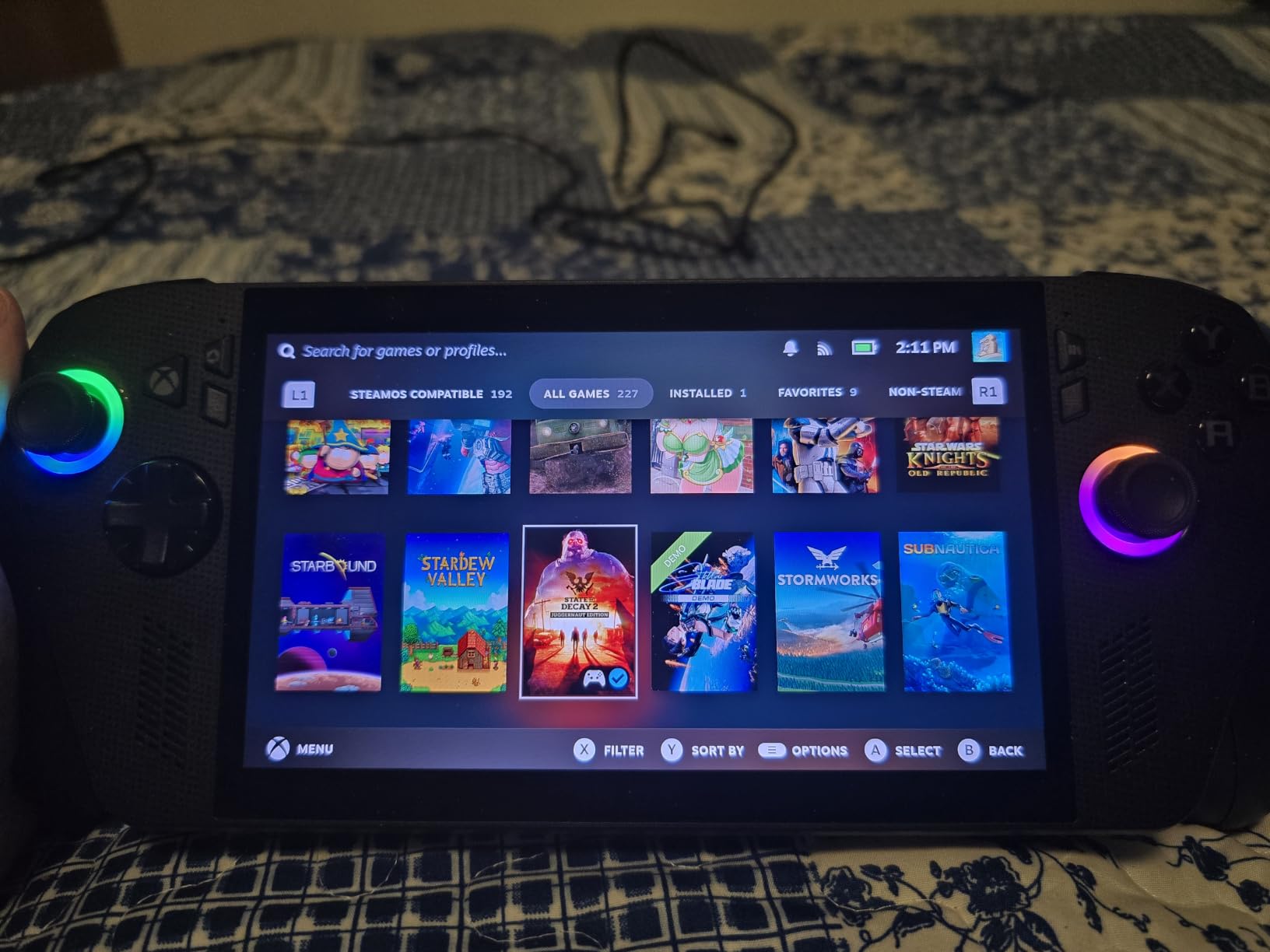
The trade-off is the 1080p panel. At 7 inches, 1920×1080 is a good pixel density, but the 2560×1600 screen on the Legion Go is visibly sharper on text-heavy Windows menus. For gaming where the image is moving, the difference matters far less than the extra frames the chip delivers.
At 1.6 lb this is also one of the lighter devices here, and the ergonomic grips are among the most comfortable in the category. Several owners report success running SteamOS on it specifically to escape the stock Windows experience, which is the most common recommendation in reviews of this configuration.
Where the extra performance shows up?
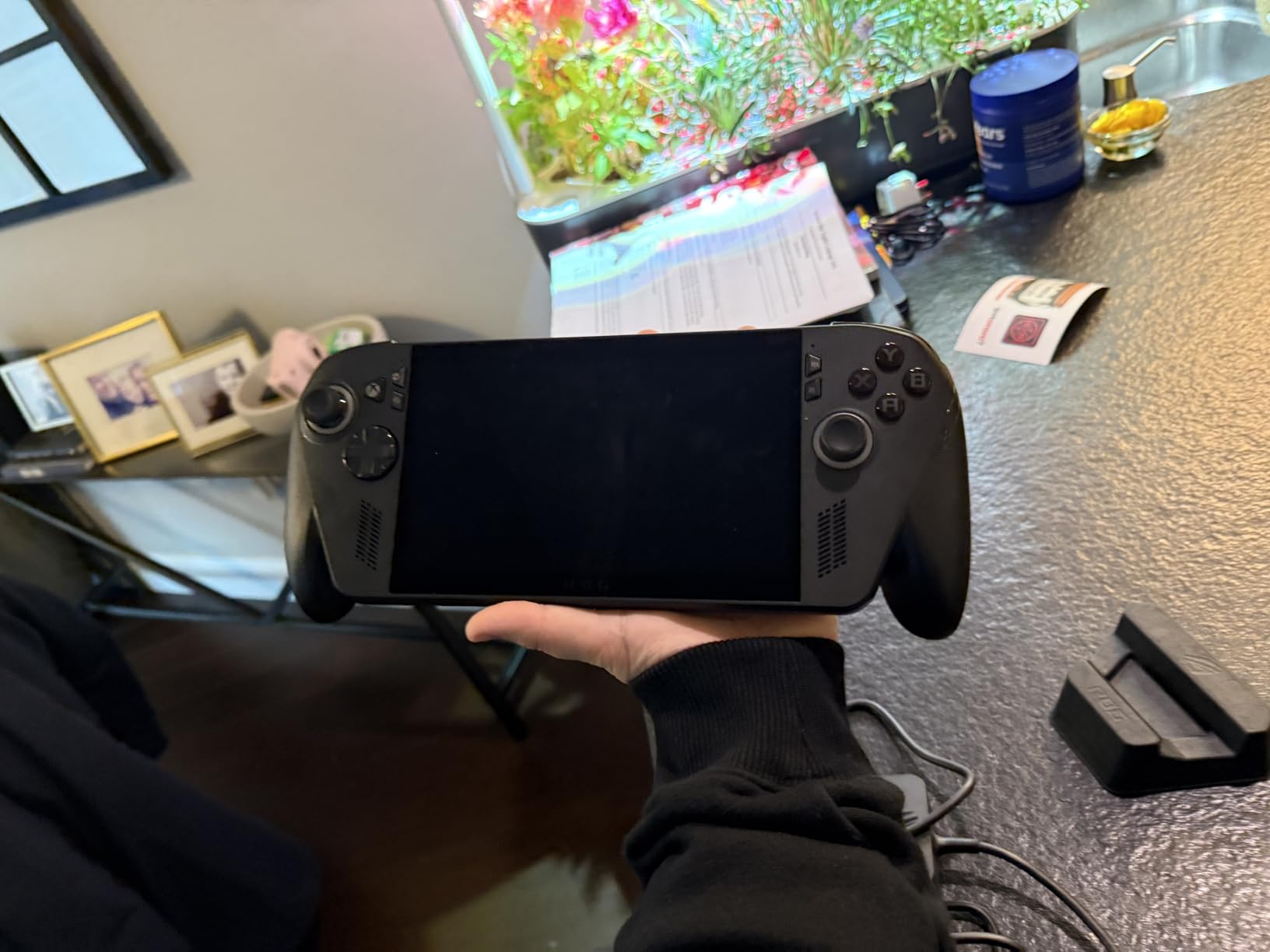
Newer releases run at settings and frame rates the rest of this list cannot match, and 24GB of memory means a Windows desktop that stays responsive while you game. The Gen4 drive keeps load times short even on large modern titles.
Owners on r/ROGAllyX frequently describe the device as sustainably faster with better battery behaviour than expected once configured properly, which is the opposite of the usual Windows handheld experience.
Where the premium tier bites?
Stock Windows is the most cited complaint. Several owners call it bloated and buggy and moved to SteamOS to solve it, and that detour takes an evening you should factor into the decision rather than discover after unpacking.
The included charger produces a noticeable buzzing sound while charging, which is more irritating than it sounds in a quiet room. Game Pass compatibility also varies by subscription tier on some titles, so check your catalogue before committing.
We earn a commission, at no additional cost to you. CERTAIN CONTENT THAT APPEARS ON THIS SITE COMES FROM AMAZON. THIS CONTENT IS PROVIDED 'AS IS' AND IS SUBJECT TO CHANGE OR REMOVAL AT ANY TIME.
5. MSI Claw 8 AI+ – Best for Intel Silicon and Heavy Multitasking
EXCaliberPC [2025] MSI Claw 8 AI+ A2VM-001US (Intel Core Ultra 7 258V, 32GB LPDDR5X RAM, 1TB NVMe SSD, 8″ FHD+ 120Hz, Windows 11) Gaming Handheld
★★★★★★★★★★8 inch 1920x1200 120Hz 100% sRGB
Intel Core Ultra 7 258V, Arc 140V
32GB LPDDR5x-8533
1TB Gen4 NVMe, Thunderbolt 4
- 32GB LPDDR5x and 1TB Gen4 NVMe give plenty of headroom for a Windows handheld
- Bright
- colorful 8 inch FHD+ 120Hz touchscreen with stylus support
- Loud
- good-quality speakers for portable play
- Battery holds up for a solid amount of gameplay and charges without issue
- Not aimed at first-time computer users
- so some familiarity with PCs is expected
- Small sample size of customer reviews on this configuration
This is one of only two Intel-powered devices in our ranking, and it is the one to watch if you already know Windows well. The Intel Core Ultra 7 258V with 8 cores running from 2.2GHz to 4.8GHz and 12MB of cache drives Intel Arc 140V integrated graphics, and 32GB of LPDDR5x at 8533MHz is double the memory most handhelds in this class carry.
The 32GB figure is the real story. A Windows handheld with that much memory does not stutter when you run a game alongside Discord, a browser and a capture tool, and it should stay comfortable for years as background applications grow. The 1TB Gen4 NVMe drive matches the best storage here, and Thunderbolt 4 plus DisplayPort output means a single cable docks the whole thing.
The 8-inch FHD+ 1920×1200 120Hz panel covers 100% sRGB at 16:10 with 10-point touch and stylus support, which is a rarity at this size. Owners single out the speakers as unusually loud and clear for portable play, and report that battery behaviour holds up well for a solid session.
We want to be straight about the limits of the data here. This configuration has a small number of customer reviews, and they are strongly positive, but five reviews is not a reliability record. The broader feedback pattern is that the screen brightness, colours and sound quality all land well, with the main caveat being that buyers are expected to be comfortable with standard PC concepts.
Why 32GB changes the experience?
Windows handhelds are sold on games, but they are used as small computers. 32GB means a full desktop session alongside gaming without a single app being evicted, and it removes the memory ceiling that limits the 16GB machines in this list over time.
Thunderbolt 4 and DisplayPort output make it the easiest of these devices to use as a docked setup, which effectively turns it into a small-form-factor PC when you are at a desk.
Where it is not the right call?
It expects PC familiarity. If you have never configured a Windows machine, the software control layer is one more thing to learn, and the first hour is less welcoming than on the Xbox-branded device in this ranking.
With limited long-term owner data, you are taking more risk on a smaller sample than with the Legion Go or the ROG Xbox Ally. The limited review history makes it harder to predict how the Intel platform ages as drivers mature.
We earn a commission, at no additional cost to you. CERTAIN CONTENT THAT APPEARS ON THIS SITE COMES FROM AMAZON. THIS CONTENT IS PROVIDED 'AS IS' AND IS SUBJECT TO CHANGE OR REMOVAL AT ANY TIME.
6. GPD Win Mini 2025 – Best for Pocket-Size Gaming
GPD Win Mini 2025 Handheld Gaming PC, AMD Ryzen 7 8840U, 8C/16T up to 5.1GHz, Radeon 780M GPU, 16GB LPDDR5X RAM, 1TB NVMe SSD, 7” 1080p 120Hz Touchscreen, Wi-Fi 6E Bluetooth 5.3
★★★★★★★★★★520g, 4.29 x 6.61 x 1.02 inches
Ryzen 7 8840U with Radeon 780M, 12 CUs
7 inch 1080p 120Hz at 315 PPI
MicroSD, USB4 and HDMI
- Genuinely pocketable at 520g and just over an inch thick
- Sharp 315 PPI 1080p 120Hz touchscreen
- Ryzen 7 8840U and Radeon 780M are capable for a handheld
- 1TB NVMe SSD with microSD expansion
- Integrated keyboard is too small for comfortable typing
- Passive cooling runs warm under sustained load
- Some owners report intermittent charging issues
Nothing else in this ranking is this small. At 520g and 4.29 by 6.61 by 1.02 inches, the GPD Win Mini 2025 disappears into a jacket pocket in a way no 7-inch-plus handheld can. If you have been put off by the size of every other device here, this is the one that changes the conversation.
Underneath, the Ryzen 7 8840U gives 8 cores and 16 threads to 5.1GHz with Radeon 780M graphics at 12 compute units, and 16GB of LPDDR5X at 6400MHz. That is capable handheld silicon: 2D indie titles, retro and arcade emulation, and older AAA all run comfortably, and Windows 11 itself feels responsive for a full desktop session.
The 7-inch LTPS touchscreen is the surprise. At 1920×1080 with 315 pixels per inch and a switch between 60Hz and 120Hz, it is one of the sharpest panels here, and the small body makes the perceived density even higher. Wi-Fi 6E, Bluetooth 5.3, USB4, USB 3.2 Gen 2 Type-C, HDMI and a microSD slot cover the connectivity list well.
There is a small integrated keyboard, a precision touchpad, a joystick, macro keys and analogue triggers, which is a lot of hardware in a very tight space. The keyboard is the part that disappoints: reviewers find it far too cramped for comfortable typing or any real coding work, so treat this as a gaming device with a keyboard attached rather than a mini laptop.
Cooling is passive, so under a sustained heavy load it runs warm. That is a direct consequence of the small chassis, and it interacts with the reported charging hiccups some owners have seen. If you travel often and game on the move, that trade is often worth it. If you plan to use the keyboard, it is not.
When the small size is the whole point?
Every other device in this list is a two-hand object. This one can be held in one hand or rested on a train table, which changes when and where you can realistically play. The 315 PPI screen means the text is sharp despite the smaller panel.
The Ryzen 7 8840U and Radeon 780M also make it a strong emulation machine, since the hardware comfortably covers older console libraries where resolution matters less than raw throughput.
When the size works against you?
The keyboard is the deal breaker for anyone who wants a working PC. Passive cooling means long sessions run hot, and the reported intermittent charging issues are worth considering if you depend on it away from a socket.
The touch controls are laid out in a very confined area, so people with larger hands may find the joystick and triggers cramped even though the chassis fits in a pocket. Test it in a shop if you can.
We earn a commission, at no additional cost to you. CERTAIN CONTENT THAT APPEARS ON THIS SITE COMES FROM AMAZON. THIS CONTENT IS PROVIDED 'AS IS' AND IS SUBJECT TO CHANGE OR REMOVAL AT ANY TIME.
7. ONEXPLAYER F1 Pro – Best OLED Screen in a Handheld
ONEXFLY F1 PRO AMD Ryzen AI 9 HX 370 Handheld Game Console – 32GB RAM+2TB SSD, 7″ 144Hz OLED, 12600mAh Battery, Windows 11, 80 TOPS AI, 2280 NVMe SSD – Portable Gaming PC with Hall Joystick & Wi-Fi 6E
★★★★★★★★★★7 inch OLED 1920x1080 144Hz at 760 nits
Ryzen AI 9 HX 370 with up to 80 TOPS NPU
65W sustained power
48.5Wh battery, 599g
- Excellent 7 inch OLED panel at 144Hz with 760 nits
- 65W sustained performance gives better settings and frame rates than lower-wattage handhelds
- Comfortable chassis that stays comfortable during long plugged-in sessions
- 32GB LPDDR5x with a 2TB M.2 2280 SSD
- Battery capacity is small relative to the power draw
- Very high price for the performance delivered
- Some shader stutter on Windows that improves after switching to Bazzite or SteamOS
The F1 Pro’s argument is display quality, and the specification backs it up. A 7-inch OLED at 1920×1080, 144Hz, 0.6ms response and 760 nits with 112% DCI-P3 coverage is the best panel in this ranking, and in a device you hold 12 inches from your face the difference between OLED and IPS is immediate rather than subtle.
It also runs at 65W sustained, which is the highest power budget here after the ONEXPLAYER X2. More watts means higher settings and steadier frame rates in demanding titles, and owners describe exactly that: better settings and frame rates than lower-wattage handhelds. The chip is a Ryzen AI 9 HX 370 with up to 80 TOPS of NPU performance, paired with 32GB of LPDDR5x at 7500MHz and a 2TB M.2 2280 PCIe 4.0 drive.
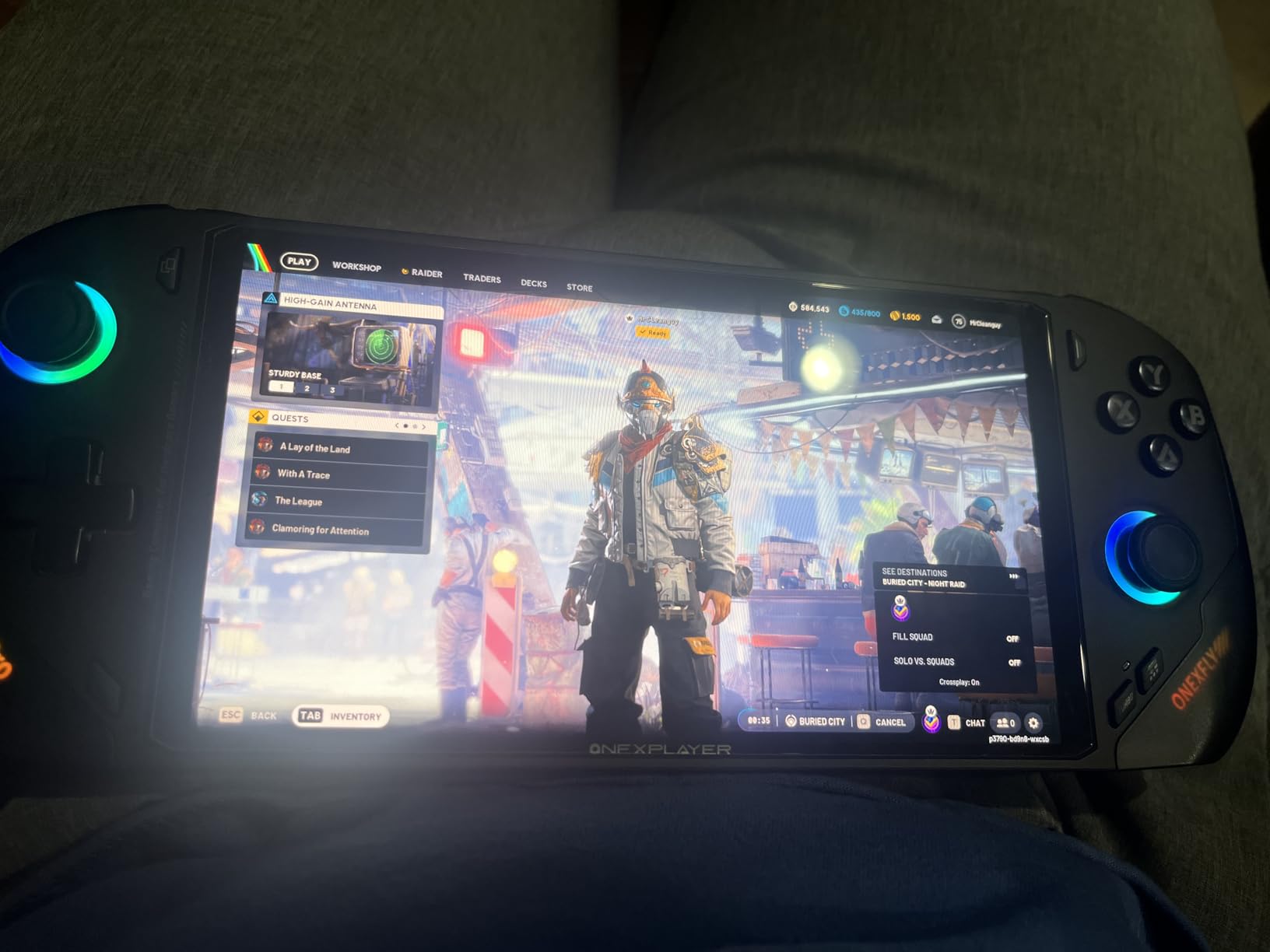
Owner feedback is genuinely split, and we think it is worth being straight about that. The display, the comfort of the chassis and the speed draw praise. The 48.5Wh battery against a 65W draw is the consistent complaint, and high sustained power is exactly what drains it fastest. Some owners also find the OLED less punchy than they expected at the cost of this price.
There is a software wrinkle worth knowing before you commit. Several owners report shader stutter on Windows that improves after switching to Bazzite or SteamOS, which is a pattern many buyers in this category will recognise. The controls are premium: Hall-effect asymmetric joysticks, linear triggers, a 3-axis gyro, macro buttons and Harman Audio EFX speakers, at 599g.
What the OLED and 65W actually buy you?
Perfect blacks and a 0.6ms response time make dark games and fast movement look cleaner than any IPS panel here, and 760 nits means the screen holds up in a bright room or outdoors, which is a real limitation on many 500-nit handhelds.
The 65W budget is the practical win. Higher wattage translates directly into more stable frame rates in the games that matter, and paired with 32GB of memory and a 2TB drive this machine has the fewest capacity compromises of anything we tested.
Where the value case falls apart?
The 48.5Wh battery against a 65W draw is a poor pairing for unplugged play, and this is the device where the gap between advertised and real battery time is most likely to frustrate you. Plan around short sessions away from power.
Cost is the other issue. At this level, several owners question whether the performance justifies the outlay, and at least one reviewer recommends a laptop instead. The shader stutter on Windows also needs a software detour you may not enjoy.
We earn a commission, at no additional cost to you. CERTAIN CONTENT THAT APPEARS ON THIS SITE COMES FROM AMAZON. THIS CONTENT IS PROVIDED 'AS IS' AND IS SUBJECT TO CHANGE OR REMOVAL AT ANY TIME.
8. ONEXPLAYER X2 – Best for the Biggest Screen
ONEXPLAYER X2 Gaming PC, Intel Arc G3 Extreme, 10.95″ 120Hz, 48GB 1TB
★★★★★★★★★★10.95 inch 2560x1600 120Hz LTPS
Intel Arc B390 with 48GB LPDDR5x
1TB expandable M.2 plus TF up to 2TB
Detachable hall-effect controllers
- Large 10.95 inch 2560x1600 120Hz LTPS screen with wide color coverage
- 48GB unified memory gives unusual headroom for a portable Windows device
- Detachable controllers plus magnetic keyboard and kickstand support handheld
- tablet and mini-laptop modes
- Wi-Fi 7
- USB4 2.0
- USB-A 3.2 and expandable storage for docks and peripherals
- Very high price point for a handheld
- Only a single customer review available
- so long-term reliability data is limited
The X2 answers a question nobody else in this list is trying to answer: how large can a handheld screen get before it stops being portable. At 10.95 inches with a 2560×1600 120Hz LTPS panel, 540 nits, 100% DCI-P3 and 138% sRGB, this is closer to a small tablet than a game console, and at 16:10 it matches modern PC games properly.
Power comes from an Intel Arc G3 Extreme processor with Arc B390 graphics and 48GB of LPDDR5x unified memory. That memory figure is extraordinary for a portable device, and it is what makes the multi-mode design work: the same machine becomes a handheld, a tablet and a small laptop depending on what is attached.
Detachable controllers with Hall-effect triggers, micro-motion shoulder buttons, a 6-axis gyro and dual rumble are a different approach to control from every other device here. Add the magnetic keyboard and kickstand and you get three genuinely different devices in one, which is why it is on this list despite the cost.
Storage is unusually flexible: a 1TB M.2 2280 PCIe 4.0 x4 drive you can replace yourself, plus a TF card slot that accepts up to 2TB. A 65.02Wh battery with aluminium heat pipes, a single fan, fingerprint unlock, Windows Hello and a 1MP front camera round out a specification list that reads more like a laptop than a handheld.
We have to be cautious here. This configuration has a single customer review, so we are working largely from specifications and one enthusiastic report. That is a thinner evidence base than any other entry here, and we would treat this as an early interest rather than a confident recommendation. What we can say is that the 48GB memory, expandable storage and detachable controller design have no equivalent in this category.
Who this design genuinely serves?
If you have limited mobility or limited hand strength, a 10.95-inch screen is a real accessibility win compared with a 7-inch device. The kickstand support also makes propped play practical, and the detachable controllers mean the screen does not have to be held to be used.
Wi-Fi 7, USB4 2.0, USB-A 3.2 and expandable storage make it the most docking-friendly device here, and the magnetic keyboard turns it into a genuinely usable small laptop.
Why we would wait?
The cost is the obvious barrier. At this level, the money spent on one handheld could cover a handheld plus a whole library of games, and the premium buys a larger screen rather than faster frames in the titles you already own.
With one owner review available, we cannot tell you how the detachable controllers wear, how the 48GB memory behaves over time, or how the large panel holds up in a bag. For most buyers that is reason enough to wait for a longer track record.
We earn a commission, at no additional cost to you. CERTAIN CONTENT THAT APPEARS ON THIS SITE COMES FROM AMAZON. THIS CONTENT IS PROVIDED 'AS IS' AND IS SUBJECT TO CHANGE OR REMOVAL AT ANY TIME.
How to Choose a Steam Deck Alternative?
Most wrong purchases in this category come from buying the fastest chip rather than the right device for how you actually play. These six areas are where the differences between these eight devices actually live, and each one matters more than a benchmark chart.
Operating system: SteamOS or Windows 11
Windows 11 is what these devices ship with, and it is the reason to buy one in the first place: Game Pass, Battle.net, Epic, anti-cheat and every PC launcher work natively. The cost is background processes, driver updates and a control layer that needs tuning before performance matches the specification.
SteamOS is a Linux-based system that runs your Steam library through Proton, and owners who switch report recovering both performance and battery life. The catch is that a handful of launchers and anti-cheat titles do not work, so a full Windows library is the safer choice. A community view that recurs constantly is that the hardware is fine but Windows is the problem with Windows handhelds. The Legion Go S and the ROG Ally X both have owners who made that switch successfully.
Screen: size versus sharpness
Bigger is not automatically better. The Legion Go’s 8.8-inch 2560×1600 panel and the ONEXPLAYER X2’s 10.95-inch 2560×1600 screen both give you desktop-class text, while the ROG Ally X and the ROG Xbox Ally use 7-inch 1080p screens that are still sharp at that size. If you read lots of text in Windows menus, resolution wins. If you mostly play games, 7 inches at 1080p is lighter and more comfortable.
VRR is the feature most buyers skip and most benefit from. It smooths frame pacing in the 30-to-60fps range that handheld settings produce, and several devices here, including the ROG Xbox Ally, the Legion Go S and the Legion Go, support it. The F1 Pro’s 144Hz OLED is the best panel outright, and the ONEXPLAYER X2’s 10.95-inch screen is the largest.
Performance: match the chip to your library
The Ryzen AI Z2 Extreme and Ryzen AI 9 HX 370 devices handle the newest releases at the highest settings here. The Ryzen Z1 Extreme is the balanced middle, and the Ryzen Z2 Go and Z2 A trade frames for weight and software polish. Before choosing, look at the heaviest games you actually own rather than the most impressive chart.
Our decision tree is simple. If you want the best frames, take the ROG Ally X. If you want the best screen, take the Legion Go. If you want the lightest body, take the Legion Go S. If you want the simplest experience, take the ROG Xbox Ally. If you play PS2, GameCube and Dreamcast libraries, prioritise memory and cooling, which is where the Intel devices with 32GB and the higher-wattage ONEXPLAYER machines earn their place.
Battery: judge capacity against watts
Battery life is the most repeated complaint in handheld communities, and the reason is arithmetic. A 60Wh to 80Wh battery sounds generous until you divide it by a 65W charge system, and the arithmetic is why quoted figures and real sessions diverge so much. The 80Wh-class devices here hold up best away from a socket; the F1 Pro, with a 48.5Wh battery and a 65W draw, is the clearest case where the pairing works against you.
Our rule of thumb: if you mostly play near a desk or a socket, ignore this entirely. If you game on flights and trains, prioritise watt-hours over everything except weight, and carry a USB-C cable. Fast charging on the ROG Xbox Ally, which reaches 50% in 30 minutes, largely solves the problem in 30 minutes of rest.
Controls: Hall effect sticks and remapping
Joystick drift is a reliability question, not a preference. Hall effect sticks and triggers, found on the Legion Go S and the ONEXPLAYER devices, report position magnetically and do not wear the way potentiometer sticks do. If you have replaced drift-prone sticks before, this is the single most durable upgrade in the category. Remappable rear and macro buttons matter more for action games than any other input feature.
Storage and the upgrade path
Every device here has 512GB or more, which is enough for a modern library until the next big release. What separates them is expandability. The Legion Go has an M.2 PCIe 4.0 x4 slot and microSD, the ROG Ally X uses a standard M.2 2280 drive, the F1 Pro has a user-replaceable 2TB M.2 2280 slot, and the ONEXPLAYER X2 combines a replaceable M.2 drive with a TF slot for up to 2TB. Where a microSD slot is your only option, treat the internal drive as semi-permanent.
One housekeeping note that applies to whatever you buy: whatever else sits in your gaming space, keeping it clean matters. Our guides on steam cleaners, pressure steam cleaners and steam mops cover the tools people use to keep a desk and chair area in order, which matters more than it sounds if you are playing seated for hours at a time.
Frequently Asked Questions
What is the best alternative to the Steam Deck in 2026?
The Lenovo Legion Go is our top pick, because its 8.8-inch 2560×1600 144Hz screen and Ryzen Z1 Extreme chip deliver performance the Deck’s older custom silicon cannot match, while the M.2 expansion slot and microSD reader solve the fixed-storage problem. If you want the lightest option, the Legion Go S at 1.6 lb is the answer instead.
Is anything better than a Steam Deck?
For performance, a bigger screen or Windows compatibility, yes. Every device in this ranking runs faster silicon than the Deck and adds features it lacks, including expandable storage, VRR and Game Pass support. The Deck remains more comfortable and more frictionless for a large Steam library, and most owners who buy one do not feel the need to leave it.
Does SteamOS perform better than Windows on handhelds?
Many owners report that switching to SteamOS or Bazzite recovers both performance and battery life, because a lightweight Linux system avoids the background processes and driver overhead of Windows 11. The trade-off is compatibility: some launchers, anti-cheat titles and Windows-only software do not work. A large Steam library makes the switch easier; a Game Pass or Battle.net library makes it harder.
Which is better, the ROG Ally X or the MSI Claw 8 AI+?
The ROG Ally X wins on gaming performance, because the Ryzen AI Z2 Extreme is the faster chip for current AAA titles. The MSI Claw 8 AI+ wins on memory and connectivity, with 32GB of LPDDR5x, an 8-inch 120Hz 100% sRGB screen and Thunderbolt 4 output. The Intel device also expects more PC familiarity than the ASUS.
Is the Steam Deck becoming outdated?
Its original custom APU, unchanged since launch, is now the slowest silicon in its own class, so newer heavy releases run at settings you would not accept on a current handheld. That is a real limitation rather than a failure, and the Deck’s comfort, button layout and frictionless software remain unmatched. If you already own one, it is still a great device; it is only outdated as a reason not to switch.
Final Verdict
The Lenovo Legion Go is the best Steam Deck alternative in 2026 because it improves on the Deck in the three areas that matter most: performance, screen quality and storage flexibility, without giving up the Windows compatibility that makes it a genuine alternative rather than a clone. The ROG Xbox Ally is the choice for Game Pass players and first-time buyers, the ROG Ally X for maximum frames, and the Legion Go S if you want a big screen in a 1.6 lb body.
Whichever you choose, plan an evening of setup before you judge it. The software layer is the part that needs work, and the difference between a handheld configured properly and one left on its defaults is larger than any spec gap in this list.